Thumbnail project for a video editing tutorial.
The Selection Strategy:
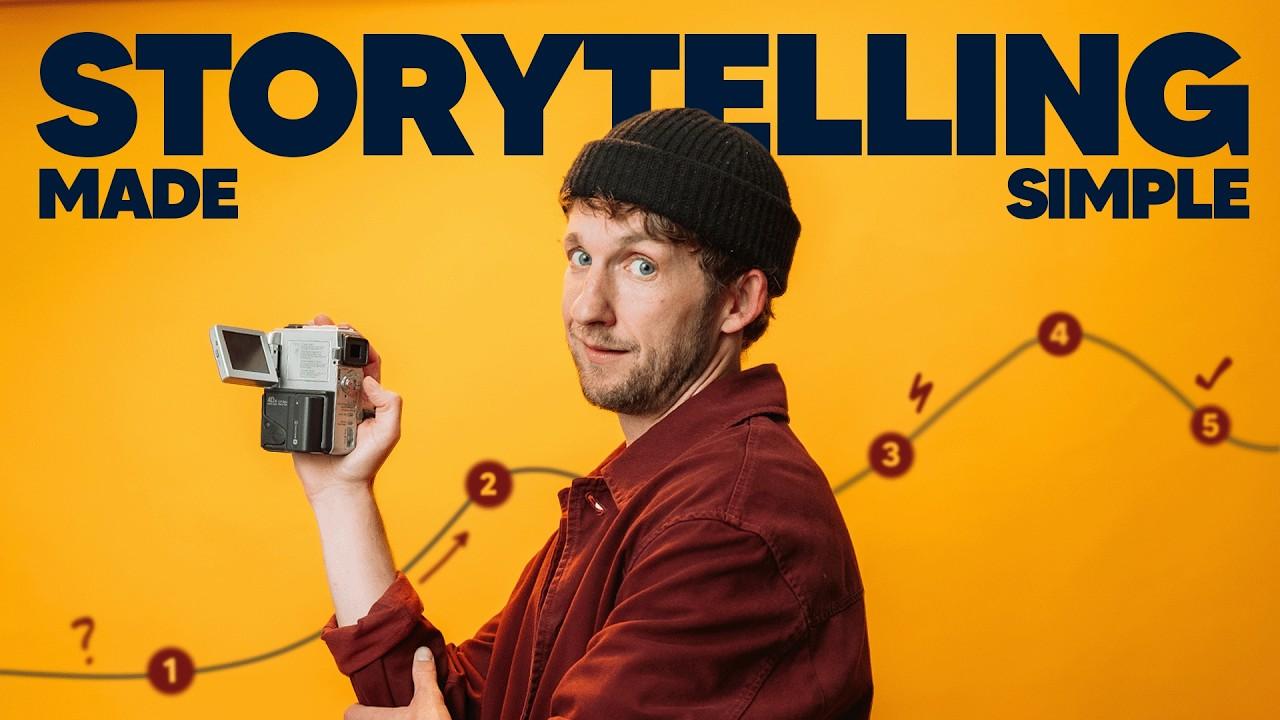
I began this project by identifying a high-performance "outlier" thumbnail, from creator Tim Runia (attached below). His work is a masterclass in Visual Hierarchy and Visual Directness. I chose to study the "Storytelling" framework because it uses a proven psychological trigger: a clear, waving "path" that promises a structured journey. My goal was to adapt this cinematic structure specifically for a technical video editing tutorial.
The Creative Execution: For my version, "Video Editing Made Easy," I focused on several key technical pillars:
- Complementary Contrast: I utilized a vibrant Mustard Yellow background paired with a deep Navy Blue for the typography. This "Blue on Yellow" combination creates maximum contrast, ensuring the text remains legible even at small mobile scales.
- The Journey Graphic: I replaced the original storytelling nodes with specialized video editing icons: Scissors for cutting, a Magnet for assembly, the Magic wand with sparkles for the final polish (Color Grading, Visual Effects, Sound Design) and then the Export Icon. I used a blurred Burnt Sienna path line to create a sense of depth and motion without distracting from the main subject.
- 3D Layering: To add a high-end feel, I positioned the portrait so that the head and camera slightly overlap the main "VIDEO EDITING" header. This creates a 3D "pop" effect that separates the subject from the background text.
- The "Squint Test" Optimization: I prioritized massive, bold typography with tight tracking to ensure that the value proposition of the video is clear within the first 500 milliseconds of being seen.
I also got Inspiration from the Icon usage in Jade Beason's Thumbnail (also attached below).
One challenge I had was with further editing of my Portrait/Picture. Due to the GPU Limitation of my Laptop, I wasn’t able to apply the Camera Raw Filter in Adobe Photoshop. I was only able to apply the outer glow and drop shadow effects.
Thank you Vlad for this course.