Cinematic Truck Photo Composite (Photoshop Manipulation)
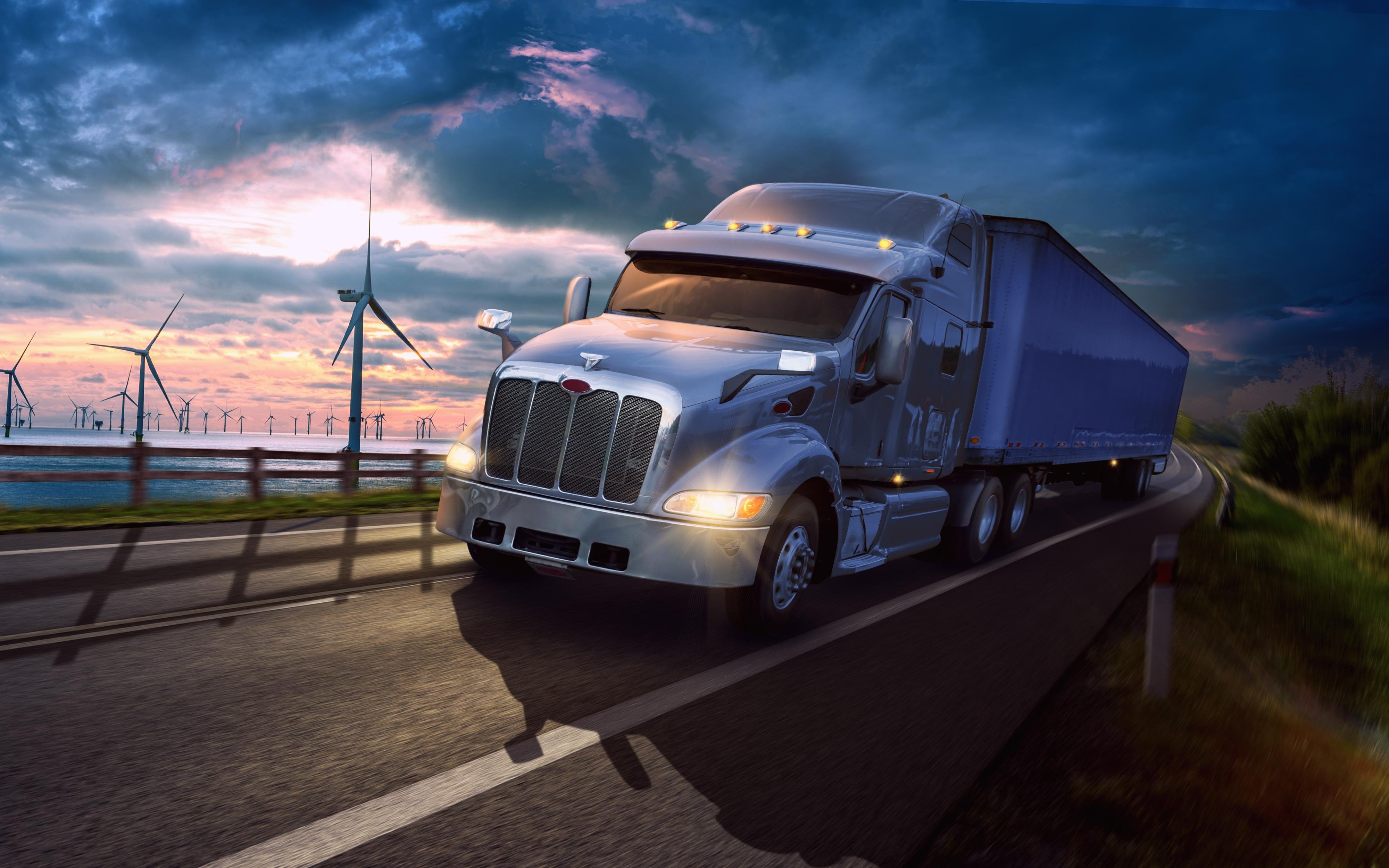
Project: Cinematic Truck Photo Composite (Photoshop)
For this class project, I created a realistic commercial-style photomanipulation of a truck driving on a highway with a dramatic sunset sky. The goal was to make all elements feel like they were captured in the same scene by matching perspective, lighting direction, shadows, depth, and final color grade.
What I used-
Adobe Photoshop (non-destructive workflow)
-
Smart Objects + Smart Filters
-
Adjustment layers: Curves, Brightness/Contrast, Color Balance, Hue/Saturation
-
Layer masks + soft brush blending (for clean edges + smooth transitions)
-
Concept & Composition: Chose a dynamic angle and built a strong focal point on the truck.
-
Cutout & Placement: Isolated the truck cleanly and matched scale + perspective on the road.
-
Lighting Match: Balanced highlights/shadows so the truck fits the sunset environment.
-
Realistic Shadows: Added contact shadows under wheels + a longer cast shadow for grounding.
-
Atmosphere & Depth: Soft haze + depth separation to push the background away from the subject.
-
Color Grading: Unified the whole scene using Curves/Color Balance for a cinematic look.
-
Finishing Touches: Subtle sharpening on the truck, softer background detail, final contrast control.
-
4000 × 2500 px
-
RGB / 16-bit
-
High-quality JPEG/PNG export for sharing
-
Final composite (full resolution)
-
Optional: a screenshot of the layers panel (to show the workflow)
If you have feedback, I’d love notes on realism, shadow accuracy, and color grading.