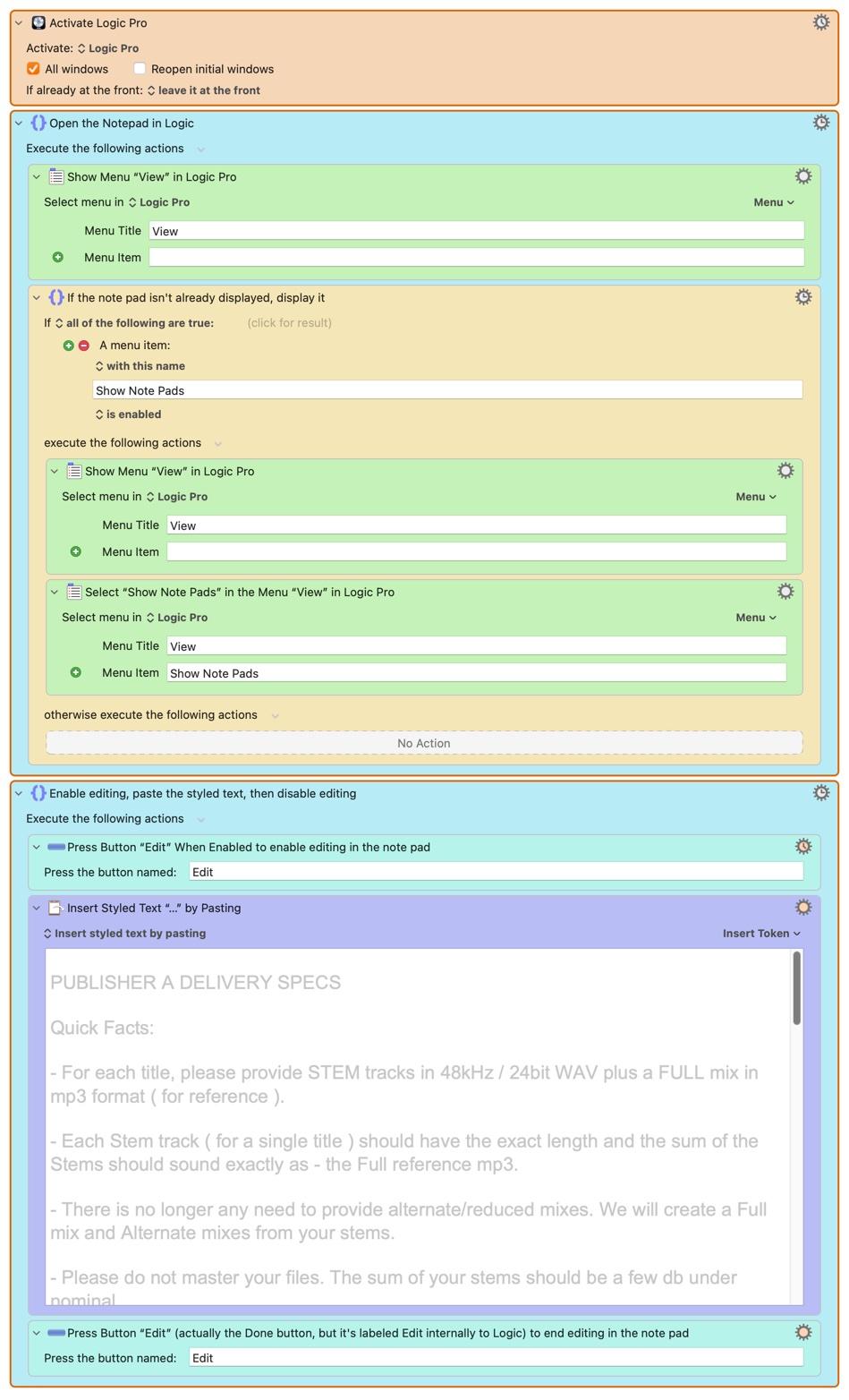
CK's Example Project: Our Demo Project, Completed!
I'm using a gussied-up version of our demo macro as my Example Project.
It has:
- actual client delivery specifications as the text to be pasted into my workspace, with the client name removed
- a hotkey trigger.
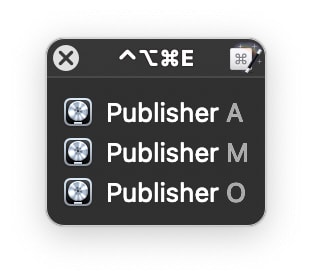
Here is a cool feature of hotkey triggers: if you assign the same hotkey trigger to several macros and then issue that hotkey, Keyboard Maestro won't crash. Instead, it will show a small floating window that lists all of the macros that use that hockey trigger. You pick the one you'd like to run either using the computer keyboard or the mouse.
This floating window is called the Conflict Palette, and although it's intended to avoid conflicts, it is also a really helpful "stealth feature."
In my case, I can have a version of this macro named for each of my publishers, and of course with their specs loaded in the Paste... action. Then when I issue the common hotkey trigger, I get a list of publishers! I choose the one I want, and the macro fires off, pasting the correct specifications for me. Presto!
Here's the whole macro as completed for Publisher A: