Microsoft Excel: from Beginner to Intermediate/Advanced level (French Version)
 Joanna Nseir, PhD, University Instructor
Assista a este curso e milhares de outros
Assista a este curso e milhares de outros
Aulas neste curso
-
-
1.
Introduction
2:27
-
2.
Généralités
5:05
-
3.
Introduction de texte
7:41
-
4.
Introduction de numéros
9:52
-
5.
Création de tableaux
7:34
-
6.
Validation des données
7:48
-
7.
Mise en forme conditionnelle part 1
8:53
-
8.
Mise en forme conditionnelle part 2
11:20
-
9.
Mise en forme conditionnelle part 3
8:10
-
10.
Lancer un calcul
9:56
-
11.
Fonctions logiques part 1
6:22
-
12.
Fonctions logiques part 2
10:52
-
13.
Fonctions statistiques
9:35
-
14.
Fonctions mathématiques
14:39
-
15.
Collage spécial
18:41
-
16.
Création de graphe sur excel part 1
9:24
-
17.
Création de graphe sur excel part 2
9:05
-
18.
Graphique Sparkline
7:29
-
19.
Impression
8:17
-
20.
Commentaire - protection de la feuille excel
6:11
-
21.
RechercheV et RechercheH
11:47
-
22.
Index - Equiv
17:01
-
23.
Triage et filtrage
14:52
-
24.
Calcul matriciel
5:19
-
25.
Système d'équations à plusieurs inconnues
3:07
-
26.
Somme Si - NB si - Moyenne Si
4:55
-
27.
Solveur - Valeur cible
6:10
-
28.
Table de données
5:57
-
29.
Gestionnaire de scénarios
7:12
-
30.
Tableau croisé dynamique (TCD)
14:18
-
31.
Controles de formulaires - Controles ActiveX
18:04
-
32.
Macros
4:35
-
-
- --
- Nível iniciante
- Nível intermediário
- Nível avançado
- Todos os níveis
Gerado pela comunidade
O nível é determinado pela opinião da maioria dos estudantes que avaliaram este curso. Mostramos a recomendação do professor até que sejam coletadas as respostas de pelo menos 5 estudantes.
436
Estudantes
9
Projetos
Sobre este curso
This class is designed for all types of users

Projeto prático de curso
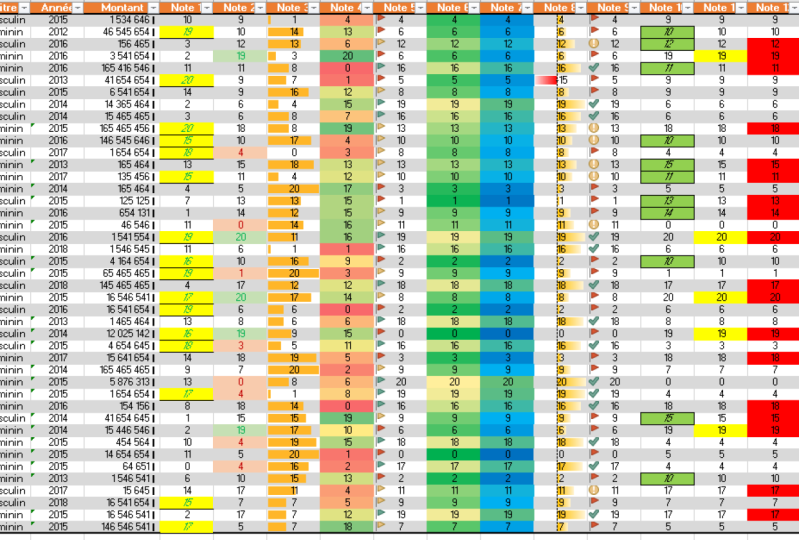
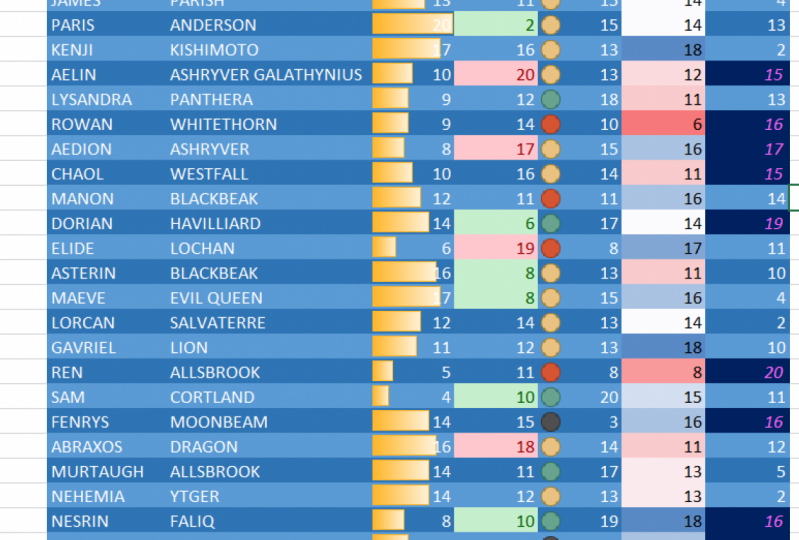
In this project you will be able to make your own calculation excel sheet. You should start by entering:
1- Numbers and text
2- Selecting an entire table
3- Applying a conditional formatting to your table
Afterwards, you are asked to try and develop the two attached excel sheets provided here and submit or share your work with me so we can be able to discuss it and review it together.
I am sure you can do it! all you have to do is follow the lessons step-by-step!
Feel free to share any shortcoming or problem you are facing and i will be here to review it.
(both French and English versions are welcomed)
Good luck !

Nota do curso
Por que fazer parte da Skillshare?
Faça cursos premiados Skillshare Original
Cada curso possui aulas curtas e projetos práticos
Sua assinatura apoia os professores da Skillshare
Aprenda em qualquer lugar
Faça cursos em qualquer lugar com o aplicativo da Skillshare. Assista no avião, no metrô ou em qualquer lugar que funcione melhor para você, por streaming ou download.


Cursos relacionados