Create your model using Revit 2020 (Part 2)
 Joanna Nseir, PhD, University Instructor
Assista a este curso e milhares de outros
Assista a este curso e milhares de outros
Aulas neste curso
-
-
1.
Introduction
1:09
-
2.
Généralités
18:04
-
3.
Généralités (suite 1)
2:06
-
4.
Généralités (suite 2)
5:37
-
5.
Généralités (suite 3)
9:56
-
6.
Poteau
10:34
-
7.
Dalles
17:09
-
8.
Connecteurs
2:44
-
9.
Poteau et fondation isolée
11:19
-
10.
BIM poteau
13:22
-
11.
Annotations
17:29
-
12.
Annotations (suite 1)
8:31
-
13.
Annotations (suite 2)
9:13
-
14.
Poutres
12:18
-
15.
Annotations Poutres
20:55
-
16.
Escaliers
16:34
-
17.
Onglet Steel
9:56
-
18.
Onglet Steel (suite)
7:44
-
19.
Assemblage (suite)
12:25
-
20.
Structure béton
18:27
-
21.
Structure acier
16:05
-
22.
Importer un fichier autocad
10:06
-
-
- --
- Nível iniciante
- Nível intermediário
- Nível avançado
- Todos os níveis
Gerado pela comunidade
O nível é determinado pela opinião da maioria dos estudantes que avaliaram este curso. Mostramos a recomendação do professor até que sejam coletadas as respostas de pelo menos 5 estudantes.
256
Estudantes
4
Projetos
Sobre este curso
In this class, we will be focusing on Revit Structural. This course has around 20 videos lessons which will help understand and use Revit Structural with ease and will get you to a level where you can start working on your own, with Revit. With hands-on practice, you will be able to become very efficient and learn everything you need to know in order to create professional BIM projects using this course.

Projeto prático de curso
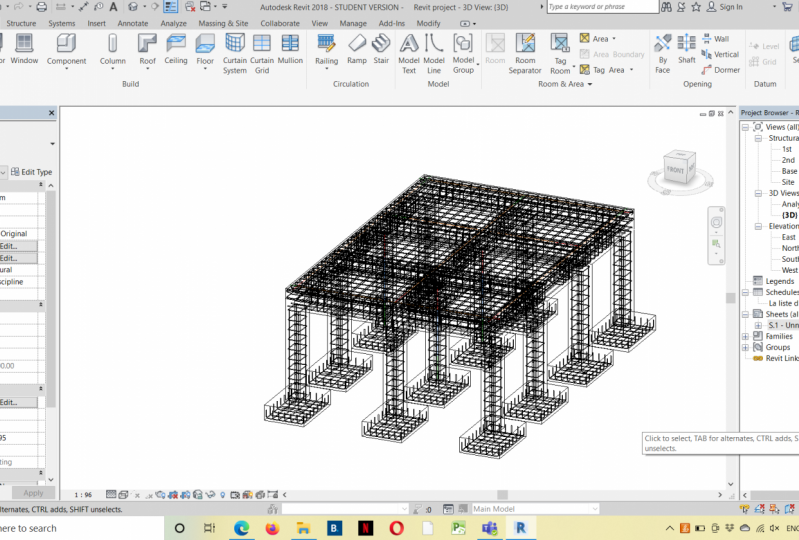
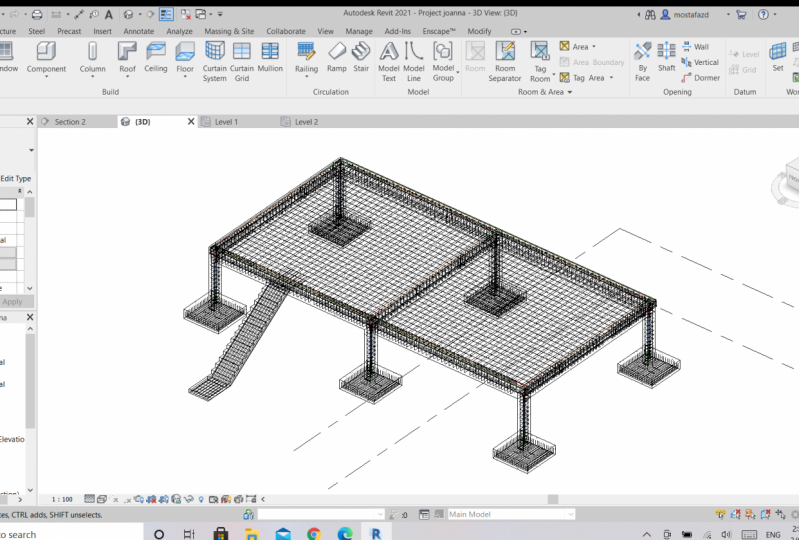
For this class project, you should be able to create your own model using Autodesk Revit 2020 by focusing this time on the structural part of your model. This comprehensive course can teach you what is needed in order to create your model. So, I strongly recommend each one of you to follow the lessons step by step in order to develop and create your model which should contain most of structural elements you've seen in this course. The model should contain the following customized elements created by you:
1- Foundations (any type of foundation)
2- Columns
3- Beams
4- Sheets
5- BIM quantities
Please feel free to contact me for any question so we can discuss it and share your project in the 'project section' so everyone can see it. Enjoy your course!

Nota do curso
Por que fazer parte da Skillshare?
Faça cursos premiados Skillshare Original
Cada curso possui aulas curtas e projetos práticos
Sua assinatura apoia os professores da Skillshare
Aprenda em qualquer lugar
Faça cursos em qualquer lugar com o aplicativo da Skillshare. Assista no avião, no metrô ou em qualquer lugar que funcione melhor para você, por streaming ou download.


Cursos relacionados