Final Project — Home Studio for Content Creation
Video Setup
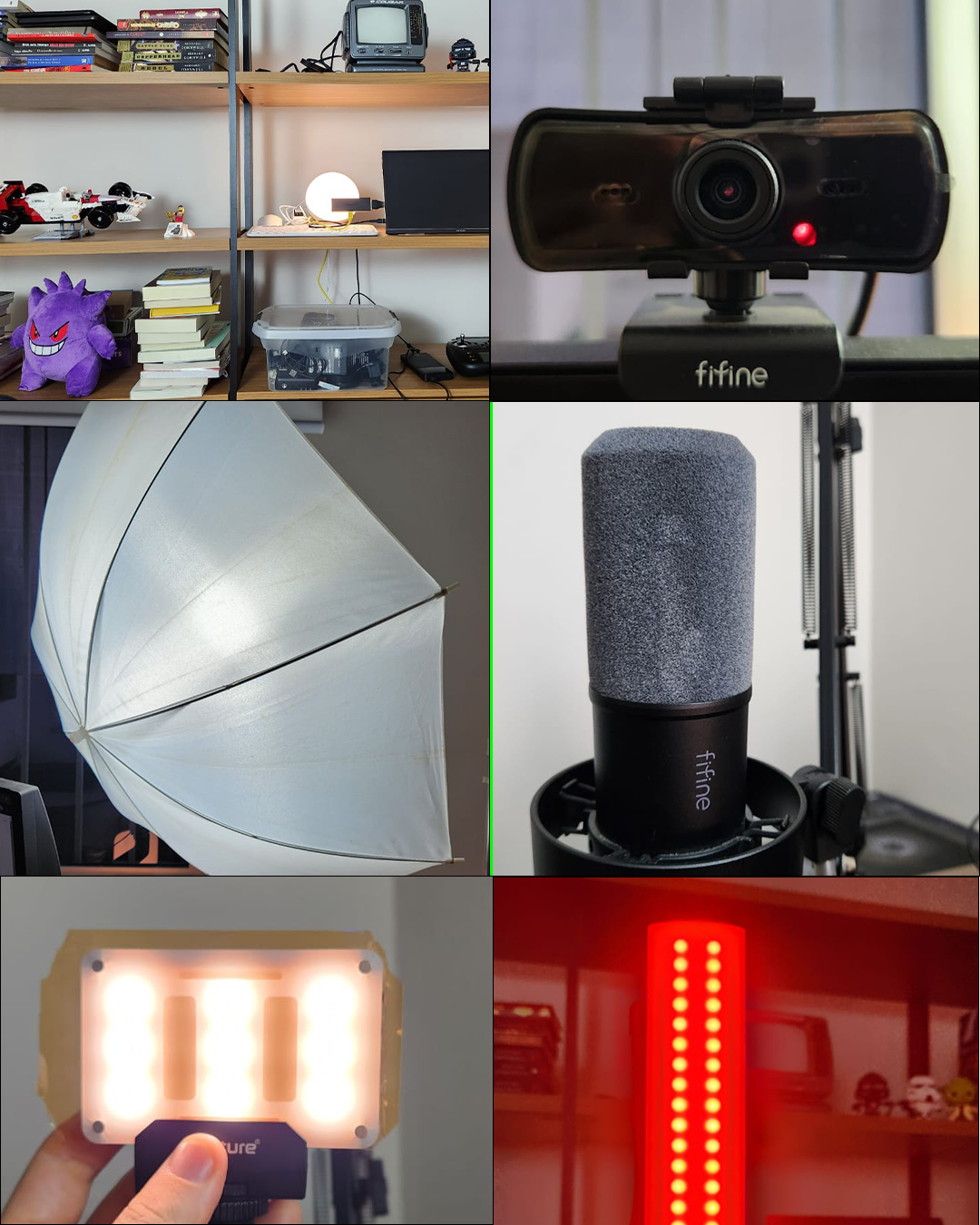
I use two main camera options:
- Webcam, connected directly to my computer, ideal for quick recordings and live sessions
- Smartphone (Samsung Galaxy S22), mounted on a motorized tripod with stabilization, allowing for higher image quality and flexible framing
Audio is captured using a Fifine XLR microphone, connected to an external recorder and then to my computer.
This setup provides:
- Higher sound quality
- Better control during post-production
I use the classic three-point lighting technique:
1. Key Light
- Softbox umbrella setup
- 50W bi-color LED bulb (2700K–6500K) with dimmer
- Main source of light on my face
2. Back Light (Rim Light)
- Red light stick
- Creates separation from the background and adds depth
3. Fill Light
- Portable Aputure AL-M9
- Softens shadows and balances the lighting
The background was designed to create visual identity and depth:
- A cabinet behind me with accent lighting
- A black-and-white vintage TV used as a scenic element
- An external monitor where I can connect a Fire TV Stick to display background content
- Although I can connect the Fire TV Stick to the vintage TV, I chose not to use it due to poor visibility
With this setup, I transformed my home office into a versatile and functional studio, suitable for creating content for:
- YouTube
- Instagram Reels
- TikTok
- Shorts
This project shows that with accessible equipment and proper use of lighting, audio, and composition techniques, it’s possible to achieve a professional result in a home environment.