Slow PC? Here are 5 Proven Ways to Speed It Up
Has your new PC now become a sloth? With our 5 tips to the rescue, watch it transform back into the rabbit it was!
1. Disable redundant startup programs.
How frustrating is this scenario? You get up, start your computer, get breakfast, and coffee, go for a morning run, come back, and shower, but your PC is only starting to boot up. If this sounds familiar, disable unnecessary apps that automatically run at startup and slow boot up.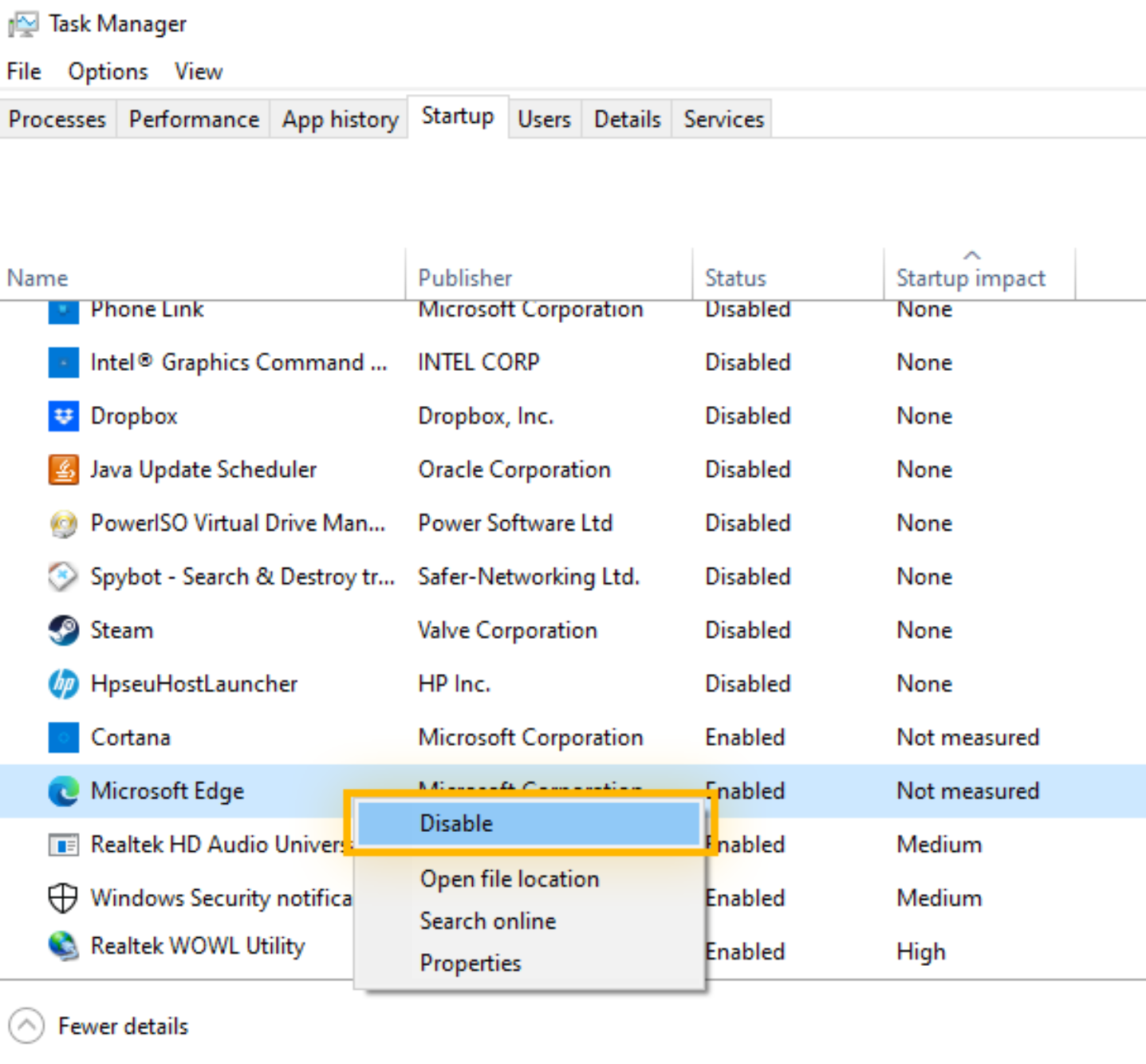
2. Update Windows.
The latest version of Windows can improve performance by adding security patches and bug fixes.
3. Close background apps.
Too many background processes can drain resources and slow your  PC. Use Task Manager to cut applications not currently in use.
4. Free up space.
Run disk cleanup. You don’t need all these downloaded movies and episodes; everything is accessible online. Spot which old files you won’t need and let them go.
5. Install antivirus, scan and remove malware.
Sometimes, malware can be the hidden culprit behind a sluggish PC. Get a good antivirus program and sweep it out.
BONUS: restore your PC (for hopeless cases).
If all else fails, it’s time to resort to starting a new page. Restore your PC to its factory settings and start over. Make sure you’ve saved your documents elsewhere to avoid losing them for good!
Final tip from personal experience: Keeping my PC in sleep mode made it slower over time. Try powering your computer off after every use to give your PC a noticeable speed boost.
That about sums it up! With these tips, your PC will run as smoothly as the day you got it.
Have anything to share? We would love to hear about your experiences in the comments!