Beginners Programming: Python3 - Project 01
---------------------------------------------
Created: Tue 13 Aug 2024 16:05 PM GMT
Updated: Tue 20 Aug 2024 12:19 PM GMT
---------------------------------------------
Author: Mr. Paul Ramnora
Email: paulramnoracoder@yahoo.com
Github: https://www.github.com/pramnora
---------------------------------------------
Hardware: Desktop PC/Personal Computer
Software: OS/Operating System: Linux Mint
---------------------------------------------
QUICK HISTORY: MY FIRST COMPUTER
I started programming using a TRS-80 Colour Computer II machine...that came with a built-in programming language:
Microsoft BASIC/Beginner's All-purpose Symbolic Instruction Code
-(You had to be real 'nerdy' to even decode the acronym.)-
-(This was before the age of the very public Internet/and, also, web pages was born.)-
The box -(which plugged into the arial socket located at the back of the 'black and white' analogue TV)- housed both a CPU-Central Processing Unit chip/and, a keyboard having been combined together to become one.
-----
COMPUTER MEMORY/(TINY)
I think, it had something like 16 KB memory. Yes, not GigaBytes(meaning, billion)/and, no, not even MegaBytes(meaning, million)/but, actually, far smaller than that...just a measely 16 KiloBytes(meaning, thousand) bytes. This meant, in actual practice, I couldn't write too many programs and, RUN/execute them without the memory having reached it's maximum 'limit'...?! (It would NOT allow you to type in any more code...)
Therefore, what I did instead was 'delete' all of the previous programs I had written into memory...; and, just start typing in going from total scratch the 'new' program(s).
-(A wholly unrecognized benefit, at the time, being...both my typing skills/speed become a lot more 'accurate and fast'.)-
-----
MY FIRST PROGRAMS: TEXT BASED
I would switch the machine on...; and, the screen would say...
Ready OK [ ] (...blinking cursor/computer now ready and waiting to take further instructions.)
...and, I would type in a line of BASIC code after the blinking cursor
10 PRINT "Hello, world!" (yes, programs demanded line numbers/which, more 'modern' BASIC versions...do no longer 'force' you to go type in)
...next, I would type in the command...
RUN (then, hit [RETURN] key)
...and, it would send the output to the screen as...
Hello, world!
Ready OK [ ] (...blinking cursor/computer now ready and waiting to take further instructions.)
...and, I was completely blown away...that even a total and complete 'idot' like me...can manage to communicate/interact with a super 'brainy' computer machine...?!
-----
TEXT/AND, NUMERIC: INTERACTIVE PROGRAMS
I particularly remember learning about the use of the INPUT statement...which made my programs become 'interactive'...WOW!
10 CLS REM * (C)lear (T)he (Screen)
20 NAME$=INPUT "What is your name"?
30 PRINT "Hi";NAME$
40 PRINT "Your name has a length of ";LEN(NAME$); " characters."
RUN (Output...)
What is you name? Paul
Hi Paul
Your name has a length of 4 characters.
[ ] (...blinking cursor/computer ready and waiting to take further instructions.)
-----
SECOND PROGRAMS: MATHEMATICS BASED
Before too long, I was even into doing, really and truly, 'fancy' stuff...which involved the use of a MAIN PROGRAM being used to 'call' worker SUB-ROUTINES...until when the program work was done.
100 REM *** DECLARE/INITALISE VARIABLES ***
110 N1=10:N2=5
120 REM *** MAIN PROGRAM ***
130 GOSUB 190 REM * ADD
140 GOSUB 220 REM * SUBTRACT
150 GOSUB 250 REM * MULTIPLY
160 GOSUB 280 REM * DIVIDE
170 GOTO 310 REM * END
180 *** SUB-ROUTINES ***
190 REM * SUB-ROUTINE: ADD *
200 PRINT N1+N2
210 RETURN
220 REM * SUB-ROUTINE: SUBTRACT *
230 PRINT N1-N2
240 RETURN
250 REM * SUB-ROUTINE: MULTIPLY *
260 PRINT N1*N2
270 RETURN
280 REM * SUB-ROUTINE: DIVIDE *
290 PRINT N1/N2
300 RETURN
310 END REM * (E)ND (O)F (F)ILE
RUN (OUTPUT...)
15 (10+5)
5 (10-5)
50 (10*5)
2 (10/5)
Ready OK [ ] (...blinking cursor/computer now ready and waiting to take further instructions.)[ ]
OTHER BASIC STRING FUNCTIONS
I wrote programs which issued all sorts of really odd commands...that hardly anybody else had ever even heard of, including: LEFT$($,n)/RIGHT$($,n)/MID$($,n,n)/INSTRING($,$)...and, printing out 'scrolling text marquees'...inside of LOOPS(FOR/NEXT).
Paul
Paul
Paul
Paul
Paul
Paul
Paul
NOT ONLY COULD YOU MAKE ANY ONE SORT OF PROGRAM/YOU COULD MAKE ENDLESS SORTS OF PROGRAMS
I created...
- hangman: guess the word: _ _ _ _ _?
- and, music player...just press a keyboard key: ('A',"B","C","D","E","F","G") to hear a musical note 'sound' play
-etc.
Perhaps, the most complex game I wrote...using a mixture of LOOPS/ARRAYS()...
I discovered I could even make AI-Artificial Intelligence like games...such as:
- 'noughts and crosses'...which allowed one a choice to play either 'manually' against oneself/or, alternatively, 'automatically', against the computer
Basically, -(no pun intended)- I created many different sorts of games...; almost anything I pleased; 'the art of programming' I learned was a very highly 'creative' exercise...not in the least bit 'boring' at all; or, at least, to my 'own' autistic sort of mind. Autistics, tend to choose 'one' subject they LOVE...; and, then, just 'stay' with it...; not interested in doing/or, learning about anything else, anymore
I HAD THE FEELING OF PLAYING 'TOP DAWG'...!!!
The computer was cool because it never once complained/or, told me, 'no!' Whatever I could 'dream' of doing...; then, it would just, quite simply, let me.
Hell, I really liked giving it all sorts of instructions...; and, furthermore, it really liked taking them.
It didn't care less if I was either washed/or, unwashed; it just 'loved' me, most unreservedly, 'as is'.
Consequently, I would play with it for all of: 24/7/366...; and, all I ever did to it...it gave me absolutely nil objection. In short, my younger self...who was, normally, quiet, shy, reserved...; and, just generally feeling all over 'weak and powerless'...; all of a sudden, I'd become a BOSS/and, it was my 'slave' machine...quite loyally carrying out my every possible given order.
-----
TRUE AND HONEST TALES...COMING STRAIGHT FROM THE KINGDOM OF: PURE 'NERD-DOM'...!!!
Furthermore, now, that I had managed to obtain computer programming 'skills and experience'...that -(let's, honestly, face it)- not everybody else out there had...; having gone from complete 'dummy'...(not knowing how to program a computer at all/never even ever so much as 'touched' a computer before); to, now, being total commander over it...it made me feel a lot more sensible and smart than I actually was.
I would walk into shops, for example...; and, whilst other people were feeling totally 'non-plussed' about how to program a computer...; they would just stare at the 'blank' screen...thinking to themselves about what to do, next...; in order to make it work...???
Straight away, I would walk over to the computer...; and, type in some 'genius' BASIC code:
PRINT "Up yours...!"
...then, slowly and silently, making sure nobody else saw me type in that same code...; I would back away from the computer box...; and, watch from at a 'safe' distance...the shop customers came pouring in; walking past the computer...would, all of a sudden stop in their tracks...pointing out: "Hey, what did that damned computer just say...?!" (Honestly, I'd be laughing...!)
One of my most favorite programs was called: 'AtTheOrgy'...which would consist of just simply 1 word: 'loved'/together with random names...that it would 'concatenate' -(meaning join together)-...it would print out crazy sentences:
Jack loved Jill
John loved Joan
Jake loved Jennifer
Jack loved Joan
Jake loved Jill
John loved Jennifer
-etc.
As I watched the sheer havoc I had produced inside of these shops...; I, now, considered myself to be the reigning supreme 'self-crowned' Prince of 'Nerd-dom'.
-(Don't know if the word: 'nerd' had been invented, yet...; way back in the 1980's...?)-
VIRUSES
And, really please don't get me 'started'...about having encountered learning all about the DELETE statement/together with the use of wildcards: *.*...which allows me to DELETE absolutely everything...including the actual DELETION program itself. LOL
Lord, what a HOOT...(try using that in college...by putting it into something called a DO/LOOP...; and, especially, a top level folder...with 'folder recursion' set to: -R/meaning, endlessly, repeat and repeat...)???!!!
-----
THE MOST POPULAR LANGUAGES: BASIC/PASCAL/C
In the 1980's, the BASIC programming language was by far the most 'highly popular' of them all(even beating hands down in terms of sheer popularity...the utterly confounding C/and, Pascal...might have been slightly less confounding than C; but, also, very weird and strange.
Not too many knew how to code using technical languages such as, Pascal/far fewer still knew how to program using, C...which was highly technical/most kids were BASIC programmers...as BASIC was much simpler to use/learn...this is assuming, of course, that they knew absolutely anything about programming at all...?!
With BASIC you did not need to declare a variable before using it...; you just simply went ahead and used it...simple and straight forward as that:
a=1
b=2
c=a+b
...but, with those other languages you had to declare exactly what was both the variable 'name'/and, it's data 'type' before being able to use it...
int x;
float b;
boolean z;
With Pascal, for instance, you even had to declare that it was actually a program for Heaven's sake:
PROGRAM name
begin
{
-(rest of Pascal program written inside here)-
}
end.
With BASIC you didn't need to declare any of those same things...instead, you just did it...whatever it is you wanted to, immediately, straight away. So, the C/Pascal 'Hello, world!' version consisted of multiple lines of code...; but, with BASIC it was just merely 'one' single line...; and, that's it, program all over and done.
-----
HELLO WORLD, COMPARISONS
10 PRINT "Hello, world!" REM * BASIC Hello, world! *
/* C Hello, world */
include <stdio.h>
int main(){
printf("Hello, world!\n");
return 0;
}
NOTE: If you did something wrong in C...; I rather distinctly recall...; the computer would completely 'shut down'; and, then, you'd have to 'wait'...for it to have to be 'restarted' all over, again; (your program, accidentally, went and accessed a wrong memory address, possibly...?!).
Futhermore, BASIC was 'interpreted'...; so, there was no need to 'wait' for the process of 'compiling' all lines inside of the program, first; before getting an executable file [.exe] that you could, eventually, run.
Instead, with BASIC...you just RUN the code, immediately...even as soon as you'd gone and written down each line.
-----
WHICH IS THE MOST POPULAR -AND, EASY TO LEARN- PROGRAMMING LANGUAGE, NOW-A-DAYS? ANSWER: PYTHON
Now-a-days -(2024)- it's Python which seems to be the most 'highly popular' programming language of them all.
I like the fact that Python code is nice and terse/you don't need loads of extra braces/and, stuff. In short, everything is kept really as straight forwards and simple as is possible; code indentation works well...you don't need to keep on adding 'end' to each code block/or else, use braces. Plus, with linking to external code libraries...; there is 'loads and loads' to discover seeing what else Python can do...???
CODE EXAMPLE 1: Hello, world!
print("Hello, world!") # Python Hello, world!
(NOTE: A single line, which is indeed very BASIC-like...)
EXAMPLE 2: Including code libraries...
import time
print (time.ctime()) # prints what is the current computer time/date
You can even link to your 'own' external file library of code...
from myLibraryCode import *
CONCLUSION
Python version 3, is a programming language which I do, quite happily, seek to 'embrace'. ;-)
I like the fact that Python3 is a FREE programming language that anybody can download/use...; it is available from off the following web site:
- https://www.python.org
...and, also, that it is 'multi-platform', including: Windows/Mac/Linux/-etc.; therefore, it works anywhere/and, on 'any' computer you may have.
Furthermore, setting it up to work on your own computer OS/Operating System...is, normally, a very straight forwards and simple process...; that does, usually, take no more than just merely a couple of minutes.
Conseqently, I've used this language both at home/as well as, downloaded and used it on College owned computers, too.
Going on top of all this is the fact...that one really doesn't 'need' to go download the Python program at all...; because you can, also, both 'write/run' Python programs from directly inside of your own 'web browser'...which nearly every computer comes equipped with; this means, nobody in the whole wide world...is excluded from working with Python code...no matter what the computer is/nor how they wish to set it up to be used.
-----
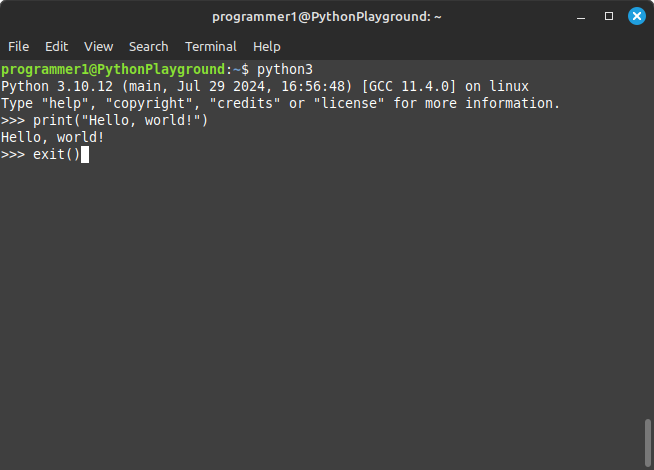
LINUX MINT OS: python3...
$ apt install python3
-----
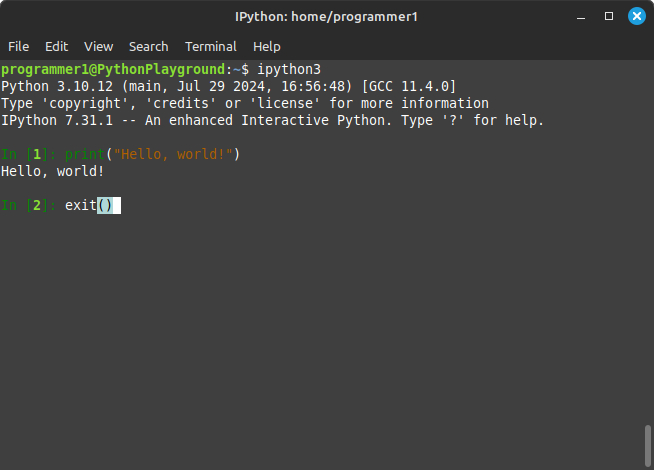
LINUX MINT OS: ipython3...
$ apt install ipython3
-----
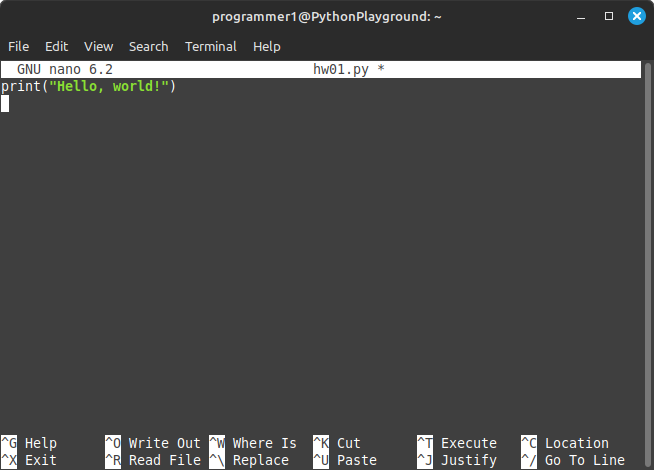
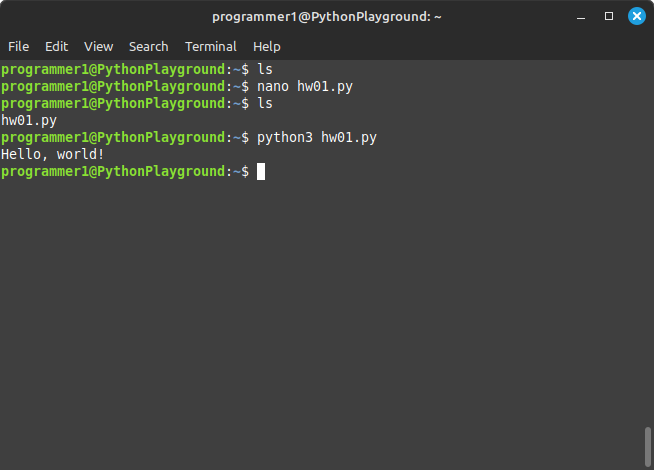
LINUX MINT OS: Using Nano text editor to write Python code...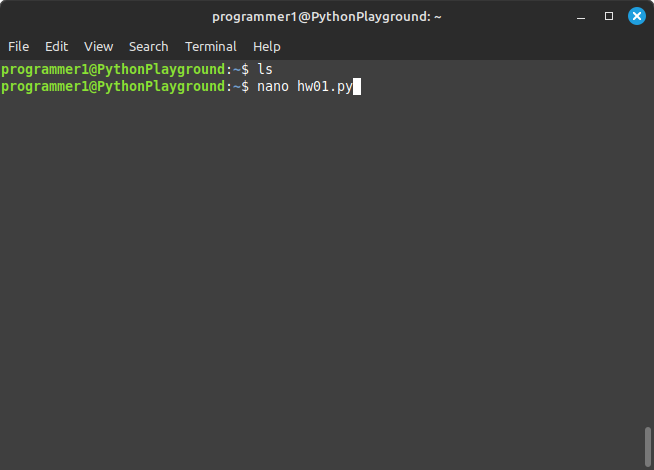
-----
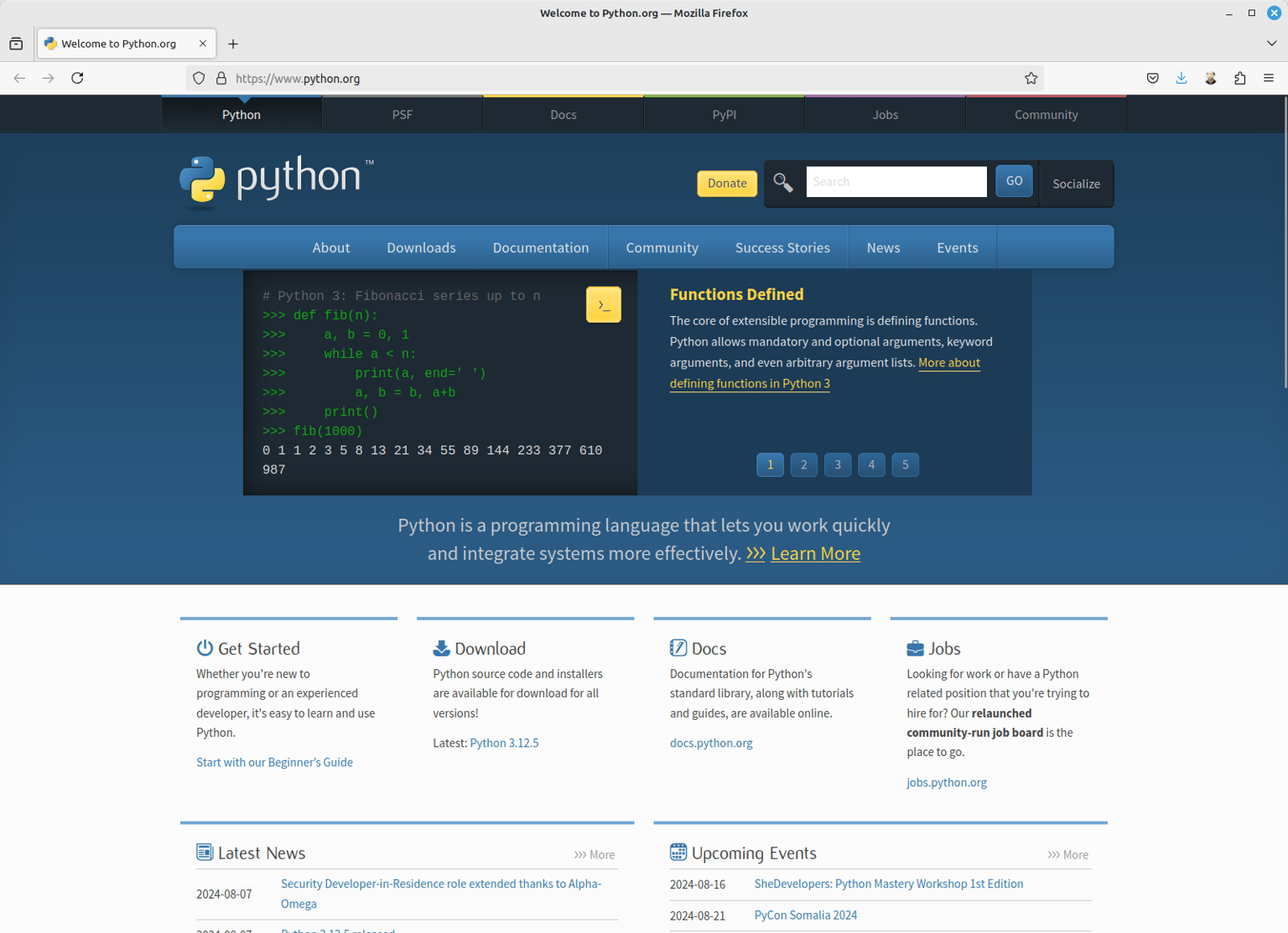
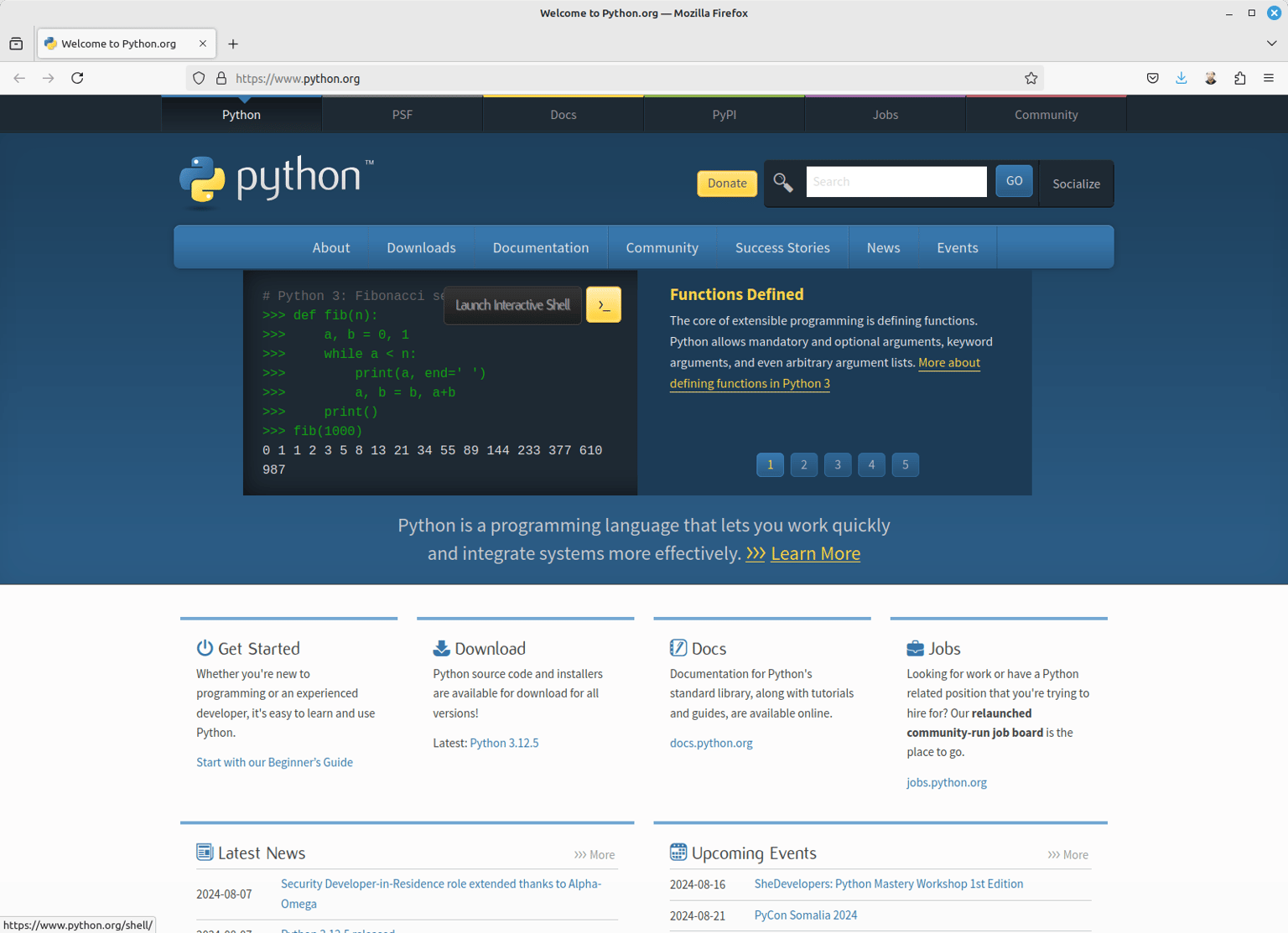
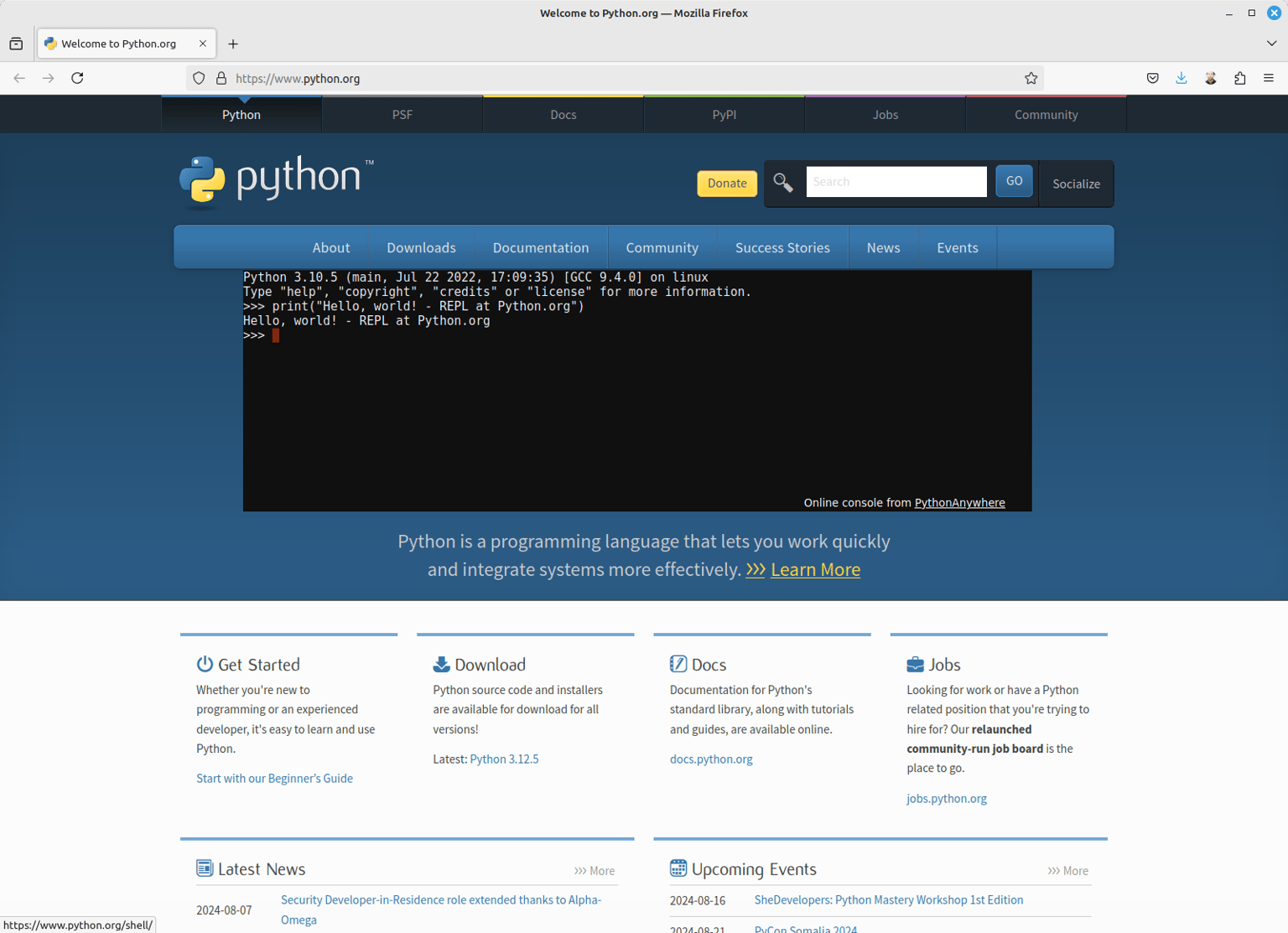
Using Python.org to write Python code...(without needing to go download anything)
- https://www.python.org
-----
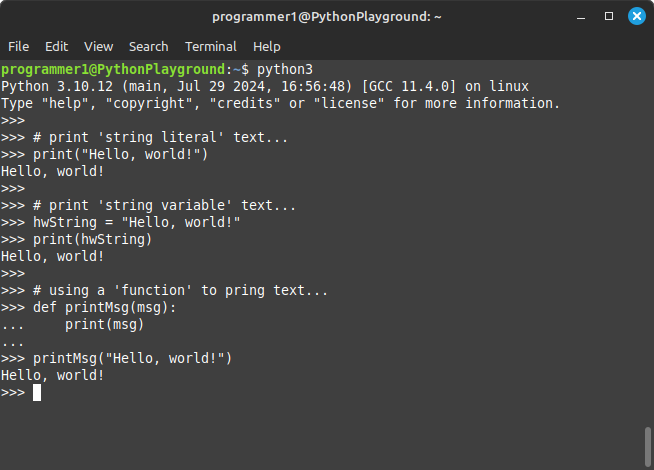
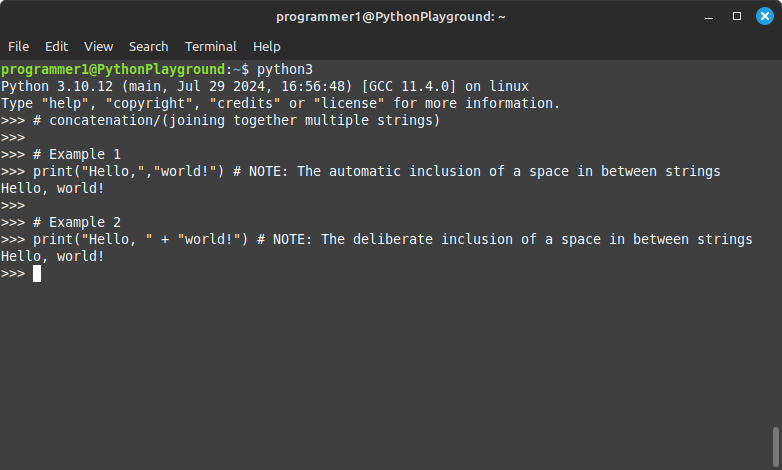
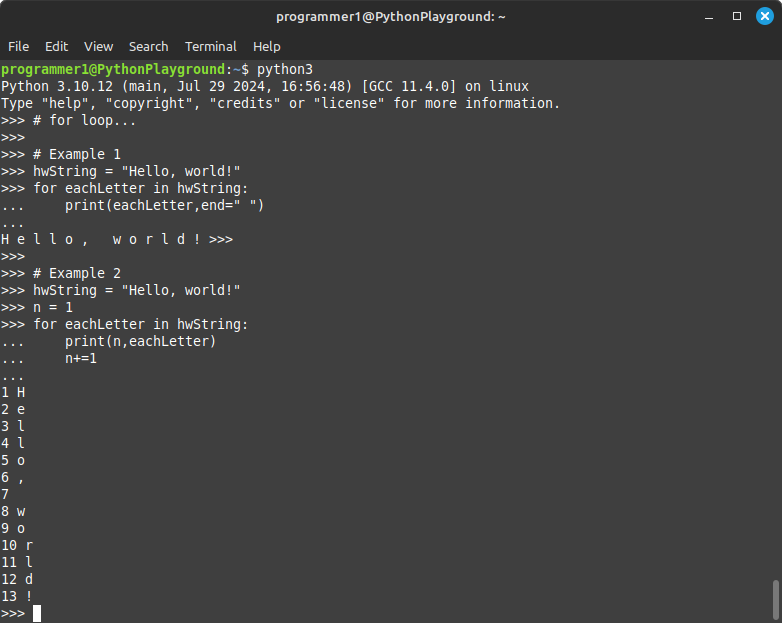
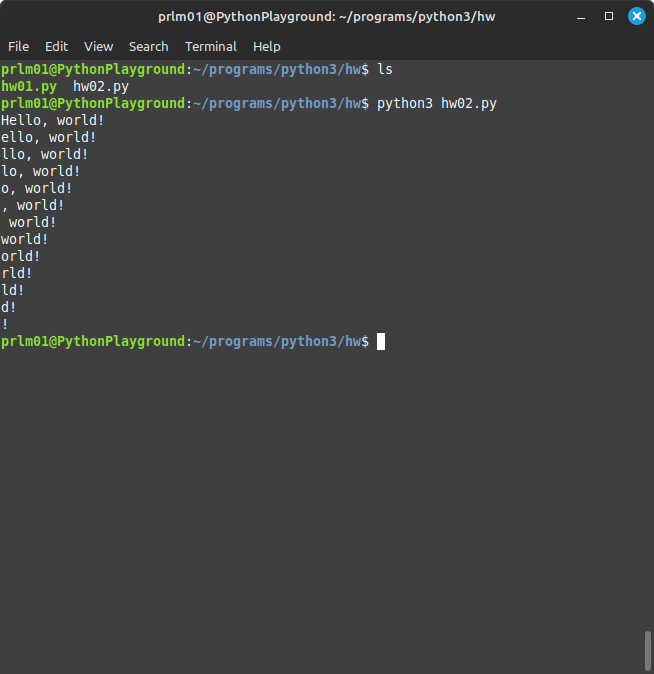
3 x different Python3: 'Hello, world' versions...
# GNU nano 6.2 hw02.py *
# variable declaration...
hw = "Hello, world!"
# using a for loop to print out each character inside of string...
for n in range(0,len(hw)):
print(hw[n],end="")
print()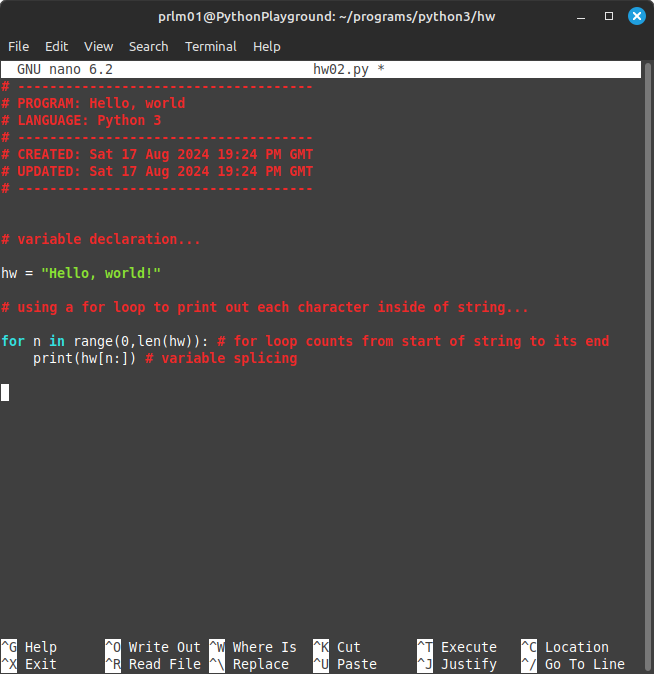
-----
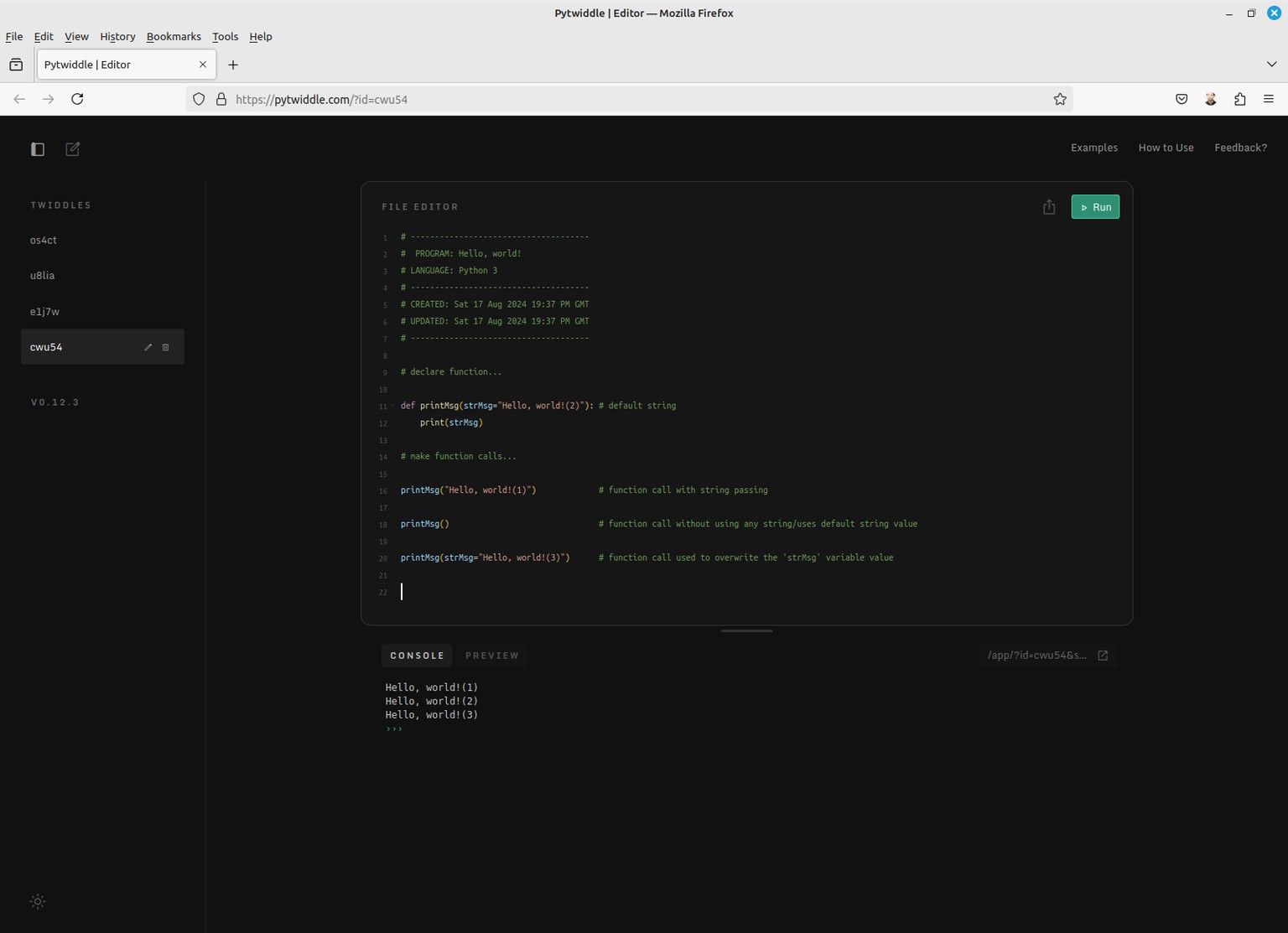
Using PyTwiddle.com to write Python code...
- https://pytwiddle.com
(go here to view/interact/run the actual code)
- https://pytwiddle.com/?id=05it4
>>>
# -------------------------------------
# PROGRAM: Hello, world!
# LANGUAGE: Python 3
# -------------------------------------
# CREATED: Sat 17 Aug 2024 19:37 PM GMT
# UPDATED: Sat 17 Aug 2024 19:37 PM GMT
# -------------------------------------
# declare function...
def printMsg(strMsg="Hello, world!(2)"): # default string
print(strMsg)
# make function calls...
printMsg("Hello, world!(1)") # function call with string passing
printMsg() # function call without using any string/uses default string value
printMsg(strMsg="Hello, world!(3)") # function call used to change the functions strMsg variable value
<<<
-----
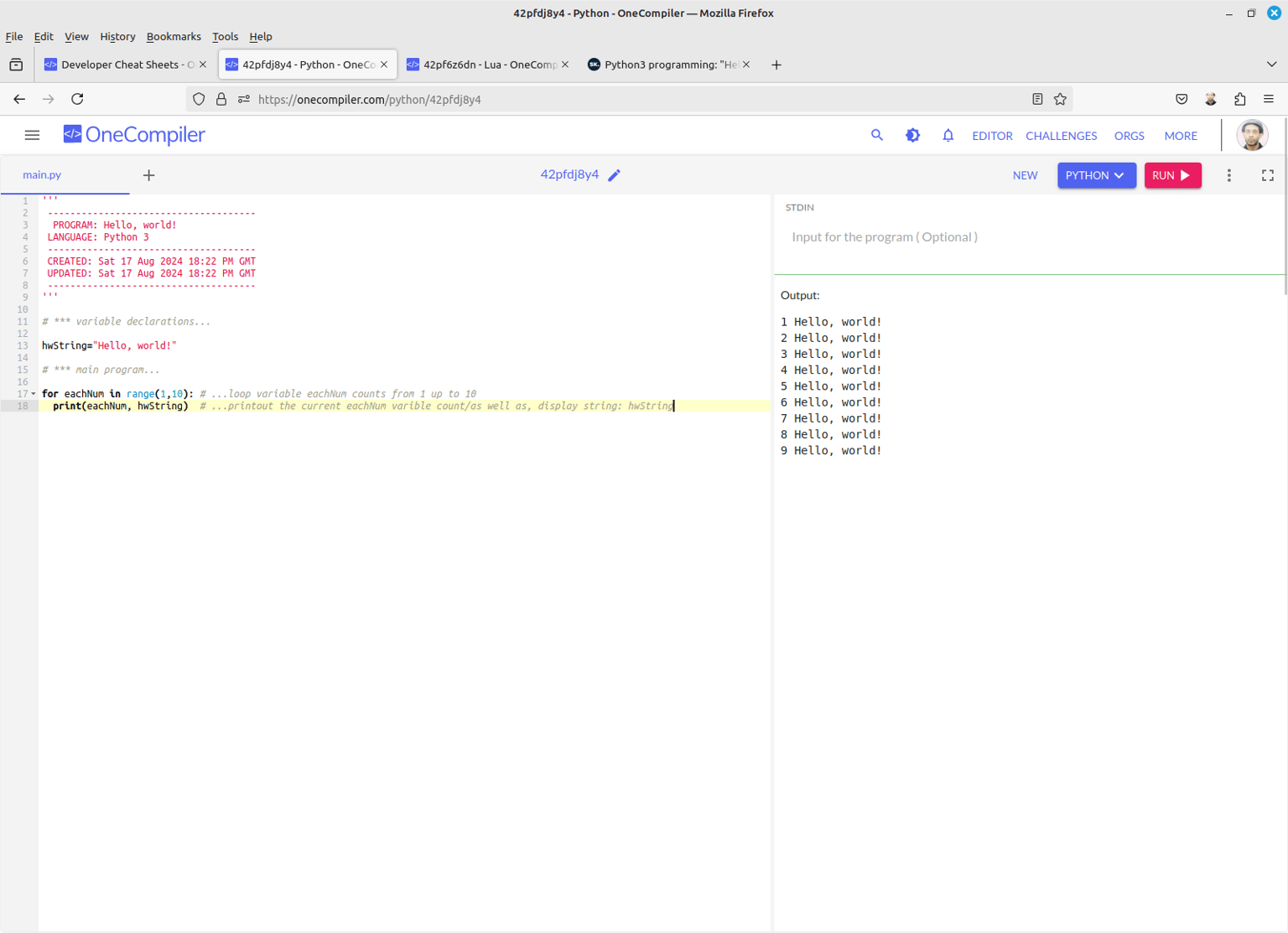
Using OneCompiler.com to write Python code...
- https://www.onecompiler.com
(going to the following URL allows one to both see/interact/run the code)
- https://onecompiler.com/python/42pfdj8y4
'''
-------------------------------------
PROGRAM: Hello, world!
LANGUAGE: Python 3
-------------------------------------
CREATED: Sat 17 Aug 2024 18:22 PM GMT
UPDATED: Sat 17 Aug 2024 18:22 PM GMT
-------------------------------------
'''
# *** variable declarations...
hwString="Hello, world!"
# *** main program...
for eachNum in range(1,10): # ...loop variable eachNum counts from 1 up to 10
print(eachNum, hwString) # ...printout the current eachNum variable count/
# as well as, display string value: hwString
-----
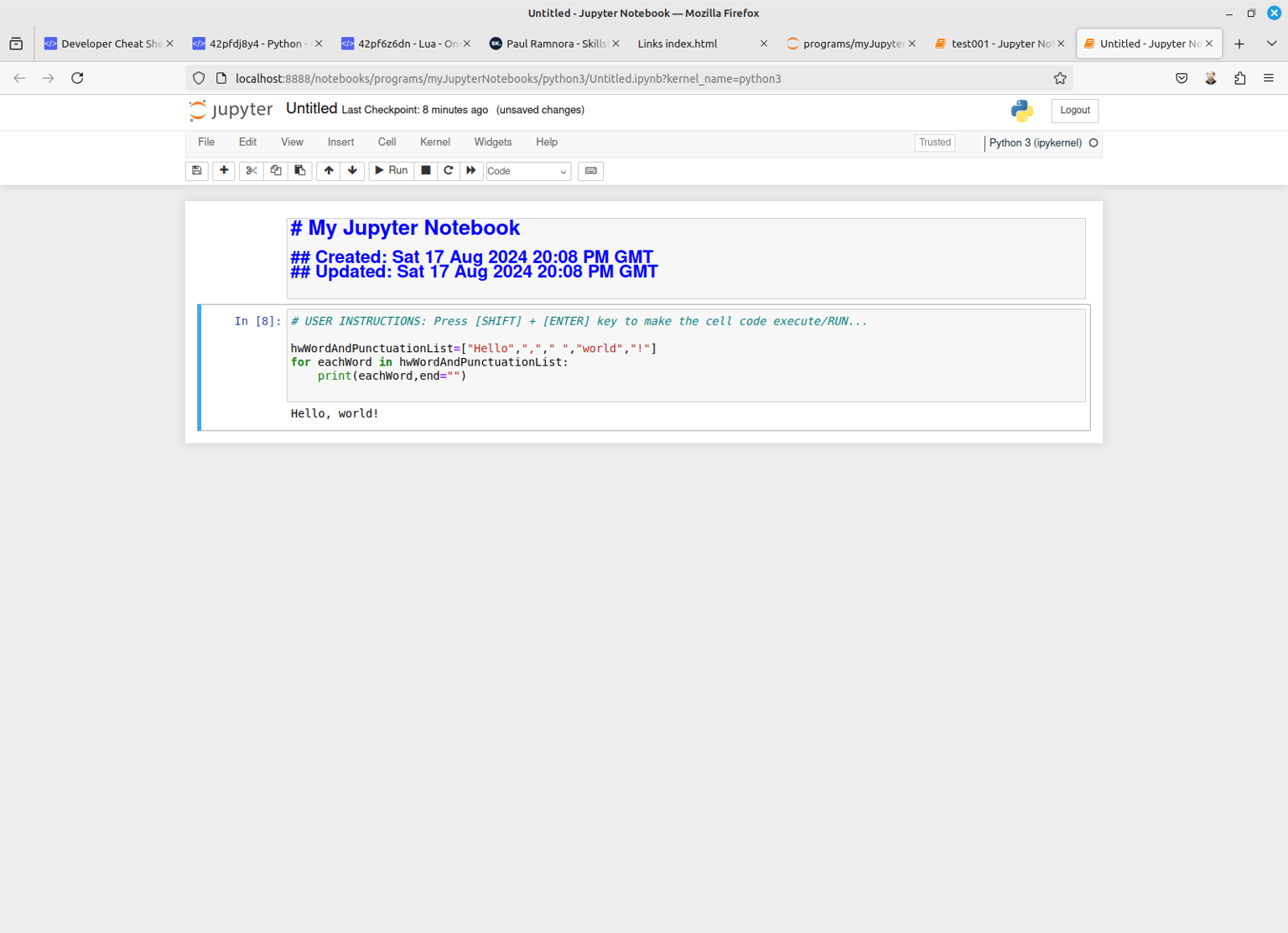
Juypter Notebook: Python3
>>
# My Jupyter Notebook
## Created: Sat 17 Aug 2024 20:08 PM GMT
## Updated: Sat 17 Aug 2024 20:08 PM GMT
# USER INSTRUCTIONS: Press [SHIFT] + [ENTER] key to make the cell code execute/RUN...
hwWordAndPunctuationList=["Hello",","," ","world","!"]
for eachWord in hwWordAndPunctuationList:
print(eachWord,end="")
<<
-----
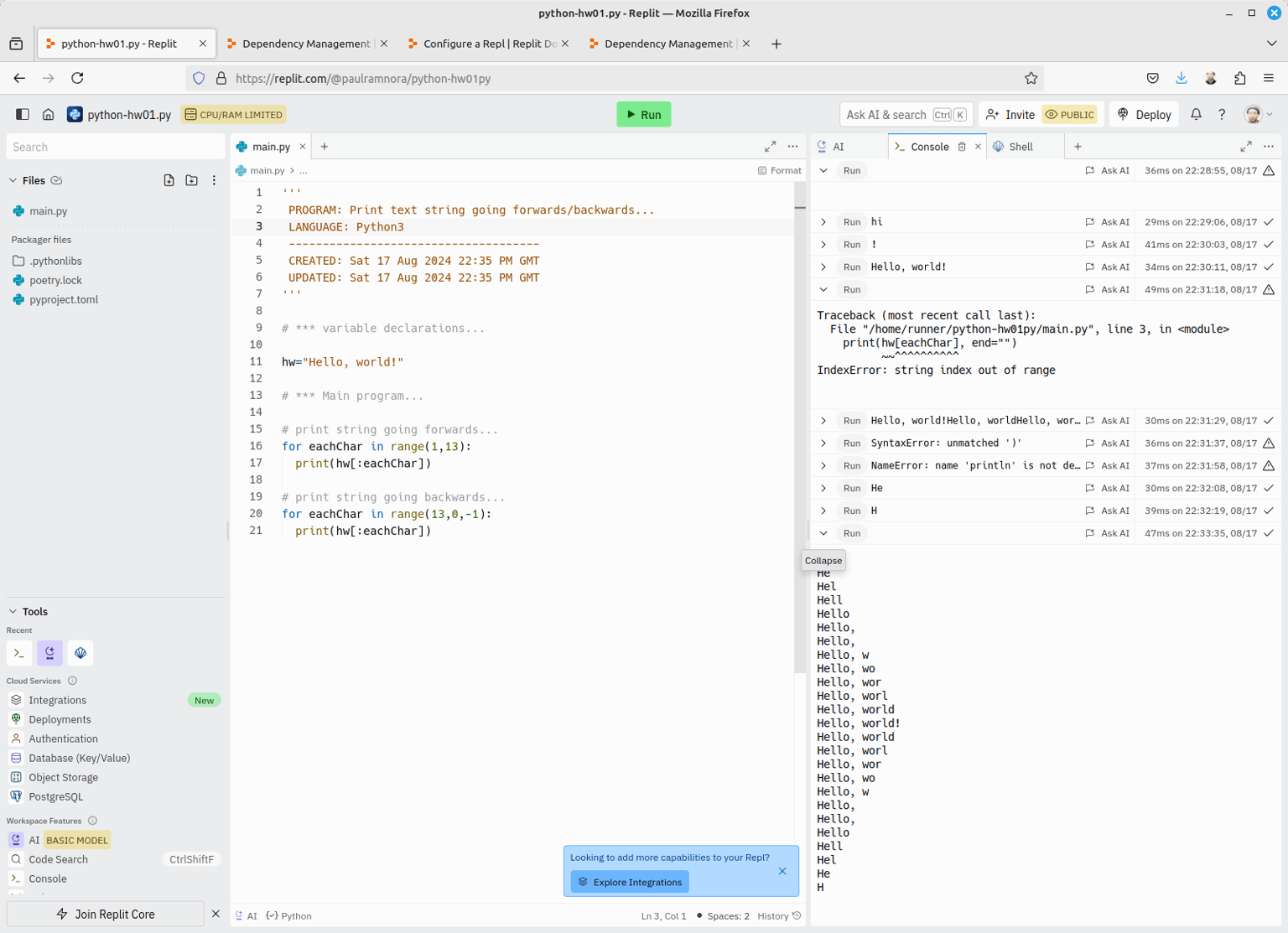
- https://replit.com
- https://replit.com/@paulramnora/python-hw01py
>>>
'''
PROGRAM: Print text string going forwards/backwards...
LANGUAGE: Python3
-------------------------------------
CREATED: Sat 17 Aug 2024 22:35 PM GMT
UPDATED: Sat 17 Aug 2024 22:35 PM GMT
'''
# *** variable declarations...
hw="Hello, world!"
# *** Main program...
# print string going forwards...
for eachChar in range(1,13):
print(hw[:eachChar])
# print string going backwards...
for eachChar in range(13,0,-1):
print(hw[:eachChar])
<<<
-----
Linking to your own external code library...
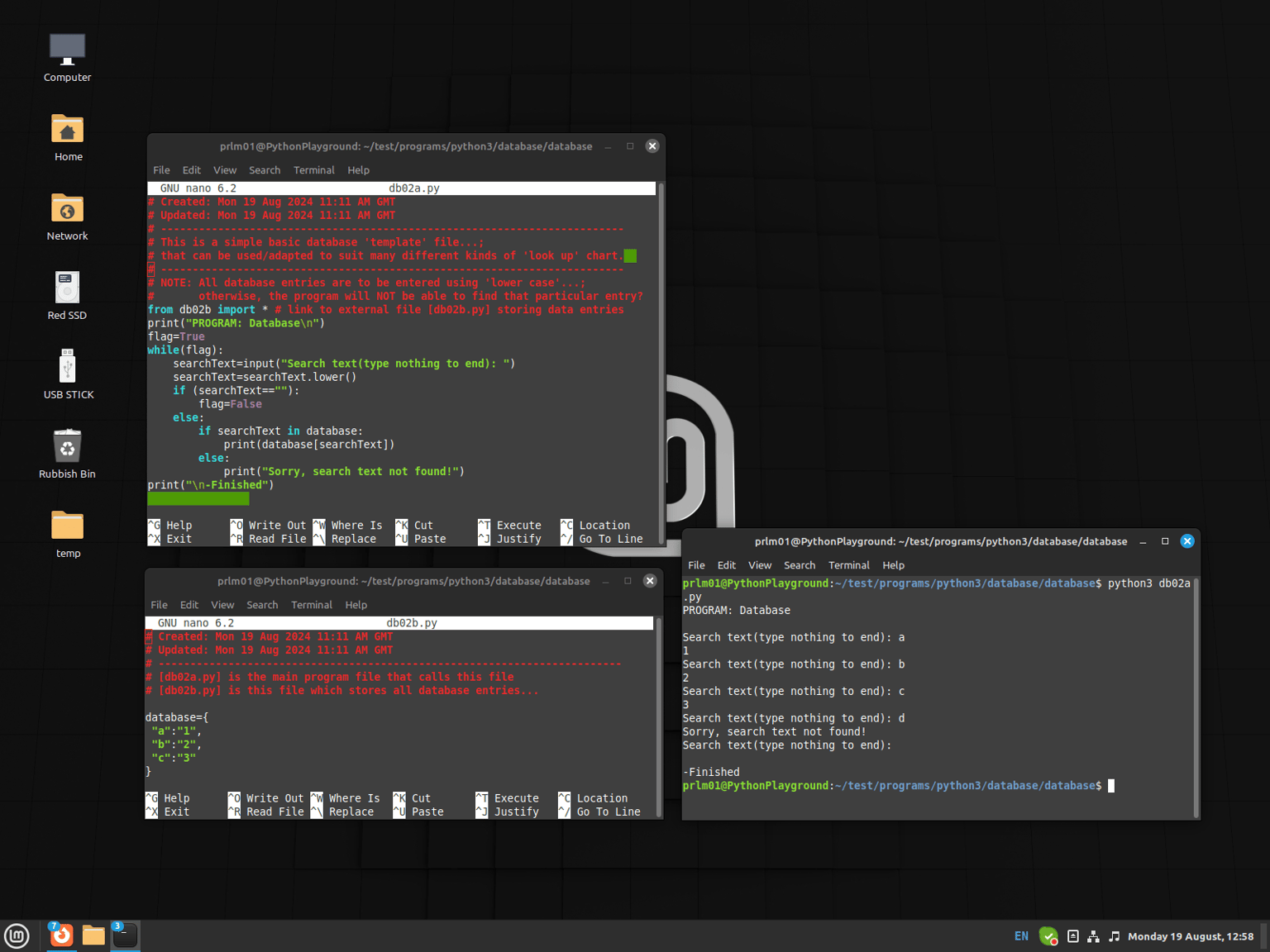
filename: [db02a.py]/(The main 'caller' program...)
>>>
# Created: Mon 19 Aug 2024 11:11 AM GMT
# Updated: Mon 19 Aug 2024 11:11 AM GMT
# -------------------------------------------------------------------------
# This is a simple basic database 'template' file...;
# that can be used/adapted to suit many different kinds of 'look up' chart.
# -------------------------------------------------------------------------
# NOTE: All database entries are to be entered using 'lower case'...;
# otherwise, the program will NOT be able to find that particular entry?
from db02b import * # link to external file [db02b.py] storing data entries
print("PROGRAM: Database\n")
flag=True
while(flag):
searchText=input("Search text(type nothing to end): ")
searchText=searchText.lower()
if (searchText==""):
flag=False
else:
if searchText in database:
print(database[searchText])
else:
print("Sorry, search text not found!")
print("\n-Finished")
<<<
filename: [db02b.py]/(The externally 'called' program...)
>>>
# Created: Mon 19 Aug 2024 11:11 AM GMT
# Updated: Mon 19 Aug 2024 11:11 AM GMT
# -------------------------------------------------------------------------
# [db02a.py] is the main program file that calls this file
# [db02b.py] is this file which stores all database entries...
database={
"a":"1",
"b":"2",
"c":"3"
}
<<<
EXAMPLE RUN: Code output...
PROGRAM: Database
Search text(type nothing to end): a
1
Search text(type nothing to end): b
2
Search text(type nothing to end): c
3
Search text(type nothing to end): d
-Sorry, search text not found!
Search text(type nothing to end): ([Enter] key is pressed...with no text input)
- Finished