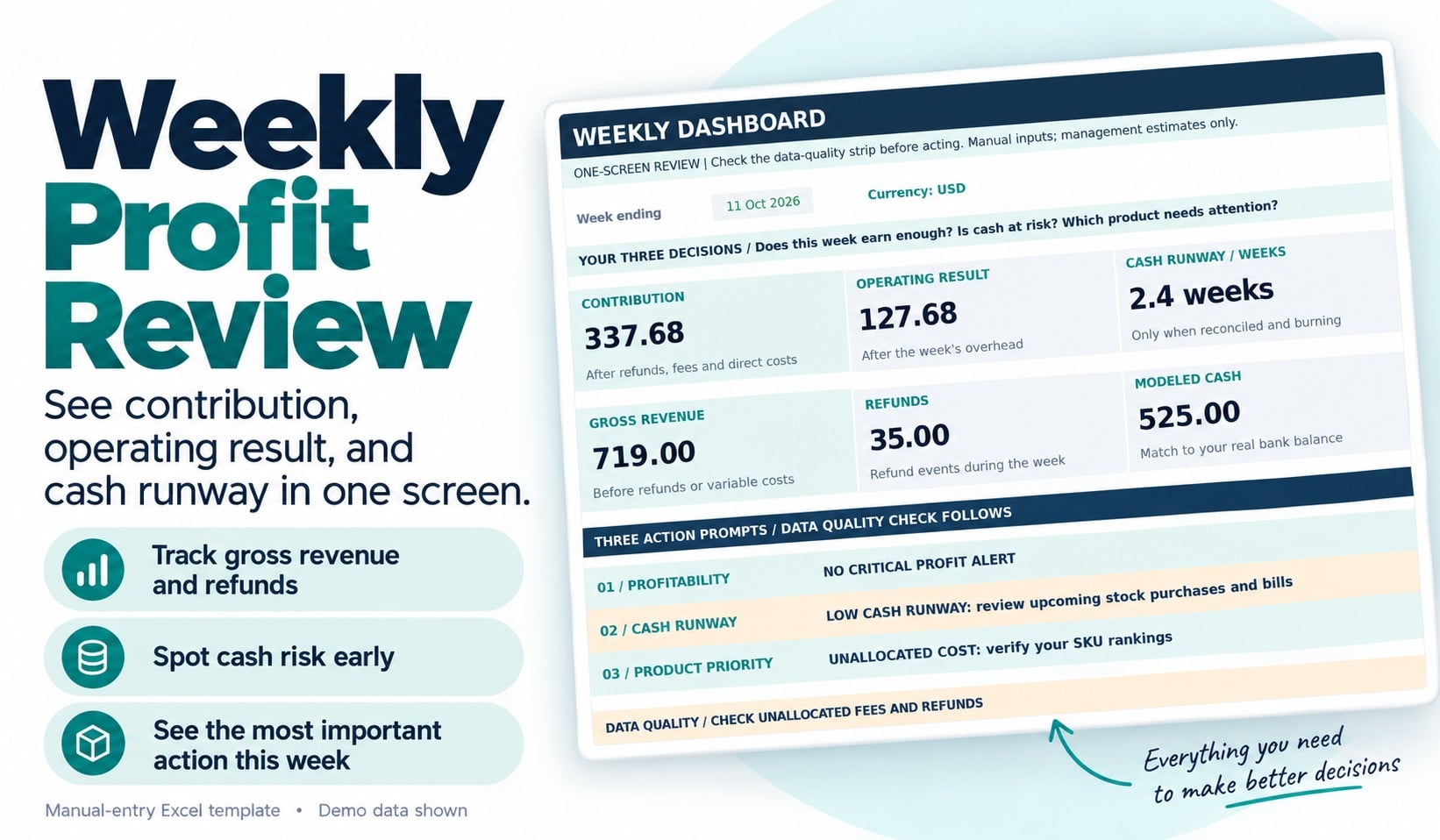
Ecommerce Profit & Cash Flow Tracker – Excel Dashb
1 mois de Skillshare
Disponible avec l'achatGratuit
Tous les abonnements seront facturés automatiquement de manière récurrente jusqu'à leur résiliation. Si vous pouvez profiter d'un essai gratuit, résiliez avant la fin de l'essai pour éviter une facturation. Offre valable uniquement pour les nouveaux abonnés payants. Consultez l'intégralité des conditions d'utilisation ici.
À propos de ce produit

James Wafula
AI Workflow Strategist for Small Business Owners
Ecommerce Profit & Cash Flow Tracker – Excel Dashboard
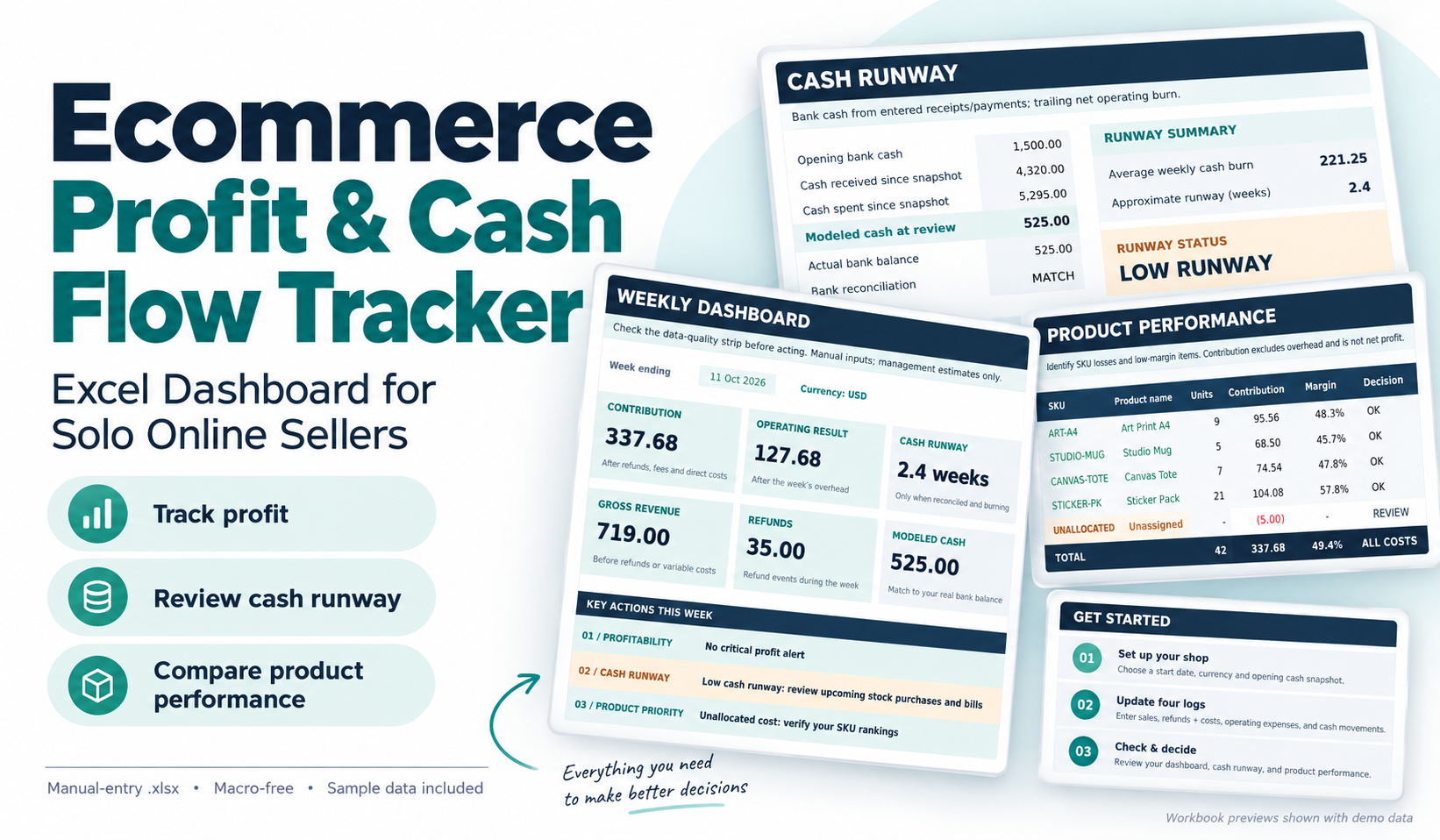
Understand what your online store is earning, where your money is going, and which products need attention.
Running an ecommerce business involves more than tracking sales. Refunds, transaction fees, product costs and operating expenses can reduce what you actually keep.
The Ecommerce Profit & Cash Flow Tracker is a practical Excel dashboard designed for solo online sellers and small product-based businesses that want a clearer picture of their finances.
Rather than relying on revenue totals alone, use this workbook to answer three important questions each week:
1. Is my business generating enough money after costs?
Review sales, refunds, processing fees, direct product costs, contribution and operating expenses.
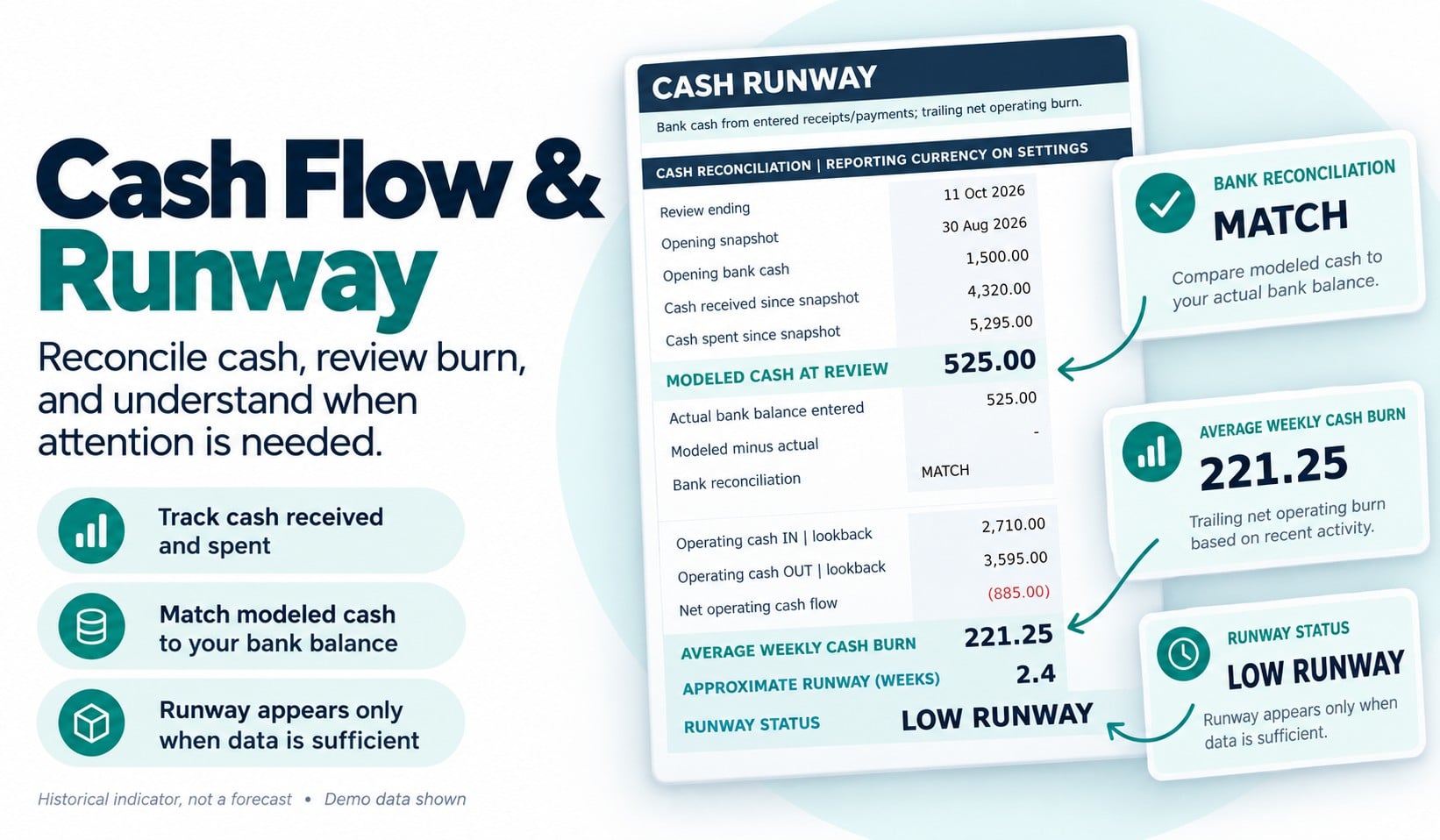
2. Is my cash position becoming risky?
Compare recorded cash movements with your entered bank balance, identify reconciliation differences and review an approximate historical cash-runway indicator when sufficient information is available.
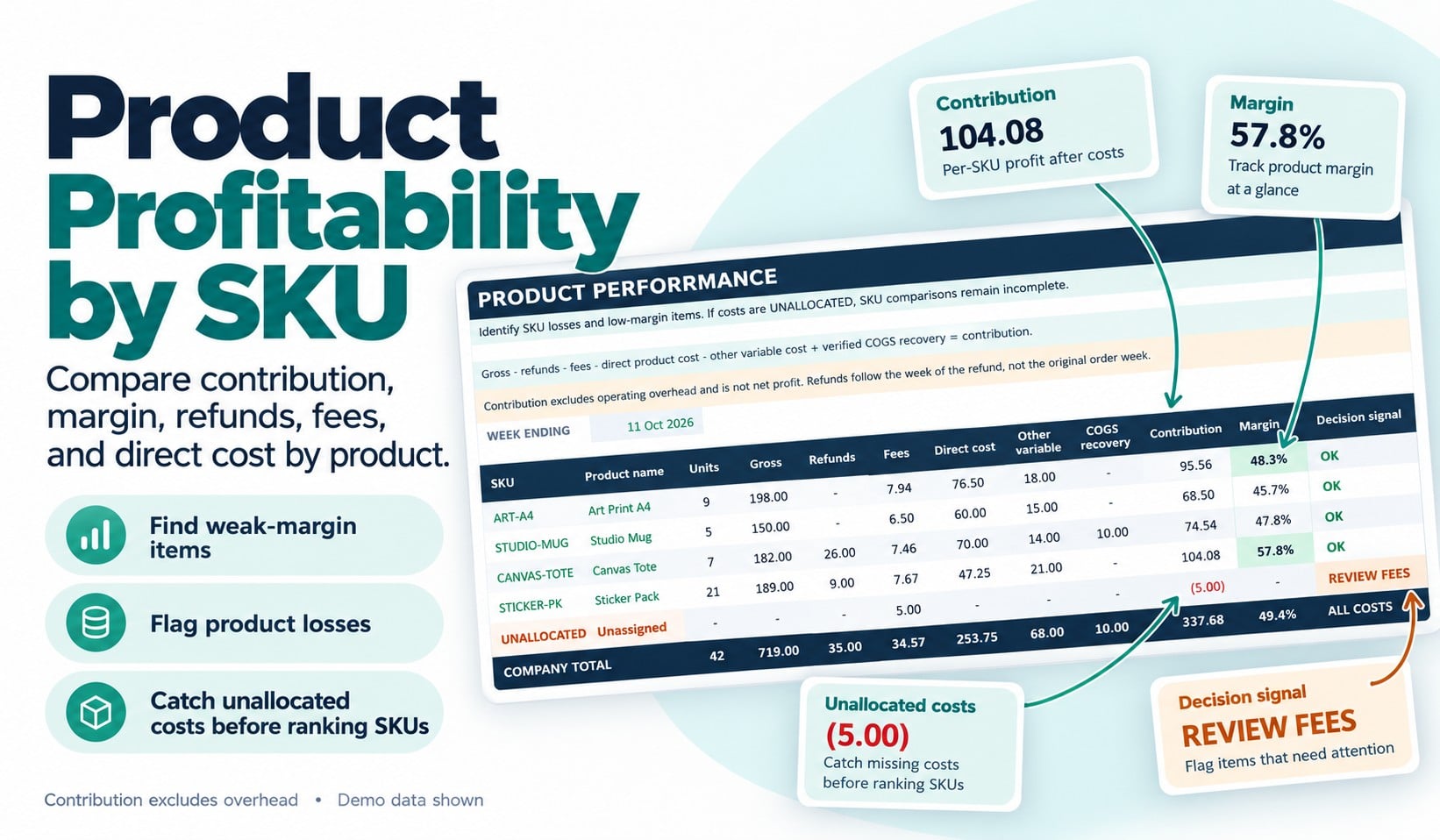
3. Which products need attention?
Compare product-level contribution and identify low margins, losses, refund-only activity and costs that have not been allocated to a product.
What You'll Receive
Your download includes:
Clean Excel Dashboard Template (.xlsx): A 13-tab workbook with editable input areas, protected calculation cells, automated formulas and a weekly decision dashboard.
Completed Example (.xlsx): A fictional six-week ecommerce business showing how to enter information and interpret the results.
Quick-Start & Metric Guide (PDF): Step-by-step setup instructions and explanations of the key financial metrics.
Weekly Review Checklist (PDF): A printable worksheet to help you record findings and decide what to address next.
Read Me First & License Files: Setup information, usage rights and support boundaries.
Who Is This For?
This tracker is designed for independent makers, small online retailers and solo ecommerce sellers who manage a limited product catalog and prefer a practical spreadsheet over a complex software system.
It supports up to 20 products, with prebuilt entry space for sales, refunds, costs, operating expenses and cash movements.
How It Works
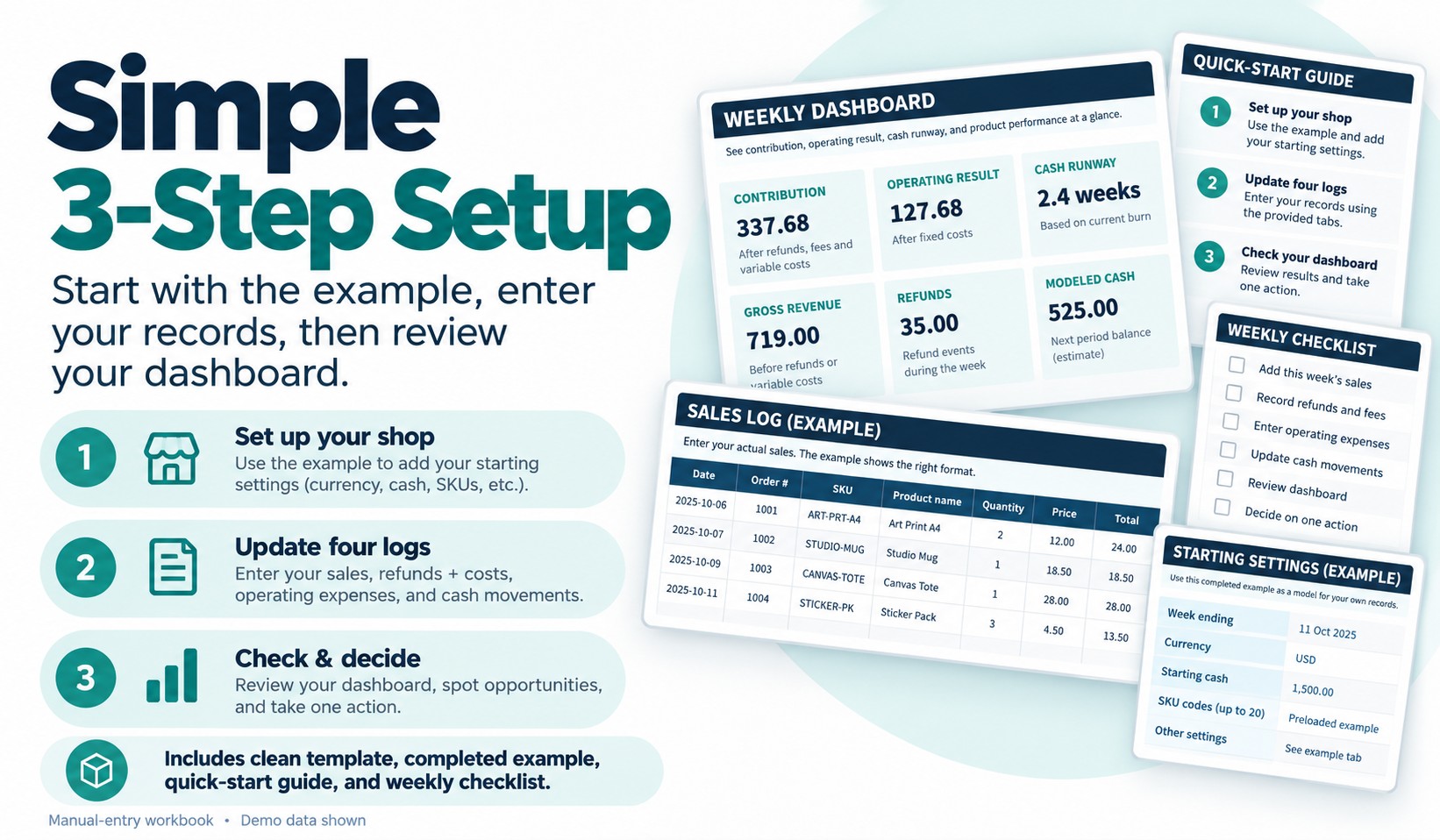
Start with the completed example to understand the dashboard.
Next, make a working copy of the clean template and enter your business settings, sales, fees, refunds, product costs, expenses and cash transactions into the designated input cells.
Once your information is complete, review the dashboard's profitability, cash-risk and product-priority indicators.
The goal is to help you make a more informed weekly operating decision.
Software Requirements and Important Limitations
This is a manual-entry Microsoft Excel (.xlsx) template, not a standalone app.
It does not connect automatically to Shopify, WooCommerce, Etsy, banks, marketplaces or payment processors. No macros or automated imports are included.
The workbook uses one reporting currency at a time. Google Sheets, mobile Excel and alternative spreadsheet applications have not been certified.
Cash runway is based on historical cash movements, not a prediction of future bills. Results depend on accurate entries and should not be treated as professional accounting, tax or financial advice. No particular business result or time saving is guaranteed.
Usage Rights
Your purchase includes permission to use and customize the files internally for one business you personally own or operate, including commercial business operations. Reselling, redistributing or sharing the editable templates as a separate product is not permitted.
Support covers download issues and reproducible defects in the original files, rather than personalized bookkeeping, custom development or financial consulting.
Take a clearer look at your store's profitability, cash position and product performance—all in one Excel dashboard.
FAQ
Qu'est-ce que les produits numériques ?
Les produits numériques de Skillshare sont des outils, des ressources et des modèles développés par des pros de la création et mis à votre disposition à l'achat. Avec un large éventail de ressources répondant à tous les besoins créatifs, ils sont exploitables, rendant votre expérience d'apprentissage concrète et inoubliable.
Comment puis-je acheter un produit numérique ?
Tout le monde peut acheter un produit numérique sur Skillshare. Cliquez sur Acheter maintenant pour saisir vos informations de paiement et finaliser votre achat. Une fois le paiement effectué, tous les fichiers pourront être téléchargés instantanément à partir de cette page. Vous recevrez également un e-mail contenant un lien pour télécharger votre produit numérique après l'achat.
Y a-t-il une limite au nombre de fois que je peux télécharger un produit numérique ?
Non, il n'y a pas de limite au nombre de fois que vous pouvez télécharger un produit numérique. Même si un produit est supprimé par la personne qui l'a créé, vous pouvez toujours accéder à la page de téléchargement dans la plupart des cas en vous connectant à votre compte Skillshare.
Puis-je obtenir un remboursement ou annuler l'achat de mon produit numérique ?
Les produits numériques ne sont pas remboursables et ne peuvent être ni retournés ni annulés. Pour en savoir plus, consultez notre politique de remboursement dans le centre d'aide Skillshare.
Puis-je créer et vendre mes propres produits numériques ?
Absolument ! Consultez l'article Comment puis-je vendre un produit numérique sur Skillshare ? pour découvrir comment créer, proposer et vendre vos propres produits numériques sur Skillshare.