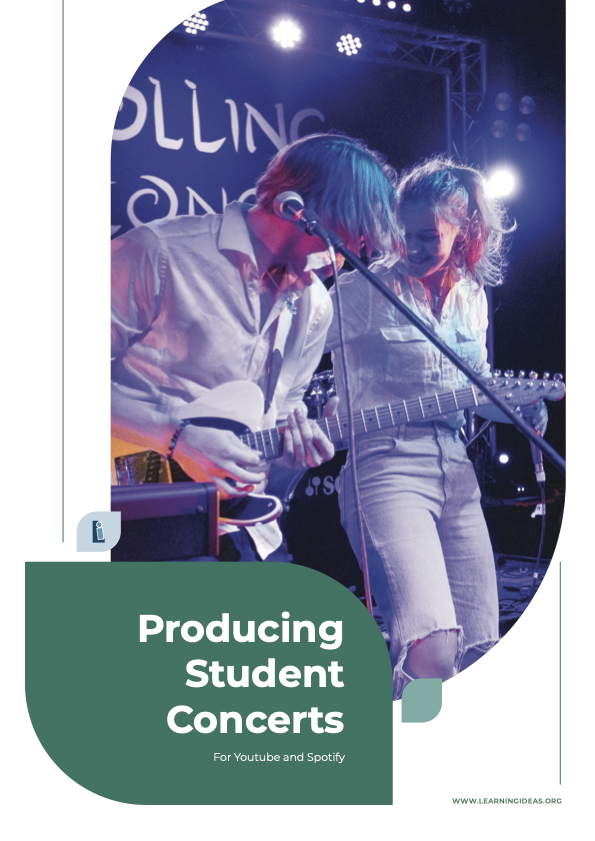
Producing Student Concerts for YouTube & Spotify
1 mois de Skillshare
Disponible avec l'achatGratuit
Tous les abonnements seront facturés automatiquement de manière récurrente jusqu'à leur résiliation. Si vous pouvez profiter d'un essai gratuit, résiliez avant la fin de l'essai pour éviter une facturation. Offre valable uniquement pour les nouveaux abonnés payants. Consultez l'intégralité des conditions d'utilisation ici.
À propos de ce produit

Duncan Ferguson
Music Teacher
Producing Student Concerts for YouTube and Spotify
Your students put months of work into rehearsals and performances — but once the concert's over, where does all that effort go? This resource shows you how to capture, produce, and share those performances with the world on YouTube and Spotify.
It covers the full pipeline: recording audio for different ensemble types, filming with multiple cameras, mixing, editing, and getting the finished product onto streaming platforms. Everything is demonstrated using gear that fits within a realistic school budget, and all audio mixing is done in Reaper — free software that runs on Mac and Windows without serial numbers or activation codes.
Key topics include:
- Recording processes for rock bands, choirs, orchestras, chamber groups, and school productions
- Ideal microphone placement for different instruments
- Running live sound and recording simultaneously
- In-depth audio mixing (pairs well with the companion resource "Mixing Demystified")
- Filming performances with multiple cameras
- Video editing using free software
- Getting your music onto Spotify via a distribution service
- Optimizing video uploads for YouTube
The course is built on real experience. The creator's school performance videos have racked up over 4 million views across social media, and this resource walks you through the same techniques and workflows used to produce them. Each chapter includes practical tasks for students, making it well suited for classroom use in a BYOD or computer lab environment.
Whether you're a music teacher wanting to build a public portfolio of your programme's work, a student studying music technology or media, or someone who simply wants to give school performances the audience they deserve, this resource takes you from stage to screen, step by step.
FAQ
Qu'est-ce que les produits numériques ?
Les produits numériques de Skillshare sont des outils, des ressources et des modèles développés par des pros de la création et mis à votre disposition à l'achat. Avec un large éventail de ressources répondant à tous les besoins créatifs, ils sont exploitables, rendant votre expérience d'apprentissage concrète et inoubliable.
Comment puis-je acheter un produit numérique ?
Tout le monde peut acheter un produit numérique sur Skillshare. Cliquez sur Acheter maintenant pour saisir vos informations de paiement et finaliser votre achat. Une fois le paiement effectué, tous les fichiers pourront être téléchargés instantanément à partir de cette page. Vous recevrez également un e-mail contenant un lien pour télécharger votre produit numérique après l'achat.
Y a-t-il une limite au nombre de fois que je peux télécharger un produit numérique ?
Non, il n'y a pas de limite au nombre de fois que vous pouvez télécharger un produit numérique. Même si un produit est supprimé par la personne qui l'a créé, vous pouvez toujours accéder à la page de téléchargement dans la plupart des cas en vous connectant à votre compte Skillshare.
Puis-je obtenir un remboursement ou annuler l'achat de mon produit numérique ?
Les produits numériques ne sont pas remboursables et ne peuvent être ni retournés ni annulés. Pour en savoir plus, consultez notre politique de remboursement dans le centre d'aide Skillshare.
Puis-je créer et vendre mes propres produits numériques ?
Absolument ! Consultez l'article Comment puis-je vendre un produit numérique sur Skillshare ? pour découvrir comment créer, proposer et vendre vos propres produits numériques sur Skillshare.