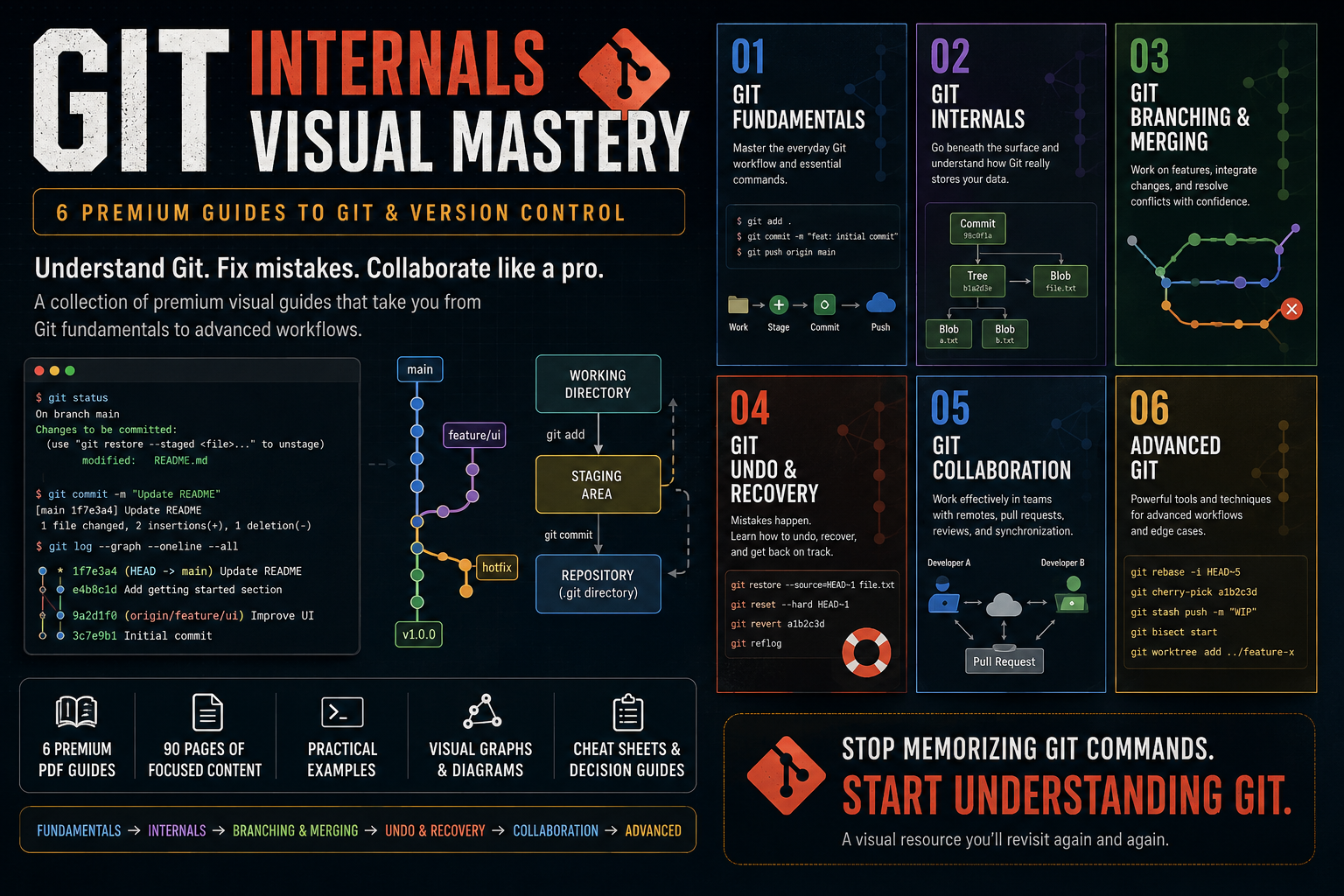
Git Internals Visual Mastery — 6 Premium Guides
1 mois de Skillshare
Disponible avec l'achatGratuit
Tous les abonnements seront facturés automatiquement de manière récurrente jusqu'à leur résiliation. Si vous pouvez profiter d'un essai gratuit, résiliez avant la fin de l'essai pour éviter une facturation. Offre valable uniquement pour les nouveaux abonnés payants. Consultez l'intégralité des conditions d'utilisation ici.
À propos de ce produit

Aymen El Kani
software engineer
Git is easy to use until it isn't.
You can memorize git add, git commit, git push, and git pull without ever developing a real mental model of how Git works or what to do when something goes wrong.
Git Visual Mastery is a collection of premium visual guides designed to help developers understand Git from the fundamentals all the way to advanced workflows.
Instead of giving you another giant Git course filled with endless commands, these guides break Git into focused topics and explain each one through clear diagrams, practical scenarios, Git graphs, terminal examples, and concise explanations.
What's Included
01 — Git Fundamentals
Build a solid foundation with Git's everyday workflow, essential commands, staging, commits, history, branches, and repositories.
02 — Git Internals
Go beneath the surface and understand what Git actually stores.
Learn about commits, branches, HEAD, blobs, trees, hashes, references, and the Git object database.
03 — Git Branching & Merging
Understand how developers work on parallel features and integrate their changes.
Learn branching, merging, merge conflicts, rebasing, and how to choose between merge and rebase.
04 — Git Undo & Recovery
Learn what to do when something goes wrong.
Understand restore, reset, revert, reflog, and how to recover from common Git mistakes.
05 — Git Collaboration
Learn how Git fits into team development.
Understand remote repositories, push/pull/fetch, pull requests, code review, synchronization, and practical team workflows.
06 — Advanced Git
Go beyond everyday Git with powerful tools and techniques including interactive rebase, cherry-pick, stash, bisect, worktrees, and advanced workflows.
Designed for Developers Who Want to Actually Understand Git
These guides focus on the mental models behind Git, not just command memorization.
You'll see concepts explained through:
Visual Git graphs
Architecture diagrams
Before/after workflows
Realistic developer scenarios
Terminal examples
Practical decision guides
Quick-reference cheat sheets
Each guide is intentionally focused on a specific Git problem so you can learn what you need without digging through hundreds of pages.
From Beginner to Advanced
The collection follows a progressive path:
Fundamentals → Internals → Branching & Merging → Undo & Recovery → Collaboration → Advanced Git
You can read the guides sequentially or jump directly to the topic you're struggling with.
What You'll Get
6 premium visual PDF guides
90 pages of focused Git education
Practical examples and workflows
Visual reference material you can revisit anytime
A structured path from Git beginner to advanced user
Whether you're learning Git for the first time, preparing for professional development work, or constantly finding yourself searching for "how do I undo this Git command?", this collection is designed to become a resource you keep coming back to.
Stop memorizing Git commands.
Start understanding Git.
FAQ
Qu'est-ce que les produits numériques ?
Les produits numériques de Skillshare sont des outils, des ressources et des modèles développés par des pros de la création et mis à votre disposition à l'achat. Avec un large éventail de ressources répondant à tous les besoins créatifs, ils sont exploitables, rendant votre expérience d'apprentissage concrète et inoubliable.
Comment puis-je acheter un produit numérique ?
Tout le monde peut acheter un produit numérique sur Skillshare. Cliquez sur Acheter maintenant pour saisir vos informations de paiement et finaliser votre achat. Une fois le paiement effectué, tous les fichiers pourront être téléchargés instantanément à partir de cette page. Vous recevrez également un e-mail contenant un lien pour télécharger votre produit numérique après l'achat.
Y a-t-il une limite au nombre de fois que je peux télécharger un produit numérique ?
Non, il n'y a pas de limite au nombre de fois que vous pouvez télécharger un produit numérique. Même si un produit est supprimé par la personne qui l'a créé, vous pouvez toujours accéder à la page de téléchargement dans la plupart des cas en vous connectant à votre compte Skillshare.
Puis-je obtenir un remboursement ou annuler l'achat de mon produit numérique ?
Les produits numériques ne sont pas remboursables et ne peuvent être ni retournés ni annulés. Pour en savoir plus, consultez notre politique de remboursement dans le centre d'aide Skillshare.
Puis-je créer et vendre mes propres produits numériques ?
Absolument ! Consultez l'article Comment puis-je vendre un produit numérique sur Skillshare ? pour découvrir comment créer, proposer et vendre vos propres produits numériques sur Skillshare.