Scene State Bookmarks - Save and Restore
1 mois de Skillshare
Disponible avec l'achatGratuit
Tous les abonnements seront facturés automatiquement de manière récurrente jusqu'à leur résiliation. Si vous pouvez profiter d'un essai gratuit, résiliez avant la fin de l'essai pour éviter une facturation. Offre valable uniquement pour les nouveaux abonnés payants. Consultez l'intégralité des conditions d'utilisation ici.
À propos de ce produit

Salman Naseem
2d 3D Animator
Every animator and 3D artist knows the pain. You spend 3 minutes hiding collections, switching render engines, repositioning the viewport, and setting up the camera just to review one specific shot. Then you need to switch to another setup and do it all over again.
Scene State Bookmarks eliminates that
What it does
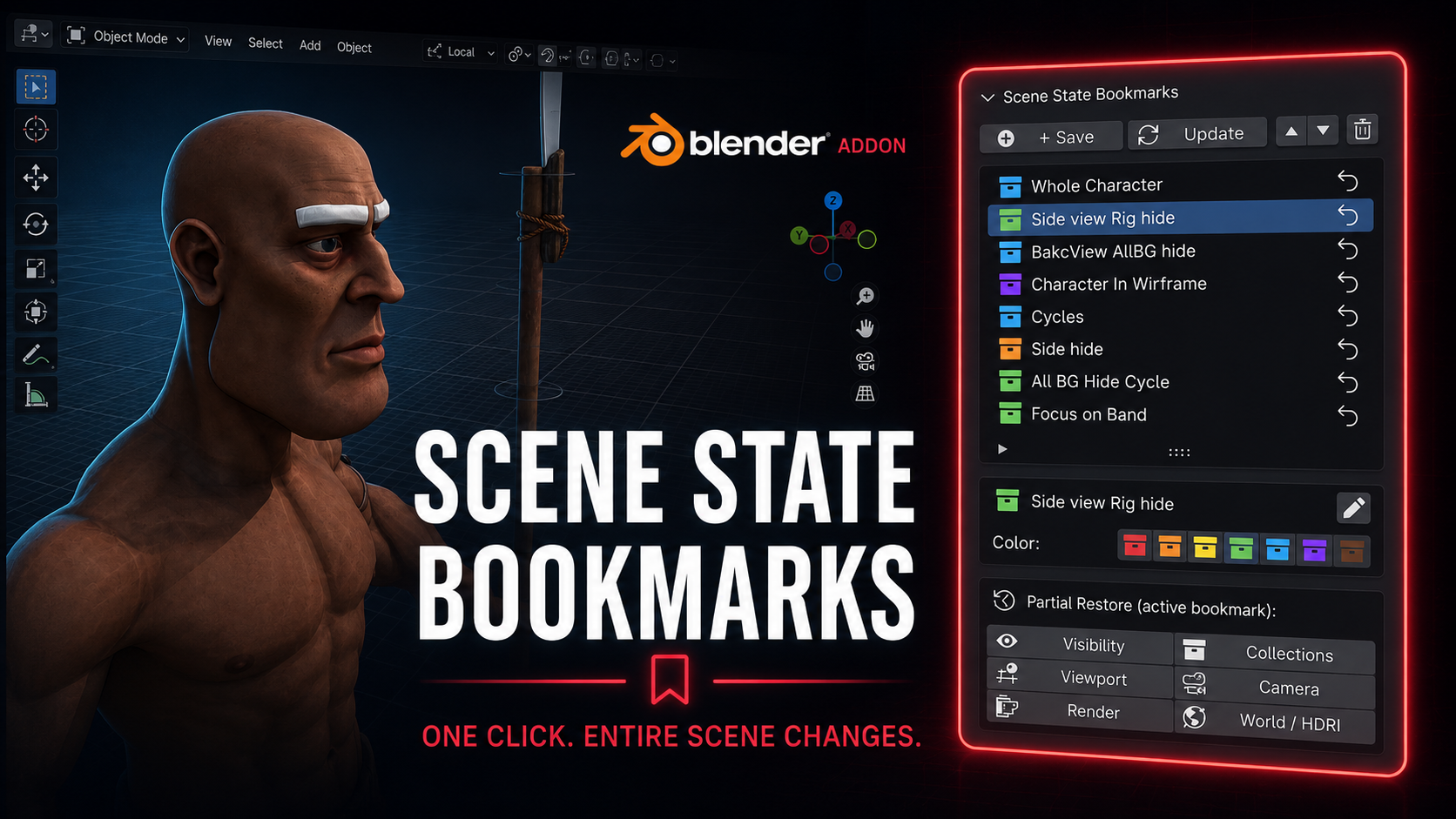
With one click you save a complete snapshot of your scene. Every bookmark stores exactly what your scene looks like at that moment including which objects are visible, which collections are active, your viewport position and angle, the active camera, render engine and resolution settings, and your world and HDRI setup.
Restoring that state takes exactly one click.
Who this is for
This addon is built for working artists with real production pressure. If you switch between character close-ups and wide environment shots, between EEVEE previews and Cycles final renders, between wireframe checks and solid shading, this tool will save you hours every single week.
Animators use it to jump between different character poses and camera angles without losing their setup. Riggers use it to toggle between rig-visible and rig-hidden states in one click. Render artists use it to switch between low-resolution preview settings and full 4K Cycles production settings without touching a single property manually.

Full feature list
Save unlimited named bookmarks per scene
Color code bookmarks with 7 colors for instant visual organization
Restore any bookmark in one click from the N panel
Partial restore lets you apply only one layer: visibility only, collections only, viewport only, camera only, render only, or world only
Rename bookmarks at any time without re-saving
Reorder bookmarks up and down to match your workflow
Update any bookmark with new scene state while keeping its name and color
Delete bookmarks you no longer need
All bookmark data is saved inside the blend file so your team gets the same states when they open the file
What gets saved in each bookmark
Object visibility (viewport and render) Collection exclude and hide states Viewport position, rotation, distance and perspective mode Viewport shading type and overlay settings Active camera Render engine (EEVEE or Cycles) Render resolution X and Y Cycles and EEVEE sample counts World and HDRI assignment
Why this is different from other visibility addons
Most visibility tools only toggle object or collection hide states. Scene State Bookmarks captures the full picture: your render settings change, your camera changes, your viewport angle changes, your world changes. It is a complete scene memory system, not just a visibility switcher.
FAQ
Qu'est-ce que les produits numériques ?
Les produits numériques de Skillshare sont des outils, des ressources et des modèles développés par des pros de la création et mis à votre disposition à l'achat. Avec un large éventail de ressources répondant à tous les besoins créatifs, ils sont exploitables, rendant votre expérience d'apprentissage concrète et inoubliable.
Comment puis-je acheter un produit numérique ?
Tout le monde peut acheter un produit numérique sur Skillshare. Cliquez sur Acheter maintenant pour saisir vos informations de paiement et finaliser votre achat. Une fois le paiement effectué, tous les fichiers pourront être téléchargés instantanément à partir de cette page. Vous recevrez également un e-mail contenant un lien pour télécharger votre produit numérique après l'achat.
Y a-t-il une limite au nombre de fois que je peux télécharger un produit numérique ?
Non, il n'y a pas de limite au nombre de fois que vous pouvez télécharger un produit numérique. Même si un produit est supprimé par la personne qui l'a créé, vous pouvez toujours accéder à la page de téléchargement dans la plupart des cas en vous connectant à votre compte Skillshare.
Puis-je obtenir un remboursement ou annuler l'achat de mon produit numérique ?
Les produits numériques ne sont pas remboursables et ne peuvent être ni retournés ni annulés. Pour en savoir plus, consultez notre politique de remboursement dans le centre d'aide Skillshare.
Puis-je créer et vendre mes propres produits numériques ?
Absolument ! Consultez l'article Comment puis-je vendre un produit numérique sur Skillshare ? pour découvrir comment créer, proposer et vendre vos propres produits numériques sur Skillshare.