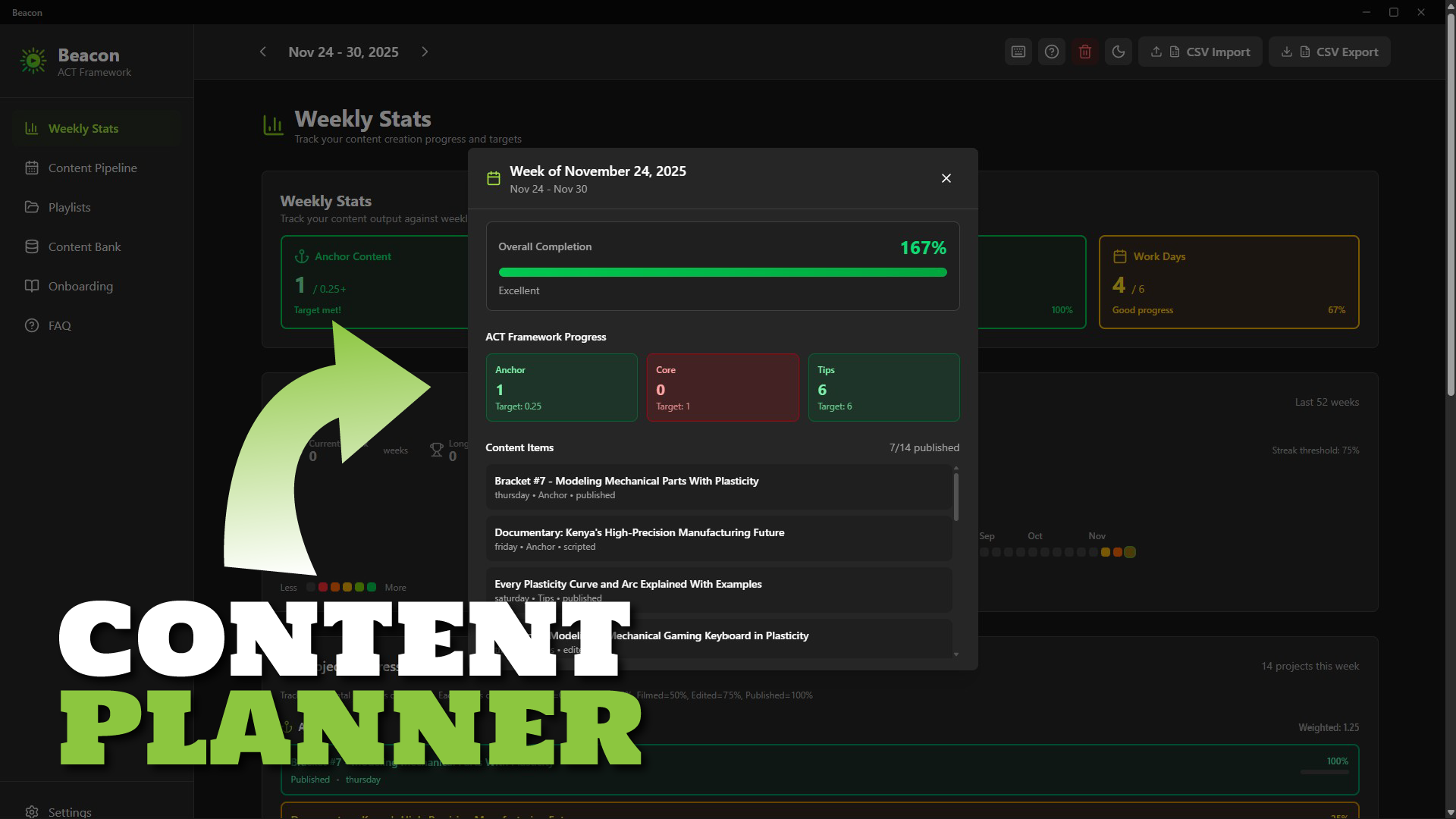
Beacon: Content Planner Software for Creators
1 mois de Skillshare
Disponible avec l'achatGratuit
Tous les abonnements seront facturés automatiquement de manière récurrente jusqu'à leur résiliation. Si vous pouvez profiter d'un essai gratuit, résiliez avant la fin de l'essai pour éviter une facturation. Offre valable uniquement pour les nouveaux abonnés payants. Consultez l'intégralité des conditions d'utilisation ici.
À propos de ce produit

Ken Mbesa
Web Designer | 3D Artist
Transform Content Chaos into Consistent Creation
Beacon is a simple, fast desktop content planning app built specifically for YouTube creators, course creators, and content entrepreneurs who want to stay consistent without using complicated project managers.
If your ideas are scattered, your publishing rhythm is shaky, or planning feels overwhelming, Beacon gives you the structure and clarity to create consistently - without feeling overloaded.
Why Creators Struggle
You have great ideas… but they end up everywhere: Notion, notes, docs, your brain.
You know consistency drives growth, but traditional tools are either too complex or too generic.
- Spreadsheets? Too manual.
- Asana/Trello? Too heavy. Best for teams.
- Project managers? Too broad.
You don’t need enterprise software - you need a weekly workflow that fits how creators work.
The Beacon Solution
A beautifully simple desktop app that helps you:
- Capture ideas instantly
- Organize content into series/playlists
- Plan your entire week at a glance
- Track your progress (idea → published)
- Maintain consistency with zero overwhelm
Everything is stored locally on your computer - privately, securely, and forever under your control.
The ACT Framework (Built-In)
Beacon uses a strategic content rhythm called ACT:
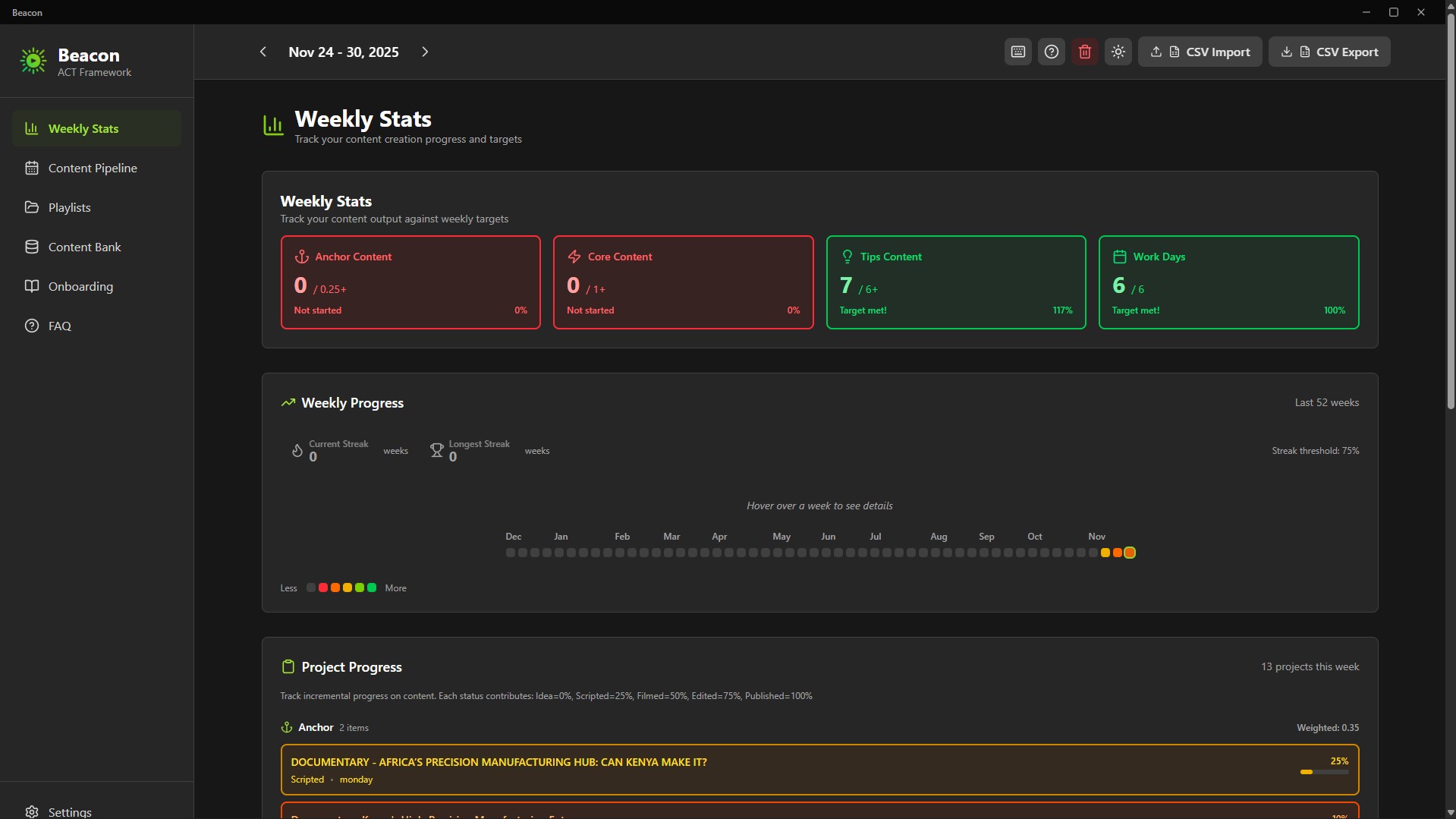
- Anchor (At least 1/month): Big, authority-building pieces
- Core (At least 1/week): Series content your audience relies on
- Tips (At least 6/week): Fast, useful pieces to stay top-of-mind
This framework maintains visibility without burnout. Designed for creators who juggle multiple platforms and responsibilities.
Key Features
Content Bank - Your Idea Hub
Capture every idea and keep them organized until you’re ready to schedule.
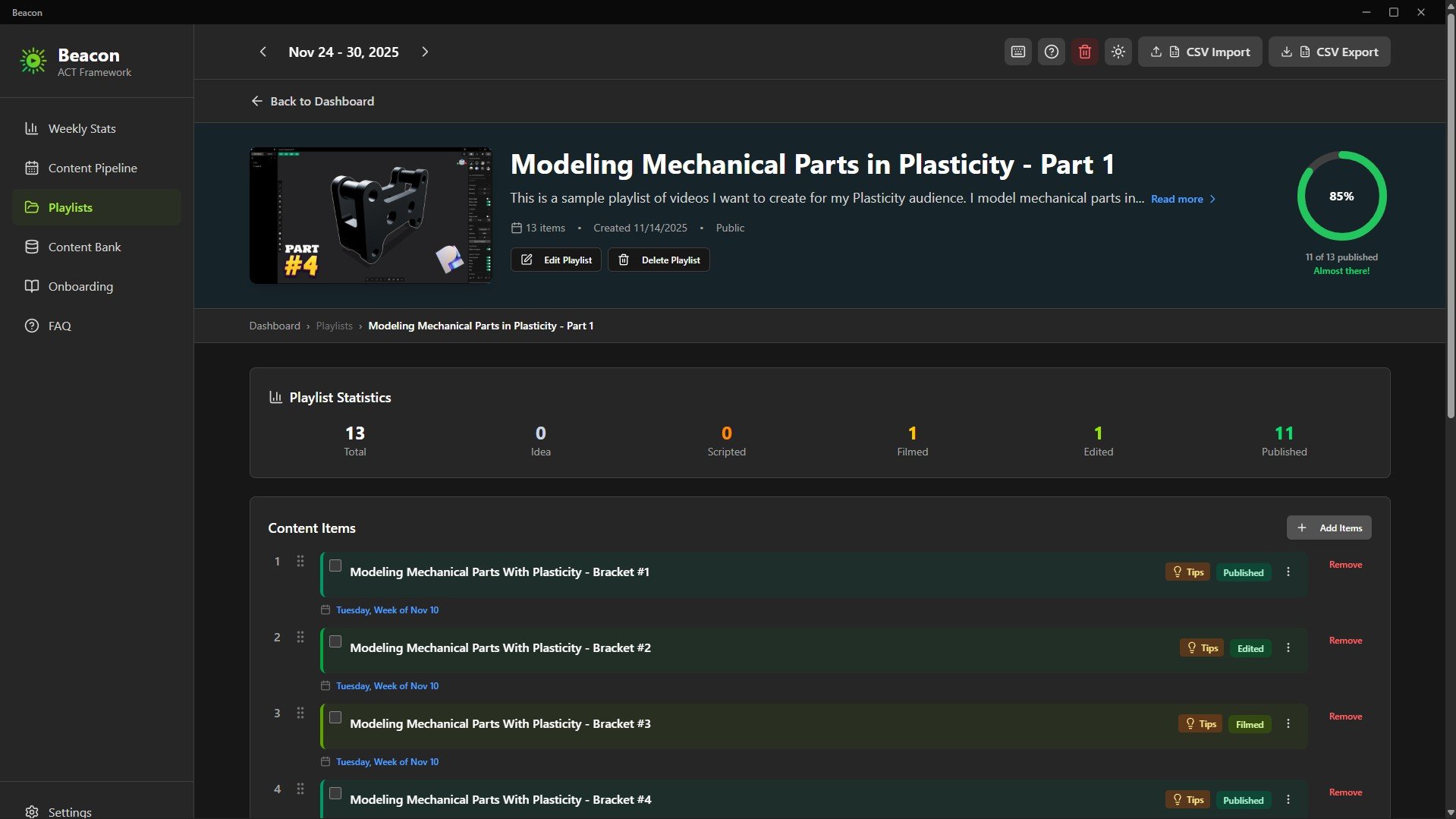
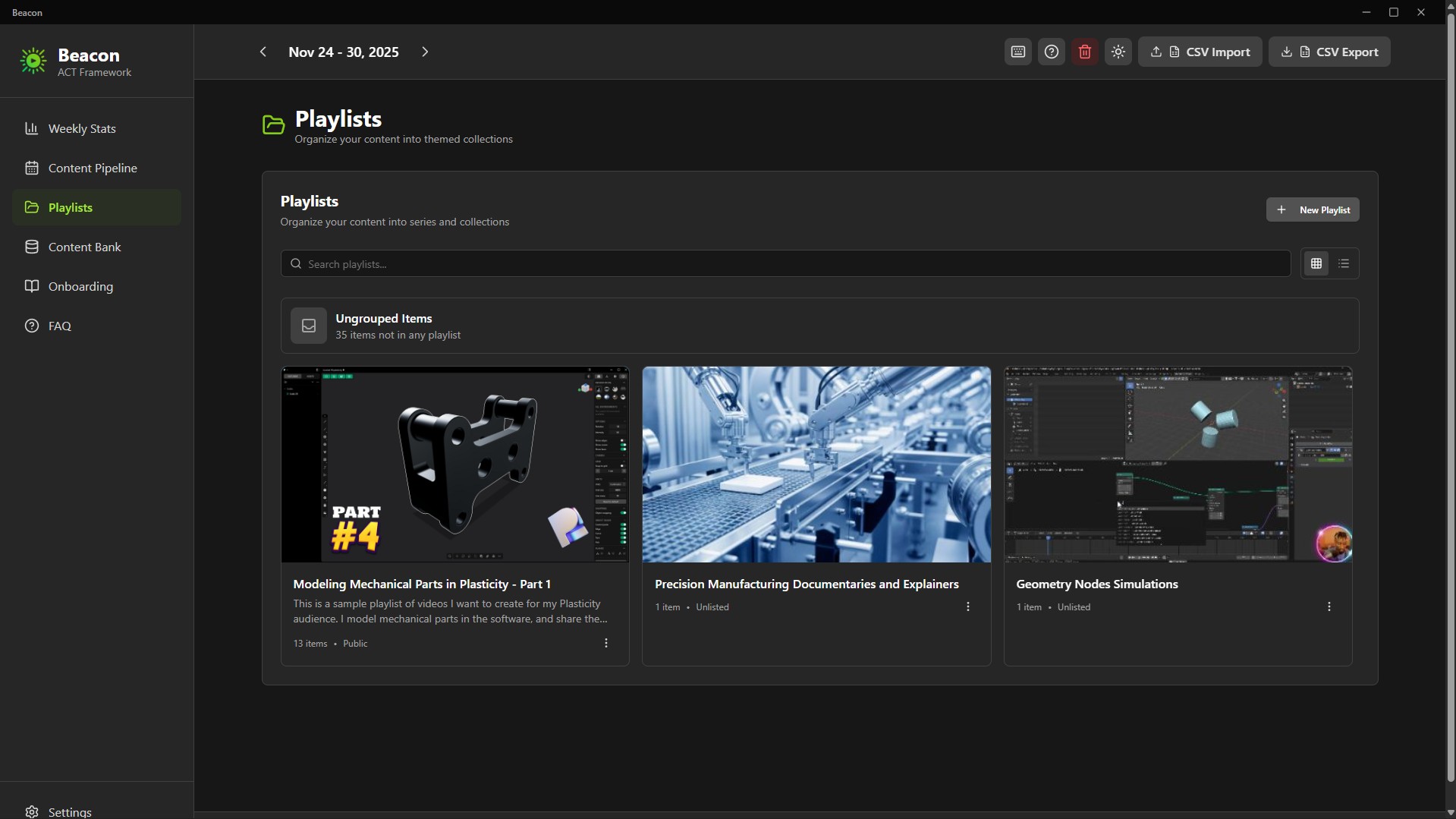
Playlists for Series & Modules
Group related content into playlists: course modules, video series, themes, or multi-part lessons.
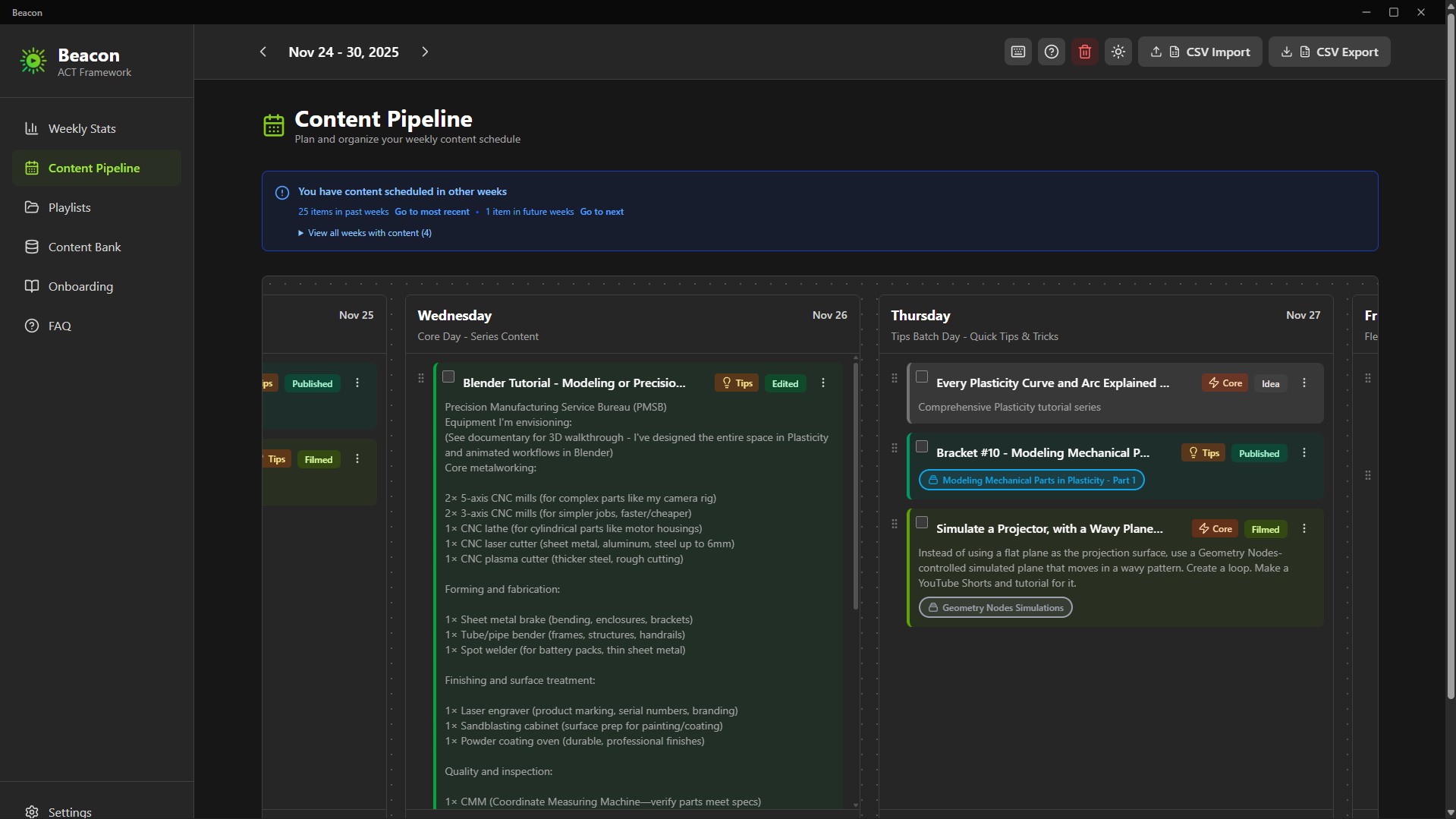
7-Day Weekly Pipeline
Drag-and-drop your week from Monday to Sunday. Know exactly what you’re publishing and when.
Progress Tracker
Track your progress through:
Idea → In Progress → Scripted → Filmed → Edited → Published
Color-coded states give you instant clarity.
52-Week Consistency Graph
A GitHub-style yearly tracker visualizes your consistency, streaks, and ACT completion. Your creative momentum becomes visible.
Unscheduling Flexibility
Changed your mind? One click unschedules content and returns it to the Content Bank - no clutter, no lost work or ideas.
Interactive Product Tour
A guided onboarding that teaches you the workflow in minutes. Replayable anytime.
Privacy & Ownership
100% Local, Zero Cloud
Your ideas stay on your machine.
Beacon is created for privacy-focused creators.
Pay once. Own it forever.
Native Desktop App
Fast, smooth performance.
What’s Included
- Beacon 2.0 Installer (.exe)
- Beacon 2.0 Portable Build (no installation required)
- Quick Start Guide
- ACT Framework Documentation
How to Plan Your Content with Beacon (Setup + Tutorial + Demo): https://youtu.be/2rkO6-mFXcE
Technical Details
- Platform: Windows 10/11
- Storage: Fully local
- Installer Size: ~94MB
- Installed Size: ~200MB
- Data Export: CSV + JSON (Supporter Tier)
- Installation: 1-minute setup
- No account required
Who should use Beacon?
- YouTube creators managing multiple series
- Online course instructors planning modules
- Content entrepreneurs publishing across platforms
- Coaches, consultants & educators building weekly content
- Anyone tired of spreadsheets or overbuilt project managers
The Philosophy Behind Beacon
Most productivity tools chase complexity.
Creators don’t need that.
Creators need clarity, rhythm, and momentum.
Beacon focuses on one essential weekly question:
“What am I creating, and when?”
Just a focused, creator-first tool that respects your time, workflow, and ownership.
You stay in control, forever.
If consistency is your challenge - Beacon is your tool.
FAQ
Qu'est-ce que les produits numériques ?
Les produits numériques de Skillshare sont des outils, des ressources et des modèles développés par des pros de la création et mis à votre disposition à l'achat. Avec un large éventail de ressources répondant à tous les besoins créatifs, ils sont exploitables, rendant votre expérience d'apprentissage concrète et inoubliable.
Comment puis-je acheter un produit numérique ?
Tout le monde peut acheter un produit numérique sur Skillshare. Cliquez sur Acheter maintenant pour saisir vos informations de paiement et finaliser votre achat. Une fois le paiement effectué, tous les fichiers pourront être téléchargés instantanément à partir de cette page. Vous recevrez également un e-mail contenant un lien pour télécharger votre produit numérique après l'achat.
Y a-t-il une limite au nombre de fois que je peux télécharger un produit numérique ?
Non, il n'y a pas de limite au nombre de fois que vous pouvez télécharger un produit numérique. Même si un produit est supprimé par la personne qui l'a créé, vous pouvez toujours accéder à la page de téléchargement dans la plupart des cas en vous connectant à votre compte Skillshare.
Puis-je obtenir un remboursement ou annuler l'achat de mon produit numérique ?
Les produits numériques ne sont pas remboursables et ne peuvent être ni retournés ni annulés. Pour en savoir plus, consultez notre politique de remboursement dans le centre d'aide Skillshare.
Puis-je créer et vendre mes propres produits numériques ?
Absolument ! Consultez l'article Comment puis-je vendre un produit numérique sur Skillshare ? pour découvrir comment créer, proposer et vendre vos propres produits numériques sur Skillshare.