.png)
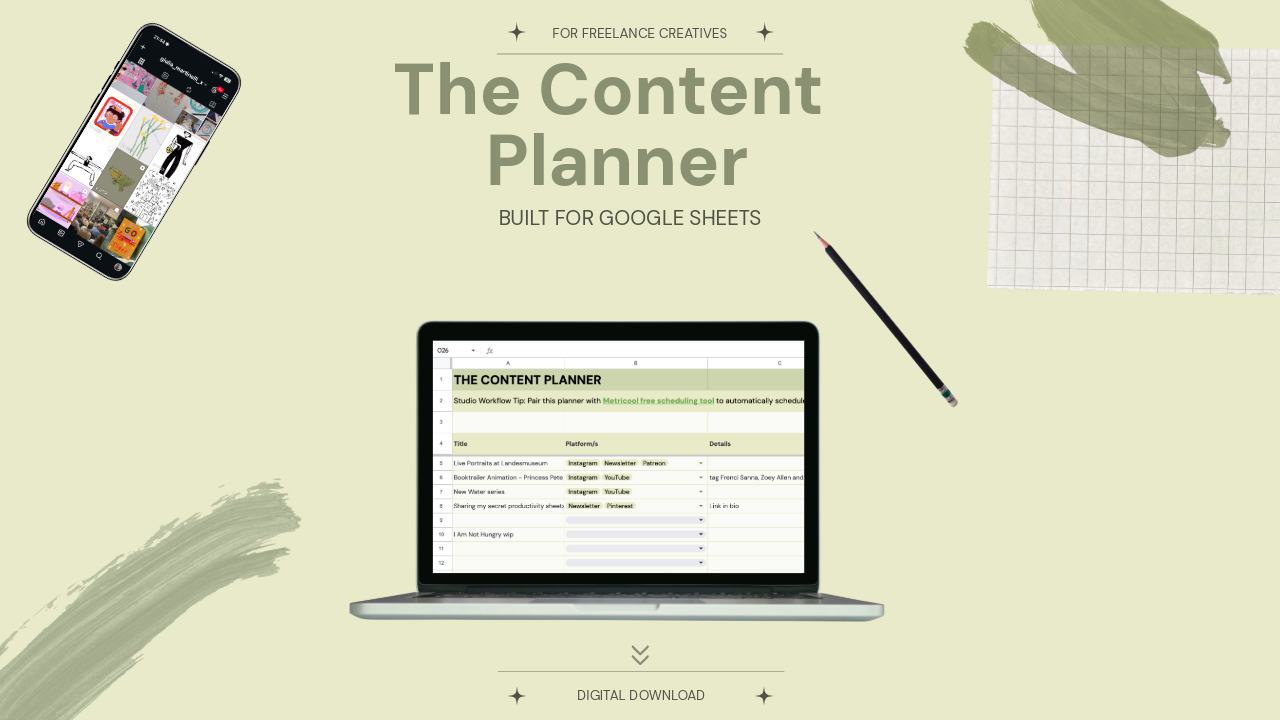
The Content Planner
1 mois de Skillshare
Disponible avec l'achatGratuit
Tous les abonnements seront facturés automatiquement de manière récurrente jusqu'à leur résiliation. Si vous pouvez profiter d'un essai gratuit, résiliez avant la fin de l'essai pour éviter une facturation. Offre valable uniquement pour les nouveaux abonnés payants. Consultez l'intégralité des conditions d'utilisation ici.
À propos de ce produit

Giulia Martinelli
Animation Director / Illustrator
You know that sudden wave of anxiety or pressure when you open your computer and think, “What on earth do I post today?” I completely solved that creative burnout using a system of calm planning and scheduling in advance, and today, I am sharing the exact personal spreadsheet I use to run my studio’s content engine.
A Minimalist Production & Editorial Planner for Creative Freelancers
After 10 years of navigating the creative industry as a solo, one-woman animation band, I learned that consistency isn't about hustle; it’s about having a clean visual infrastructure. If your planning system feels cluttered, your creative energy drains before you even hit record or draft your first line of copy.
The Content Planner is a pristine, zero-anxiety spreadsheet workspace built specifically for visual artists, designers, animators, and filmmakers. It is designed to take your ideas from a vague spark to a published asset across YouTube, Instagram, LinkedIn, and Pinterest, without the posting anxiety.
What’s Inside:
Tab 1: The Master Pipeline | A bird’s-eye, single-screen overview of your entire content calendar. Sort your ideas by Platform, Format (Long-form, Reels, Carousels, Text), Production Status, and Target Dates with zero horizontal scrolling.
Tab 2: The Scripting & Asset Hub | Your dedicated deep-work sandbox. A structured space with text-wrapped text fields for your scripts and social copy, dedicated SEO/hashtag slots, and tracking cells to link your heavy Google Drive/Dropbox raw media files.
How it Works:
- Download this template
- Open the enclosed A4 Welcome PDF.
- Click the secure access link to clone the template directly into your private Google Drive.
- Turn off your corporate notifications, open the sheet, and start building.
Looking for the Complete Studio Infrastructure?
If you are looking to manage your actual business finances and client pipelines with this exact same aesthetic clarity, upgrade to the master Job & Client Tracker for Freelance Creatives. It acts as the quiet, low-anxiety backend infrastructure for your entire independent creative studio.
Technical Requirements:
Google Account Required: This template is optimized exclusively for Google Sheets (Desktop use highly recommended). Excel formatting will break the custom web typography and advanced visual styles. To securely duplicate this template into your private drive, you will need a standard, free Google account.
Keep your workspace clean. Keep your focus sharp. Created by Giulia Martinelli | Zürich, Switzerland
FAQ
Qu'est-ce que les produits numériques ?
Les produits numériques de Skillshare sont des outils, des ressources et des modèles développés par des pros de la création et mis à votre disposition à l'achat. Avec un large éventail de ressources répondant à tous les besoins créatifs, ils sont exploitables, rendant votre expérience d'apprentissage concrète et inoubliable.
Comment puis-je acheter un produit numérique ?
Tout le monde peut acheter un produit numérique sur Skillshare. Cliquez sur Acheter maintenant pour saisir vos informations de paiement et finaliser votre achat. Une fois le paiement effectué, tous les fichiers pourront être téléchargés instantanément à partir de cette page. Vous recevrez également un e-mail contenant un lien pour télécharger votre produit numérique après l'achat.
Y a-t-il une limite au nombre de fois que je peux télécharger un produit numérique ?
Non, il n'y a pas de limite au nombre de fois que vous pouvez télécharger un produit numérique. Même si un produit est supprimé par la personne qui l'a créé, vous pouvez toujours accéder à la page de téléchargement dans la plupart des cas en vous connectant à votre compte Skillshare.
Puis-je obtenir un remboursement ou annuler l'achat de mon produit numérique ?
Les produits numériques ne sont pas remboursables et ne peuvent être ni retournés ni annulés. Pour en savoir plus, consultez notre politique de remboursement dans le centre d'aide Skillshare.
Puis-je créer et vendre mes propres produits numériques ?
Absolument ! Consultez l'article Comment puis-je vendre un produit numérique sur Skillshare ? pour découvrir comment créer, proposer et vendre vos propres produits numériques sur Skillshare.