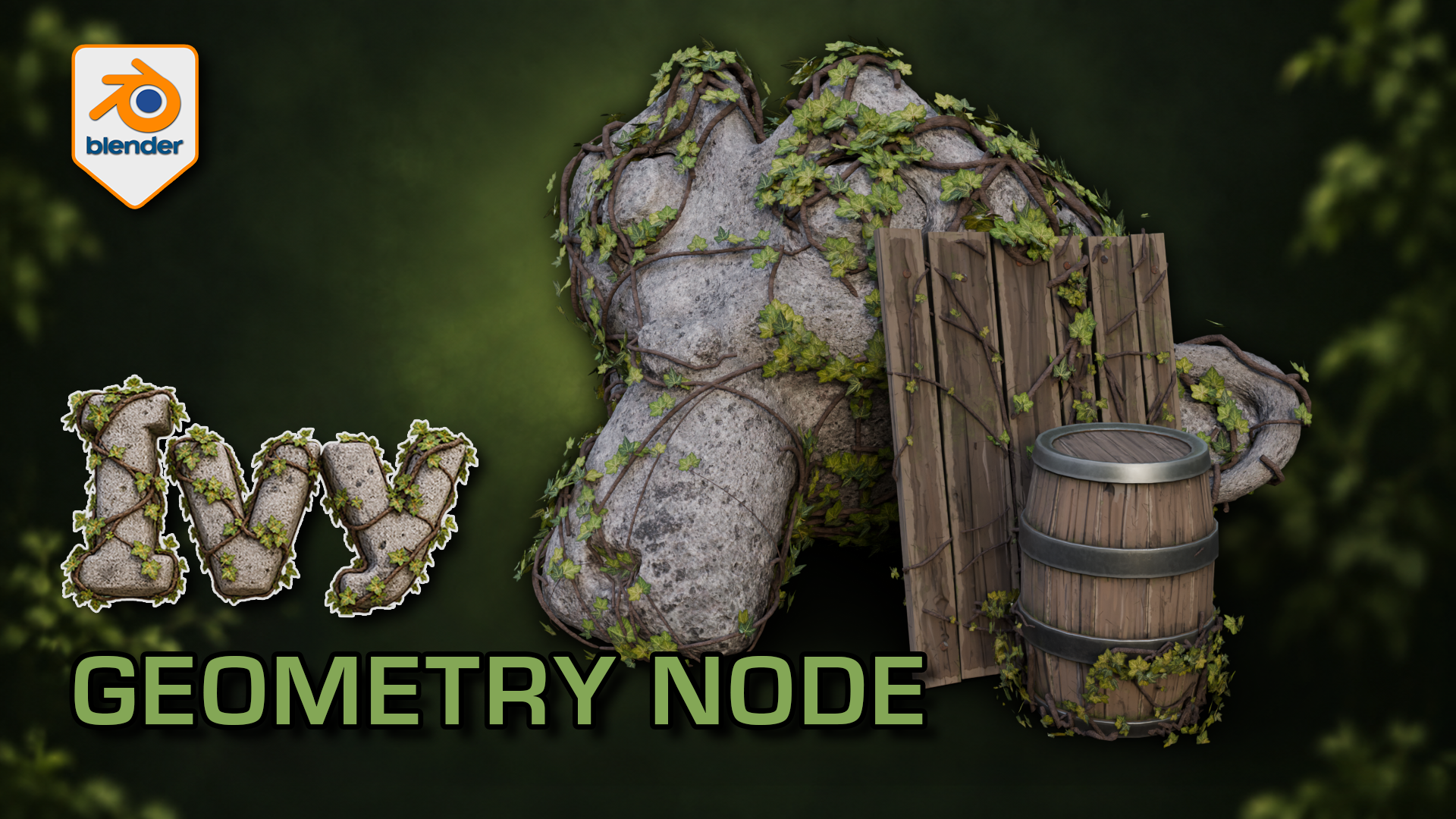
Ivy Generator for Blender: Geometry Nodes
1 mois de Skillshare
Disponible avec l'achatGratuit
Tous les abonnements seront facturés automatiquement de manière récurrente jusqu'à leur résiliation. Si vous pouvez profiter d'un essai gratuit, résiliez avant la fin de l'essai pour éviter une facturation. Offre valable uniquement pour les nouveaux abonnés payants. Consultez l'intégralité des conditions d'utilisation ici.
À propos de ce produit

3D Tudor
Bestselling Blender Author & 3D Educator
Watch the Ivy Generator in action: 3D Tudor’s Blender generator video overview on YouTube.
Give a familiar prop an overgrown finish while practising a more deliberate foliage workflow. This 3D Tudor Blender resource includes two prepared ivy arrangements and an editable Geometry Nodes modifier with 39 controls.
Try it in three passes
First, move a start point and adjust the spread around the supplied surfaces. Next, change the balance between the leafy centre and the lighter outer growth. Finally, refine the stem shape and leaf appearance with the camera angle in mind.
The included silent demonstrations let you watch the controls being explored. Use the Getting Started guide alongside the Blender file, then try the same process on your own scene. This is a downloadable creative tool and reference project, rather than a narrated class.
What you receive
- One native Blender Geometry Nodes ivy generator with 39 exposed controls across six panels.
- Two prepared ivy setups, with start-point and target-surface collections already connected.
- Five supporting leaf meshes, stem materials and packed image textures inside the project.
- The supplied demonstration scene with stone and wooden props, plus a Getting Started guide.
- Two full silent control demonstrations and a 12-second rendered arcshot in a separate download.
Use Blender 5.1.2 and Cycles, the combination checked for this file. No addon installation is required. Earlier Blender versions and equivalent Eevee results have not been verified. For a game-engine project, prepare your own export, materials, collision and performance settings after building the ivy in Blender.
Ivy stems cross the rock and timber surfaces while clusters of leaves leave the underlying forms readable.
Solid shading separates the leaf meshes and stems from their textures; the modifier exposes placement and optimisation controls.
The wireframe view helps inspect how the procedural ivy geometry sits around the supplied example surfaces.
The gallery includes short excerpts from each controls demonstration; both complete recordings are included in the downloadable video ZIP.
FAQ
Qu'est-ce que les produits numériques ?
Les produits numériques de Skillshare sont des outils, des ressources et des modèles développés par des pros de la création et mis à votre disposition à l'achat. Avec un large éventail de ressources répondant à tous les besoins créatifs, ils sont exploitables, rendant votre expérience d'apprentissage concrète et inoubliable.
Comment puis-je acheter un produit numérique ?
Tout le monde peut acheter un produit numérique sur Skillshare. Cliquez sur Acheter maintenant pour saisir vos informations de paiement et finaliser votre achat. Une fois le paiement effectué, tous les fichiers pourront être téléchargés instantanément à partir de cette page. Vous recevrez également un e-mail contenant un lien pour télécharger votre produit numérique après l'achat.
Y a-t-il une limite au nombre de fois que je peux télécharger un produit numérique ?
Non, il n'y a pas de limite au nombre de fois que vous pouvez télécharger un produit numérique. Même si un produit est supprimé par la personne qui l'a créé, vous pouvez toujours accéder à la page de téléchargement dans la plupart des cas en vous connectant à votre compte Skillshare.
Puis-je obtenir un remboursement ou annuler l'achat de mon produit numérique ?
Les produits numériques ne sont pas remboursables et ne peuvent être ni retournés ni annulés. Pour en savoir plus, consultez notre politique de remboursement dans le centre d'aide Skillshare.
Puis-je créer et vendre mes propres produits numériques ?
Absolument ! Consultez l'article Comment puis-je vendre un produit numérique sur Skillshare ? pour découvrir comment créer, proposer et vendre vos propres produits numériques sur Skillshare.