Advanced Waterfall Geometry Nodes for Blender
1 mois de Skillshare
Disponible avec l'achatGratuit
Tous les abonnements seront facturés automatiquement de manière récurrente jusqu'à leur résiliation. Si vous pouvez profiter d'un essai gratuit, résiliez avant la fin de l'essai pour éviter une facturation. Offre valable uniquement pour les nouveaux abonnés payants. Consultez l'intégralité des conditions d'utilisation ici.
À propos de ce produit

3D Tudor
Bestselling Blender Author & 3D Educator
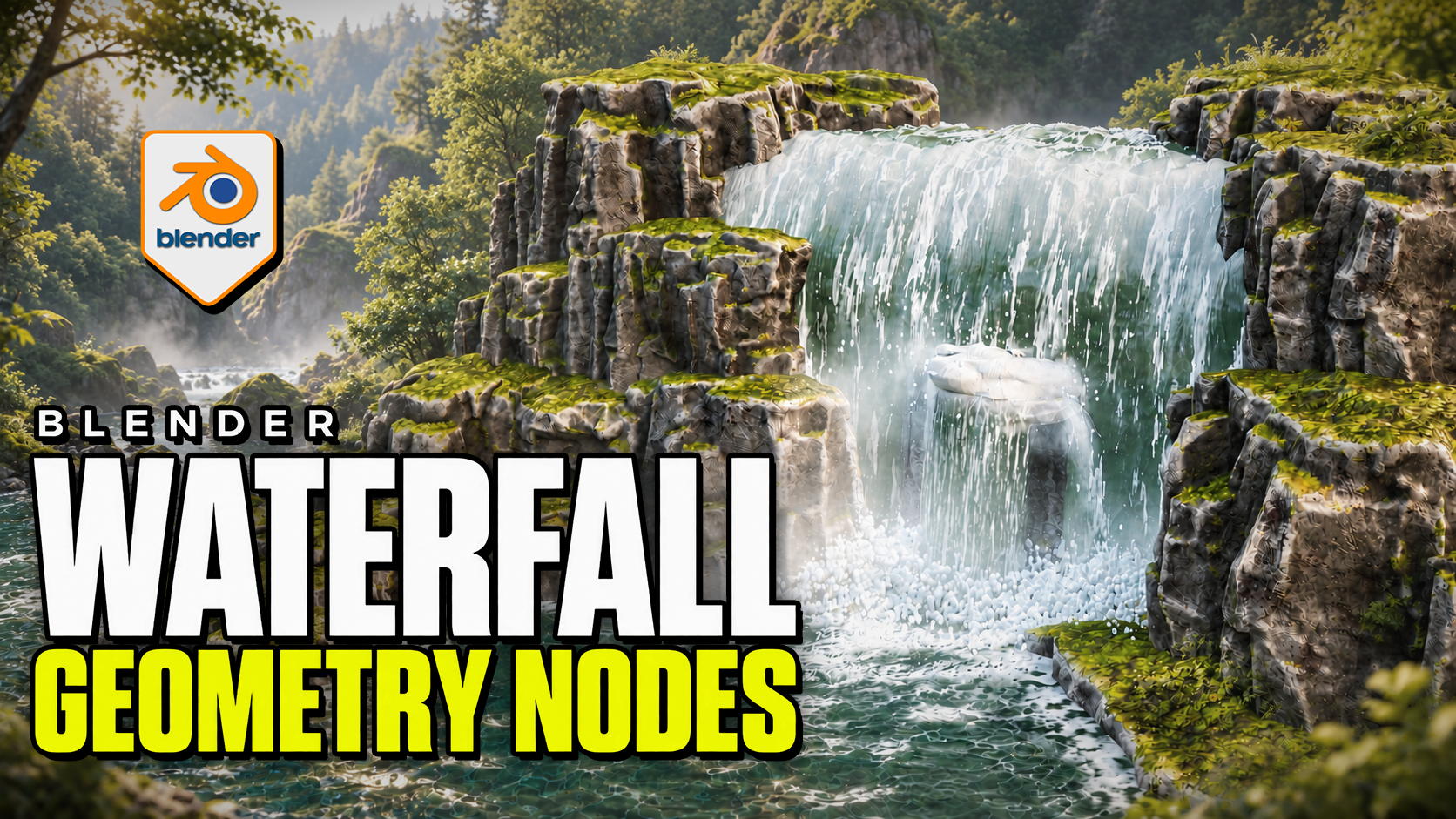
Make the waterfall, pool and impact effects work together. Advanced Waterfall by 3D Tudor is a Blender Geometry Nodes product for directing falling water along a curve, building the receiving surface and placing foam, splash rings and mist. Begin with the supplied scene, then adapt the standalone objects to your own environment.
 Water streaks, impact spray and low mist bring the falling water into contact with the pool in this 3D Tudor waterfall scene.
Shape the route and width
Edit the curve to establish the fall. Overall Width controls the broad shape, while curve-point radius allows local narrowing and widening. Refine the lip, direction, waviness, surface noise and edge fading. Interaction collections let selected objects influence surface-following, spills and cutouts.
 The wider composition connects the waterfall to a receiving pool, with surface patterns and foam around the rocks.
Connect the fall to the pool
The separate Water Surface system provides layered animated normal waves, shallow/deep colour and opacity controls, and contact or shoreline foam. Standalone Splash Rings and Splash and Fog objects let you place additional impact detail independently.
Mist uses flat cards with contact and waterline fading. The surface caustic patterns are artistic shading, not physically projected caustics.
 The closer viewport view makes the impact foam, mist and patterned pool surface easier to inspect.
Included files and demonstrations
- Native Blender project with the example scene, reusable standalone objects and packed image resources.
- Four main systems: Waterfall, Water Surface, Splash Rings, and Splash and Fog.
- Written getting-started guide.
- Four silent control demonstrations, approximately 21 minutes 46 seconds in total, plus two short animated previews.
Download Blender and Guide first. The long Waterfall controls recording is supplied in two consecutive parts to fit the download limit; the other controls and previews are in their own ZIP. Both parts retain the original video without re-encoding.
Start in your own Blender scene
Use Blender 5.2.2 LTS. Open the project and save a working copy. To import clean templates, make Standalone Waterfall Items available in the Outliner, then copy or append the object you need. No product addon installation is required.
Match Loop Frames where a shared animation cycle is needed. The documented default loop is 240 frames, while the example timeline ends at 120; set your intended output range and review the full sequence before rendering.
Is it right for your project?
Best for: environment artists shaping a waterfall composition, its receiving water and nearby impact effects in Blender.
Is it a fluid simulator? No. It uses procedural geometry and shaders. Physically simulated liquid needs a separate simulation workflow.
Can I export the whole effect to a game engine? Not as a complete working system. Static mesh formats do not preserve the Blender animation, shading and editable controls.
Is it a class? This is a downloadable digital product with silent demonstrations and a guide, not a narrated course. Earlier Blender versions have not been verified.
FAQ
Qu'est-ce que les produits numériques ?
Les produits numériques de Skillshare sont des outils, des ressources et des modèles développés par des pros de la création et mis à votre disposition à l'achat. Avec un large éventail de ressources répondant à tous les besoins créatifs, ils sont exploitables, rendant votre expérience d'apprentissage concrète et inoubliable.
Comment puis-je acheter un produit numérique ?
Tout le monde peut acheter un produit numérique sur Skillshare. Cliquez sur Acheter maintenant pour saisir vos informations de paiement et finaliser votre achat. Une fois le paiement effectué, tous les fichiers pourront être téléchargés instantanément à partir de cette page. Vous recevrez également un e-mail contenant un lien pour télécharger votre produit numérique après l'achat.
Y a-t-il une limite au nombre de fois que je peux télécharger un produit numérique ?
Non, il n'y a pas de limite au nombre de fois que vous pouvez télécharger un produit numérique. Même si un produit est supprimé par la personne qui l'a créé, vous pouvez toujours accéder à la page de téléchargement dans la plupart des cas en vous connectant à votre compte Skillshare.
Puis-je obtenir un remboursement ou annuler l'achat de mon produit numérique ?
Les produits numériques ne sont pas remboursables et ne peuvent être ni retournés ni annulés. Pour en savoir plus, consultez notre politique de remboursement dans le centre d'aide Skillshare.
Puis-je créer et vendre mes propres produits numériques ?
Absolument ! Consultez l'article Comment puis-je vendre un produit numérique sur Skillshare ? pour découvrir comment créer, proposer et vendre vos propres produits numériques sur Skillshare.