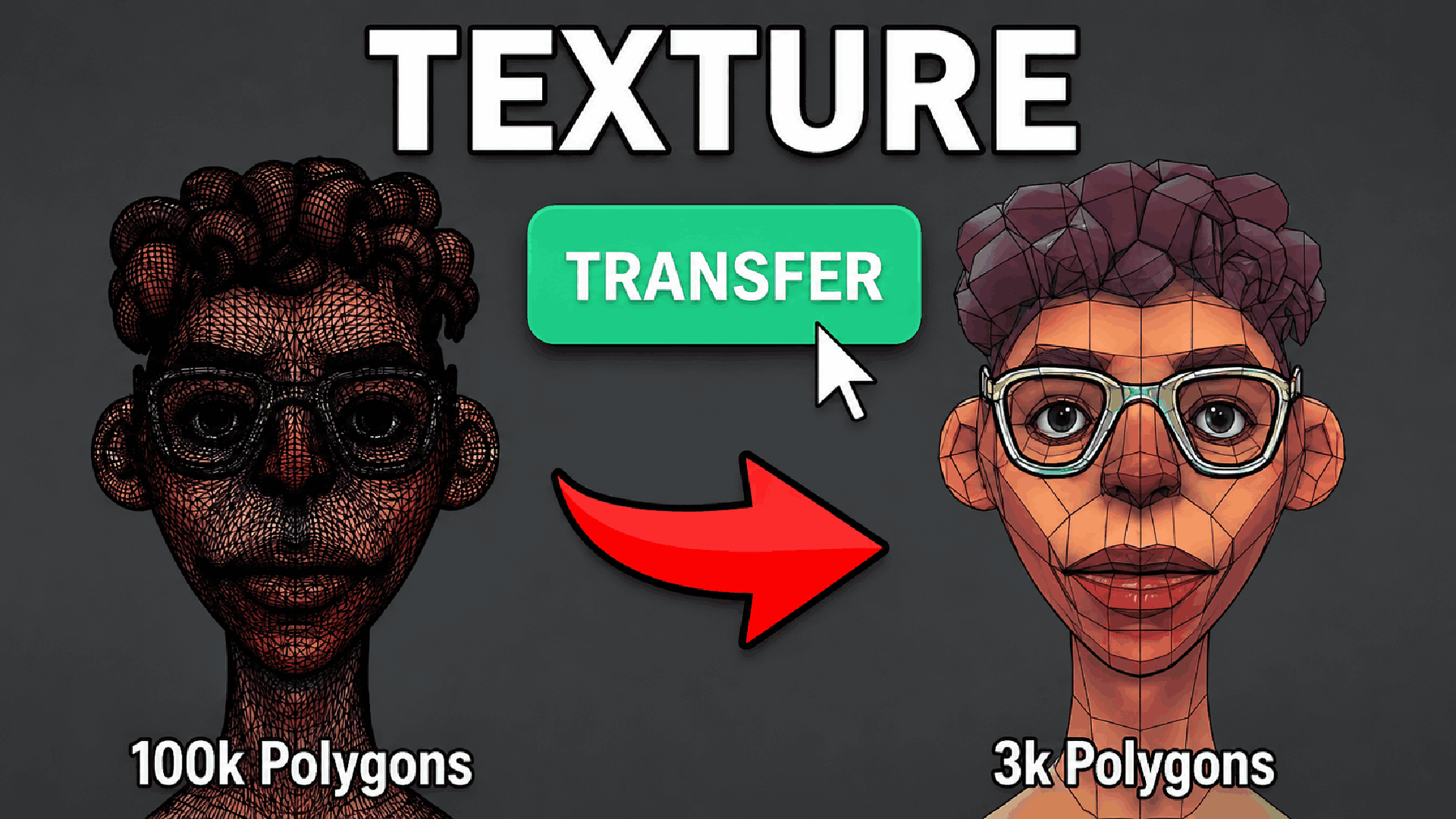
Texture Transfer - High-Poly to Low-Poly Texture
1 mois de Skillshare
Disponible avec l'achatGratuit
Tous les abonnements seront facturés automatiquement de manière récurrente jusqu'à leur résiliation. Si vous pouvez profiter d'un essai gratuit, résiliez avant la fin de l'essai pour éviter une facturation. Offre valable uniquement pour les nouveaux abonnés payants. Consultez l'intégralité des conditions d'utilisation ici.
À propos de ce produit

Junaid Alam
3D Artist
Stop Wasting Hours on Texture Baking. Do It in One Click.
Every professional 3D artist knows the bottleneck: you've sculpted or modeled a stunning high-poly asset, but getting those surface details every pore, every scratch, every micro-surface imperfection transferred cleanly onto your optimized, game-ready or render-ready low-poly mesh is tedious, error-prone, and eats time you don't have.
Texture Transfer eliminates that bottleneck entirely.
This precision-built Blender 4.2+ addon automates the full selected-to-active baking pipeline directly inside the 3D Viewport. No jumping between render settings, no manually creating image nodes, no re-assigning materials after the bake. Just pick your source, pick your target, choose your maps, and hit Transfer.
What It Does
Texture Transfer bakes up to five industry-standard PBR texture maps from a high-detail source mesh onto your target mesh's existing UV layout and optionally wires the results into a complete, production-ready Principled BSDF material automatically.
Supported Map Types:
Normal Map captures surface curvature and micro-detail from the high-poly without adding geometry
Height / Displacement bakes true positional data for real mesh displacement in renders
Ambient Occlusion (AO) bakes contact shadows and crevice darkening for grounded, realistic shading
Color / Diffuse transfers base color information with accurate color-only pass filtering
Roughness bakes surface microsurface variation for physically correct specular response
All maps are saved as clean PNG files with proper color space assignments, sRGB for color and Non-Color for data maps, ready to drop straight into any PBR pipeline, game engine, or renderer.
Built for Real Production Workflows
Designed by artists who understand how professional asset pipelines actually work:
Resolution control up to 8K choose 1K, 2K, 4K, or 8K per bake session depending on asset importance and budget
Adjustable margin and ray distance 16 px default margin for clean UV island padding, with full manual control for tight or exploded bakes
Smart UV selection automatically targets the correct UV layer by name, with manual override for multi-UV setups
Auto-Apply material after baking, optionally builds a fully wired Principled BSDF node tree on the target mesh, including AO multiplied over color, Normal Map node, Displacement output, and Roughness, production-ready in seconds
Custom output folder and filename prefix organize bake outputs exactly the way your pipeline expects


Zero scene disruption captures your full scene state before baking and restores selection, active object, visibility, render engine, and materials perfectly after every run
Cycles activated automatically no manual engine switching, the addon handles it and restores your original engine when done
Who Needs This Addon
Game artists retopologizing sculpts for real-time engines, bake your ZBrush or Blender sculpt detail onto an optimized game mesh in seconds
Character artists transferring skin pore detail, wrinkles, and fabric weave from a dense simulation mesh to a clean deforming rig-ready mesh
Hard-surface artists capturing mold lines, panel details, and surface variation from a beveled high-poly onto a subdiv-free low-poly
Archviz and product artists baking lighting information and AO into textures for fast, non-rendered previews and real-time walkthroughs
Technical artists and pipeline TDs who need a reliable, repeatable, one-click baking solution that respects scene state and produces predictable outputs
Why Blender's Built-in Baking Is Not Enough
Blender's native baking workflow requires you to switch to Cycles manually, create image texture nodes on every material, set them active, manage selected-to-active settings, save images manually, reassign original materials, and then build the output material yourself. That is 15 to 20 manual steps every single time, and one wrong setting ruins the entire bake.
Texture Transfer compresses all of that into a single button press. Every parameter is exposed clearly in the N-panel sidebar. Every bake run is safe and reversible. Every output is organized, labeled, and immediately usable.
FAQ
Qu'est-ce que les produits numériques ?
Les produits numériques de Skillshare sont des outils, des ressources et des modèles développés par des pros de la création et mis à votre disposition à l'achat. Avec un large éventail de ressources répondant à tous les besoins créatifs, ils sont exploitables, rendant votre expérience d'apprentissage concrète et inoubliable.
Comment puis-je acheter un produit numérique ?
Tout le monde peut acheter un produit numérique sur Skillshare. Cliquez sur Acheter maintenant pour saisir vos informations de paiement et finaliser votre achat. Une fois le paiement effectué, tous les fichiers pourront être téléchargés instantanément à partir de cette page. Vous recevrez également un e-mail contenant un lien pour télécharger votre produit numérique après l'achat.
Y a-t-il une limite au nombre de fois que je peux télécharger un produit numérique ?
Non, il n'y a pas de limite au nombre de fois que vous pouvez télécharger un produit numérique. Même si un produit est supprimé par la personne qui l'a créé, vous pouvez toujours accéder à la page de téléchargement dans la plupart des cas en vous connectant à votre compte Skillshare.
Puis-je obtenir un remboursement ou annuler l'achat de mon produit numérique ?
Les produits numériques ne sont pas remboursables et ne peuvent être ni retournés ni annulés. Pour en savoir plus, consultez notre politique de remboursement dans le centre d'aide Skillshare.
Puis-je créer et vendre mes propres produits numériques ?
Absolument ! Consultez l'article Comment puis-je vendre un produit numérique sur Skillshare ? pour découvrir comment créer, proposer et vendre vos propres produits numériques sur Skillshare.