Shape Key Fixer - Manage All Scene ShapeKeys
1 mois de Skillshare
Disponible avec l'achatGratuit
Tous les abonnements seront facturés automatiquement de manière récurrente jusqu'à leur résiliation. Si vous pouvez profiter d'un essai gratuit, résiliez avant la fin de l'essai pour éviter une facturation. Offre valable uniquement pour les nouveaux abonnés payants. Consultez l'intégralité des conditions d'utilisation ici.
À propos de ce produit

Junaid Alam
3D Artist
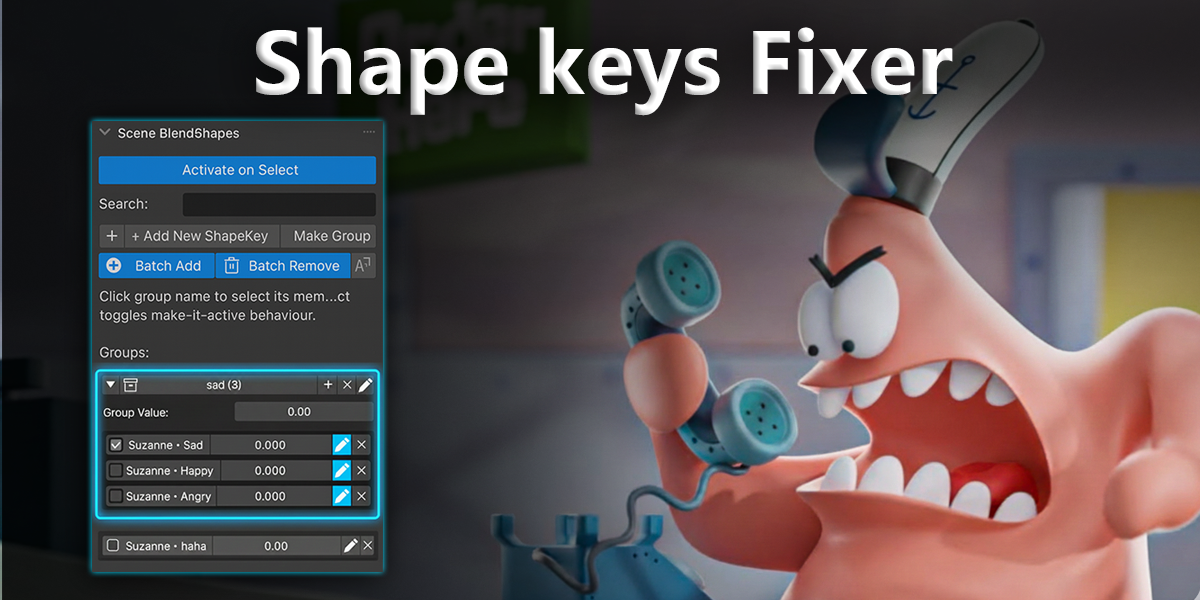
Shape Key Fixer is the professional solution for managing blend shapes across multiple objects in Blender. If you work with facial expressions, body morphs, or multi-object character rigs, this addon will save you hours of tedious work.
The Problem We Solve
Working with shape keys in Blender becomes a nightmare when you have:
Characters split across multiple objects (head, body, clothing, accessories)
50+ facial expression shape keys scattered everywhere
Corrective blend shapes that need to stay synchronized
Animation rigs where finding the right shape key takes forever
Without Shape Key Fixer:
Click through 30+ objects → Open Properties → Find the right shape key → Adjust → Repeat for every single key.
With Shape Key Fixer:
See EVERYTHING in one panel. Organize. Control. Done.
What You Get
Scene-Wide Shape Key Browser
See every shape key from every object in your entire scene, all in one organized panel. No more hunting through the Outliner. No more opening Properties 50 times. Everything is right there.
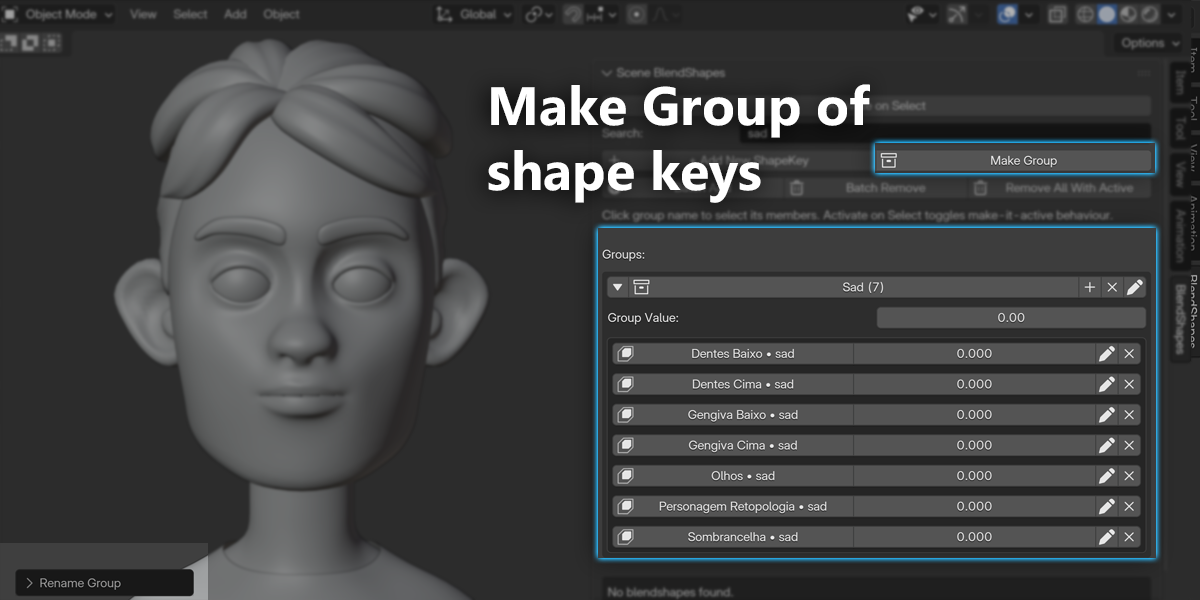
Smart Grouping System
Organize shape keys by function, not by object:
Create groups like "Smile", "Eyes_Left", "Phonemes", "Correctives"
Add keys from different objects to the same group
Perfect for facial animation, body morphs, and character rigs

Expandable/collapsible groups keep your workspace clean
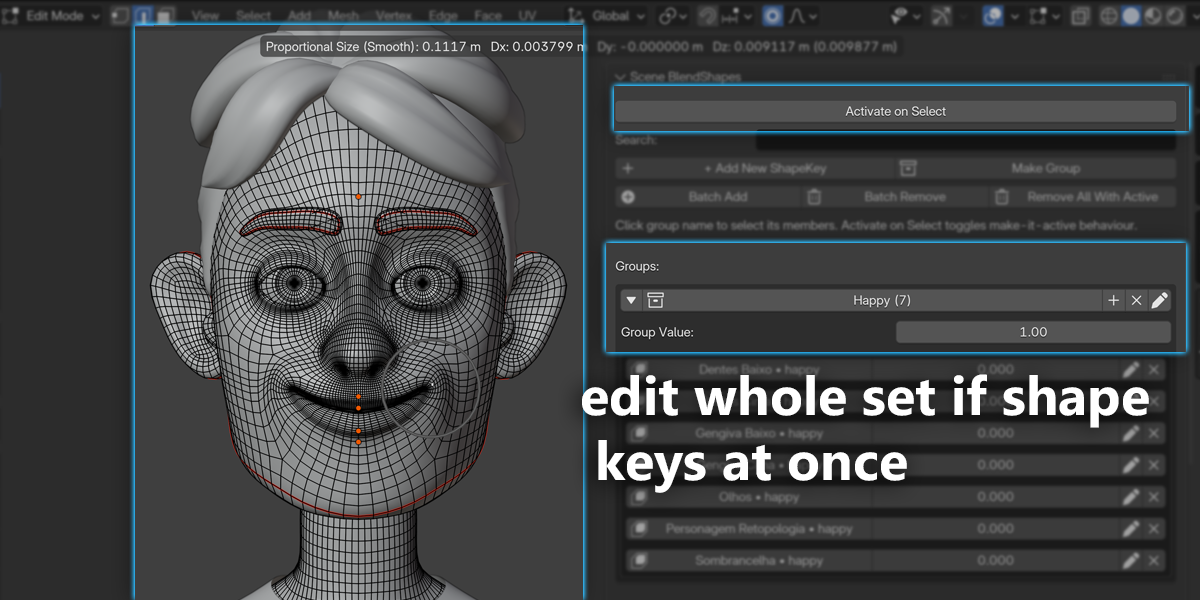
Real-Time Group Sliders
Control multiple shape keys with a single slider. Set all smile-related keys to 0.5 with one movement. Test facial expressions instantly. Animate faster. This feature alone is worth the price.
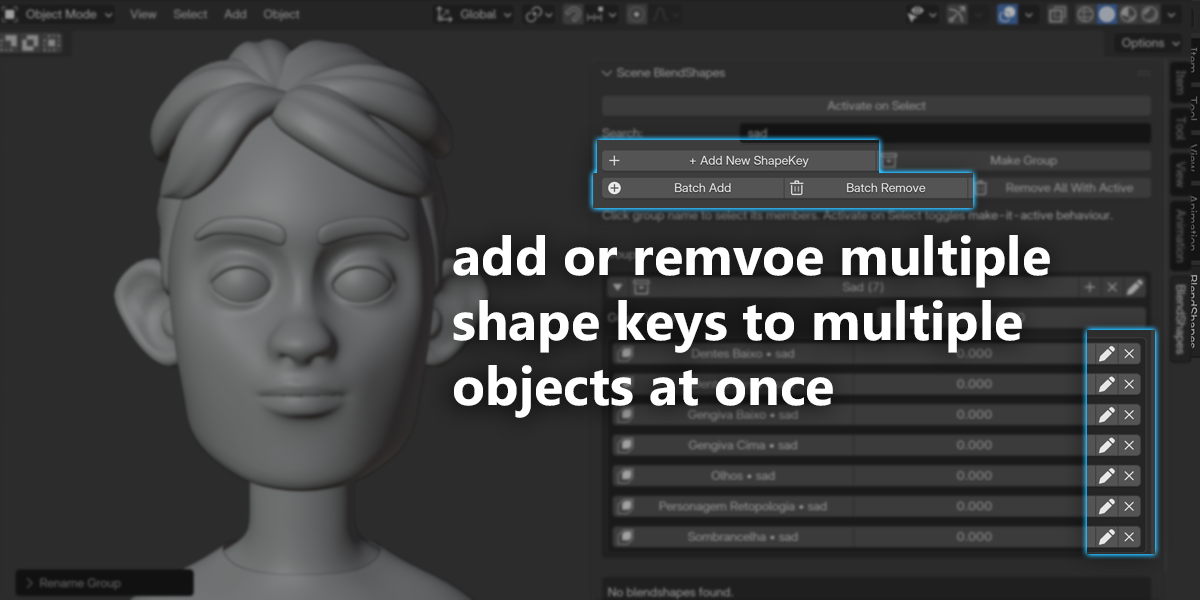
Batch Operations That Save Hours
Batch Add: Add the same shape key to 20 objects in 3 seconds
Select all clothing objects
Enter key name once
Done! All objects now have the key
Batch Remove: Delete shape keys across multiple objects instantly
Choose the key name
Select which objects
Click OK
Remove All With Active: Found a test shape key on 15 objects? Remove all instances with one click.
Quick Selection and Navigation
Click any shape key name to:
Select the object
Make it active
Set the shape key as active
Jump to it in the viewport
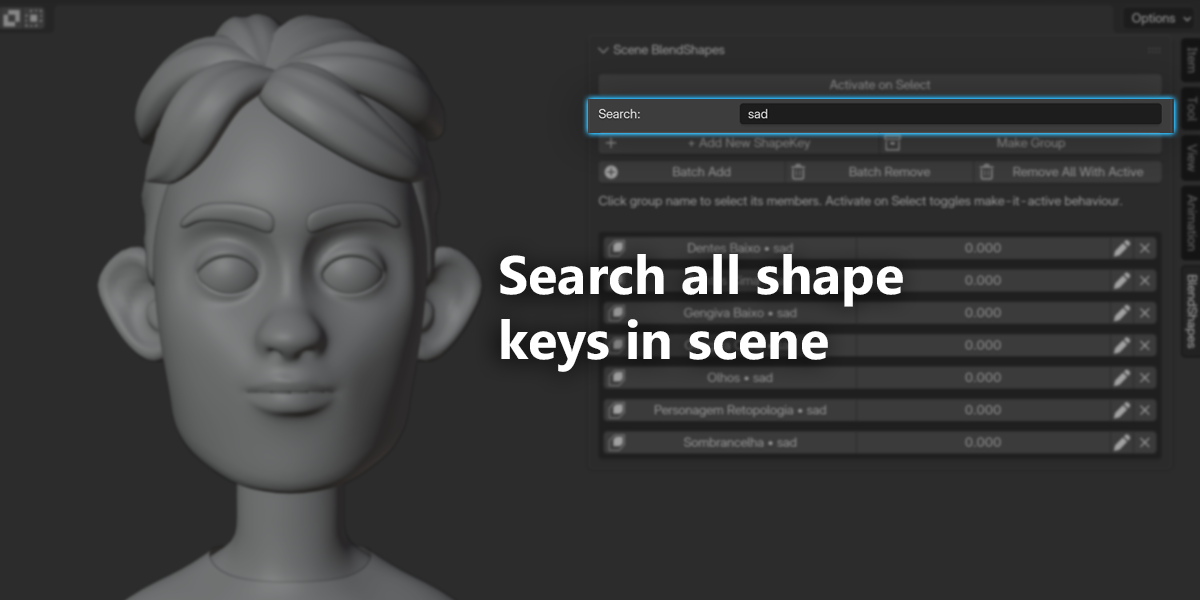
Search and Filter
Type to filter - finds shape keys by name across all objects. Case-insensitive, instant results.
Activate on Select Mode
For animators: enable this toggle and clicking a group name sets all its shape keys to 1.0. Perfect for pose-to-pose animation workflows.
Production-Safe Features
Safe Removal: proper operators, never breaks your rig
Undo/Redo: full support
Non-Destructive: never modifies meshes
Cross-Version Compatible: Blender 2.80 to 5.0+

Perfect For
Character Artists
Facial Riggers
Game Developers
Animators
Multi-Object Character setups
Real-World Workflows
Character Artist
Model your character
Add facial expressions using Batch Add
Organize into groups
Test combinations with sliders
Hand off clean, organized rig
Facial Rigger
Multiple face objects
Batch Add 52 phonemes
Group by phoneme
Test blends
Quickly remove unused keys
Animator
Enable Activate on Select
Click phoneme group
Keyframe
Switch instantly
Continue animating
Why Choose Shape Key Fixer?
Time Savings
Before: hours of manual work
After: minutes
Save 10+ hours per week


Organization
Professional grouping system keeps your rig clean.
Efficiency
Batch operations turn 30-minute tasks into seconds.
Quality of Life
Less clicking, more creating.
Technical Details
Compatibility: Blender 2.80–5.0+
Installation: via ZIP
Location: 3D Viewport Sidebar (N → BlendShapes tab)
Performance: handles 100+ shape keys
Storage: uses native scene properties
Memory: under 1MB
FAQ
Qu'est-ce que les produits numériques ?
Les produits numériques de Skillshare sont des outils, des ressources et des modèles développés par des pros de la création et mis à votre disposition à l'achat. Avec un large éventail de ressources répondant à tous les besoins créatifs, ils sont exploitables, rendant votre expérience d'apprentissage concrète et inoubliable.
Comment puis-je acheter un produit numérique ?
Tout le monde peut acheter un produit numérique sur Skillshare. Cliquez sur Acheter maintenant pour saisir vos informations de paiement et finaliser votre achat. Une fois le paiement effectué, tous les fichiers pourront être téléchargés instantanément à partir de cette page. Vous recevrez également un e-mail contenant un lien pour télécharger votre produit numérique après l'achat.
Y a-t-il une limite au nombre de fois que je peux télécharger un produit numérique ?
Non, il n'y a pas de limite au nombre de fois que vous pouvez télécharger un produit numérique. Même si un produit est supprimé par la personne qui l'a créé, vous pouvez toujours accéder à la page de téléchargement dans la plupart des cas en vous connectant à votre compte Skillshare.
Puis-je obtenir un remboursement ou annuler l'achat de mon produit numérique ?
Les produits numériques ne sont pas remboursables et ne peuvent être ni retournés ni annulés. Pour en savoir plus, consultez notre politique de remboursement dans le centre d'aide Skillshare.
Puis-je créer et vendre mes propres produits numériques ?
Absolument ! Consultez l'article Comment puis-je vendre un produit numérique sur Skillshare ? pour découvrir comment créer, proposer et vendre vos propres produits numériques sur Skillshare.