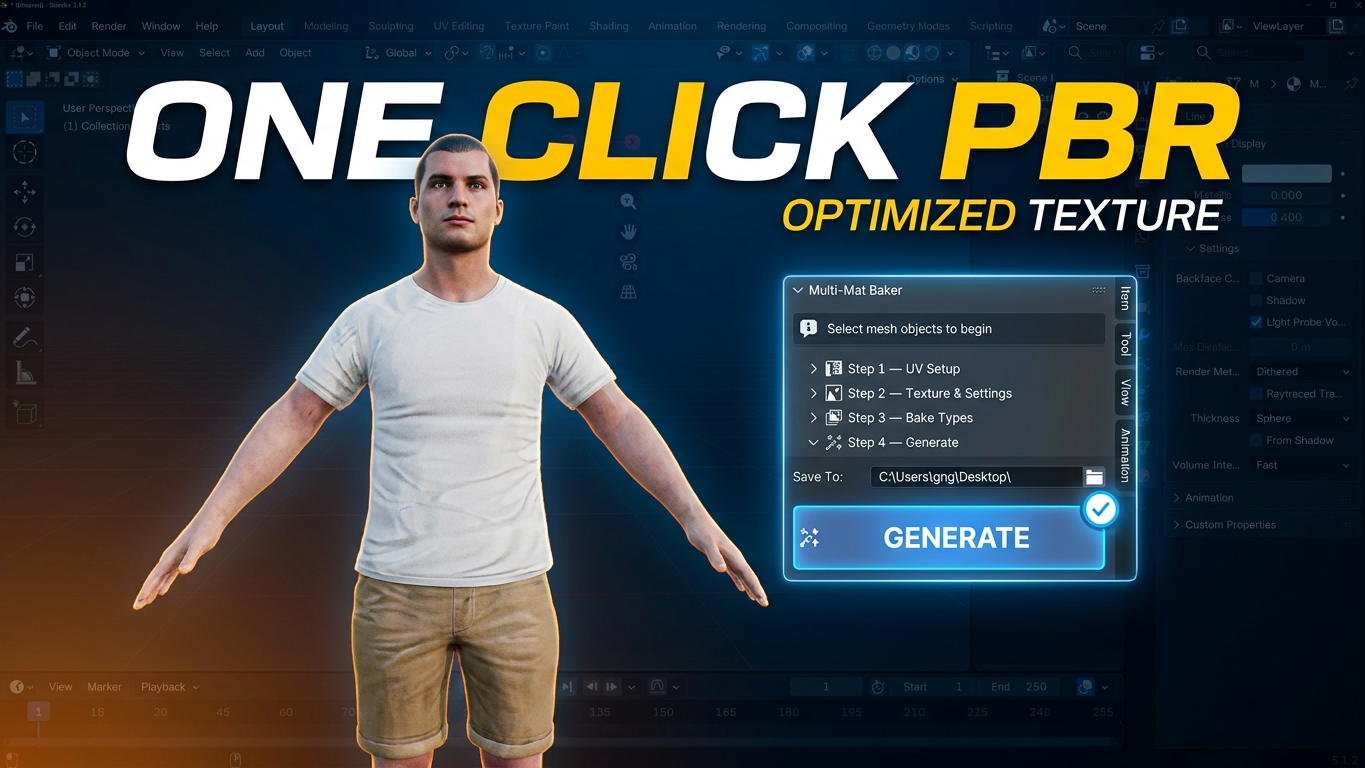
Multi-Mat Baker - Bake Multiple Materials into One
1 mois de Skillshare
Disponible avec l'achatGratuit
Tous les abonnements seront facturés automatiquement de manière récurrente jusqu'à leur résiliation. Si vous pouvez profiter d'un essai gratuit, résiliez avant la fin de l'essai pour éviter une facturation. Offre valable uniquement pour les nouveaux abonnés payants. Consultez l'intégralité des conditions d'utilisation ici.
À propos de ce produit

Junaid Alam
3D Artist
Multi-Mat Baker — One Click. One Material. Game Ready.
Downloaded a character with 30 materials? Bought an asset pack where every piece has its own shader? Trying to export a complex prop to Unity or Unreal but your draw calls are out of control?
Multi-Mat Baker solves this in a single click.
Select your objects, press Generate, and the addon automatically handles every step of the pipeline — UV creation, island packing, PBR baking, and material consolidation — delivering a clean, single Principled BSDF material with a full baked texture set, ready to drop into any game engine.
⚡ What It Does
Multi-Mat Baker automates the entire multi-material → single texture workflow:
Fixes UV channel names across all selected objects for correct baking
Creates a dedicated BakeUV channel and packs all islands into one shared 0–1 UV space
Bakes all 6 PBR maps — Diffuse, Normal, Roughness, Metallic, Height, and AO
Builds the final material — one clean Principled BSDF with all textures wired correctly
Removes all old materials and assigns the new consolidated one


🗺️ Full PBR Texture Set — All 6 Maps
Map Output
Diffuse / Base Color Raw albedo, no lighting — correct for game engines
Normal Tangent-space, baked as 32-bit float — standard for Unity & Unreal
Roughness Native Cycles bake type
Metallic Emission trick — no native Blender type, handled automatically
Height / Displacement Emission trick — handled automatically
Ambient Occlusion Baked and available for manual blending
🎛️ Full Control When You Need It
The addon works in one click with smart defaults or gives you step-by-step control:
Resolution: 512 / 1024 / 2048 / 4096 / 8192px
Custom texture prefix — e.g. Hero → Hero_Diffuse_2048, Hero_Normal_2048
UV island margin control — prevent texture bleeding between islands
Bake pixel margin — set per-resolution (16 for 2K, 32 for 4K, 64 for 8K)
Cycles sample override — low samples for previews, high for finals
Auto-save to folder — all maps saved as PNG automatically
Missing map detection — smart dialog warns you before wasting bake time
📊 Real-Time Progress Tracking
Blender's bake is blocking — so Multi-Mat Baker shows live progress between every map:
Status bar at the bottom of the Blender window
Viewport header showing the current map and step count (e.g. MMB [3/6] — Baking Roughness…)
🎮 Built for Game Developers and Asset Creators
Perfect for:
Game developers bringing Blender models into Unity, Unreal Engine, or Godot
Asset store creators consolidating complex multi-material props
Archviz artists optimizing models for real-time engines
Anyone working with downloaded or purchased 3D assets with messy material setups
✅ Compatibility
Blender 3.0 → 4.x (including 4.2+ Extensions system via blender_manifest.toml)
Cycles render engine (auto-switches if needed — restores your settings after)
Principled BSDF based materials
What You Get
multi_mat_baker.zip — install directly via Blender Preferences
README with full documentation
Free updates for the current major version
FAQ
Qu'est-ce que les produits numériques ?
Les produits numériques de Skillshare sont des outils, des ressources et des modèles développés par des pros de la création et mis à votre disposition à l'achat. Avec un large éventail de ressources répondant à tous les besoins créatifs, ils sont exploitables, rendant votre expérience d'apprentissage concrète et inoubliable.
Comment puis-je acheter un produit numérique ?
Tout le monde peut acheter un produit numérique sur Skillshare. Cliquez sur Acheter maintenant pour saisir vos informations de paiement et finaliser votre achat. Une fois le paiement effectué, tous les fichiers pourront être téléchargés instantanément à partir de cette page. Vous recevrez également un e-mail contenant un lien pour télécharger votre produit numérique après l'achat.
Y a-t-il une limite au nombre de fois que je peux télécharger un produit numérique ?
Non, il n'y a pas de limite au nombre de fois que vous pouvez télécharger un produit numérique. Même si un produit est supprimé par la personne qui l'a créé, vous pouvez toujours accéder à la page de téléchargement dans la plupart des cas en vous connectant à votre compte Skillshare.
Puis-je obtenir un remboursement ou annuler l'achat de mon produit numérique ?
Les produits numériques ne sont pas remboursables et ne peuvent être ni retournés ni annulés. Pour en savoir plus, consultez notre politique de remboursement dans le centre d'aide Skillshare.
Puis-je créer et vendre mes propres produits numériques ?
Absolument ! Consultez l'article Comment puis-je vendre un produit numérique sur Skillshare ? pour découvrir comment créer, proposer et vendre vos propres produits numériques sur Skillshare.