Image Trace 3D - Convert 2D Logos into 3D
1 mois de Skillshare
Disponible avec l'achatGratuit
Tous les abonnements seront facturés automatiquement de manière récurrente jusqu'à leur résiliation. Si vous pouvez profiter d'un essai gratuit, résiliez avant la fin de l'essai pour éviter une facturation. Offre valable uniquement pour les nouveaux abonnés payants. Consultez l'intégralité des conditions d'utilisation ici.
À propos de ce produit

Junaid Alam
3D Artist
What Image Trace 3D does
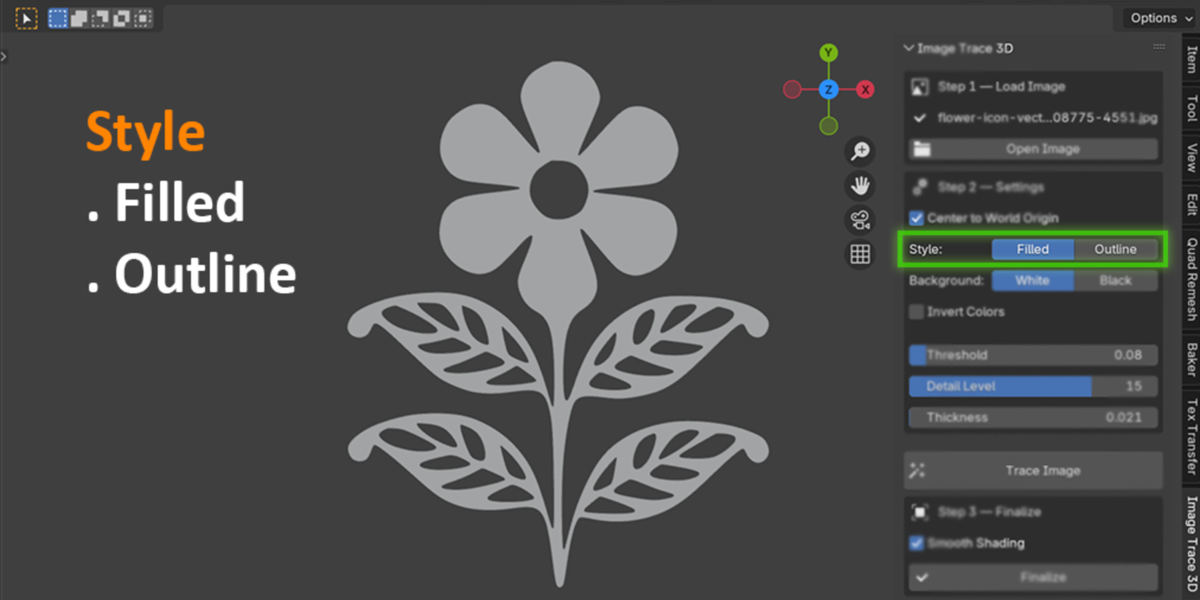
Image Trace 3D is a Blender add-on that converts a flat 2D image into a real 3D object. Load a PNG, JPG, BMP, or TGA file, click Trace Image, and the add-on traces the shape's outline and builds it as a Blender curve. From there you can extrude it into a solid filled object or keep it as a hollow outline, then finalize it into a mesh with one more click.
Everything runs inside Blender's own 3D Viewport sidebar. There is no external app to open and no file to export and re-import.
The problem it solves
Turning a logo or icon into a 3D shape usually means leaving Blender. The typical route is: open the logo in Illustrator or Inkscape, trace the bitmap, clean up the resulting paths by hand, export it as an SVG, then import that SVG back into Blender and fix the curve before you can extrude it. That is four or five steps across two programs before you even start animating.
Image Trace 3D removes that whole detour. The tracing, the curve creation, and the extrusion happen in the same window where you'll build the rest of your scene.

How it works
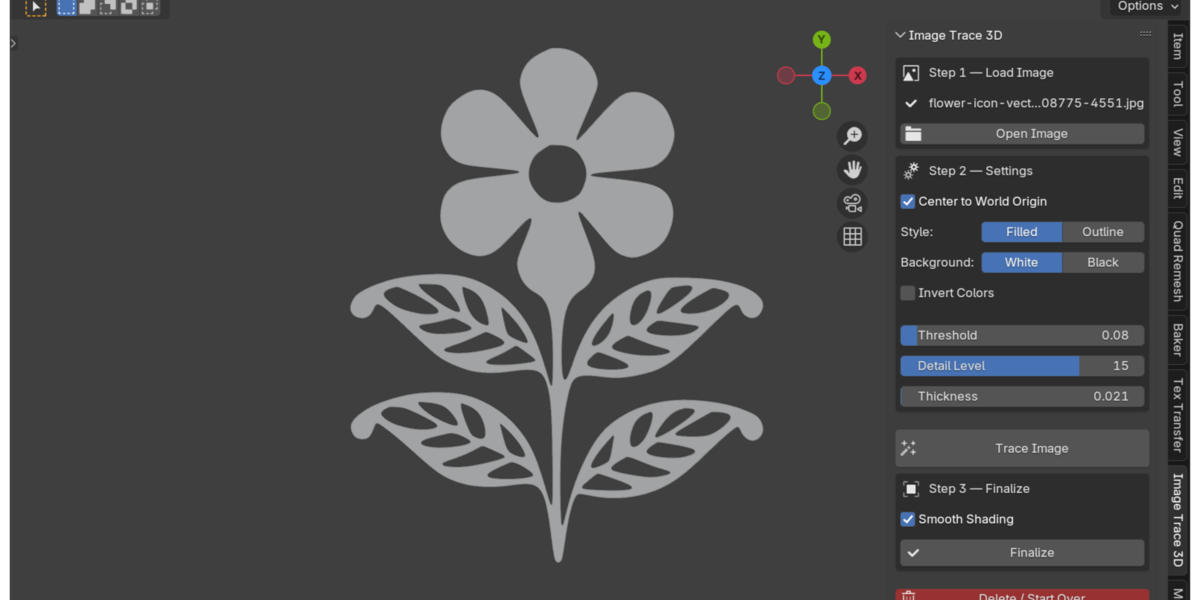
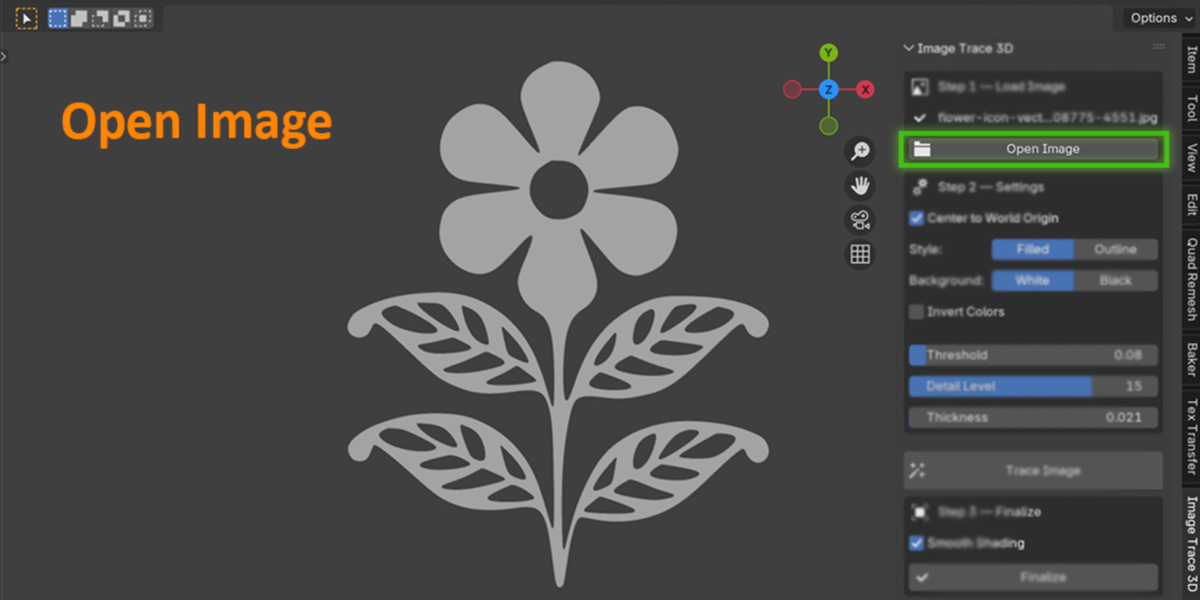
Open Image - pick a PNG, JPG, BMP, or TGA file from the sidebar.
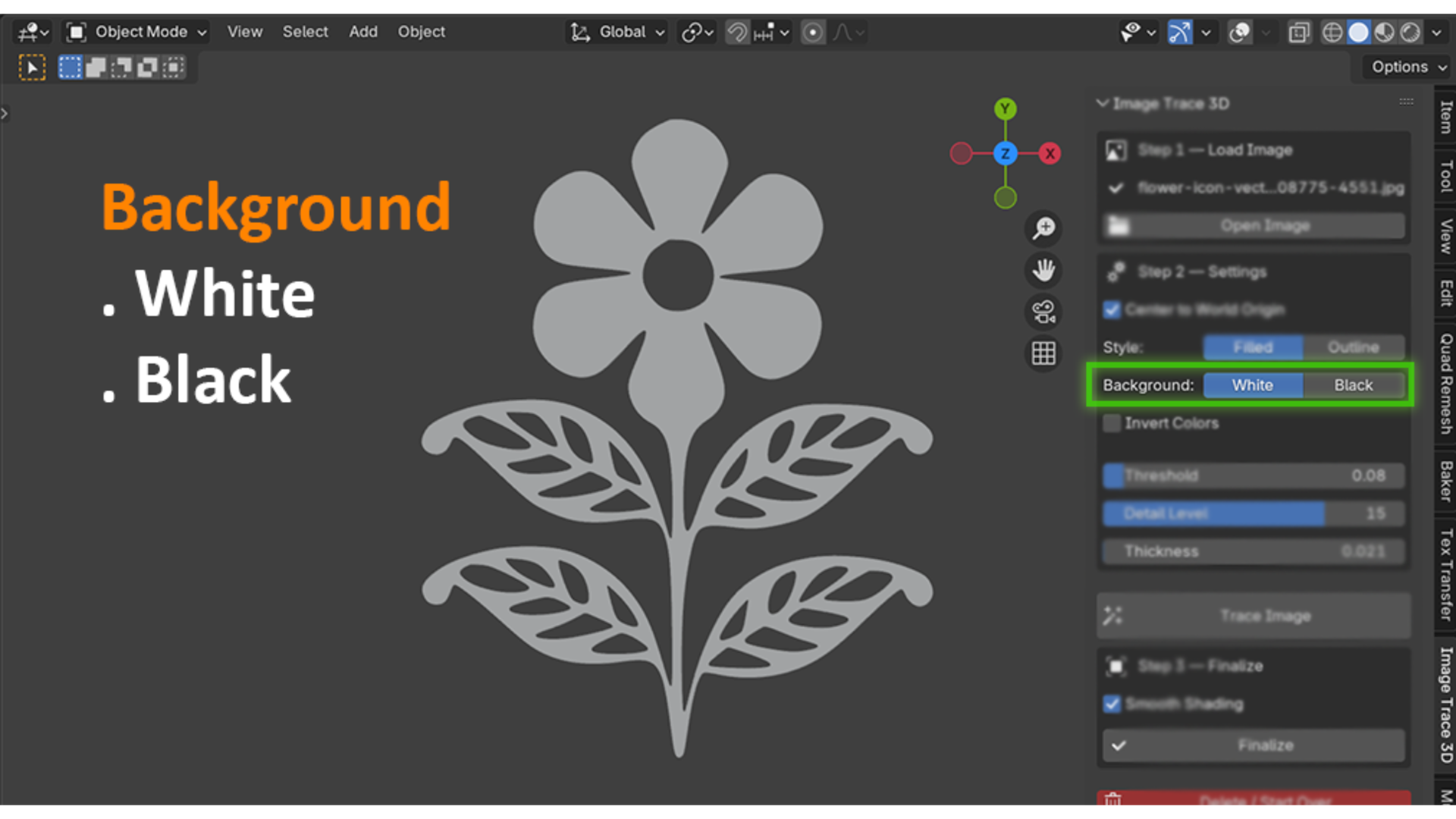
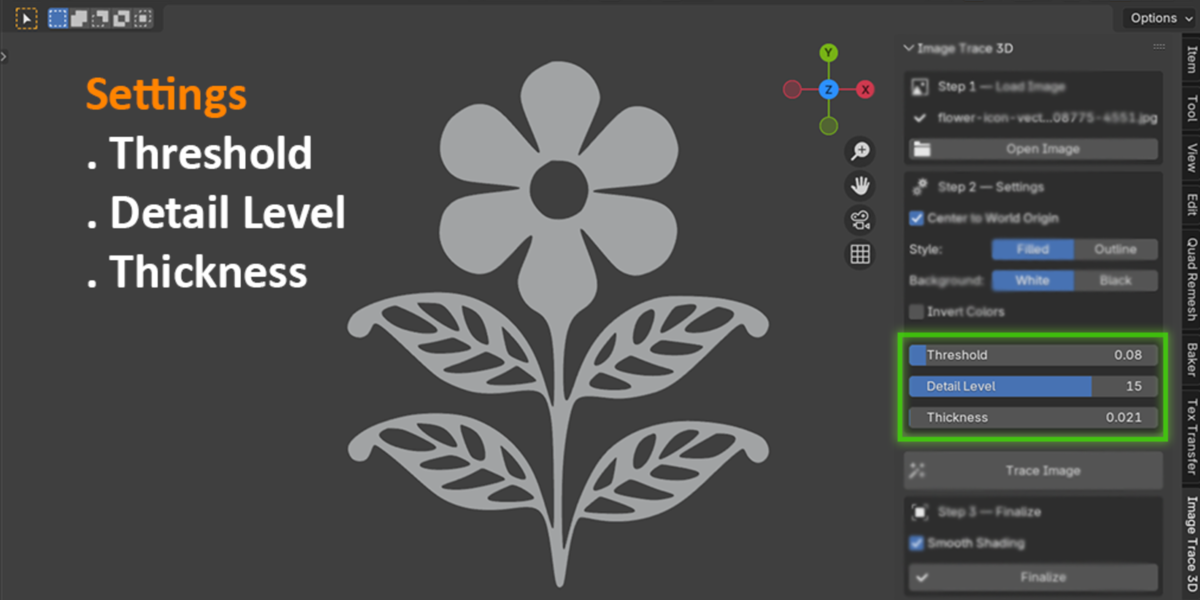
Adjust settings - choose Filled (solid 3D shape) or Outline (hollow wire shape), set the background color, and fine-tune Threshold and Detail Level until the preview shape looks clean.
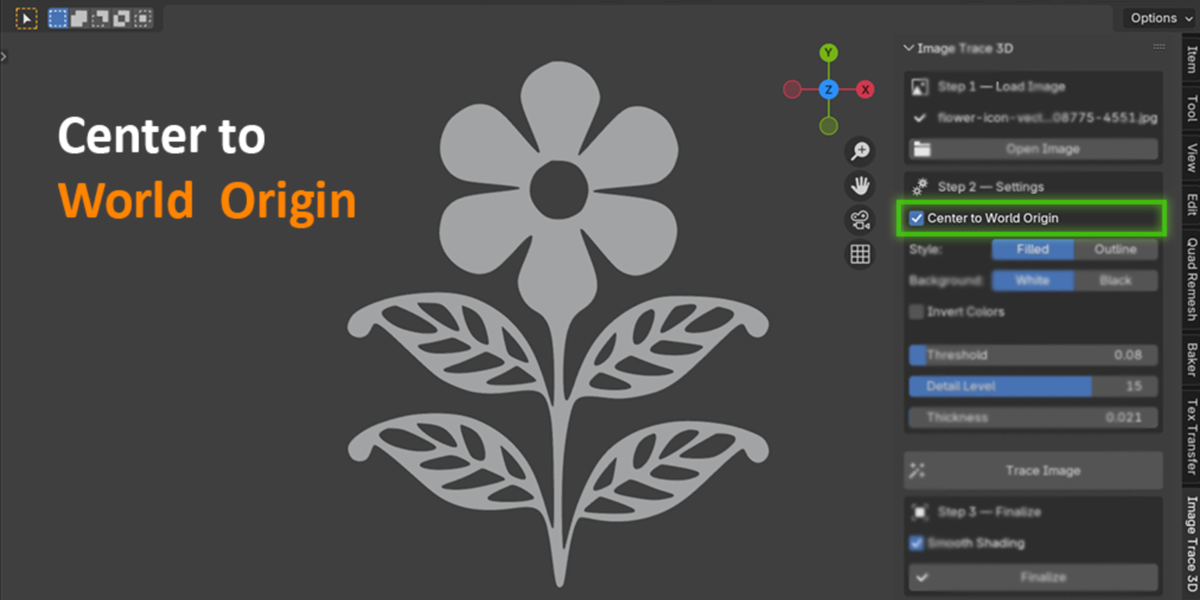
Trace Image - the add-on detects the foreground shape and builds it as a Blender curve object, automatically centered at world origin if you want.
Finalize - convert the curve to a mesh and apply smooth or flat shading, so it's ready for modifiers, booleans, or rendering.
Delete / Start Over - not happy with the result? Clear it and retrace with new settings without cluttering your scene with leftover objects.
PNGs with a transparent background are handled automatically through the alpha channel, so you don't need to set a background color for logos that already have transparency.

Who this is for
Motion designers building 3D logo reveals and channel intros
Freelancers and studios who animate client logos and need fast turnaround on revisions
Game and icon artists who need simple 3D badges, gear icons, or symbol props
Blender users who want a 3D logo without learning curve editing or vector software
Anyone who wants a scanned drawing, stamp, or icon as a quick 3D shape
Why this beats the manual workflow
Manual tracing in Blender means placing curve points by hand around every corner of a logo, which is slow and rarely symmetrical. Routing through Illustrator or Inkscape works, but it costs you a license or a second app, plus the export/import round trip every time a client asks for a small tweak. Image Trace 3D keeps the entire loop, from raster image to finished mesh, in one panel. Change the Threshold slider, click Trace again, and you have a new result in seconds.

What it's not
Image Trace 3D traces a single foreground shape against a background. It's built for logos, icons, and flat silhouette artwork, not full-color vector conversion of photographs. If you need separate colored regions like Illustrator's Image Trace produces, this add-on won't split those out. It works best on clean, high-contrast source images.
Technical notes
Built on Blender's own Python and numpy, both of which ship with Blender. Nothing extra to install.
Works fully offline. Nothing is uploaded anywhere, which matters if you're tracing an unreleased client logo.
Compatible with Blender 3.0 and later.
Once finalized to a mesh, the object is a normal Blender mesh, so it works with every standard export format Blender supports (OBJ, FBX, STL, glTF, and so on).

FAQ
Qu'est-ce que les produits numériques ?
Les produits numériques de Skillshare sont des outils, des ressources et des modèles développés par des pros de la création et mis à votre disposition à l'achat. Avec un large éventail de ressources répondant à tous les besoins créatifs, ils sont exploitables, rendant votre expérience d'apprentissage concrète et inoubliable.
Comment puis-je acheter un produit numérique ?
Tout le monde peut acheter un produit numérique sur Skillshare. Cliquez sur Acheter maintenant pour saisir vos informations de paiement et finaliser votre achat. Une fois le paiement effectué, tous les fichiers pourront être téléchargés instantanément à partir de cette page. Vous recevrez également un e-mail contenant un lien pour télécharger votre produit numérique après l'achat.
Y a-t-il une limite au nombre de fois que je peux télécharger un produit numérique ?
Non, il n'y a pas de limite au nombre de fois que vous pouvez télécharger un produit numérique. Même si un produit est supprimé par la personne qui l'a créé, vous pouvez toujours accéder à la page de téléchargement dans la plupart des cas en vous connectant à votre compte Skillshare.
Puis-je obtenir un remboursement ou annuler l'achat de mon produit numérique ?
Les produits numériques ne sont pas remboursables et ne peuvent être ni retournés ni annulés. Pour en savoir plus, consultez notre politique de remboursement dans le centre d'aide Skillshare.
Puis-je créer et vendre mes propres produits numériques ?
Absolument ! Consultez l'article Comment puis-je vendre un produit numérique sur Skillshare ? pour découvrir comment créer, proposer et vendre vos propres produits numériques sur Skillshare.