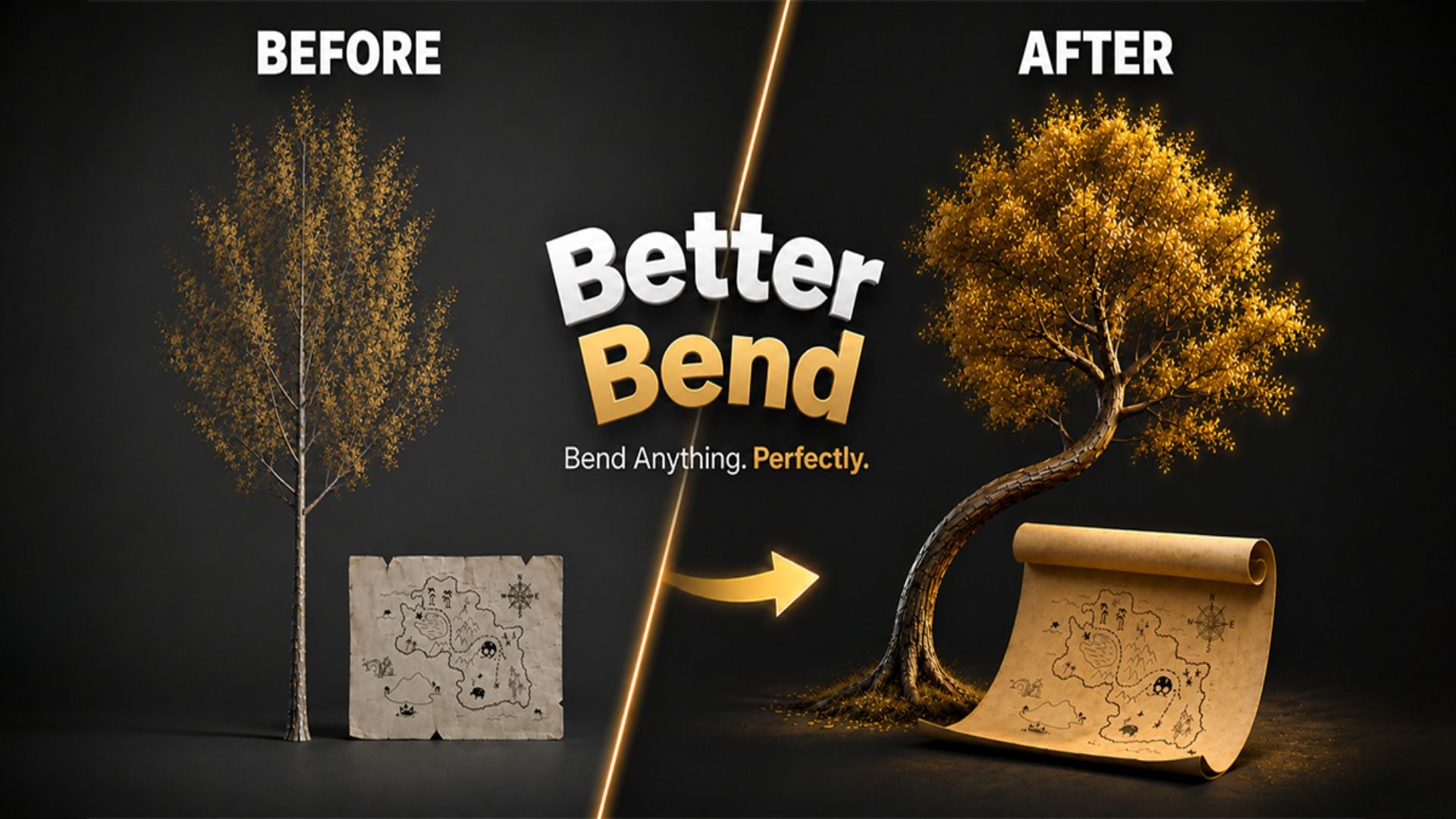
Better Bend - Geometry Nodes Bend Modifier
1 mois de Skillshare
Disponible avec l'achatGratuit
Tous les abonnements seront facturés automatiquement de manière récurrente jusqu'à leur résiliation. Si vous pouvez profiter d'un essai gratuit, résiliez avant la fin de l'essai pour éviter une facturation. Offre valable uniquement pour les nouveaux abonnés payants. Consultez l'intégralité des conditions d'utilisation ici.
À propos de ce produit

Junaid Alam
3D Artist
Blender's Simple Deform modifier has a persistent problem. Its bend axis convention is counterintuitive, one-sided bending requires manual limit guesswork, and there is no clean way to offset the pivot without restructuring your scene. For a single exploratory bend it is tolerable. For production work including pipes, cables, architectural profiles, product renders, game props, or any geometry where controlled deformation is part of the workflow, it costs you time every single session.
Better Bend is a Geometry Nodes powered bend modifier built for Blender. It replaces the friction of Simple Deform's Bend mode with a direct, artist-facing interface that behaves exactly as expected. Pick the axis your geometry extends along, drag the bend amount, and it bends. One-side curl, real-unit limits, pivot offsets, and rotation framing are all first-class controls accessible from a clean N-panel with progressive disclosure that keeps common settings visible and advanced settings one click away.


What it does differently
You select the axis your geometry runs along and Better Bend maps that correctly to Blender's internal orientation automatically. That single change eliminates the entire setup ritual that Simple Deform demands: rotate the object, apply transforms, guess the axis, undo everything.
One-sided bending is exposed as a named Bend Style. Both Sides, Plus Side, or Minus Side. One click. The Start and End limits update automatically, or you override them manually with real Blender distance units.
The Pivot and Rotation sub-panel lets you move the bend center anywhere in object-local space without touching the object's origin. Your scene hierarchy stays intact through every revision.
For coils, springs, and helices, the Bend Amount slider accepts values beyond 360 degrees via direct input. For heavy meshes, a Live Update toggle switches from real-time feedback to a manual Update button for controlled iteration.
Apply Settings to Selected propagates your configuration to all selected objects simultaneously. One setup, many objects, immediate deployment across repeated assets.


The modifier lives in Blender's standard stack. Add Subdivision before it for denser geometry. Add Mirror after it for symmetric pieces. Wrap it in an Array for tiled curved segments. It stacks cleanly with every native Blender modifier and remains fully non-destructive until you deliberately apply it. UV coordinates are preserved through deformation.
Built with Geometry Nodes and fully transparent. Not a compiled black box. Open the node group, inspect the logic, and understand exactly what runs on your geometry. GPL-3.0 licensed for studio-safe adoption.
Ideal for hard surface modelers, product visualization artists, architectural visualization specialists, game asset creators, motion designers, environment artists, and any Blender professional who models with bent geometry and expects the tool to work without fighting it.
If you have ever spent more than a minute setting up a simple bend in Blender, you already know exactly what Better Bend is worth.
FAQ
Qu'est-ce que les produits numériques ?
Les produits numériques de Skillshare sont des outils, des ressources et des modèles développés par des pros de la création et mis à votre disposition à l'achat. Avec un large éventail de ressources répondant à tous les besoins créatifs, ils sont exploitables, rendant votre expérience d'apprentissage concrète et inoubliable.
Comment puis-je acheter un produit numérique ?
Tout le monde peut acheter un produit numérique sur Skillshare. Cliquez sur Acheter maintenant pour saisir vos informations de paiement et finaliser votre achat. Une fois le paiement effectué, tous les fichiers pourront être téléchargés instantanément à partir de cette page. Vous recevrez également un e-mail contenant un lien pour télécharger votre produit numérique après l'achat.
Y a-t-il une limite au nombre de fois que je peux télécharger un produit numérique ?
Non, il n'y a pas de limite au nombre de fois que vous pouvez télécharger un produit numérique. Même si un produit est supprimé par la personne qui l'a créé, vous pouvez toujours accéder à la page de téléchargement dans la plupart des cas en vous connectant à votre compte Skillshare.
Puis-je obtenir un remboursement ou annuler l'achat de mon produit numérique ?
Les produits numériques ne sont pas remboursables et ne peuvent être ni retournés ni annulés. Pour en savoir plus, consultez notre politique de remboursement dans le centre d'aide Skillshare.
Puis-je créer et vendre mes propres produits numériques ?
Absolument ! Consultez l'article Comment puis-je vendre un produit numérique sur Skillshare ? pour découvrir comment créer, proposer et vendre vos propres produits numériques sur Skillshare.