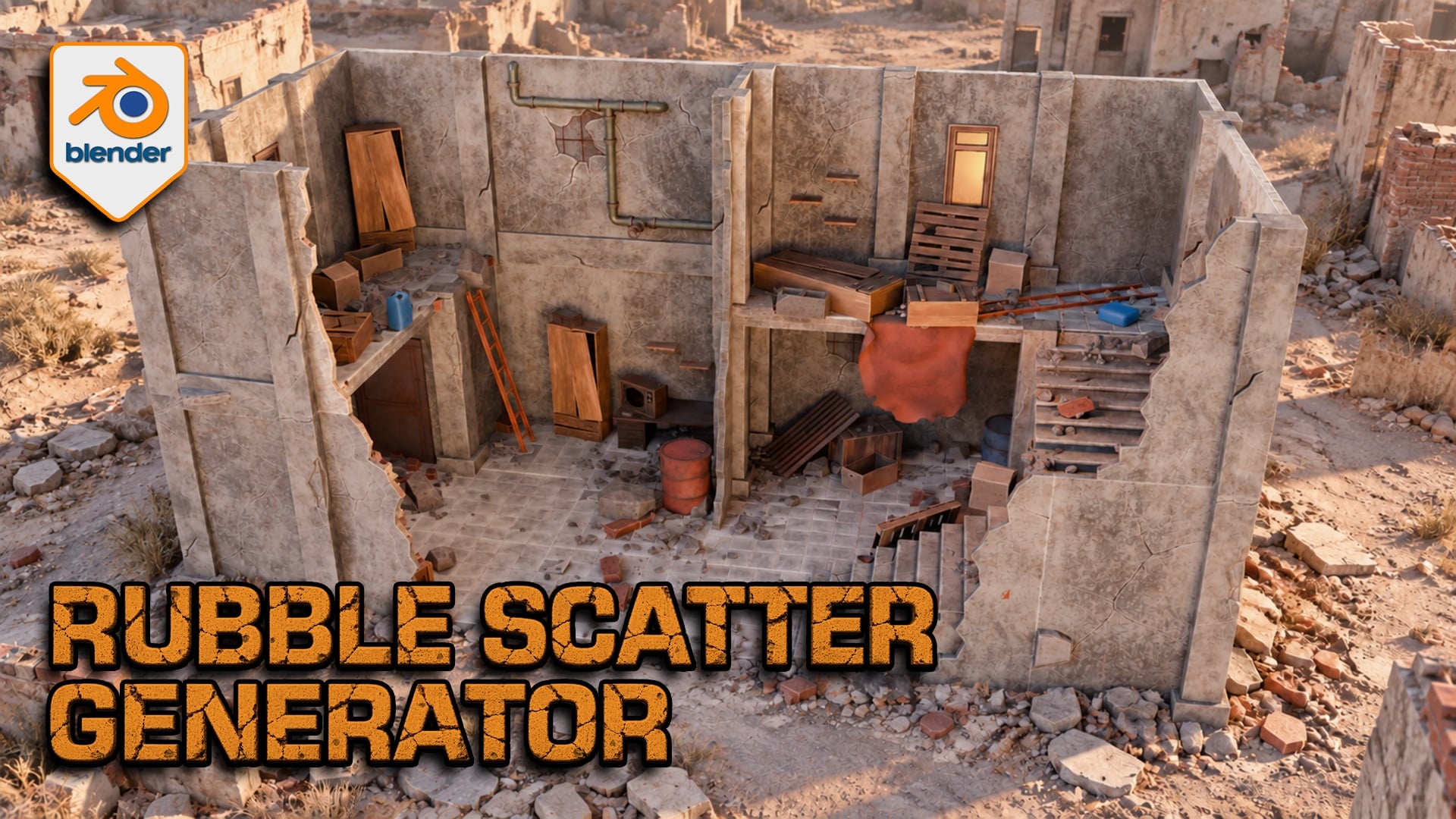
Rubble Scatter Generator for Blender
1 mois de Skillshare
Disponible avec l'achatGratuit
Tous les abonnements seront facturés automatiquement de manière récurrente jusqu'à leur résiliation. Si vous pouvez profiter d'un essai gratuit, résiliez avant la fin de l'essai pour éviter une facturation. Offre valable uniquement pour les nouveaux abonnés payants. Consultez l'intégralité des conditions d'utilisation ici.
À propos de ce produit

3D Tudor
Bestselling Blender Author & 3D Educator
Build debris around your architecture
A ruined floor needs more than evenly scattered rocks. Rubble Scatter Generator for Blender lets you gather fragments near walls, vary the mix across open ground and preserve the areas your composition needs to keep clear. Work with editable Geometry Nodes controls and furnished demonstration scenes.

A six-second tour shows rubble across the furnished scene, including floors, stairs and wall edges.
Direct where rubble collects
Assign receiving surfaces and architectural occluders, then balance geometry-based accumulation with Open Area Fill. Use a painted Rubble_Density mask or local repellors to protect a doorway; attractors can add local coverage. Planar influence works across height, while non-planar influence helps separate storeys. Check intersections around your own geometry.

A simple wall study makes the distribution readable: larger fragments gather near the architecture while smaller pieces extend across open ground.
Choose from 51 designs in eight categories
Mix fine stones, gravel clusters, bricks, breeze blocks, concrete slabs, concrete chunks, reinforced slabs and timber. Each of the 51 HIGH sources has a paired LOD representation: these are alternate detail levels, not 102 unique designs. Adjust category density and scale before polishing the finish.
Match the finish and manage working detail
Shared controls cover colour, edge wear, dirt, top dust, roughness and normal strength. Camera-based HIGH/LOD selection, optional distance culling and a viewport Preview Fraction help you manage detail. LOD follows the active or assigned camera, not the viewport orbit; performance depends on your scene and hardware.

The material controls sit beside the furnished scene, showing where to adjust colour, edge wear and dirt.
What you receive
One ZIP containing the native Blender project and Getting Started guide. The project includes the generator, paired HIGH/LOD source collections and furnished demonstration scenes. Best for artists building ruined interiors, architectural studies and static environment compositions in Blender.
Start with the configured example
Extract the ZIP and open the project in Blender 5.2.2 LTS. Switch to Rubble Studio | Building Scatter and select 3DT Rubble Studio | SELECT ME. We opened and evaluated that configured scene at frame 1. The separate detailed Scene saves the generator viewport evaluation disabled and has no active camera; the guide explains how to inspect it.
Questions before you buy
Can I use my own debris? Yes, with suitable origins, flat source collections, paired HIGH/LOD numbering and equal source counts. Custom meshes need appropriate UVs and materials; arbitrary shaders do not inherit the supplied finish controls.
Is this a demolition simulator? No. It creates static procedural scatter rather than a rigid-body collapse. No Unreal Engine, Unity or UEFN project is included.
Do I install a Python add-on? No. This is a Blender Geometry Nodes project. Earlier Blender versions are not certified by the 5.2.2 check.
Neil — 3D Tudor
FAQ
Qu'est-ce que les produits numériques ?
Les produits numériques de Skillshare sont des outils, des ressources et des modèles développés par des pros de la création et mis à votre disposition à l'achat. Avec un large éventail de ressources répondant à tous les besoins créatifs, ils sont exploitables, rendant votre expérience d'apprentissage concrète et inoubliable.
Comment puis-je acheter un produit numérique ?
Tout le monde peut acheter un produit numérique sur Skillshare. Cliquez sur Acheter maintenant pour saisir vos informations de paiement et finaliser votre achat. Une fois le paiement effectué, tous les fichiers pourront être téléchargés instantanément à partir de cette page. Vous recevrez également un e-mail contenant un lien pour télécharger votre produit numérique après l'achat.
Y a-t-il une limite au nombre de fois que je peux télécharger un produit numérique ?
Non, il n'y a pas de limite au nombre de fois que vous pouvez télécharger un produit numérique. Même si un produit est supprimé par la personne qui l'a créé, vous pouvez toujours accéder à la page de téléchargement dans la plupart des cas en vous connectant à votre compte Skillshare.
Puis-je obtenir un remboursement ou annuler l'achat de mon produit numérique ?
Les produits numériques ne sont pas remboursables et ne peuvent être ni retournés ni annulés. Pour en savoir plus, consultez notre politique de remboursement dans le centre d'aide Skillshare.
Puis-je créer et vendre mes propres produits numériques ?
Absolument ! Consultez l'article Comment puis-je vendre un produit numérique sur Skillshare ? pour découvrir comment créer, proposer et vendre vos propres produits numériques sur Skillshare.