Threads: Seamless User Experience
This project highlights Threads' excellent user experience through its engaging animations, intuitive interface, personalized content tabs, and positive recommendations, all contributing to a seamless daily interaction.
Dynamic Track Logo Animation
When you pull down to refresh your feed, a thin line “runs” around the Threads logo along a racetrack path. The further you drag, the more the track lights up. Let go and you see a final animation as new posts load. It turns a routine action into something playful and satisfying.
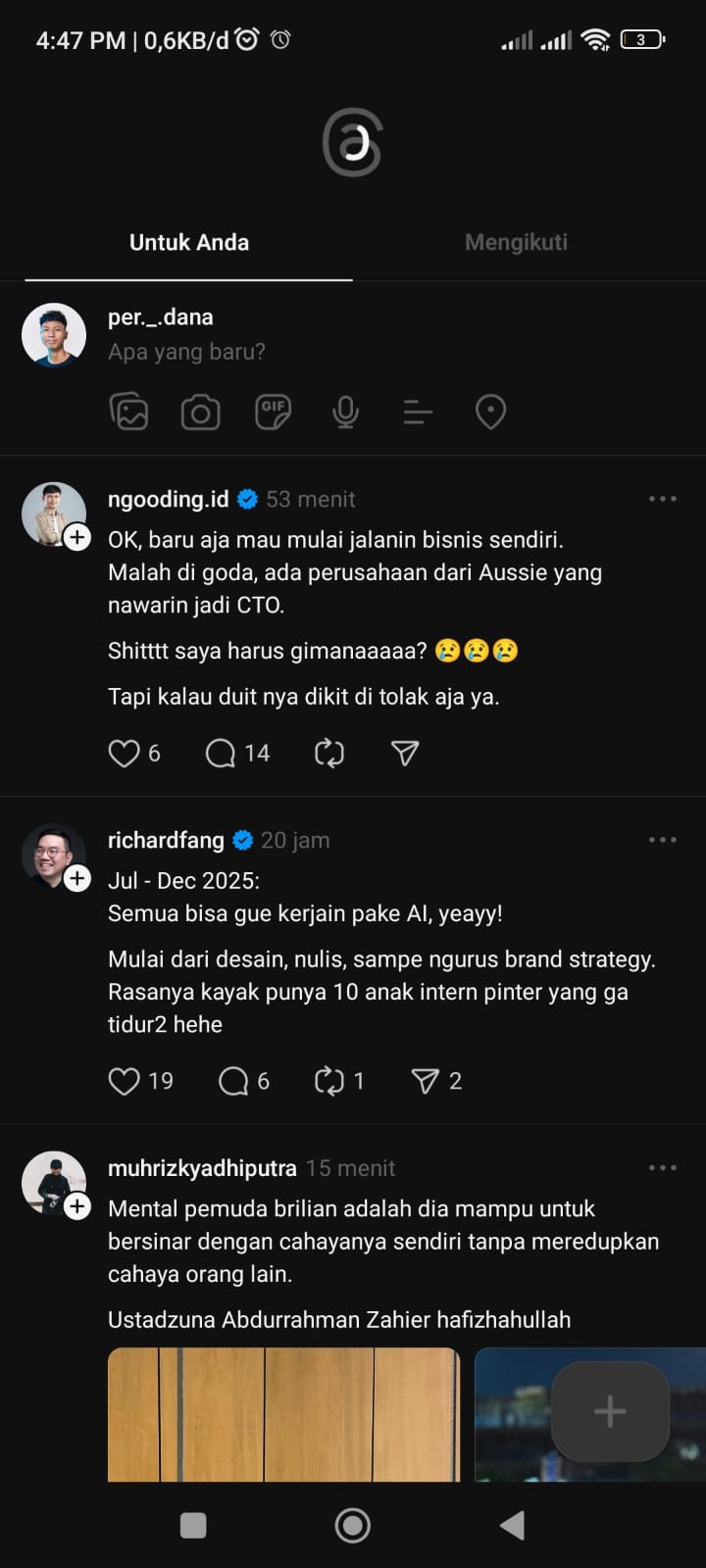
Pin Any Search as Its Own Tab
Search for any hashtag, keyword or topic, #food, “UI/UX,” whatever interests you, and tap the three-dot menu next to it. Choose Pin to Home and that search instantly becomes its own tab on your home screen. It updates automatically with new posts, so you’re always in the loop without following dozens of individual accounts.
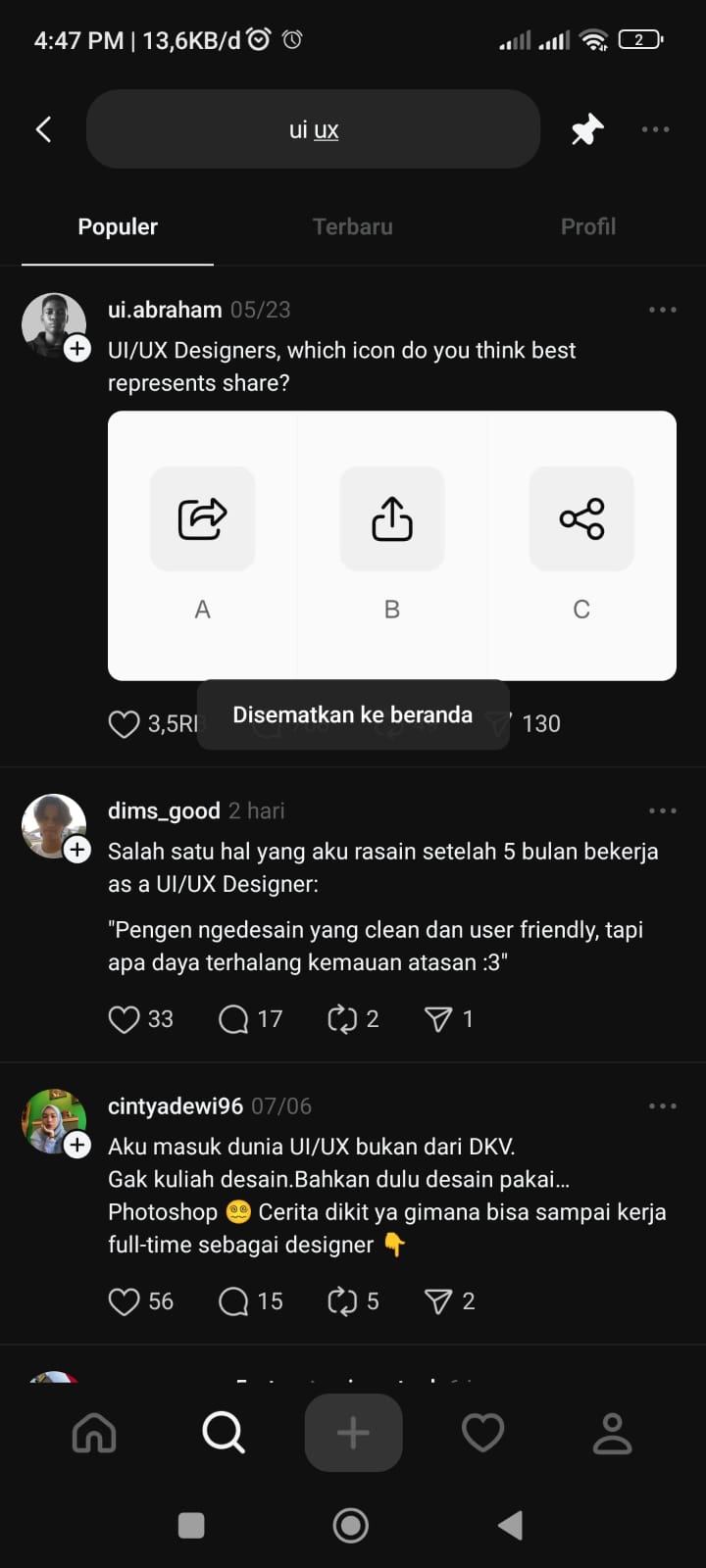
Clean, Intuitive Interface
The home screen is stripped of clutter. At the top you have the Threads icon and two tabs, For You and Following. Below that, posts flow in a simple vertical feed with no sidebars or extra buttons to distract you. Everything you need is right where you expect it to be.
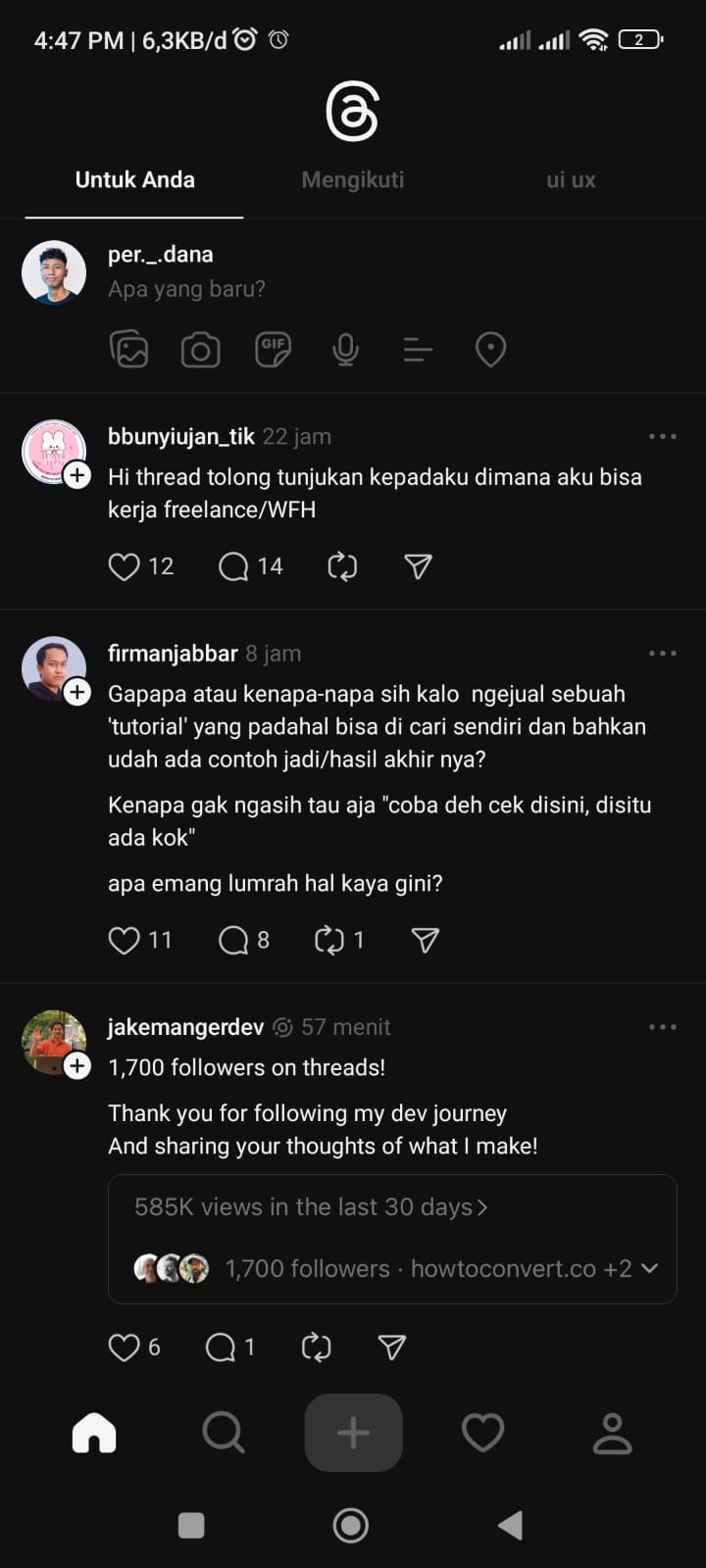
Positive, Personalized Recommendations
Threads learns what you like and shows you more of it. Whether it’s design tips, friends’ photos or breaking news on your pinned topics, your feed always feels relevant and uplifting. You never get bogged down by content that doesn’t interest you.