Sheet-to-Email Automation
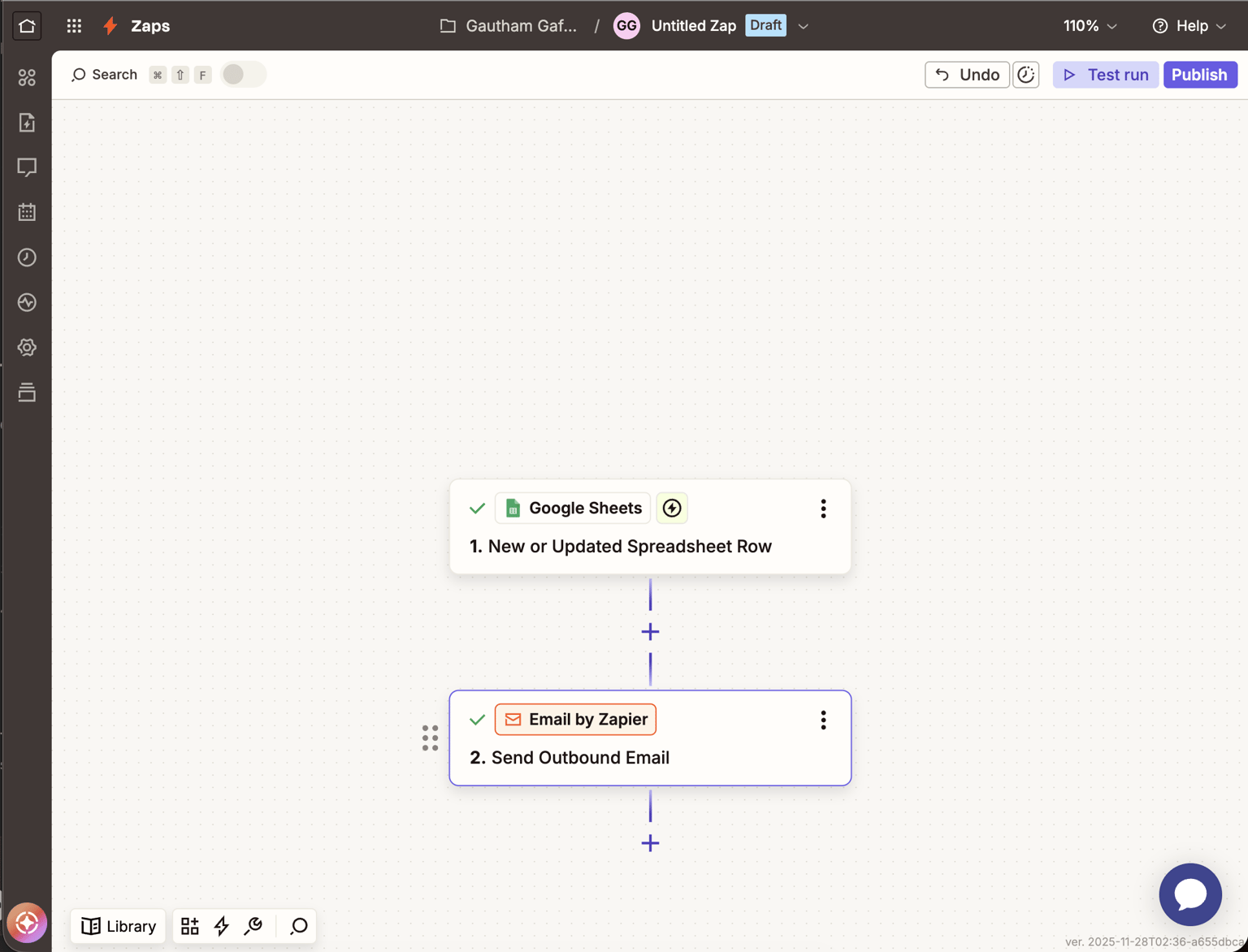
For this project, I built a simple workflow that sends me an automatic email every time a new row is added to a Google Sheet. I created a sheet with fields like Name, Email, Company, and Created At, and used Zapier to monitor the sheet for any new entries.
Whenever a new lead is added, Zapier detects the new row and immediately sends an email summarizing the information. This kind of automation is useful for quick alerts, small CRM-style workflows, or early-stage lead tracking.
How the Zap Works-
Trigger:
I used the “New or Updated Spreadsheet Row” trigger in Google Sheets. Zapier listens for changes in the sheet and pulls in the latest row.
-
Action:
Then I added “Send Outbound Email by Zapier”.
This action sends an automated email to my inbox with the row details.
-
Output:
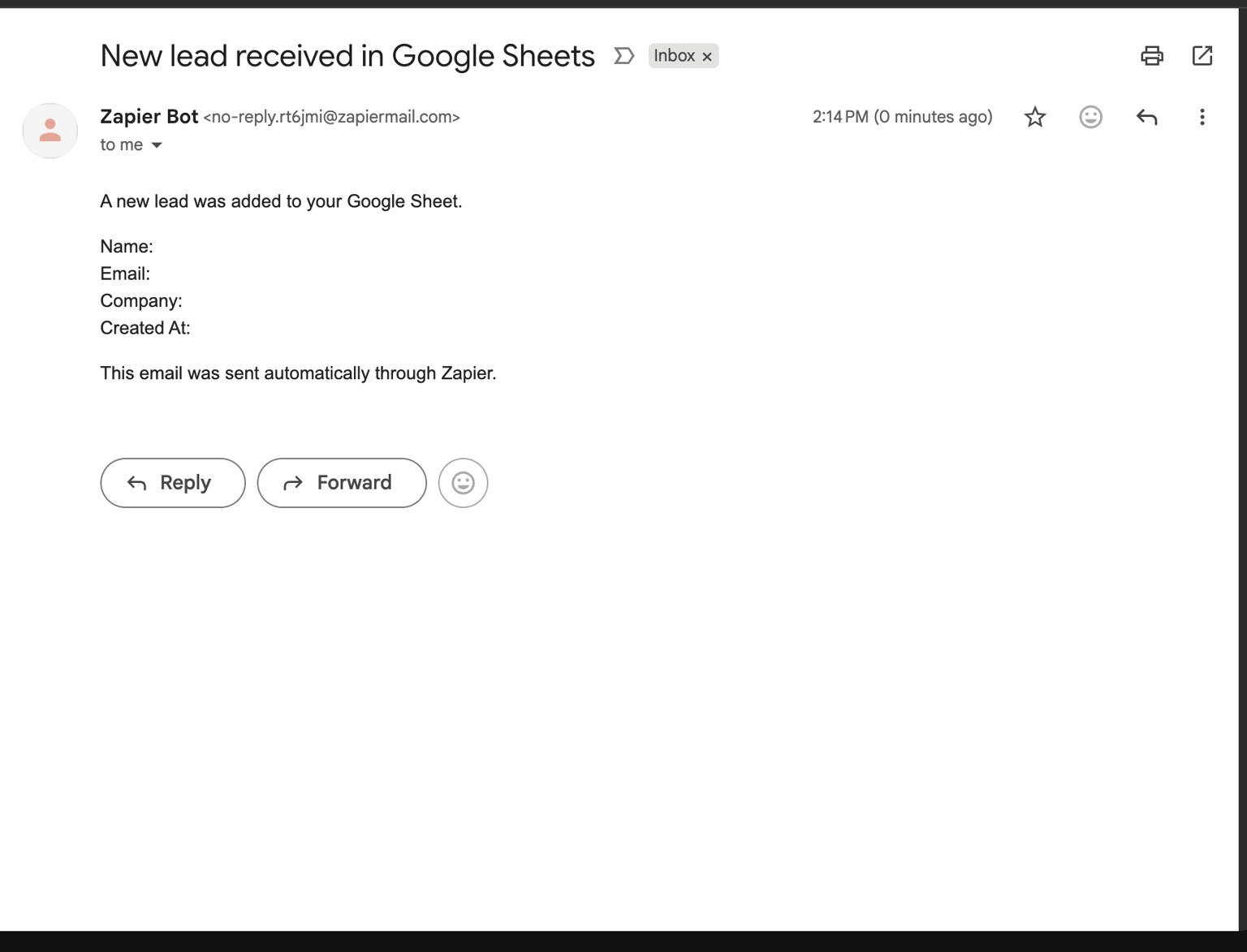
When I tested it, I received an email from Zapier Bot showing the new lead info (screenshot attached).
-
The trigger column selection was confusing at first because Zapier needs to know which column should be used to detect changes. Once I picked one field (like Created At), the automation behaved correctly.
-
Testing the Zap initially sent empty fields, because my sample row lacked actual data. After filling real sample data in the sheet, the test worked perfectly.
Even though it’s a simple workflow, it’s a common real-world pattern. Anyone working in operations, sales, or BD can use this to:
-
Get notifications for new leads
-
Track form submissions
-
Monitor changes in shared spreadsheets
-
Create lightweight alert systems without a full CRM
The screenshots show:
-
The Zap structure
-
The Google Sheets trigger setup
-
The email action setup
-
The final email I received