.png)
The Content Planner
1 mes de Skillshare
Disponible para compraGratis
Todas las membresías se facturarán automáticamente de forma recurrente hasta que se cancelen. Si cumples los requisitos para obtener una prueba gratis, cancélala antes de que finalice para evitar que se realice el cobro. Oferta válida solo para nuevos suscriptores pagos. Consulta los Términos de servicio completos aquí
Acerca de este producto

Giulia Martinelli
Animation Director / Illustrator
You know that sudden wave of anxiety or pressure when you open your computer and think, “What on earth do I post today?” I completely solved that creative burnout using a system of calm planning and scheduling in advance, and today, I am sharing the exact personal spreadsheet I use to run my studio’s content engine.
A Minimalist Production & Editorial Planner for Creative Freelancers
After 10 years of navigating the creative industry as a solo, one-woman animation band, I learned that consistency isn't about hustle; it’s about having a clean visual infrastructure. If your planning system feels cluttered, your creative energy drains before you even hit record or draft your first line of copy.
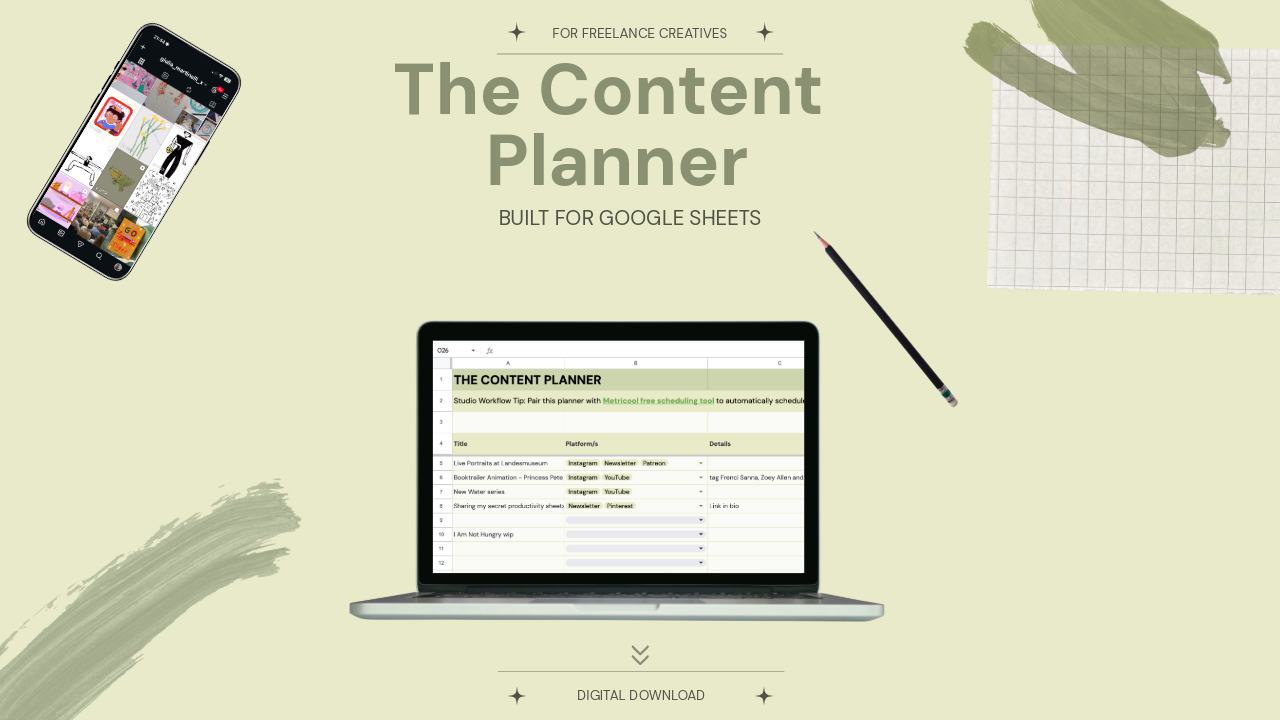
The Content Planner is a pristine, zero-anxiety spreadsheet workspace built specifically for visual artists, designers, animators, and filmmakers. It is designed to take your ideas from a vague spark to a published asset across YouTube, Instagram, LinkedIn, and Pinterest, without the posting anxiety.
What’s Inside:
Tab 1: The Master Pipeline | A bird’s-eye, single-screen overview of your entire content calendar. Sort your ideas by Platform, Format (Long-form, Reels, Carousels, Text), Production Status, and Target Dates with zero horizontal scrolling.
Tab 2: The Scripting & Asset Hub | Your dedicated deep-work sandbox. A structured space with text-wrapped text fields for your scripts and social copy, dedicated SEO/hashtag slots, and tracking cells to link your heavy Google Drive/Dropbox raw media files.
How it Works:
- Download this template
- Open the enclosed A4 Welcome PDF.
- Click the secure access link to clone the template directly into your private Google Drive.
- Turn off your corporate notifications, open the sheet, and start building.
Looking for the Complete Studio Infrastructure?
If you are looking to manage your actual business finances and client pipelines with this exact same aesthetic clarity, upgrade to the master Job & Client Tracker for Freelance Creatives. It acts as the quiet, low-anxiety backend infrastructure for your entire independent creative studio.
Technical Requirements:
Google Account Required: This template is optimized exclusively for Google Sheets (Desktop use highly recommended). Excel formatting will break the custom web typography and advanced visual styles. To securely duplicate this template into your private drive, you will need a standard, free Google account.
Keep your workspace clean. Keep your focus sharp. Created by Giulia Martinelli | Zürich, Switzerland
Preguntas frecuentes
¿Qué son los productos digitales?
Los productos digitales de Skillshare son herramientas, recursos y plantillas elaboradas por expertos y desarrolladas por los mejores creativos, que están disponibles para la compra. Con una amplia gama de recursos que se adaptan a todas las necesidades creativas, son prácticos y hacen que tu experiencia de aprendizaje sea real e inolvidable.
¿Cómo puedo comprar un producto digital?
Cualquier persona puede comprar un producto digital en Skillshare — haz clic en Comprar ahora para ingresar tu información de pago y completar tu compra. Una vez completado el pago, todos los archivos estarán disponibles para la descarga al instante desde esta página. También recibirás un correo electrónico con un enlace para descargar tu producto digital después de la compra.
¿Hay un límite en el número de veces que puedo descargar un producto digital?
No, no hay límite en la cantidad de veces que puedes descargar un producto digital. Incluso si el creador elimina un producto, aún puedes acceder a la página de descarga en la mayoría de los casos iniciando sesión en tu cuenta de Skillshare.
¿Puedo obtener un reembolso o cancelar la compra de mi producto digital?
Los productos digitales no son reembolsables y no se pueden devolver ni cancelar. Para obtener más información, consulta nuestra Política de reembolso en el Centro de ayuda de Skillshare.
¿Puedo hacer y vender mis propios productos digitales?
¡Absolutamente! Visita ¿Cómo puedo vender un producto digital en Skillshare? para aprender cómo puedes crear, listar y vender tus propios productos digitales en Skillshare.