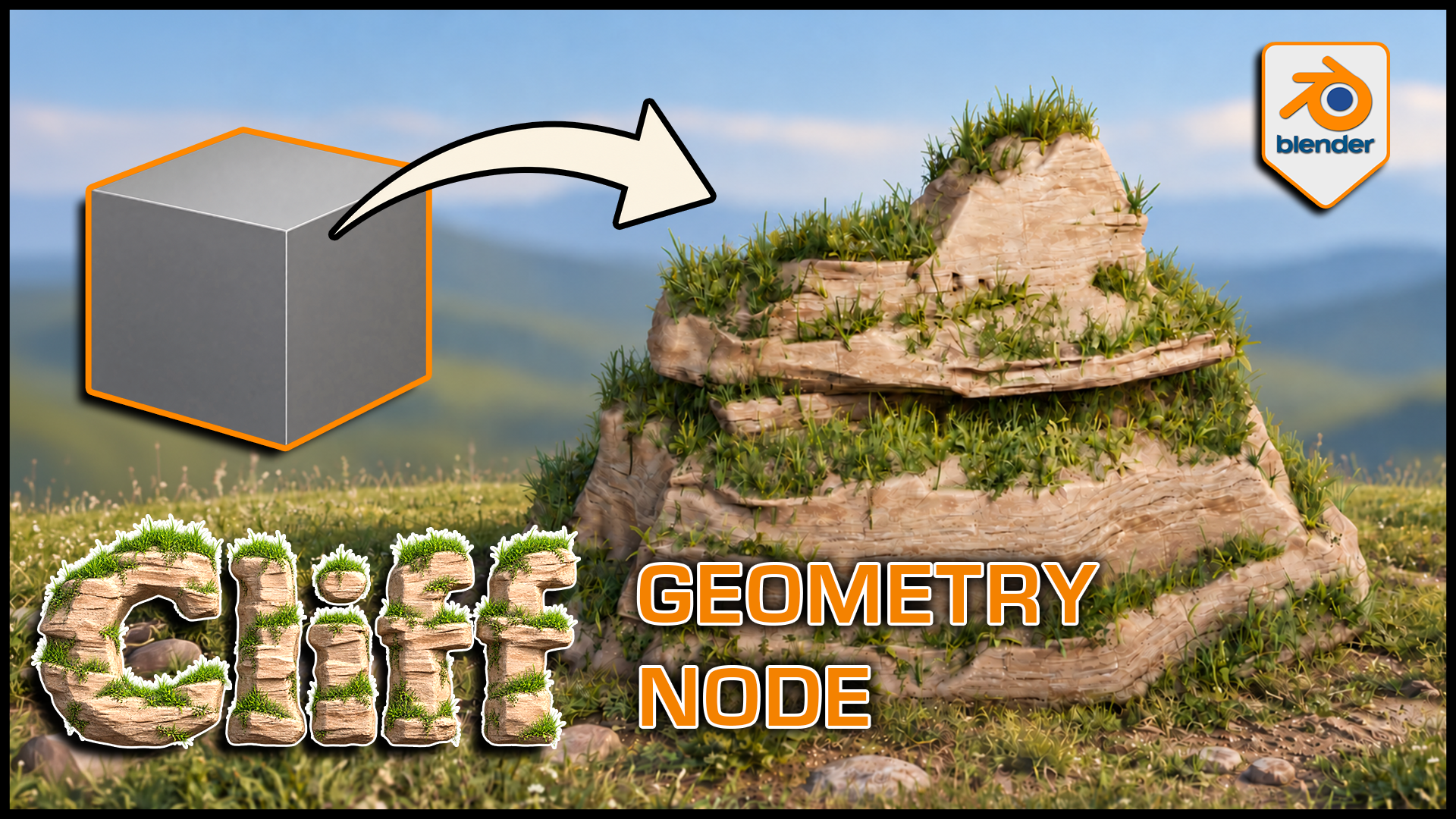
Stylized Cliff Generator for Blender
1 mes de Skillshare
Disponible para compraGratis
Todas las membresías se facturarán automáticamente de forma recurrente hasta que se cancelen. Si cumples los requisitos para obtener una prueba gratis, cancélala antes de que finalice para evitar que se realice el cobro. Oferta válida solo para nuevos suscriptores pagos. Consulta los Términos de servicio completos aquí
Acerca de este producto

3D Tudor
Bestselling Blender Author & 3D Educator
Watch the Stylized Cliff Generator in action: 3D Tudor’s Blender generator video overview on YouTube.
Build a cliff around the composition you have in mind. This 3D Tudor Blender Geometry Nodes product creates stylized rock formations with editable terraces, layered grass and soil surfaces, and separate three-dimensional meadow plants.
 Procedural cliff terraces give the grass distinct ledges to follow, while exposed rock keeps the stepped silhouette readable.
Work in three clear passes
Shape: adjust rock width, formation size, bulge, ledges, terraces and layering. Compare a broad shelf with a narrower column while keeping the main silhouette editable.
Surface: refine the supplied rock, grass and soil material with texture, shading, coverage, slope and mask controls.
Plants: enable meadow grass, then tune density, size, variation, angle and seed separately from the grass-coloured surface. Viewport and render density have their own controls.
 Blender cliff controls bring shape, rock shading and grass surface settings into one modifier panel in the 3D Tudor generator.
What you receive
- A Blender project with Custom Settings and Default Settings examples, each exposing 42 controls.
- Nine separate 2048 × 2048 PNG maps: Base Color, Normal and Roughness for cliff, grass and soil.
- Packed project images and the meadow vegetation dependencies.
- A getting-started guide in HTML and Markdown.
- Three silent control demonstrations covering shape, textures/grass and material swapping, plus a rendered turntable.
 Three-dimensional grass remains visible in solid shading, separating the plant geometry from the cliff material beneath it.
Getting started
Unzip the generator package and open the project in Blender 5.1.2. The source scene uses Cycles. Custom Settings is visible in the Example collection; enable the excluded Geometry Node collection in the Outliner to see Default Settings.
Follow the guide when appending the setup into another scene so its node groups, materials and meadow objects come with it. Download the separate demonstration ZIP for the complete local videos.
Useful to know
The grass surface and 3D plants are separate. Material replacement is supported through Cliff Material, but a replacement shader uses its own controls. Other materials shown in that demo illustrate the workflow.
This is a downloadable Blender tool, not a Skillshare class. Earlier Blender compatibility, game-engine integration, LODs and collision setups are not supplied or established.
Use it for stylized landscape studies, fantasy or adventure environments, and individual cliff landmarks.
Gallery videos are short previews of shape, grass and texture, and material controls. The separate demonstration ZIP contains the complete silent videos.
Preguntas frecuentes
¿Qué son los productos digitales?
Los productos digitales de Skillshare son herramientas, recursos y plantillas elaboradas por expertos y desarrolladas por los mejores creativos, que están disponibles para la compra. Con una amplia gama de recursos que se adaptan a todas las necesidades creativas, son prácticos y hacen que tu experiencia de aprendizaje sea real e inolvidable.
¿Cómo puedo comprar un producto digital?
Cualquier persona puede comprar un producto digital en Skillshare — haz clic en Comprar ahora para ingresar tu información de pago y completar tu compra. Una vez completado el pago, todos los archivos estarán disponibles para la descarga al instante desde esta página. También recibirás un correo electrónico con un enlace para descargar tu producto digital después de la compra.
¿Hay un límite en el número de veces que puedo descargar un producto digital?
No, no hay límite en la cantidad de veces que puedes descargar un producto digital. Incluso si el creador elimina un producto, aún puedes acceder a la página de descarga en la mayoría de los casos iniciando sesión en tu cuenta de Skillshare.
¿Puedo obtener un reembolso o cancelar la compra de mi producto digital?
Los productos digitales no son reembolsables y no se pueden devolver ni cancelar. Para obtener más información, consulta nuestra Política de reembolso en el Centro de ayuda de Skillshare.
¿Puedo hacer y vender mis propios productos digitales?
¡Absolutamente! Visita ¿Cómo puedo vender un producto digital en Skillshare? para aprender cómo puedes crear, listar y vender tus propios productos digitales en Skillshare.