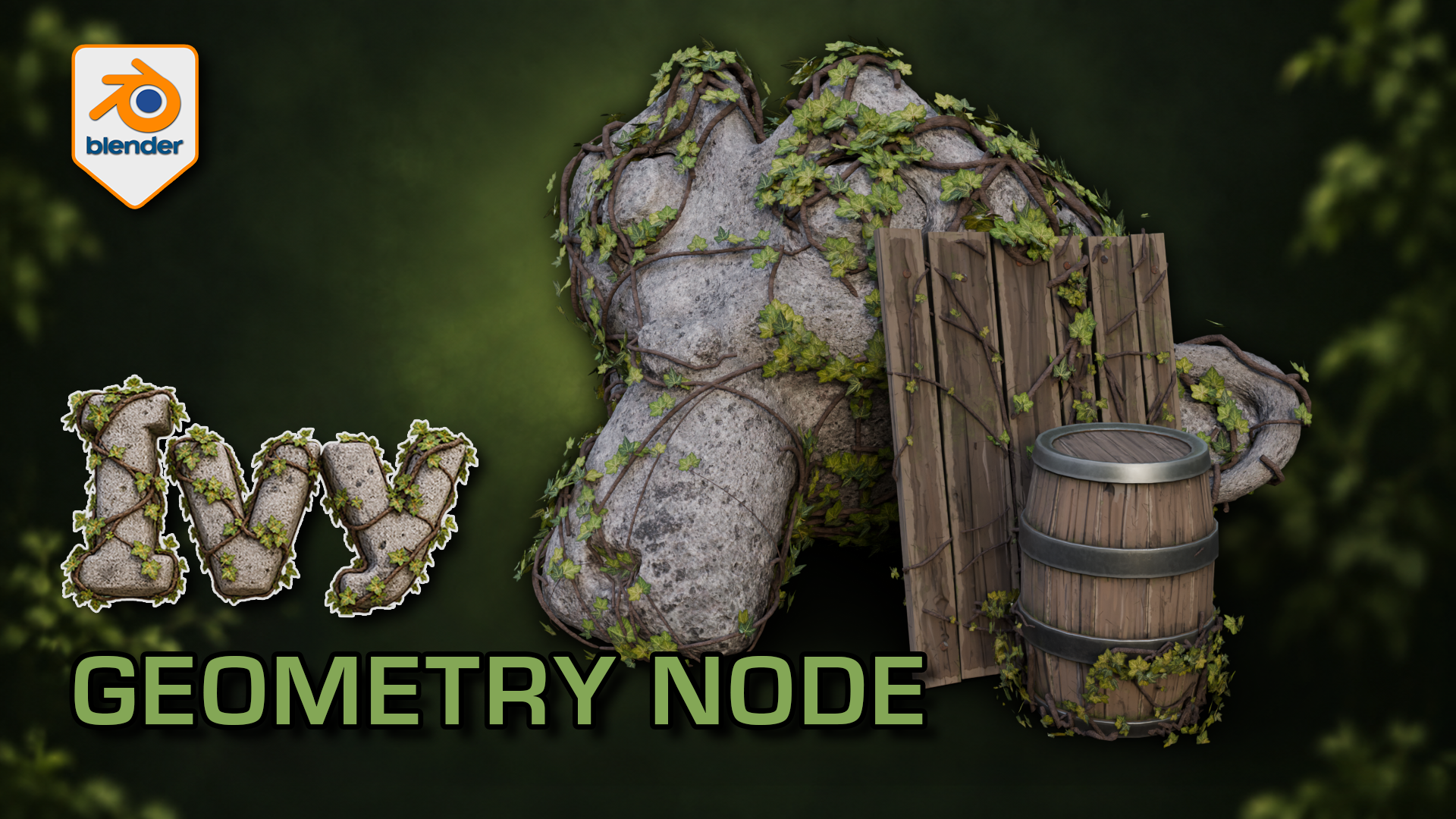
Ivy Generator for Blender: Geometry Nodes
1 mes de Skillshare
Disponible para compraGratis
Todas las membresías se facturarán automáticamente de forma recurrente hasta que se cancelen. Si cumples los requisitos para obtener una prueba gratis, cancélala antes de que finalice para evitar que se realice el cobro. Oferta válida solo para nuevos suscriptores pagos. Consulta los Términos de servicio completos aquí
Acerca de este producto

3D Tudor
Bestselling Blender Author & 3D Educator
Watch the Ivy Generator in action: 3D Tudor’s Blender generator video overview on YouTube.
Give a familiar prop an overgrown finish while practising a more deliberate foliage workflow. This 3D Tudor Blender resource includes two prepared ivy arrangements and an editable Geometry Nodes modifier with 39 controls.
Try it in three passes
First, move a start point and adjust the spread around the supplied surfaces. Next, change the balance between the leafy centre and the lighter outer growth. Finally, refine the stem shape and leaf appearance with the camera angle in mind.
The included silent demonstrations let you watch the controls being explored. Use the Getting Started guide alongside the Blender file, then try the same process on your own scene. This is a downloadable creative tool and reference project, rather than a narrated class.
What you receive
- One native Blender Geometry Nodes ivy generator with 39 exposed controls across six panels.
- Two prepared ivy setups, with start-point and target-surface collections already connected.
- Five supporting leaf meshes, stem materials and packed image textures inside the project.
- The supplied demonstration scene with stone and wooden props, plus a Getting Started guide.
- Two full silent control demonstrations and a 12-second rendered arcshot in a separate download.
Use Blender 5.1.2 and Cycles, the combination checked for this file. No addon installation is required. Earlier Blender versions and equivalent Eevee results have not been verified. For a game-engine project, prepare your own export, materials, collision and performance settings after building the ivy in Blender.
Ivy stems cross the rock and timber surfaces while clusters of leaves leave the underlying forms readable.
Solid shading separates the leaf meshes and stems from their textures; the modifier exposes placement and optimisation controls.
The wireframe view helps inspect how the procedural ivy geometry sits around the supplied example surfaces.
The gallery includes short excerpts from each controls demonstration; both complete recordings are included in the downloadable video ZIP.
Preguntas frecuentes
¿Qué son los productos digitales?
Los productos digitales de Skillshare son herramientas, recursos y plantillas elaboradas por expertos y desarrolladas por los mejores creativos, que están disponibles para la compra. Con una amplia gama de recursos que se adaptan a todas las necesidades creativas, son prácticos y hacen que tu experiencia de aprendizaje sea real e inolvidable.
¿Cómo puedo comprar un producto digital?
Cualquier persona puede comprar un producto digital en Skillshare — haz clic en Comprar ahora para ingresar tu información de pago y completar tu compra. Una vez completado el pago, todos los archivos estarán disponibles para la descarga al instante desde esta página. También recibirás un correo electrónico con un enlace para descargar tu producto digital después de la compra.
¿Hay un límite en el número de veces que puedo descargar un producto digital?
No, no hay límite en la cantidad de veces que puedes descargar un producto digital. Incluso si el creador elimina un producto, aún puedes acceder a la página de descarga en la mayoría de los casos iniciando sesión en tu cuenta de Skillshare.
¿Puedo obtener un reembolso o cancelar la compra de mi producto digital?
Los productos digitales no son reembolsables y no se pueden devolver ni cancelar. Para obtener más información, consulta nuestra Política de reembolso en el Centro de ayuda de Skillshare.
¿Puedo hacer y vender mis propios productos digitales?
¡Absolutamente! Visita ¿Cómo puedo vender un producto digital en Skillshare? para aprender cómo puedes crear, listar y vender tus propios productos digitales en Skillshare.