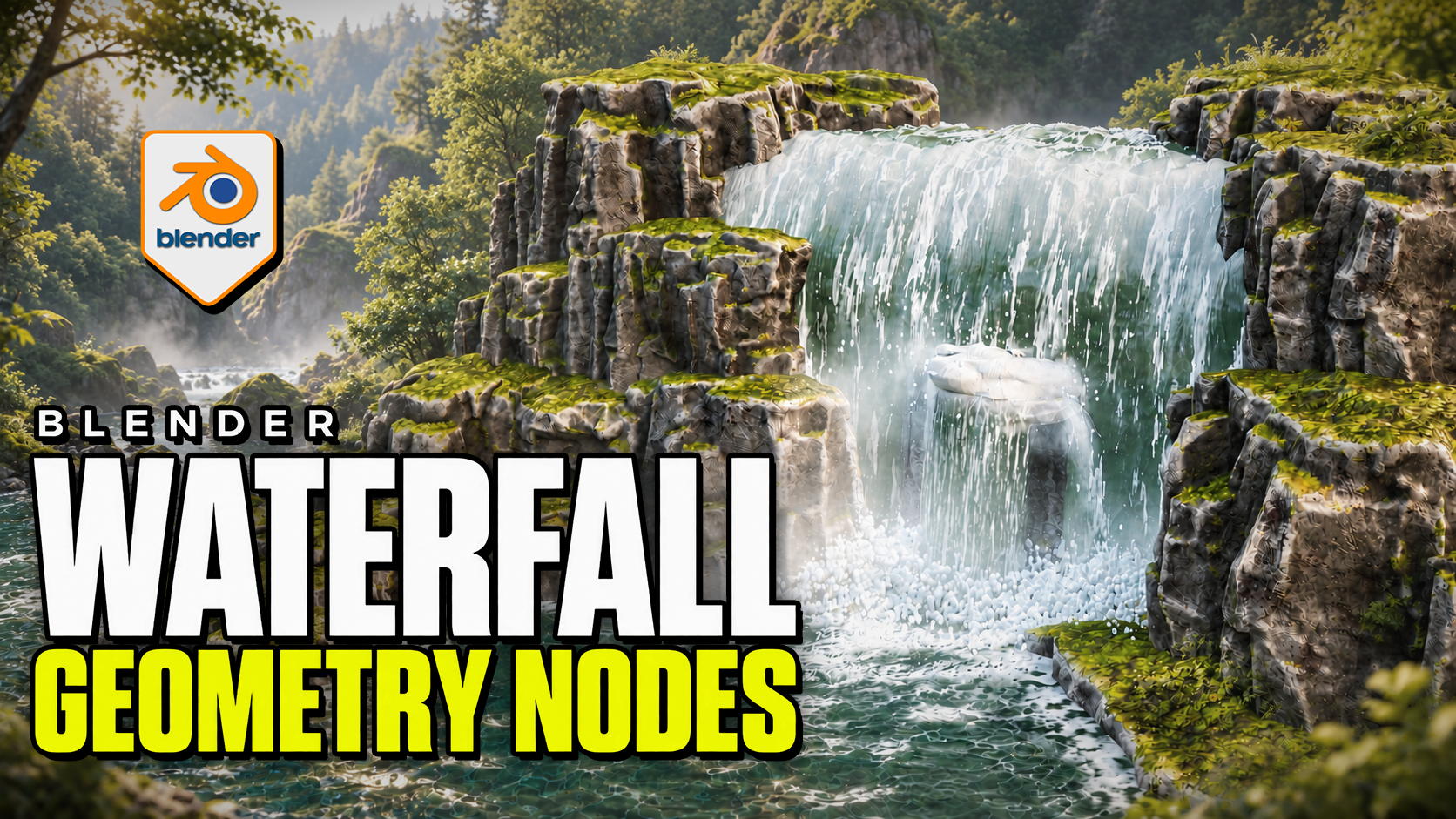
Advanced Waterfall Geometry Nodes for Blender
1 mes de Skillshare
Disponible para compraGratis
Todas las membresías se facturarán automáticamente de forma recurrente hasta que se cancelen. Si cumples los requisitos para obtener una prueba gratis, cancélala antes de que finalice para evitar que se realice el cobro. Oferta válida solo para nuevos suscriptores pagos. Consulta los Términos de servicio completos aquí
Acerca de este producto

3D Tudor
Bestselling Blender Author & 3D Educator
Make the waterfall, pool and impact effects work together. Advanced Waterfall by 3D Tudor is a Blender Geometry Nodes product for directing falling water along a curve, building the receiving surface and placing foam, splash rings and mist. Begin with the supplied scene, then adapt the standalone objects to your own environment.
 Water streaks, impact spray and low mist bring the falling water into contact with the pool in this 3D Tudor waterfall scene.
Shape the route and width
Edit the curve to establish the fall. Overall Width controls the broad shape, while curve-point radius allows local narrowing and widening. Refine the lip, direction, waviness, surface noise and edge fading. Interaction collections let selected objects influence surface-following, spills and cutouts.
 The wider composition connects the waterfall to a receiving pool, with surface patterns and foam around the rocks.
Connect the fall to the pool
The separate Water Surface system provides layered animated normal waves, shallow/deep colour and opacity controls, and contact or shoreline foam. Standalone Splash Rings and Splash and Fog objects let you place additional impact detail independently.
Mist uses flat cards with contact and waterline fading. The surface caustic patterns are artistic shading, not physically projected caustics.
 The closer viewport view makes the impact foam, mist and patterned pool surface easier to inspect.
Included files and demonstrations
- Native Blender project with the example scene, reusable standalone objects and packed image resources.
- Four main systems: Waterfall, Water Surface, Splash Rings, and Splash and Fog.
- Written getting-started guide.
- Four silent control demonstrations, approximately 21 minutes 46 seconds in total, plus two short animated previews.
Download Blender and Guide first. The long Waterfall controls recording is supplied in two consecutive parts to fit the download limit; the other controls and previews are in their own ZIP. Both parts retain the original video without re-encoding.
Start in your own Blender scene
Use Blender 5.2.2 LTS. Open the project and save a working copy. To import clean templates, make Standalone Waterfall Items available in the Outliner, then copy or append the object you need. No product addon installation is required.
Match Loop Frames where a shared animation cycle is needed. The documented default loop is 240 frames, while the example timeline ends at 120; set your intended output range and review the full sequence before rendering.
Is it right for your project?
Best for: environment artists shaping a waterfall composition, its receiving water and nearby impact effects in Blender.
Is it a fluid simulator? No. It uses procedural geometry and shaders. Physically simulated liquid needs a separate simulation workflow.
Can I export the whole effect to a game engine? Not as a complete working system. Static mesh formats do not preserve the Blender animation, shading and editable controls.
Is it a class? This is a downloadable digital product with silent demonstrations and a guide, not a narrated course. Earlier Blender versions have not been verified.
Preguntas frecuentes
¿Qué son los productos digitales?
Los productos digitales de Skillshare son herramientas, recursos y plantillas elaboradas por expertos y desarrolladas por los mejores creativos, que están disponibles para la compra. Con una amplia gama de recursos que se adaptan a todas las necesidades creativas, son prácticos y hacen que tu experiencia de aprendizaje sea real e inolvidable.
¿Cómo puedo comprar un producto digital?
Cualquier persona puede comprar un producto digital en Skillshare — haz clic en Comprar ahora para ingresar tu información de pago y completar tu compra. Una vez completado el pago, todos los archivos estarán disponibles para la descarga al instante desde esta página. También recibirás un correo electrónico con un enlace para descargar tu producto digital después de la compra.
¿Hay un límite en el número de veces que puedo descargar un producto digital?
No, no hay límite en la cantidad de veces que puedes descargar un producto digital. Incluso si el creador elimina un producto, aún puedes acceder a la página de descarga en la mayoría de los casos iniciando sesión en tu cuenta de Skillshare.
¿Puedo obtener un reembolso o cancelar la compra de mi producto digital?
Los productos digitales no son reembolsables y no se pueden devolver ni cancelar. Para obtener más información, consulta nuestra Política de reembolso en el Centro de ayuda de Skillshare.
¿Puedo hacer y vender mis propios productos digitales?
¡Absolutamente! Visita ¿Cómo puedo vender un producto digital en Skillshare? para aprender cómo puedes crear, listar y vender tus propios productos digitales en Skillshare.