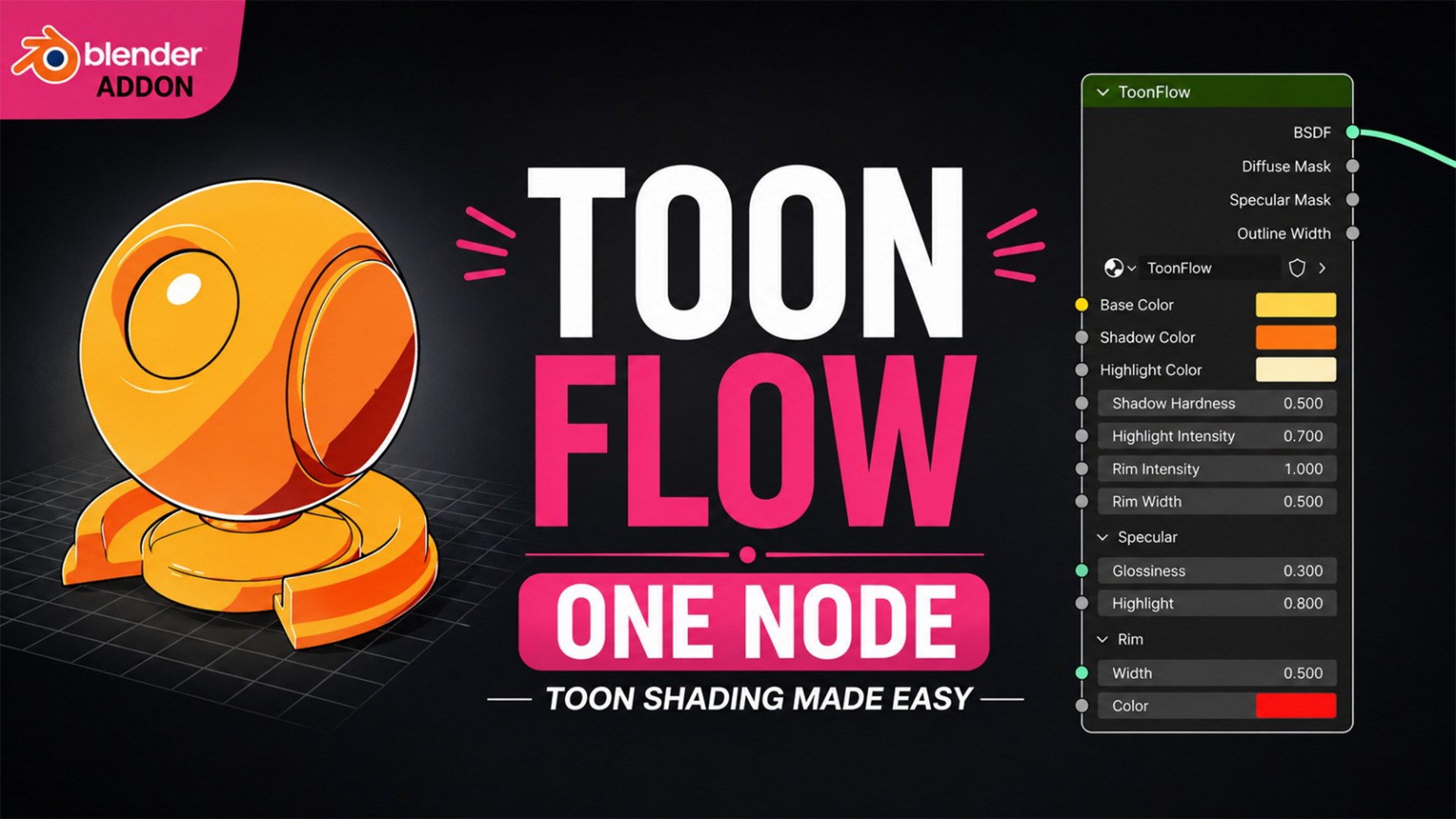
ToonFlow - Professional NPR Toon Shader
1 mes de Skillshare
Disponible para compraGratis
Todas las membresías se facturarán automáticamente de forma recurrente hasta que se cancelen. Si cumples los requisitos para obtener una prueba gratis, cancélala antes de que finalice para evitar que se realice el cobro. Oferta válida solo para nuevos suscriptores pagos. Consulta los Términos de servicio completos aquí
Acerca de este producto

Junaid Alam
3D Artist
Stop building toon shaders from scratch. ToonFlow gives you a complete, professional NPR pipeline in a single click.
Whether you're animating stylized characters, creating comic-book illustrations, producing anime-inspired renders, or building a graphic novel look, ToonFlow is the shader system that serious 3D artists actually reach for. No manual node wiring. No guesswork. Just results.
What Makes ToonFlow Different
Most toon shaders give you a basic diffuse ramp and call it done. ToonFlow is engineered like a real production shader. Every lighting component is separated, maskable, and independently controllable, exactly the way a professional pipeline demands.
7 Essential Controls, Always at Your Fingertips
Base Tint is your primary surface color and the anchor of the entire color system
Link Colors lets one toggle automatically drive your shadow tint, rim tint, and ambient shade from your base color. Change one color and everything updates.
Toon Bands lets you dial in 1 to 8 discrete shading steps for anything from flat graphic looks to soft multi-step cel gradients
Shadow Hardness at 0 gives you a soft painterly edge; at 1 you get a razor-sharp anime cut. Every value in between is a different artistic style.
Highlight Strength adds crisp specular hotspots with GGX-based gloss, tinted with your custom Reflective Tint color
Rim Intensity wraps edge lighting around your character with full control over width, sharpness, and tint
Render Strength is a master opacity fade, perfect for compositing and stylized dissolve effects

Advanced Controls Across 5 Collapsible Panels
Shading Panel
Color Temperature pushes your scene warm or cool with physically grounded RGB shifts. One slider moves your palette from candlelight to moonlight.
Light Wrap bleeds light into shadowed areas for a softer, more organic silhouette
SSS Blend simulates subsurface scattering by pushing the toon factor toward mid-tones. Skin, wax, leaves, any translucent material immediately gains depth.
Colors Panel
Shadow Tint lets you manually set the color of your dark zones, or let Link Colors handle it automatically
Ambient Shade lifts your shadows off pure black to simulate bounced environment light
Specular Panel

Gloss Sharpness controls the GGX roughness to go from a broad satin sheen to a tight mirror-like highlight
Highlight Cutoff thresholds the specular for a hard anime-style hotspot
Reflective Tint colors your highlights independently for metallic, magical, or stylized effects
Rim Panel
Rim Width, Sharpness, and Tint give you full Fresnel-based rim control. Perfect for character silhouetting, backlit scenes, and neon-glow effects.
Detail and Masks Panel
Shade Mask and Gloss Mask let you texture-drive your toon shading and specular zones for maximum per-surface art direction
Detail Normal and Detail Blend overlay secondary normals for micro-surface detail without breaking your toon look
Saturation Boost and Contrast Boost handle final image-level color grading baked right into the shader. No extra nodes needed.

3 Outputs for Full Pipeline Control
Output Use Case
BSDF Connect directly to Material Output
Diffuse Mask Drive texture masks, grunge maps, or custom effects
Outline Width Wire directly to a Solidify modifier via Geometry Nodes for outlines that thicken in shadows and thin in highlights, automatically
The Outline Width output alone is a feature you will not find in any free toon shader. It outputs the inverse of the toon factor, meaning your outline strokes are thicker in shadow areas and thinner in lit zones, exactly how professional hand-drawn animation works.
Built for Real Production Workflows
One-click setup hits Create / Rebuild Node Group and ToonFlow is instantly live in your .blend file
Non-destructive so you can rebuild anytime without breaking existing materials
Blender version-safe with full compatibility across Blender 3.6 LTS, 4.0, 4.1, and 4.2+ and automatic API fallbacks
EEVEE real-time preview plus Cycles render using Shader-to-RGB for live feedback at full speed
Collapsible panel UI keeps beginner-friendly top-level controls clean while hiding power-user depth until you need it


Who This Is For
Character artists who need fast, consistent cel shading across complex rigs
Illustrators bringing 2D styles into 3D space
Indie game developers pre-baking stylized renders in Blender
Motion designers building animated explainer videos or stylized ads
Anime and comic artists working in Blender for the first time or the hundredth
ToonFlow is not a beginner's starter shader. It is the shader you build your entire NPR pipeline around.
Preguntas frecuentes
¿Qué son los productos digitales?
Los productos digitales de Skillshare son herramientas, recursos y plantillas elaboradas por expertos y desarrolladas por los mejores creativos, que están disponibles para la compra. Con una amplia gama de recursos que se adaptan a todas las necesidades creativas, son prácticos y hacen que tu experiencia de aprendizaje sea real e inolvidable.
¿Cómo puedo comprar un producto digital?
Cualquier persona puede comprar un producto digital en Skillshare — haz clic en Comprar ahora para ingresar tu información de pago y completar tu compra. Una vez completado el pago, todos los archivos estarán disponibles para la descarga al instante desde esta página. También recibirás un correo electrónico con un enlace para descargar tu producto digital después de la compra.
¿Hay un límite en el número de veces que puedo descargar un producto digital?
No, no hay límite en la cantidad de veces que puedes descargar un producto digital. Incluso si el creador elimina un producto, aún puedes acceder a la página de descarga en la mayoría de los casos iniciando sesión en tu cuenta de Skillshare.
¿Puedo obtener un reembolso o cancelar la compra de mi producto digital?
Los productos digitales no son reembolsables y no se pueden devolver ni cancelar. Para obtener más información, consulta nuestra Política de reembolso en el Centro de ayuda de Skillshare.
¿Puedo hacer y vender mis propios productos digitales?
¡Absolutamente! Visita ¿Cómo puedo vender un producto digital en Skillshare? para aprender cómo puedes crear, listar y vender tus propios productos digitales en Skillshare.