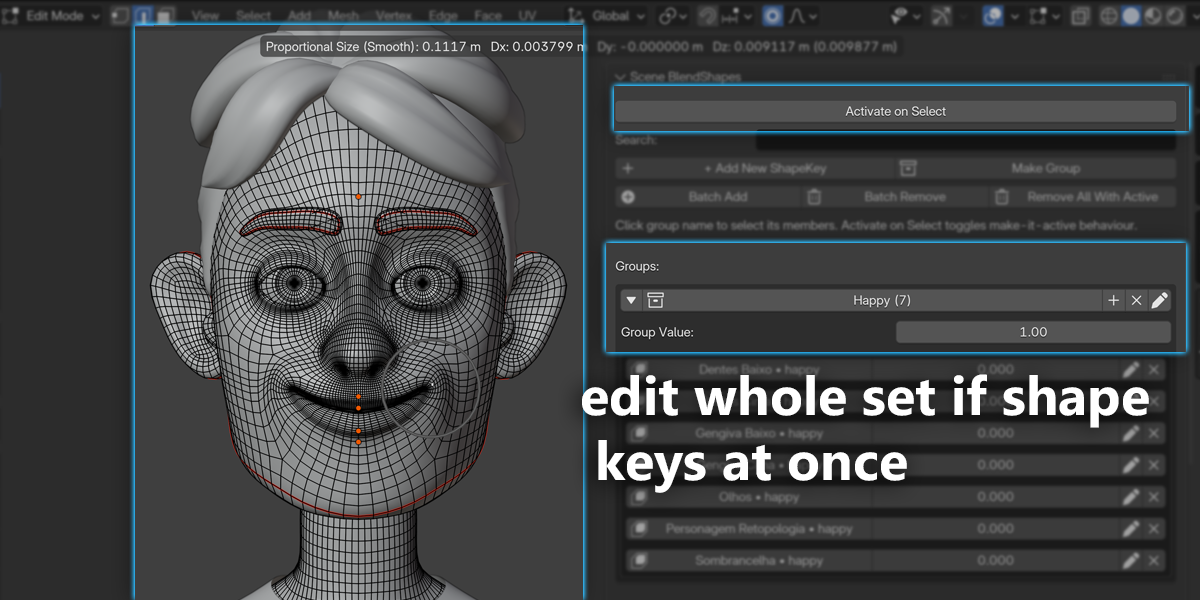
Shape Key Fixer - Manage All Scene ShapeKeys
1 mes de Skillshare
Disponible para compraGratis
Todas las membresías se facturarán automáticamente de forma recurrente hasta que se cancelen. Si cumples los requisitos para obtener una prueba gratis, cancélala antes de que finalice para evitar que se realice el cobro. Oferta válida solo para nuevos suscriptores pagos. Consulta los Términos de servicio completos aquí
Acerca de este producto

Junaid Alam
3D Artist
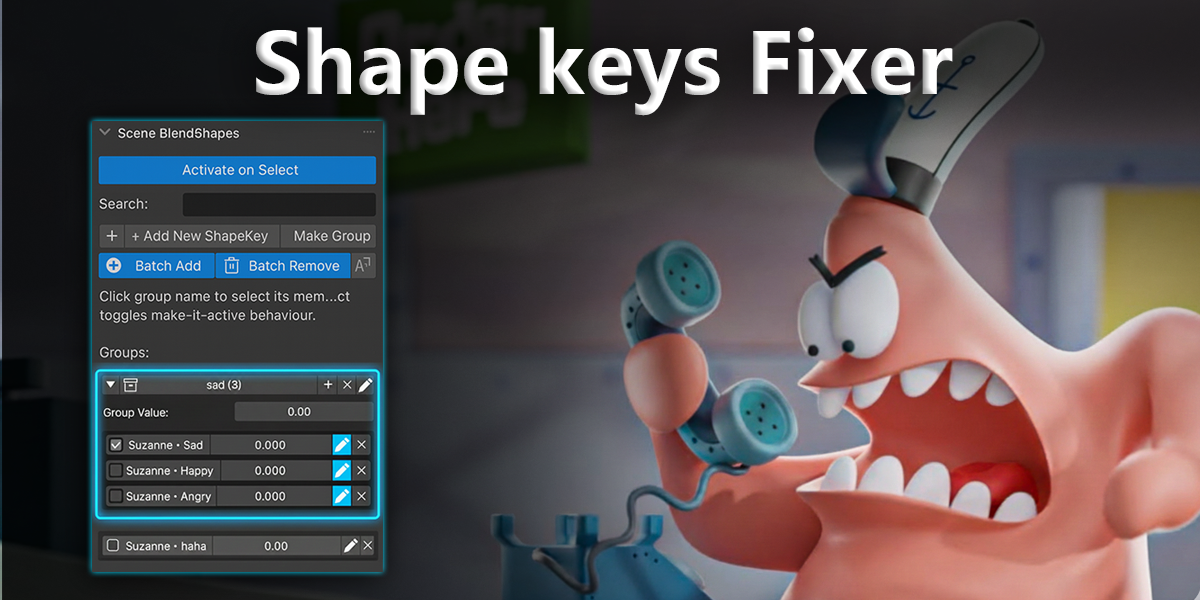
Shape Key Fixer is the professional solution for managing blend shapes across multiple objects in Blender. If you work with facial expressions, body morphs, or multi-object character rigs, this addon will save you hours of tedious work.
The Problem We Solve
Working with shape keys in Blender becomes a nightmare when you have:
Characters split across multiple objects (head, body, clothing, accessories)
50+ facial expression shape keys scattered everywhere
Corrective blend shapes that need to stay synchronized
Animation rigs where finding the right shape key takes forever
Without Shape Key Fixer:
Click through 30+ objects → Open Properties → Find the right shape key → Adjust → Repeat for every single key.
With Shape Key Fixer:
See EVERYTHING in one panel. Organize. Control. Done.
What You Get
Scene-Wide Shape Key Browser
See every shape key from every object in your entire scene, all in one organized panel. No more hunting through the Outliner. No more opening Properties 50 times. Everything is right there.
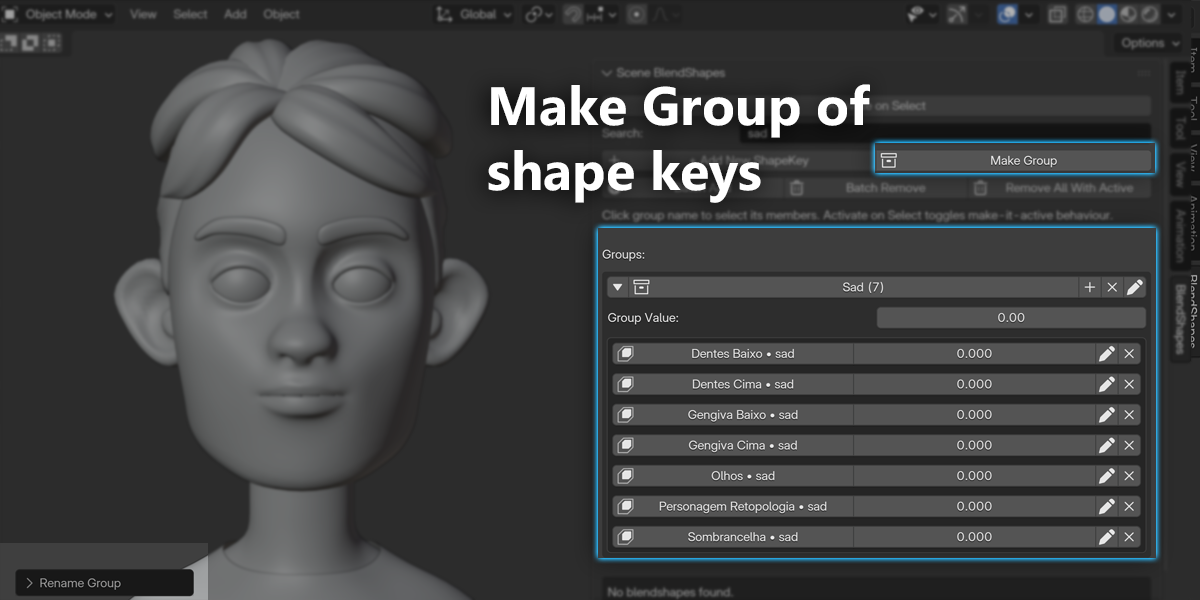
Smart Grouping System
Organize shape keys by function, not by object:
Create groups like "Smile", "Eyes_Left", "Phonemes", "Correctives"
Add keys from different objects to the same group
Perfect for facial animation, body morphs, and character rigs

Expandable/collapsible groups keep your workspace clean
Real-Time Group Sliders
Control multiple shape keys with a single slider. Set all smile-related keys to 0.5 with one movement. Test facial expressions instantly. Animate faster. This feature alone is worth the price.
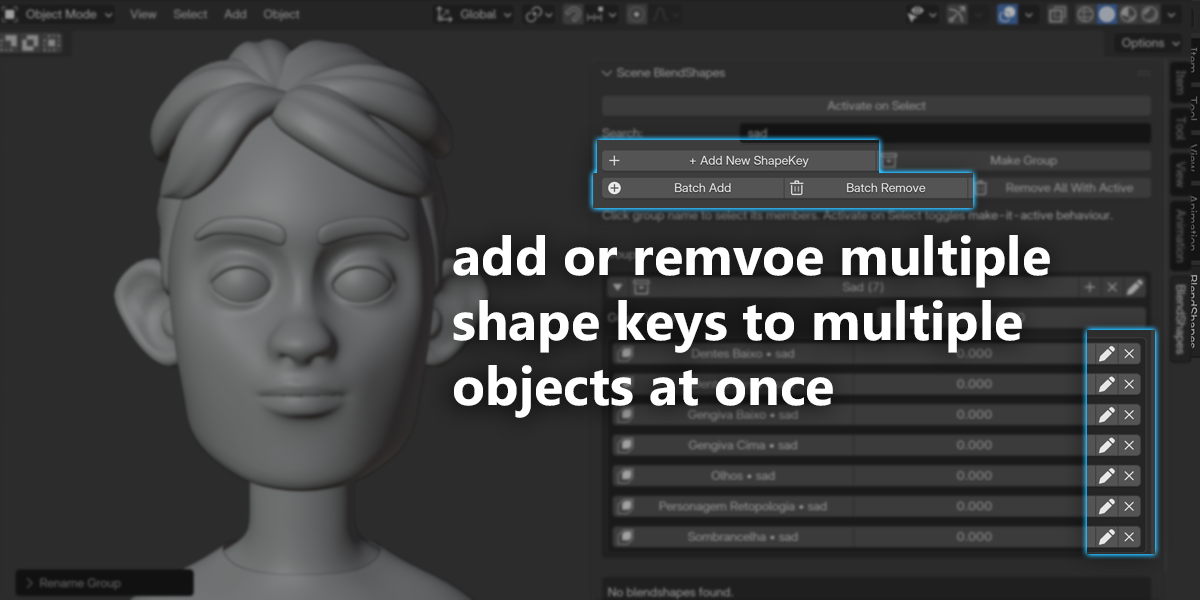
Batch Operations That Save Hours
Batch Add: Add the same shape key to 20 objects in 3 seconds
Select all clothing objects
Enter key name once
Done! All objects now have the key
Batch Remove: Delete shape keys across multiple objects instantly
Choose the key name
Select which objects
Click OK
Remove All With Active: Found a test shape key on 15 objects? Remove all instances with one click.
Quick Selection and Navigation
Click any shape key name to:
Select the object
Make it active
Set the shape key as active
Jump to it in the viewport
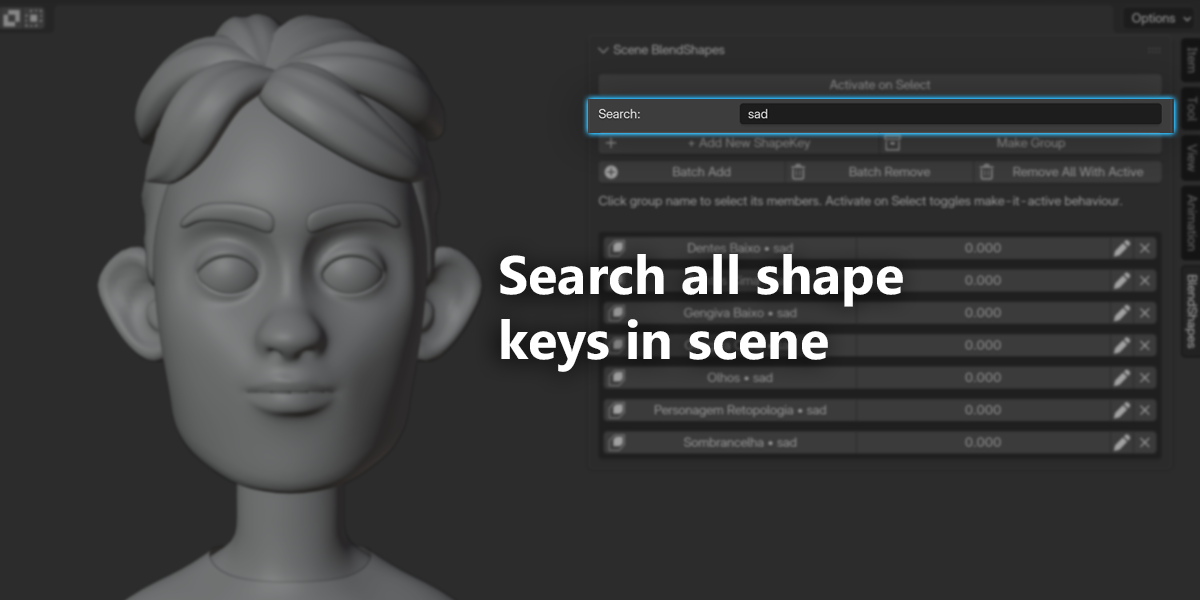
Search and Filter
Type to filter - finds shape keys by name across all objects. Case-insensitive, instant results.
Activate on Select Mode
For animators: enable this toggle and clicking a group name sets all its shape keys to 1.0. Perfect for pose-to-pose animation workflows.
Production-Safe Features
Safe Removal: proper operators, never breaks your rig
Undo/Redo: full support
Non-Destructive: never modifies meshes
Cross-Version Compatible: Blender 2.80 to 5.0+

Perfect For
Character Artists
Facial Riggers
Game Developers
Animators
Multi-Object Character setups
Real-World Workflows
Character Artist
Model your character
Add facial expressions using Batch Add
Organize into groups
Test combinations with sliders
Hand off clean, organized rig
Facial Rigger
Multiple face objects
Batch Add 52 phonemes
Group by phoneme
Test blends
Quickly remove unused keys
Animator
Enable Activate on Select
Click phoneme group
Keyframe
Switch instantly
Continue animating
Why Choose Shape Key Fixer?
Time Savings
Before: hours of manual work
After: minutes
Save 10+ hours per week


Organization
Professional grouping system keeps your rig clean.
Efficiency
Batch operations turn 30-minute tasks into seconds.
Quality of Life
Less clicking, more creating.
Technical Details
Compatibility: Blender 2.80–5.0+
Installation: via ZIP
Location: 3D Viewport Sidebar (N → BlendShapes tab)
Performance: handles 100+ shape keys
Storage: uses native scene properties
Memory: under 1MB
Preguntas frecuentes
¿Qué son los productos digitales?
Los productos digitales de Skillshare son herramientas, recursos y plantillas elaboradas por expertos y desarrolladas por los mejores creativos, que están disponibles para la compra. Con una amplia gama de recursos que se adaptan a todas las necesidades creativas, son prácticos y hacen que tu experiencia de aprendizaje sea real e inolvidable.
¿Cómo puedo comprar un producto digital?
Cualquier persona puede comprar un producto digital en Skillshare — haz clic en Comprar ahora para ingresar tu información de pago y completar tu compra. Una vez completado el pago, todos los archivos estarán disponibles para la descarga al instante desde esta página. También recibirás un correo electrónico con un enlace para descargar tu producto digital después de la compra.
¿Hay un límite en el número de veces que puedo descargar un producto digital?
No, no hay límite en la cantidad de veces que puedes descargar un producto digital. Incluso si el creador elimina un producto, aún puedes acceder a la página de descarga en la mayoría de los casos iniciando sesión en tu cuenta de Skillshare.
¿Puedo obtener un reembolso o cancelar la compra de mi producto digital?
Los productos digitales no son reembolsables y no se pueden devolver ni cancelar. Para obtener más información, consulta nuestra Política de reembolso en el Centro de ayuda de Skillshare.
¿Puedo hacer y vender mis propios productos digitales?
¡Absolutamente! Visita ¿Cómo puedo vender un producto digital en Skillshare? para aprender cómo puedes crear, listar y vender tus propios productos digitales en Skillshare.