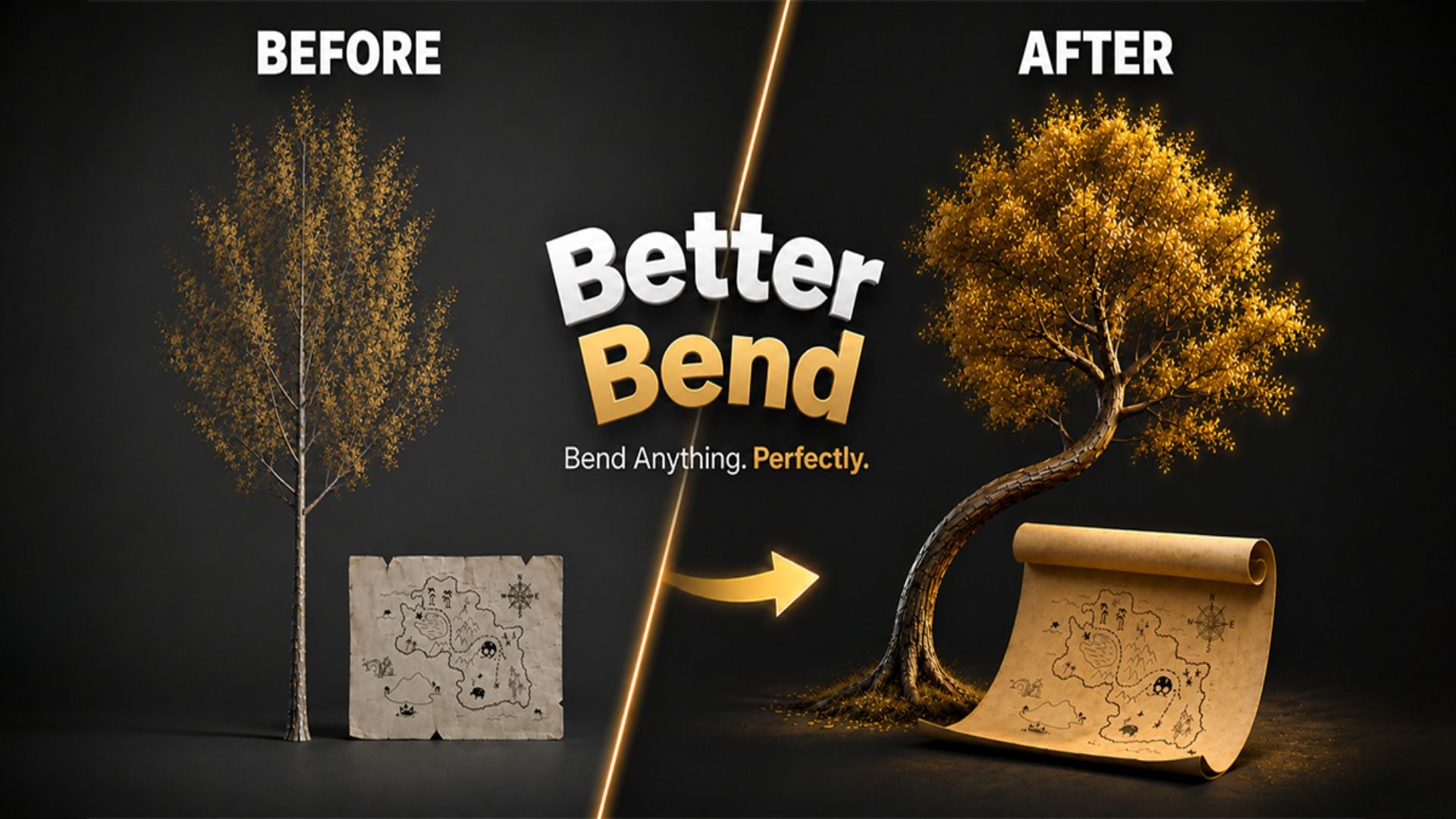
Better Bend - Geometry Nodes Bend Modifier
1 mes de Skillshare
Disponible para compraGratis
Todas las membresías se facturarán automáticamente de forma recurrente hasta que se cancelen. Si cumples los requisitos para obtener una prueba gratis, cancélala antes de que finalice para evitar que se realice el cobro. Oferta válida solo para nuevos suscriptores pagos. Consulta los Términos de servicio completos aquí
Acerca de este producto

Junaid Alam
3D Artist
Blender's Simple Deform modifier has a persistent problem. Its bend axis convention is counterintuitive, one-sided bending requires manual limit guesswork, and there is no clean way to offset the pivot without restructuring your scene. For a single exploratory bend it is tolerable. For production work including pipes, cables, architectural profiles, product renders, game props, or any geometry where controlled deformation is part of the workflow, it costs you time every single session.
Better Bend is a Geometry Nodes powered bend modifier built for Blender. It replaces the friction of Simple Deform's Bend mode with a direct, artist-facing interface that behaves exactly as expected. Pick the axis your geometry extends along, drag the bend amount, and it bends. One-side curl, real-unit limits, pivot offsets, and rotation framing are all first-class controls accessible from a clean N-panel with progressive disclosure that keeps common settings visible and advanced settings one click away.


What it does differently
You select the axis your geometry runs along and Better Bend maps that correctly to Blender's internal orientation automatically. That single change eliminates the entire setup ritual that Simple Deform demands: rotate the object, apply transforms, guess the axis, undo everything.
One-sided bending is exposed as a named Bend Style. Both Sides, Plus Side, or Minus Side. One click. The Start and End limits update automatically, or you override them manually with real Blender distance units.
The Pivot and Rotation sub-panel lets you move the bend center anywhere in object-local space without touching the object's origin. Your scene hierarchy stays intact through every revision.
For coils, springs, and helices, the Bend Amount slider accepts values beyond 360 degrees via direct input. For heavy meshes, a Live Update toggle switches from real-time feedback to a manual Update button for controlled iteration.
Apply Settings to Selected propagates your configuration to all selected objects simultaneously. One setup, many objects, immediate deployment across repeated assets.


The modifier lives in Blender's standard stack. Add Subdivision before it for denser geometry. Add Mirror after it for symmetric pieces. Wrap it in an Array for tiled curved segments. It stacks cleanly with every native Blender modifier and remains fully non-destructive until you deliberately apply it. UV coordinates are preserved through deformation.
Built with Geometry Nodes and fully transparent. Not a compiled black box. Open the node group, inspect the logic, and understand exactly what runs on your geometry. GPL-3.0 licensed for studio-safe adoption.
Ideal for hard surface modelers, product visualization artists, architectural visualization specialists, game asset creators, motion designers, environment artists, and any Blender professional who models with bent geometry and expects the tool to work without fighting it.
If you have ever spent more than a minute setting up a simple bend in Blender, you already know exactly what Better Bend is worth.
Preguntas frecuentes
¿Qué son los productos digitales?
Los productos digitales de Skillshare son herramientas, recursos y plantillas elaboradas por expertos y desarrolladas por los mejores creativos, que están disponibles para la compra. Con una amplia gama de recursos que se adaptan a todas las necesidades creativas, son prácticos y hacen que tu experiencia de aprendizaje sea real e inolvidable.
¿Cómo puedo comprar un producto digital?
Cualquier persona puede comprar un producto digital en Skillshare — haz clic en Comprar ahora para ingresar tu información de pago y completar tu compra. Una vez completado el pago, todos los archivos estarán disponibles para la descarga al instante desde esta página. También recibirás un correo electrónico con un enlace para descargar tu producto digital después de la compra.
¿Hay un límite en el número de veces que puedo descargar un producto digital?
No, no hay límite en la cantidad de veces que puedes descargar un producto digital. Incluso si el creador elimina un producto, aún puedes acceder a la página de descarga en la mayoría de los casos iniciando sesión en tu cuenta de Skillshare.
¿Puedo obtener un reembolso o cancelar la compra de mi producto digital?
Los productos digitales no son reembolsables y no se pueden devolver ni cancelar. Para obtener más información, consulta nuestra Política de reembolso en el Centro de ayuda de Skillshare.
¿Puedo hacer y vender mis propios productos digitales?
¡Absolutamente! Visita ¿Cómo puedo vender un producto digital en Skillshare? para aprender cómo puedes crear, listar y vender tus propios productos digitales en Skillshare.