Arabian Shader Pack for Blender: 31 Stylized Mater
1 mes de Skillshare
Disponible para compraGratis
Todas las membresías se facturarán automáticamente de forma recurrente hasta que se cancelen. Si cumples los requisitos para obtener una prueba gratis, cancélala antes de que finalice para evitar que se realice el cobro. Oferta válida solo para nuevos suscriptores pagos. Consulta los Términos de servicio completos aquí
Acerca de este producto

3D Tudor
Bestselling Blender Author & 3D Educator
Build stronger Arabian-inspired Blender scenes with one shader library designed to work as a coherent visual system.
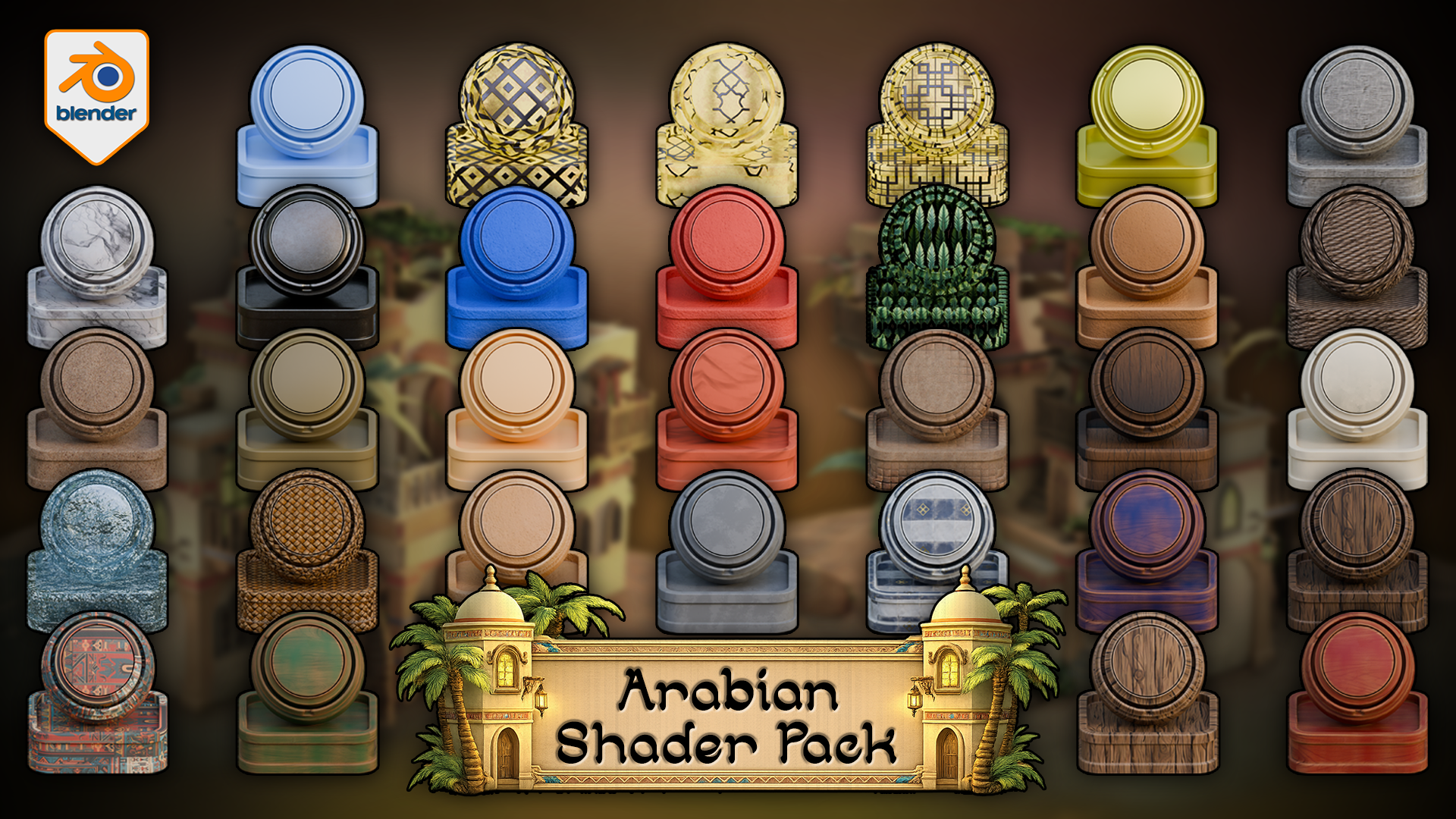
 Arabian Shader Pack for Blender hero image showing a stylized material library with plaster, stone, wood, marble, woven detail, foliage, ornamental panels, tiled surfaces, and scene-building accents.
The Arabian Shader Pack for Blender includes 31 verified materials built for stylized architecture, props, courtyards, trims, foliage, glowing windows, terrain blending, and water. Rather than patching a scene together from unrelated shaders, this pack gives you a controlled material library designed for hierarchy, contrast, and practical reuse inside Blender.
 Rendered Blender 5 viewport demo of the vertex-paint floor shader, where Red reveals stylized stone tiles through sand, Blue controls visibility, and Green plus Alpha stay free for custom extensions.
Inside the pack, you get 24 texture-based materials, 1 fully procedural water shader, 4 simple solid-colour materials, 13 materials with automatic edge wear, 4 displacement-enabled materials, 1 alpha-cutout foliage material, and 3 emissive window shaders. All textured materials include adjustable tiling, which makes the library easier to scale across different asset sizes and scene roles.
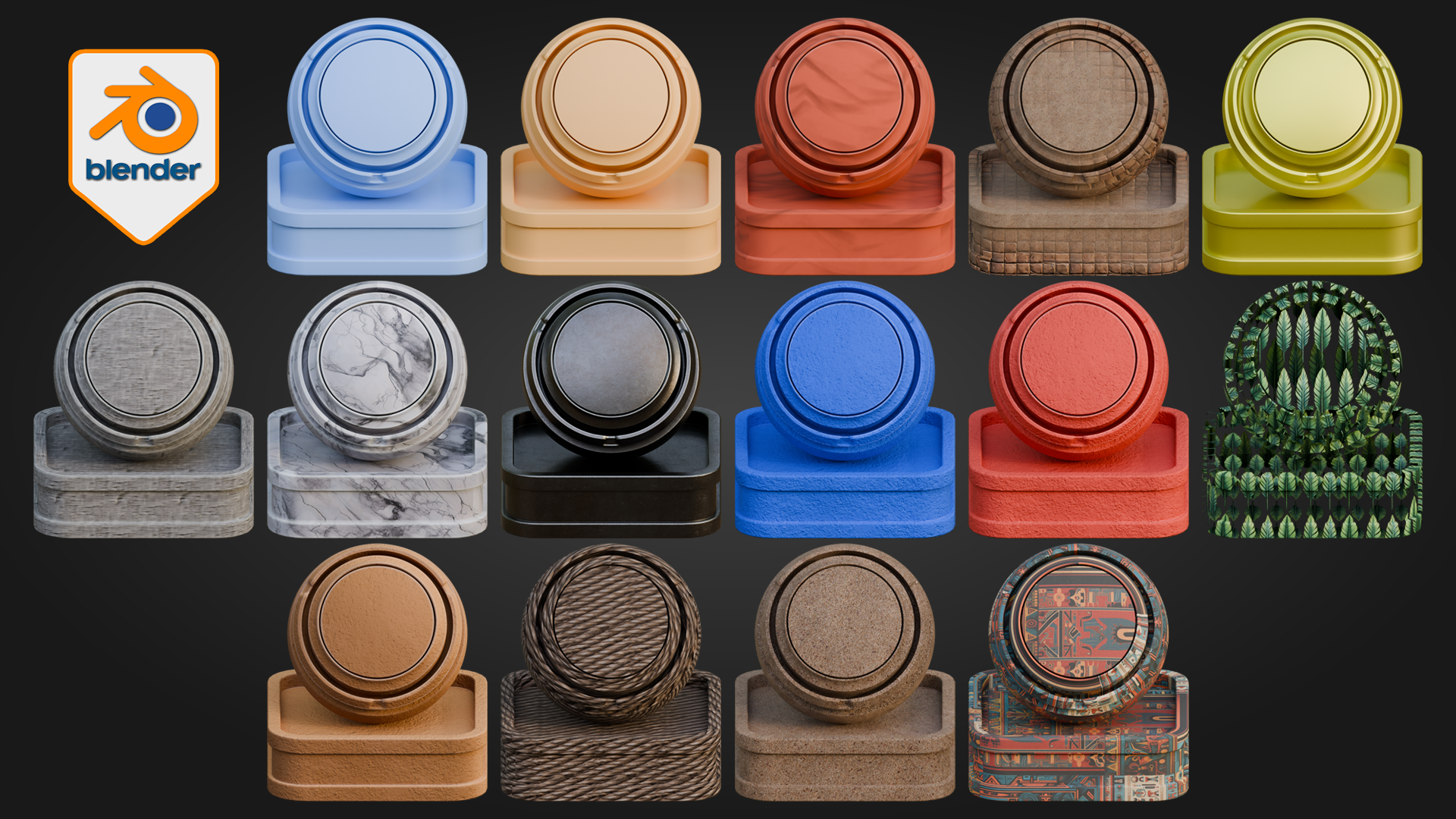
 Blender material contact sheet previewing stylized plaster, marble, woven fibres, painted surfaces, foliage-card shading, and ornamental Arabian patterns from the pack.
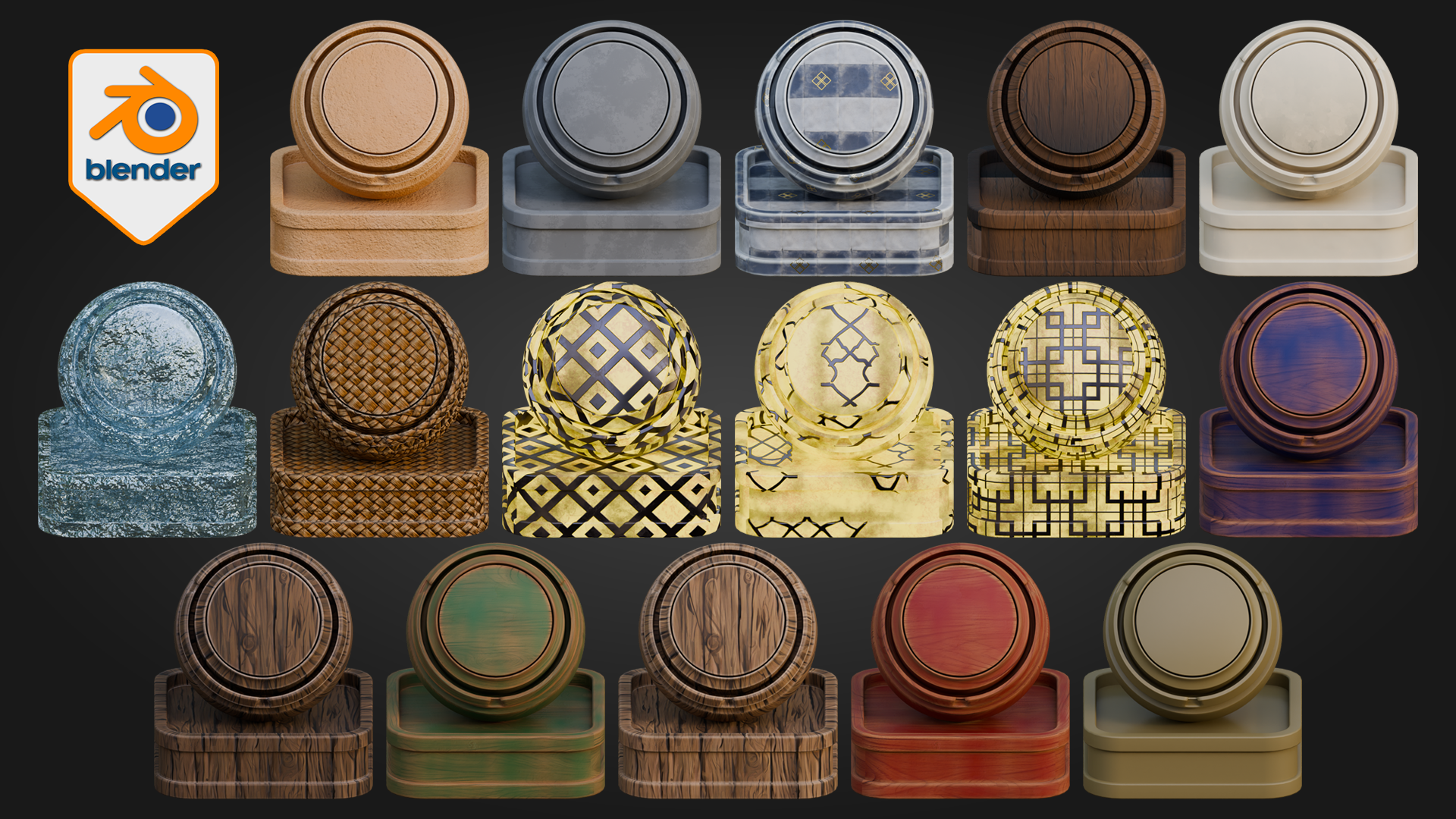
 Second Blender material contact sheet showing wood variants, tiled ceramic surfaces, translucent blue specialty shading, woven fibres, and cream-and-gold ornamental finishes.
The material coverage is built for real scene work: painted woods, natural woods, stone, marble, wall finishes, rope, weave, sand, decorative patterned surfaces, metallic accents, palm leaves, lit window shaders, and procedural water. Some materials are deliberately simple for quieter support areas and blocking. Others are more layered and are designed to carry visual weight on doors, trims, beams, courtyards, hero props, and decorative architecture. That balance is what helps a scene feel controlled rather than noisy.
Node & Control Highlights
Floor shader
Red reveals stylized stone tiles through sand
Blue controls visibility
Green and Alpha remain free for custom use
Tiling, displacement, and normal strength can be adjusted for stronger or softer ground depth
Water shader
Adjust water colour
Control wave scale
Tune transparency and refraction
Adjust glow and displacement for calmer or more active water surfaces
Edge-wear materials
Wear amount, tiling, and surface breakup can be pushed or softened depending on whether the material is being used on cleaner props or more weathered architectural surfaces.
One of the standout features is the floor shader. It uses an interactive vertex-paint workflow directly inside Blender, where Red reveals stylized stone tiles through sand, Blue controls visibility, and Green plus Alpha remain free for custom use. That makes it especially useful for courtyards, thresholds, walkways, and larger ground areas where a single flat surface quickly becomes dull.
To use it, apply the material to a mesh with enough geometry to paint on, make sure the mesh is unwrapped, switch to Vertex Paint mode, paint Blue across the surface to make it visible, then paint Red where you want the stylized stone tiles to emerge through the sand. The result updates directly in the Blender viewport as you work, which makes the material much faster to use than building a separate masking workflow around the same job.
 Applied Blender environment render showing the Arabian Shader Pack in use across plaster walls, trim, rooftops, ground surfaces, doors, balconies, and palm-framed architectural details.
The pack also extends beyond isolated object surfacing. Emissive windows, alpha foliage, adjustable tiling, displacement on key materials, and fully procedural water help the shader library support full Blender environments rather than single props alone. The result is a stronger starting point for artists who want scene cohesion, material hierarchy, and practical reuse in stylized Arabian-inspired work.
In larger scenes, the pack is strongest when displacement is used deliberately rather than pushed across every surface by default. The simpler materials keep support areas lighter and quieter, while the more layered shaders and deeper displacement are better reserved for focal surfaces where the extra depth actually pays off.
This pack is built for Blender 5 and for Cycles. It is designed for artists building and surfacing scenes directly inside Blender. For artists who later adapt their work into broader pipelines, the strongest fit still begins with Blender scene-building and surfacing first rather than expecting one-click parity outside that workflow.
Happy modelling everyone!
Neil
Preguntas frecuentes
¿Qué son los productos digitales?
Los productos digitales de Skillshare son herramientas, recursos y plantillas elaboradas por expertos y desarrolladas por los mejores creativos, que están disponibles para la compra. Con una amplia gama de recursos que se adaptan a todas las necesidades creativas, son prácticos y hacen que tu experiencia de aprendizaje sea real e inolvidable.
¿Cómo puedo comprar un producto digital?
Cualquier persona puede comprar un producto digital en Skillshare — haz clic en Comprar ahora para ingresar tu información de pago y completar tu compra. Una vez completado el pago, todos los archivos estarán disponibles para la descarga al instante desde esta página. También recibirás un correo electrónico con un enlace para descargar tu producto digital después de la compra.
¿Hay un límite en el número de veces que puedo descargar un producto digital?
No, no hay límite en la cantidad de veces que puedes descargar un producto digital. Incluso si el creador elimina un producto, aún puedes acceder a la página de descarga en la mayoría de los casos iniciando sesión en tu cuenta de Skillshare.
¿Puedo obtener un reembolso o cancelar la compra de mi producto digital?
Los productos digitales no son reembolsables y no se pueden devolver ni cancelar. Para obtener más información, consulta nuestra Política de reembolso en el Centro de ayuda de Skillshare.
¿Puedo hacer y vender mis propios productos digitales?
¡Absolutamente! Visita ¿Cómo puedo vender un producto digital en Skillshare? para aprender cómo puedes crear, listar y vender tus propios productos digitales en Skillshare.