iPad Pro Backup
This is a GREAT beginner's class on organizing files in Procreate. Backing up files is near and dear to my heart. I don't think people can hear back up your files too much.
A few months ago I upgrade my ipad because I was growing out of it mainly because of Procreate. I did extensive research in order to figure out how to back up my previous procreate files so I wouldn't lose them.
My iPad is already organized because I back up and delete file off my iPad regularly about twice a week. I did find the screenshot of stacks BRILLIANT!
Also not only do your files need backing up so do brushes. If you have taken more than 4 Procreate classes on Skillshare you probably are gathering quite a collection of brushes. If Procreate crashes and needs to be reinstalled you could lose all those brushes. Back up brushes too.
The file back up outlined in this class is for ipad backup to a Mac. The back up is different for Window.
Also, if you are using the free version of Dropbox you will find you can't upload very many files, maybe 8 at once and you will have to delete other files from Dropbox if you have a lot of files to back up.
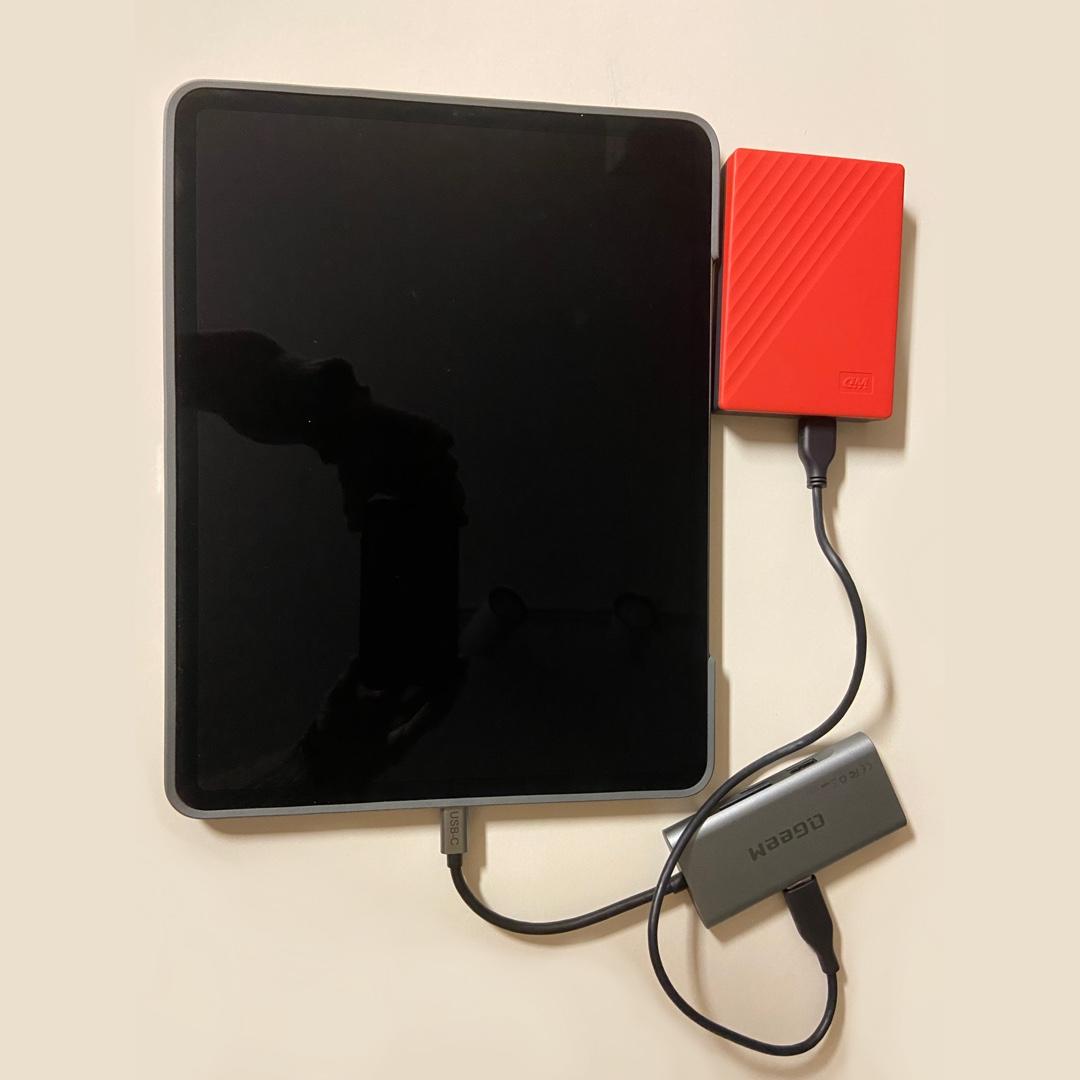
I have both Windows and Mac, however I mainly use my Windows based computer. I have included an image of my iPad and the hard drive equipment I use to back up files from my iPad to my external hard drive. It is possible to backup from the iPad (depending on your model) to an external hard drive directly. The most important thing to know is that you have to format the hard drive to ExFat BEFORE you save anything on the hard drive.
Formatting wipes everything off a hard drive so anything saved beforehand will be lost. Formatting has to be done from a Mac.
When I tried to format my hard drive on my Windows my iPad wouldn't recognize it. When I formatted the hard drive from my Mac I didn't have any problem getting my Mac, iPad, or Windows computer to recognize it. I have a USB to USB-C Converter because I use a Windows Computer and so I have USB hard drive cable so I can use it with everything.
One last word on external hard drive. You should expect to be able to comfortably use a hard drive around 3 years before you need to start thinking about hard drive failure. You should replace them about every 3 years. Important files should be backed up to 2 hard drives as Maja said. Don't bet that your files will safe because you are using an online back up system. I have experienced backup failure from both online backup and my own hard drive failures.