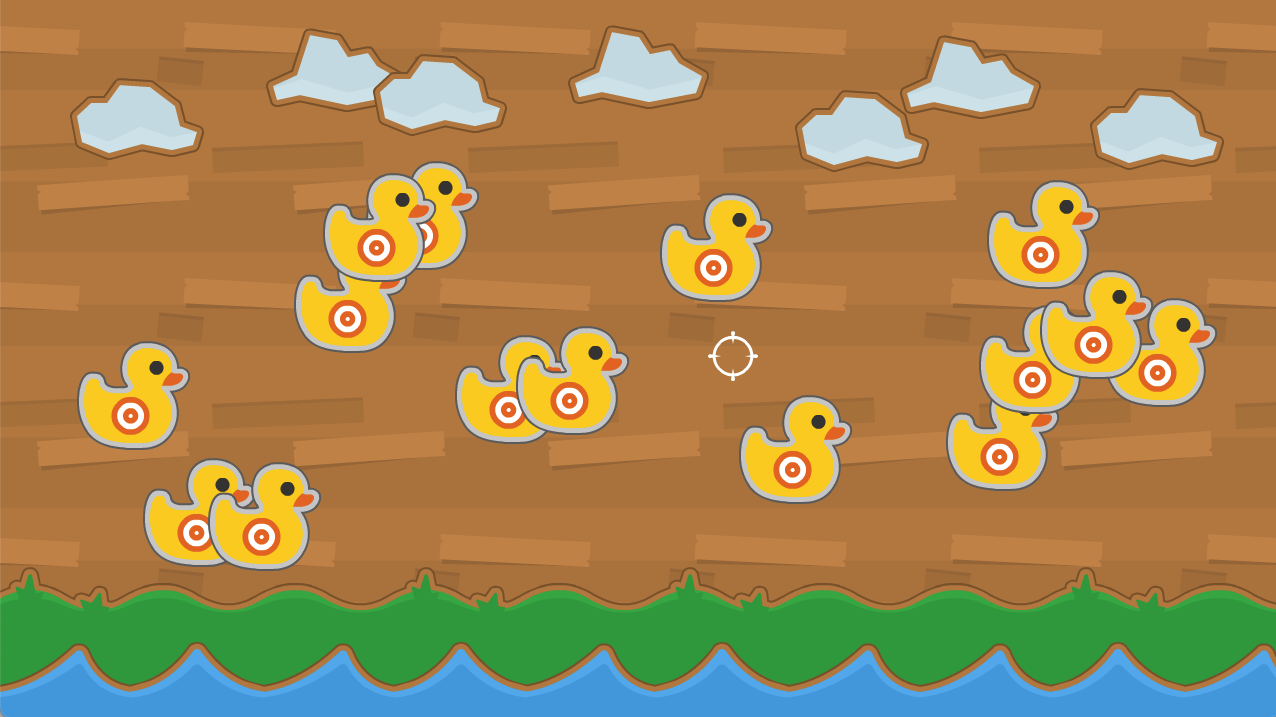
Shooting Ducks
Hi, here is my version of "Shooting Ducks". I allowed myself to add a little something extra, which is the sound of the shot when you click with the mouse.
I would really like to know how not to hit two ducks at the same time, when one is overlapping the other.
I look forward to the next lessons.
If you can explain me, if it is not too complicated, how I solve this little problem of overlapping ducks, I would appreciate it.
Thank you very much and congratulations for the classes. Very well explained.
I don't know how to post the result here on SkillShare so....
Here's the code:
import pygame
from pygame.locals import *
import sys
import random
pygame.init()
screen = pygame.display.set_mode((1280, 720))
clock = pygame.time.Clock()
wood_bg = pygame.image.load('Wood_BG.png')
land_bg = pygame.image.load('Land_BG.png')
water_bg = pygame.image.load('Water_BG.png')
cloud1 = pygame.image.load('Cloud1.png')
cloud2 = pygame.image.load('Cloud2.png')
land_position_y = 580
land_speed = 0.5
water_position = 640
water_speed = 0.15
cloud1_x_position = 70
cloud1_y_position = 80
cloud1_speed = .25
crosshair = pygame.image.load('crosshair.png')
duck_surface = pygame.image.load('duck.png')
crosshair_rectangle = crosshair.get_rect()
duck_list = []
for duck in range(15):
duck_position_x = random.randrange(50, 1200)
duck_position_y = random.randrange(200, 550)
duck_rectangle = duck_surface.get_rect(center=(duck_position_x, duck_position_y))
duck_list.append(duck_rectangle)
sound_click = pygame.mixer.Sound("shot.mp3")
while True:
for event in pygame.event.get():
if event.type == QUIT:
pygame.quit()
sys.exit()
if event.type == MOUSEMOTION:
crosshair_rectangle = crosshair.get_rect(center=event.pos)
if event.type == MOUSEBUTTONDOWN and event.button == 1:
for index, duck_rectangle in enumerate(duck_list):
if crosshair_rectangle.colliderect(duck_rectangle):
del duck_list[index]
sound_click.play()
screen.blit(wood_bg, (0, 0))
land_position_y -= land_speed
if land_position_y <= 560 or land_position_y >= 600:
land_speed *= -1
screen.blit(land_bg, (0, land_position_y))
water_position -= water_speed
if water_position <= 630 or water_position >= 650:
water_speed *= -1
screen.blit(water_bg, (0, water_position))
for duck_rectangle in duck_list:
screen.blit(duck_surface, duck_rectangle)
screen.blit(crosshair, crosshair_rectangle)
screen.blit(cloud1, (cloud1_x_position, cloud1_y_position))
screen.blit(cloud2, (266, 30))
screen.blit(cloud1, (cloud1_x_position + 303, cloud1_y_position / 2 + 16))
screen.blit(cloud2, (568, 27))
screen.blit(cloud1, (795, 92))
screen.blit(cloud2, (900, 37))
screen.blit(cloud1, (1090, 90))
pygame.display.update()
clock.tick(120)