Mastering Problem Solving: From Patterns to Possibilities
This project is all about learning how to tackle problems step by step by breaking them down, finding patterns, and thinking logically. We’ll use two well-known challenges—Sudoku and Pascal’s Triangle—to explore different ways of approaching problems, making sense of complexity, and building clear strategies.
Problems aren’t always straightforward, but with the right mindset, you can turn even the most confusing challenges into something manageable. This project will show how using the right approach and breaking a problem into parts helps in finding solutions more efficiently.
1. Sudoku: Solving Puzzles with Logic and Deduction
- What We Learn: How to use logic, elimination, and backtracking to solve a problem step by step.
- How:
- Sudoku seems simple with a 9x9 grid, but it’s a perfect way to explore patterns, constraints, and logical thinking.
- We can see how backtracking lets us explore possibilities systematically by trying different options and going back whenever we hit a dead end.
- And it’s not limited to a 9x9 grid—Sudoku can grow to 18x18, 36x36, and even larger sizes. Each bigger grid teaches us about scalability and dealing with more complex patterns.
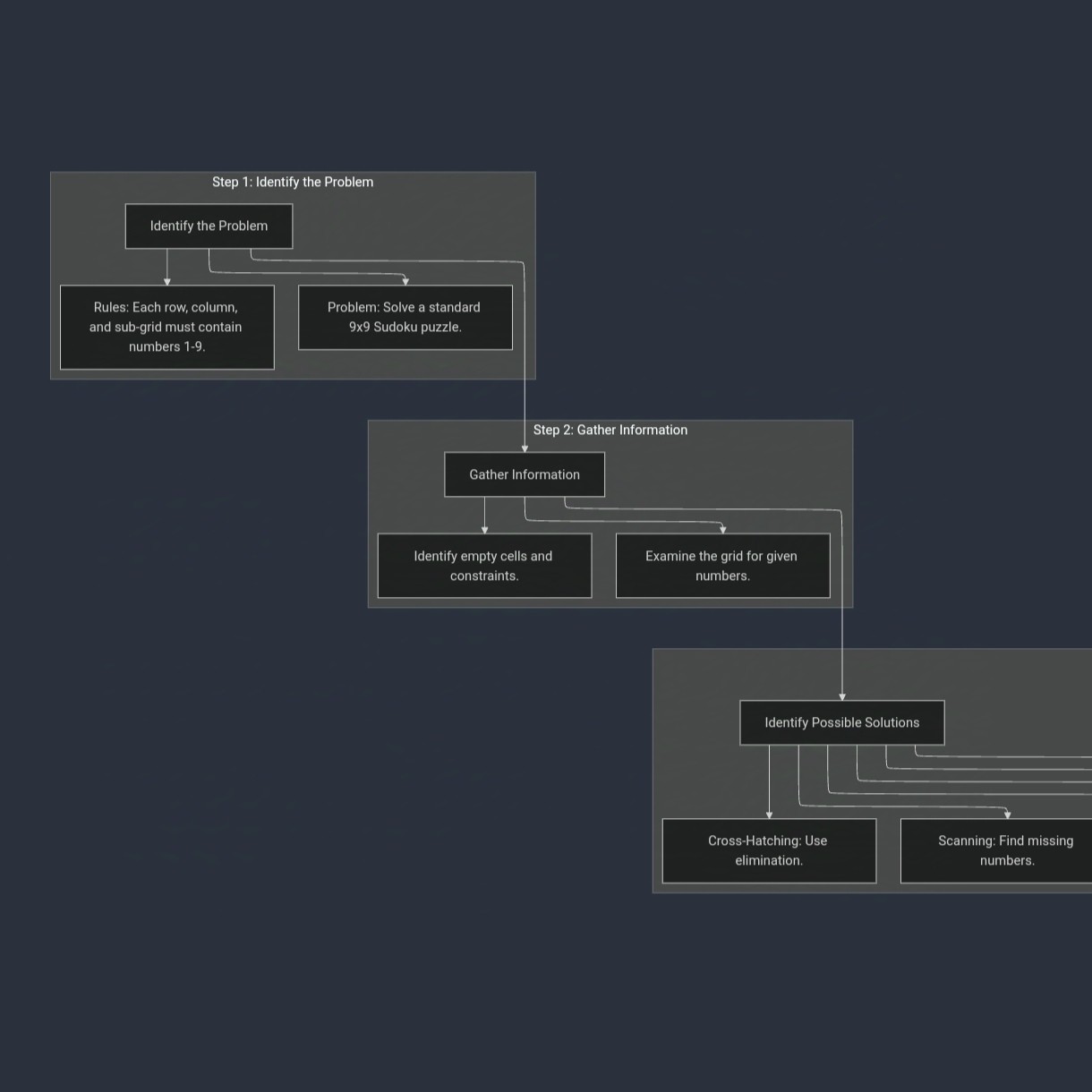
- Created utilizing mermaid.js, link for the full picture: https://www.mermaidchart.com/raw/a022368e-e731-4f22-ae72-73ef3514d6bd?theme=dark&version=v0.1&format=svg
2. Pascal’s Triangle: An Infinite Journey of Patterns and Flexibility
- What We Learn: The idea of abstract thinking, adaptability, and continuous processes.
- How:
- Pascal’s Triangle isn’t just a neat math pattern—it’s an algorithmic process that can start with any number, not just 1.
- We can explore how it can go infinitely, adapting to any starting point while still following the same pattern of summing adjacent numbers.
- This shows that solutions aren’t always fixed and can be tailored to fit different starting points and scenarios.
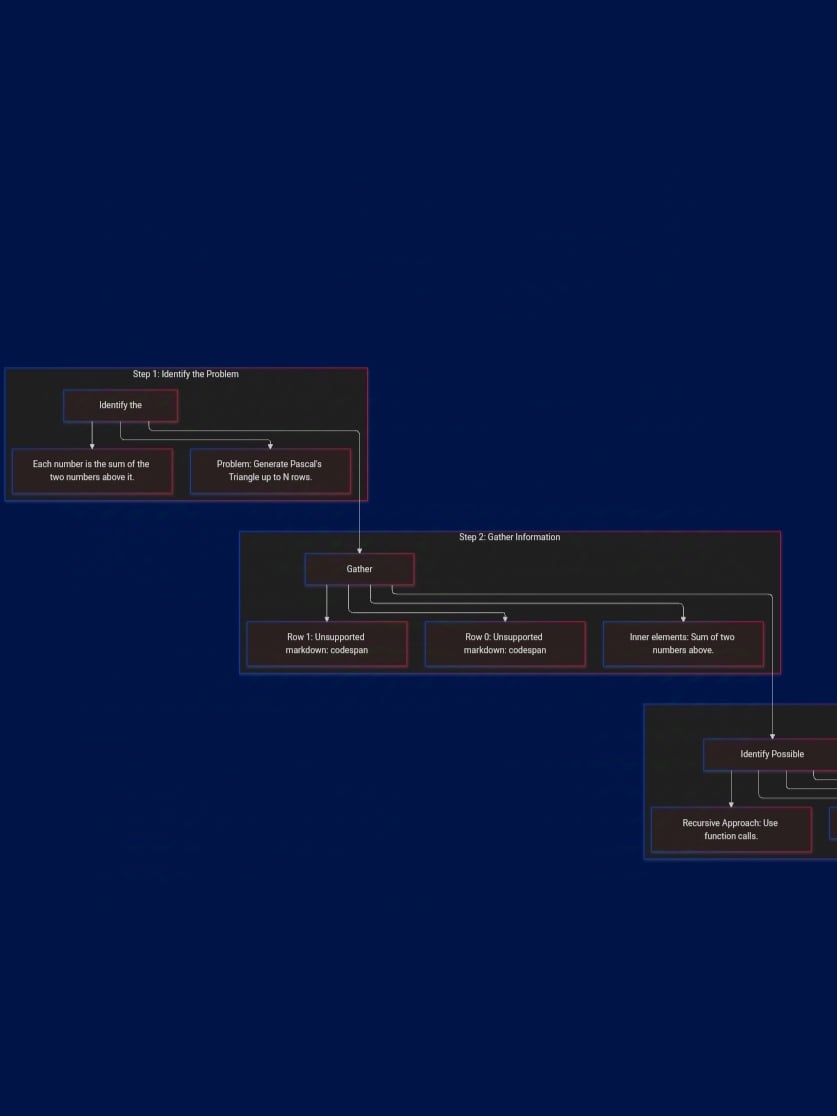
- Link for the full picture: https://www.mermaidchart.com/raw/4360cfc4-8a4d-4fc2-8602-b950e5c55bc9?theme=dark&version=v0.1&format=svg
So Sudoku and Pascal’s Triangle are both powerful examples of problem-solving concepts.
Sudoku focuses on logical deduction and constraint satisfaction, requiring the player to fill a 9x9 grid by adhering to strict rules where each number must appear only once in rows, columns, and subgrids.
It teaches pattern recognition, elimination, and backtracking algorithms, showcasing systematic exploration and logical reasoning.
On the other hand, Pascal’s Triangle highlights abstraction, scalability, and adaptability, as it follows a simple summing pattern but can start with any initial value, not just 1.
It demonstrates how recursive and iterative processes can generate complex patterns while remaining flexible and scalable to any size.
Together, these examples illustrate how breaking problems into smaller parts, recognizing patterns, and applying systematic and adaptable strategies are essential skills for tackling challenges across mathematics, computer science, and real-world scenarios.
With this concept in mind, I created 2 codes of which are capable of generating the pascal's triangle —
1st code for indefinite generation:
def pascals_triangle():
row = [1]
while True:
yield row
row = [1] + [row[i] + row[i + 1] for i in range(len(row) - 1)] + [1]
for row in pascals_triangle():
print(row)
Let’s break down how this code works step by step in a simple and relatable way.
The Concept of Pascal's Triangle and Generators
Imagine you're building Pascal's Triangle row by row. Each row is created by adding up pairs of numbers from the previous row. For example:
- Row 0: [1]
- Row 1: [1, 1]
- Row 2: [1, 2, 1]
- Row 3: [1, 3, 3, 1]
You want this process to continue indefinitely, and that's what the generator in this code helps do.
1. The pascals_triangle()
Function
def pascals_triangle(): row = [1]
- The code starts with a row [1]. This is the base of Pascal’s Triangle.
- The row is just [1] at first because that's how Pascal's Triangle begins.
2. The Infinite Loop (while True)
while True: yield row
- Here, we have a while True loop, which means it will run forever.
- The yield statement is special in Python. Instead of returning a result and stopping, it pauses the function, sends the row back to wherever it was called, and then resumes execution from exactly where it left off.
- In simple terms, yield acts like a pause-and-resume button.
3. Creating the Next Row
After the yield:
row = [1] + [row[i] + row[i + 1] for i in range(len(row) - 1)] + [1]
- Now, this line calculates the next row in Pascal's Triangle by adding adjacent numbers from the current row.
For example:
- If the current row is [1, 3, 3, 1], it adds adjacent pairs like 3+3 and 3+1, producing [6, 4].
- It places a 1 at the beginning and end of the row to follow Pascal’s pattern.
So, every row is generated by summing pairs of numbers from the previous row and adding 1 on both sides.
4. The for Loop that Calls the Generator
for row in pascals_triangle(): print(row)
- This loop calls the pascals_triangle() generator.
- The for loop asks the generator to produce the next row each time it runs.
- Since the generator has no stopping condition, it keeps generating rows infinitely.
- The for loop continues to request and print each row as long as the generator keeps running.
Why Does It Never Stop?
- The while True in the generator ensures that new rows are created endlessly.
- Every time the generator hits the yield statement, it pauses, sends back the row, and then resumes to create the next row.
- The for loop keeps requesting new rows without any built-in condition to stop.
In short, this code loops forever because it’s designed to create an infinite sequence of rows in Pascal's Triangle. It's a neat demonstration of infinite loops, pattern generation, and generators in Python, showcasing how you can handle endless sequences without running into memory or performance issues, as long as you control it properly.
2nd code for a definite generation
def pascals_triangle():
row = [1]
while True:
yield row
row = [sum(pair) for pair in zip([0] + row, row + [0])]
if __name__ == "__main__":
triangle = pascals_triangle()
for i, row in enumerate(triangle):
print(row)
if i == 20:
break
let's break down the code step by step like the first one.
Purpose of the Code
The goal of the code is to generate Pascal's Triangle row by row and stop after printing the first 21 rows (20 rows plus the starting row).
Think of Pascal’s Triangle like a pyramid where each row builds upon the previous one. Each number in a row is the sum of the two numbers directly above it from the previous row.
Step 1: Define the Generator Function
In Python, a generator allows you to create an infinite sequence of values one at a time without using a lot of memory.
Here’s the generator function:
def pascals_triangle():
row = [1]
while True:
yield row
row = [sum(pair) for pair in zip([0] + row, row + [0])]
Let's break it down:
- Starting with the First Row
row = [1]
- This line initializes the triangle with the first row [1]. It’s the top of our Pascal's Triangle.
- Infinite Loop to Generate Rows
while True:
yield row
- The while True loop means the code will run forever.
- The yield statement pauses the function, returns the current row to the caller, and resumes from where it left off the next time it's called.
- Calculating the Next Row
row = [sum(pair) for pair in zip([0] + row, row + [0])]
-
This line creates the next row by adding adjacent numbers in the current row.
-
How does it work?
- zip([0] + row, row + [0]) creates pairs of adjacent numbers from the current row, with 0 on both sides to handle the edge cases.
- For example:
- If row is [1, 3, 3, 1], zip pairs up numbers like (1,3), (3,3), and (3,1).
- Then, it sums these pairs to form the new row [1, 4, 6, 4, 1].
Step 2: Using the Generator in the Main Program
Now let's see the if __name__ == "__main__": part of the code:
if __name__ == "__main__":
triangle = pascals_triangle()
for i, row in enumerate(triangle):
print(row)
if i == 20:
break
This section calls and uses the generator to print rows of Pascal’s Triangle.
- Initialize the Generator
triangle = pascals_triangle()
- Here, you create the generator triangle. It starts running the generator function pascals_triangle().
- Loop to Print Rows
for i, row in enumerate(triangle):
print(row)
if i == 20:
break
- The for loop requests rows from the generator one at a time.
- enumerate keeps track of how many rows have been generated (i).
- print(row) displays each row on the console.
- Stopping Condition: if i == 20: break
- After printing the 21st row (since counting starts at i=0), the if condition stops the loop.
This code continuously builds Pascal's Triangle row by row. It stops automatically after printing 21 rows, but thanks to the generator, it avoids loading all rows into memory at once.
- Generators act like lazy-loading machines, producing rows only when requested.
- The zip function neatly handles the addition of adjacent numbers to form each new row.
- The main loop ensures you only print as many rows as needed.
The code efficiently builds Pascal’s Triangle while stopping exactly where you want, without unnecessary memory waste.
But beyond just generating rows, it encourages a different way of thinking.
You don’t have to be confined by strict patterns or the usual constraints of systematic approaches.
Instead, this lets you break free from the limitations you see and create your own path.
Be creative, explore possibilities beyond the obvious, and embrace the idea of inventing your own options rather than just following those already laid out.
In the end, it’s about moving beyond patterns and numbers—it's about breaking boundaries and shaping your own vision.
This project is not just about Sudoku or Pascal’s Triangle—it’s about learning how to think strategically, adapt to challenges, and find clarity in complexity. It’s about transforming confusion into strategy, turning chaos into order, and, most importantly, learning how to tackle any problem with confidence.