Gmail User Experience
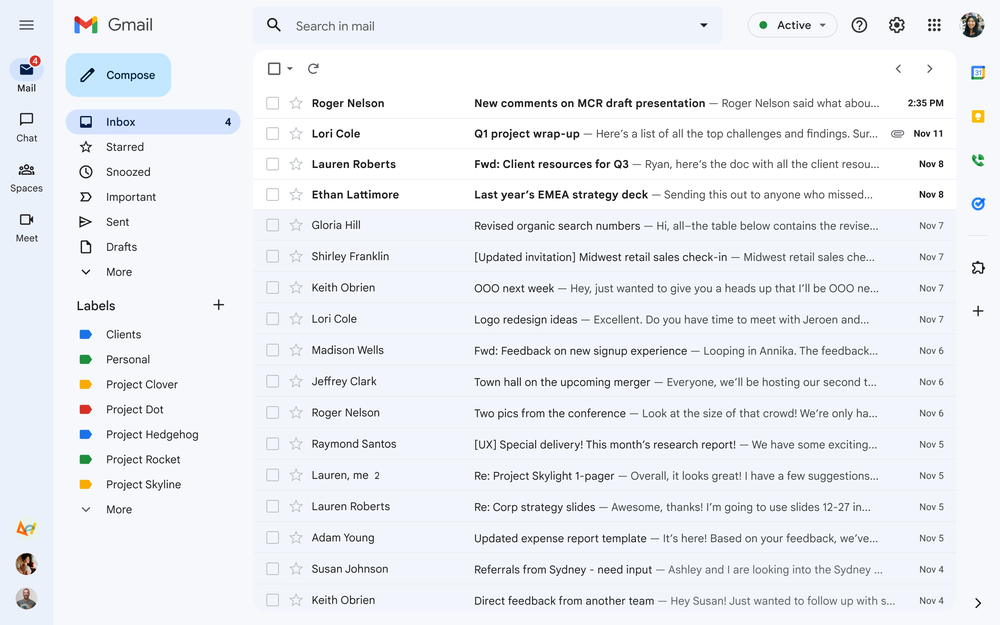
The Gmail user experience is designed for simplicity and efficiency:
- Minimalist Design: A clean layout with a top navigation bar, left sidebar for inbox folders, and a prominent "Compose" button.
- Streamlined Workflow: Emails are grouped in conversation threads, with hover actions for quick tasks like archiving or deleting.
- Efficient Email Composition: A pop-up compose window with features like Smart Compose, Smart Reply, and drag-and-drop attachments.
- Organization: Inbox sorting by tabs (Primary, Promotions, etc.), custom labels, filters, and snooze functionality.
- Customization: Themes, inbox types, and custom keyboard shortcuts.
- Mobile-Friendly: Responsive design with swipe gestures for quick actions.
- Security & Notifications: Smart notifications and warnings for suspicious emails.
- Google Workspace Integration: Google Drive, Calendar, and Meet integration.
- Accessibility: Screen reader compatibility, keyboard navigation, and adjustable contrast.
- Help: Easy access to support and help features.
Gmail’s UX is designed for ease, organization, and integration with other Google services.