Ecommerce Profit & Cash Flow Tracker – Excel Dashb
1 month of Skillshare
Available with PurchaseFree
All memberships will be billed automatically on a recurring basis until canceled. If eligible for a free trial, cancel before the trial ends to avoid being charged. Offer only valid for new paid subscribers. See full terms of service here.
About this product

James Wafula
AI Workflow Strategist for Small Business Owners
Ecommerce Profit & Cash Flow Tracker – Excel Dashboard
Understand what your online store is earning, where your money is going, and which products need attention.
Running an ecommerce business involves more than tracking sales. Refunds, transaction fees, product costs and operating expenses can reduce what you actually keep.
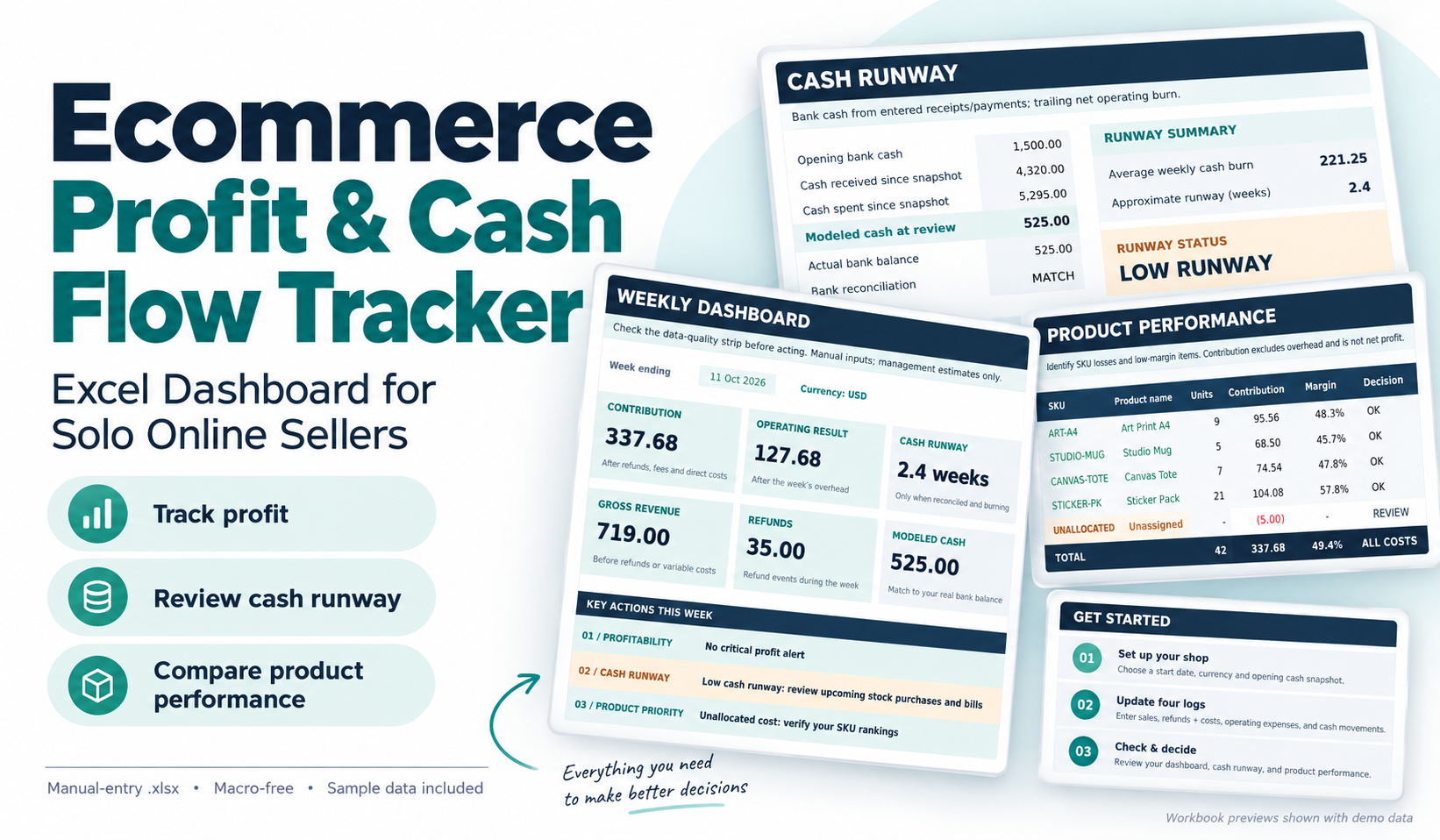
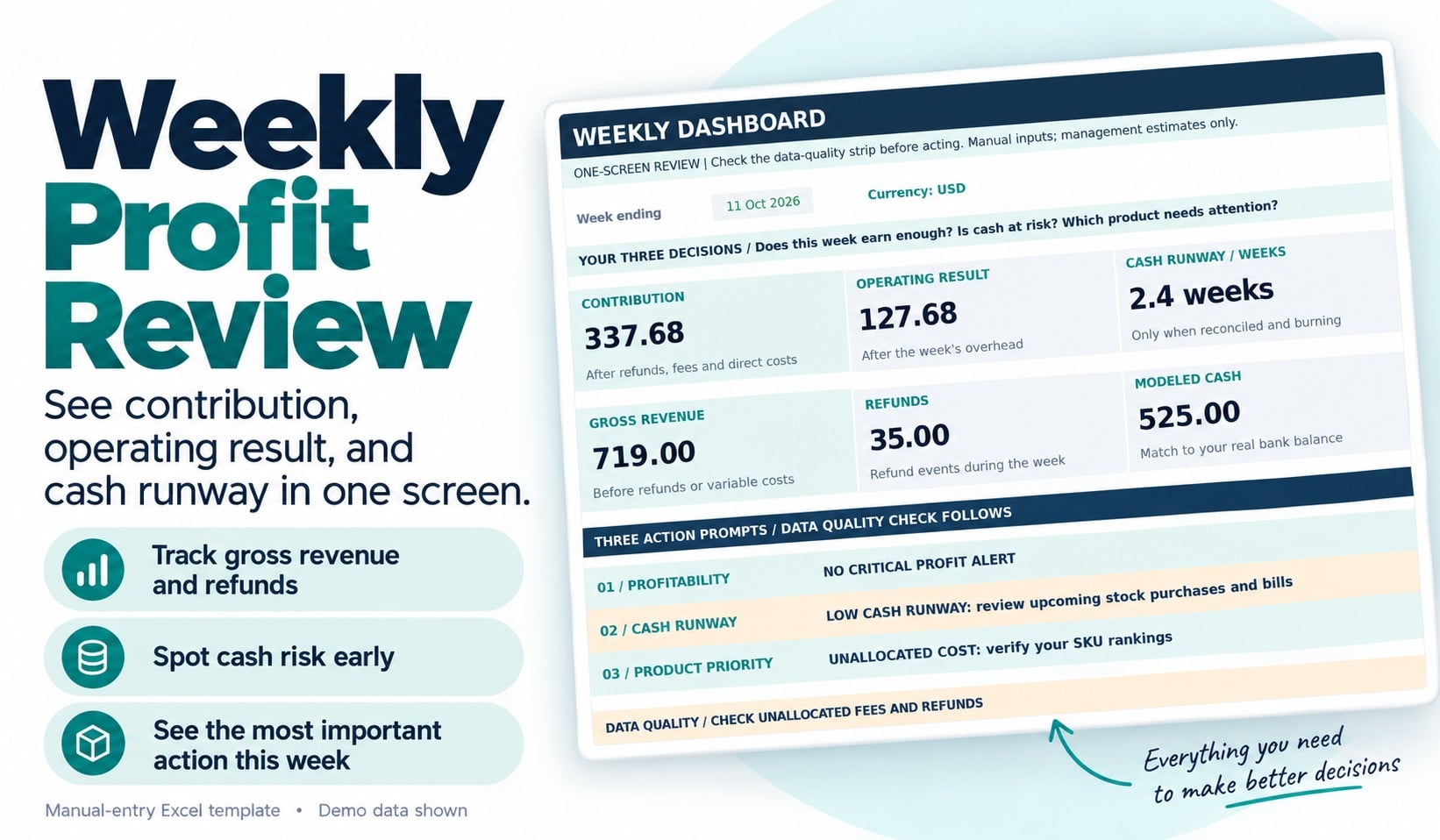
The Ecommerce Profit & Cash Flow Tracker is a practical Excel dashboard designed for solo online sellers and small product-based businesses that want a clearer picture of their finances.
Rather than relying on revenue totals alone, use this workbook to answer three important questions each week:
1. Is my business generating enough money after costs?
Review sales, refunds, processing fees, direct product costs, contribution and operating expenses.
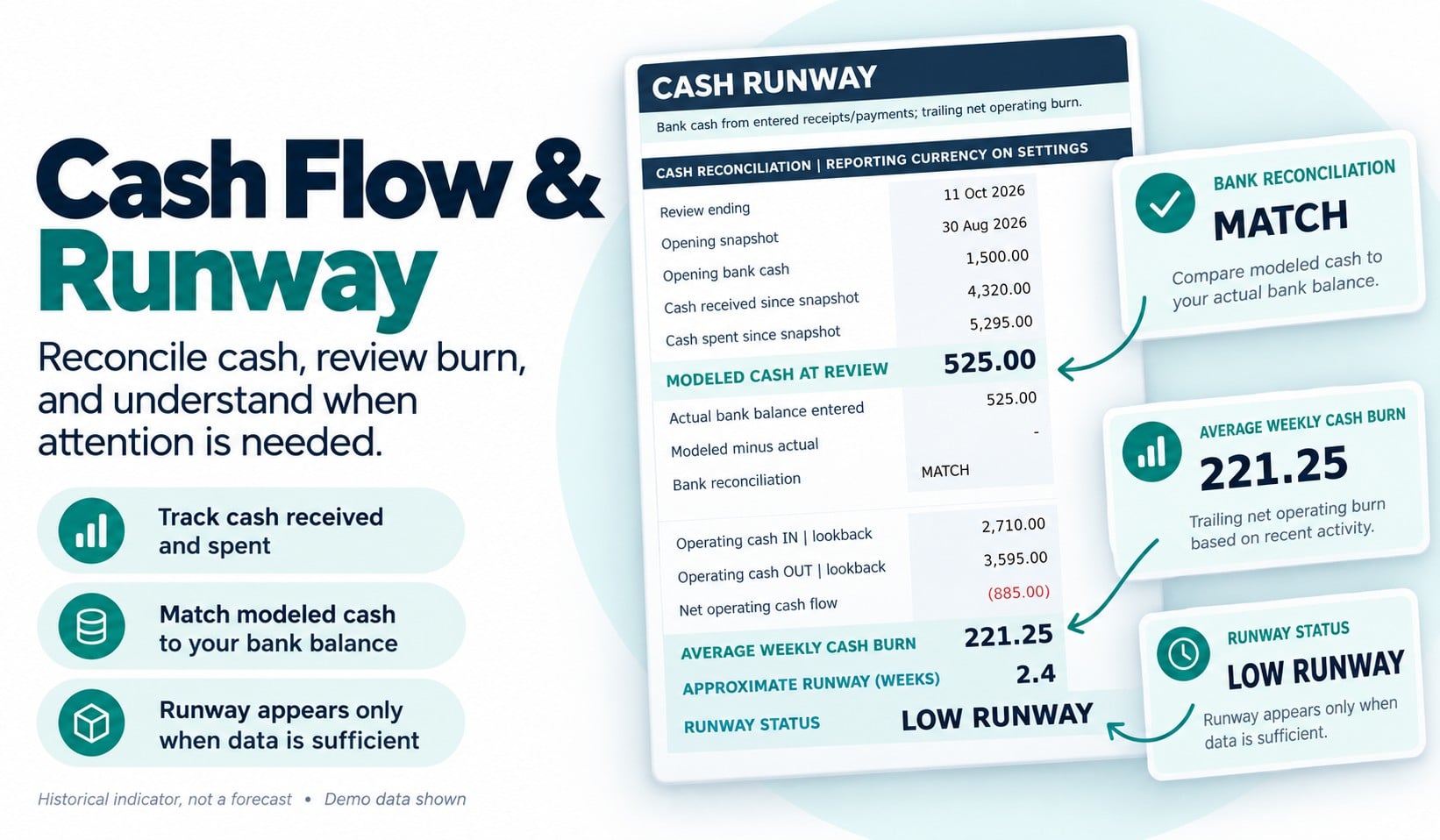
2. Is my cash position becoming risky?
Compare recorded cash movements with your entered bank balance, identify reconciliation differences and review an approximate historical cash-runway indicator when sufficient information is available.
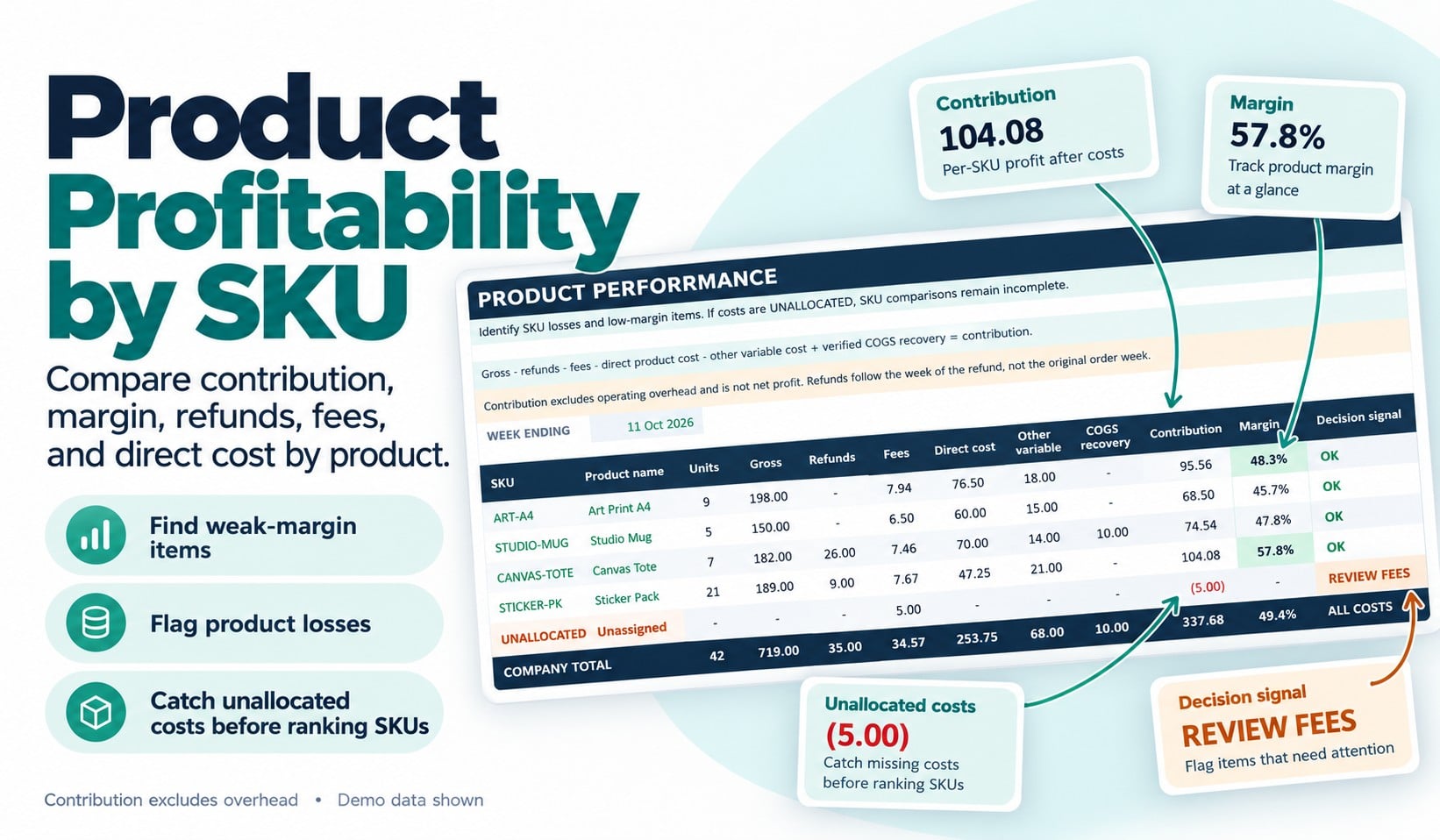
3. Which products need attention?
Compare product-level contribution and identify low margins, losses, refund-only activity and costs that have not been allocated to a product.
What You'll Receive
Your download includes:
Clean Excel Dashboard Template (.xlsx): A 13-tab workbook with editable input areas, protected calculation cells, automated formulas and a weekly decision dashboard.
Completed Example (.xlsx): A fictional six-week ecommerce business showing how to enter information and interpret the results.
Quick-Start & Metric Guide (PDF): Step-by-step setup instructions and explanations of the key financial metrics.
Weekly Review Checklist (PDF): A printable worksheet to help you record findings and decide what to address next.
Read Me First & License Files: Setup information, usage rights and support boundaries.
Who Is This For?
This tracker is designed for independent makers, small online retailers and solo ecommerce sellers who manage a limited product catalog and prefer a practical spreadsheet over a complex software system.
It supports up to 20 products, with prebuilt entry space for sales, refunds, costs, operating expenses and cash movements.
How It Works
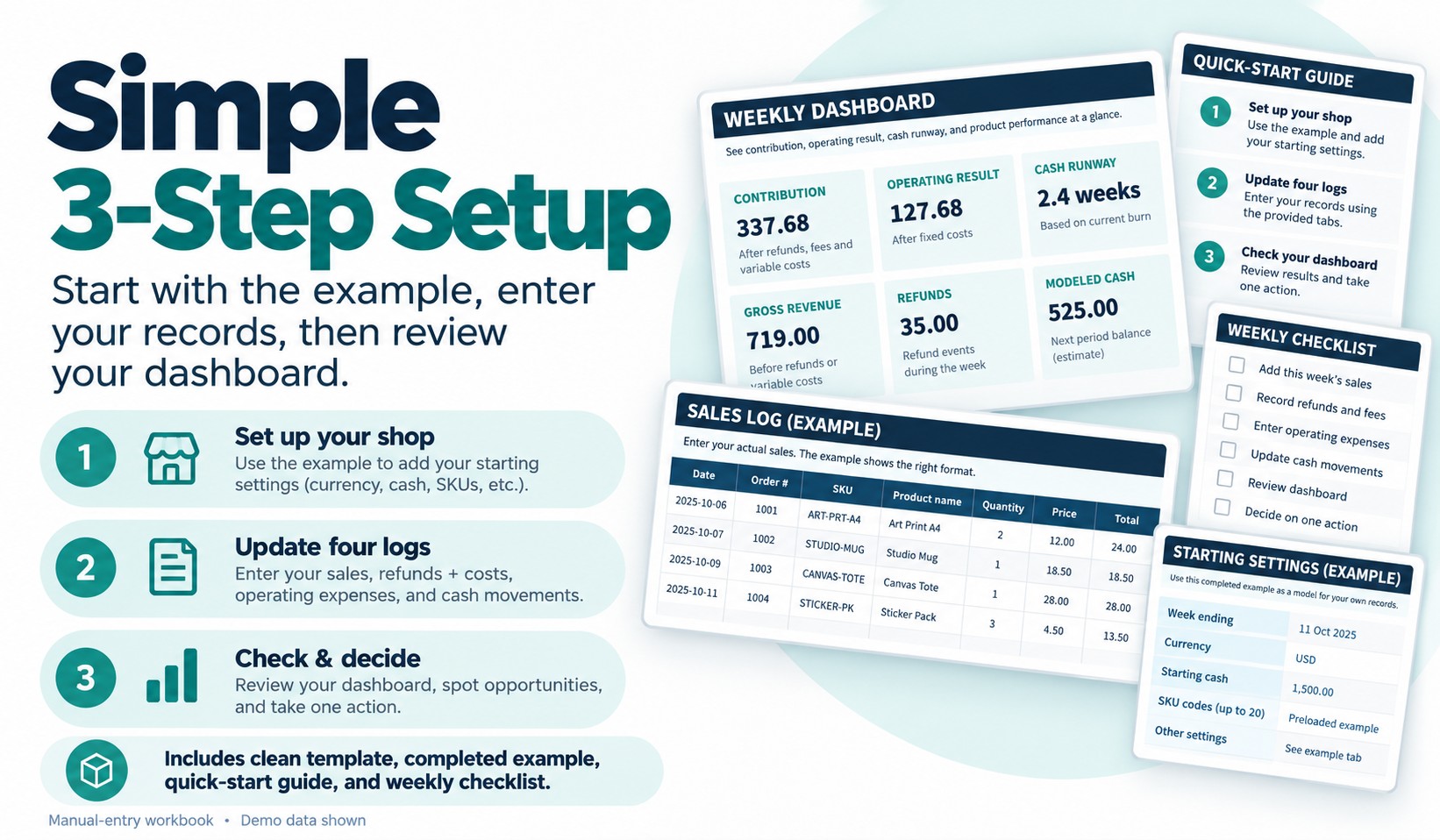
Start with the completed example to understand the dashboard.
Next, make a working copy of the clean template and enter your business settings, sales, fees, refunds, product costs, expenses and cash transactions into the designated input cells.
Once your information is complete, review the dashboard's profitability, cash-risk and product-priority indicators.
The goal is to help you make a more informed weekly operating decision.
Software Requirements and Important Limitations
This is a manual-entry Microsoft Excel (.xlsx) template, not a standalone app.
It does not connect automatically to Shopify, WooCommerce, Etsy, banks, marketplaces or payment processors. No macros or automated imports are included.
The workbook uses one reporting currency at a time. Google Sheets, mobile Excel and alternative spreadsheet applications have not been certified.
Cash runway is based on historical cash movements, not a prediction of future bills. Results depend on accurate entries and should not be treated as professional accounting, tax or financial advice. No particular business result or time saving is guaranteed.
Usage Rights
Your purchase includes permission to use and customize the files internally for one business you personally own or operate, including commercial business operations. Reselling, redistributing or sharing the editable templates as a separate product is not permitted.
Support covers download issues and reproducible defects in the original files, rather than personalized bookkeeping, custom development or financial consulting.
Take a clearer look at your store's profitability, cash position and product performance—all in one Excel dashboard.
FAQs
What are digital products?
Digital products at Skillshare are expertly crafted tools, resources, and templates developed by top creatives that are available to you for purchase. With a wide range of resources to suit every creative need, they are actionable, making your learning experience real and unforgettable.
How can I purchase a digital product?
Anyone can purchase a digital product on Skillshare — click Buy now to enter your payment information and complete your purchase. Once payment is complete, all files will be available for download instantly from this page. You'll also receive an email with a link to download your digital product after purchase.
Is there a limit to how many times I can download a digital product?
No, there is no limit to how many times you can download a digital product. Even if a product is removed by the creator, you can still access the download page in most cases by logging in to your Skillshare account.
Can I get a refund or cancel my digital product purchase?
Digital products are non-refundable and cannot be returned or canceled. To learn more, see our refund policy in the Skillshare Help Center.
Can I make and sell my own digital products?
Absolutely! Visit How can I sell a digital product on Skillshare? to learn how you can create, list and sell your own digital products on Skillshare.