HotkeyBoard - All blender Keyboard Shortcuts
1 month of Skillshare
Available with PurchaseFree
All memberships will be billed automatically on a recurring basis until canceled. If eligible for a free trial, cancel before the trial ends to avoid being charged. Offer only valid for new paid subscribers. See full terms of service here.
About this product

Salman Naseem
2d 3D Animator
HotkeyBoard is the ultimate interactive keyboard overlay addon for Blender that helps you master 750+ keyboard shortcuts through visual learning. Whether you're a complete beginner struggling to remember hotkeys or an experienced artist wanting to discover advanced shortcuts, HotkeyBoard transforms how you learn and use Blender.
What Makes HotkeyBoard Different?
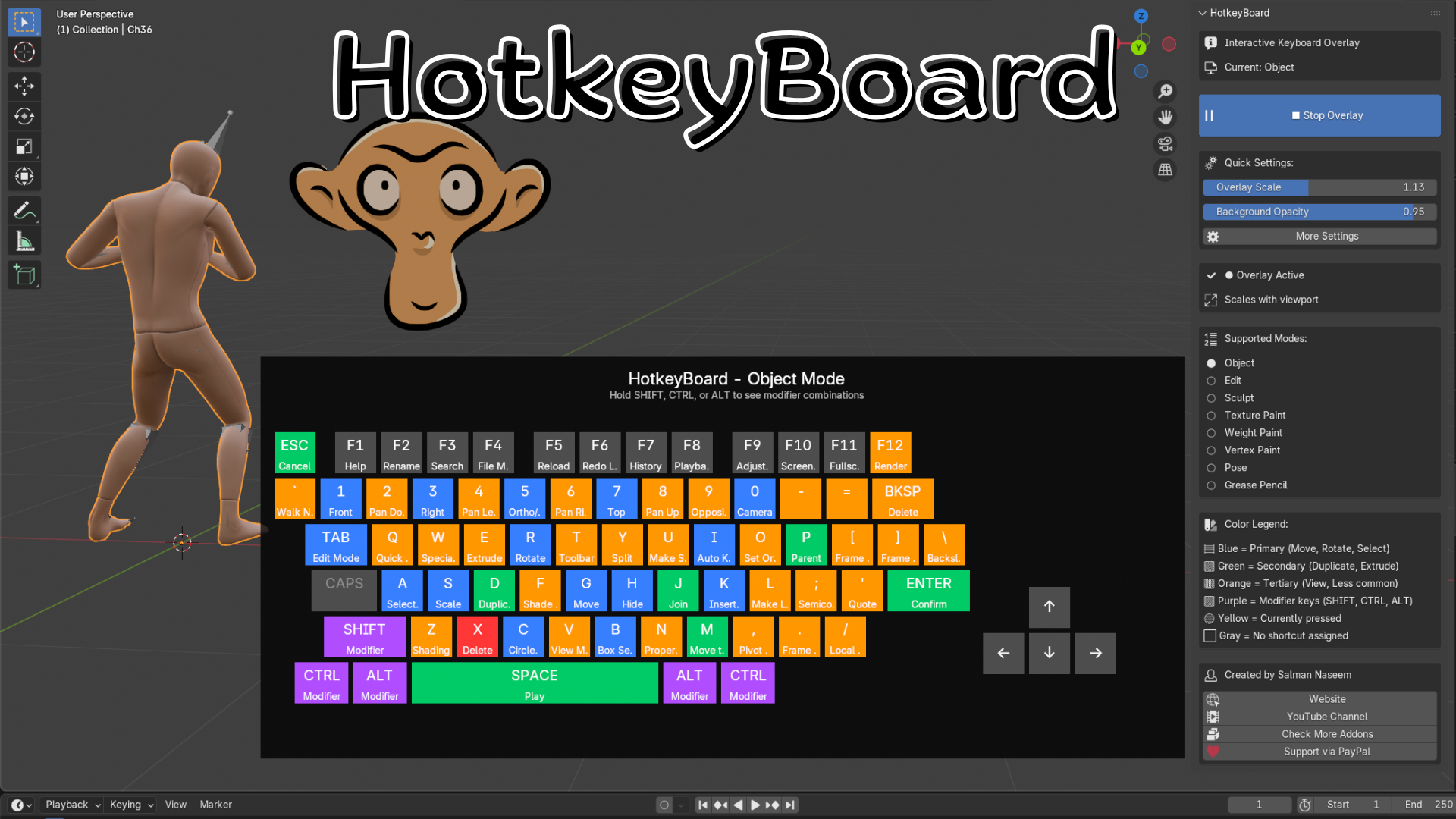
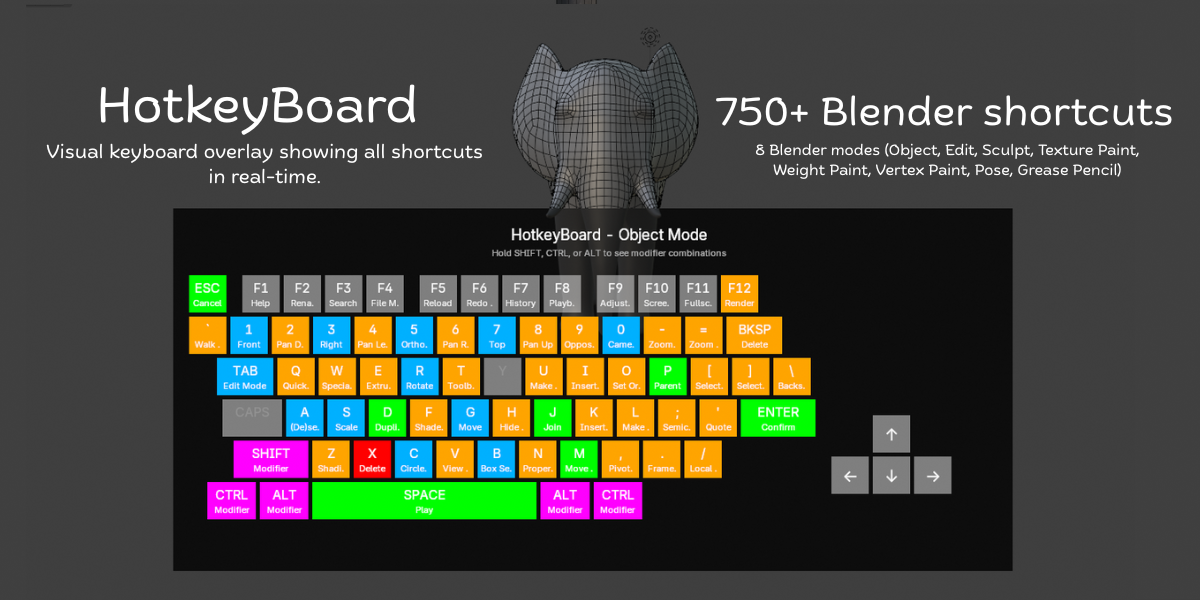
Unlike static shortcut lists or PDF cheat sheets, HotkeyBoard displays a live, interactive keyboard directly in your 3D viewport. Watch keys highlight in real-time as you press them, see shortcuts change automatically when you switch modes, and discover modifier combinations by simply holding SHIFT, CTRL, or ALT.
Key Features:
500+ Keyboard Shortcuts - Complete database covering all Blender 4.5 shortcuts
8 Mode Support - Object, Edit, Sculpt, Texture Paint, Weight Paint, Vertex Paint, Pose, and Grease Pencil modes
Real-Time Key Tracking - Keys highlight instantly as you press them (yellow feedback)
Color-Coded Priority System - Blue (primary), Green (secondary), Orange (tertiary), Purple (modifiers)
Modifier Combinations - Hold SHIFT/CTRL/ALT to see advanced shortcut combinations
Fully Scalable - Adjust from 0.4x to 2.0x or use auto-scaling
Mode-Aware - Shortcuts automatically update when you switch between modes
Smart Numpad Detection - Works with both physical numpad and emulated numpad
Customizable Opacity - Adjust background transparency (0.5 to 1.0)
Zero Performance Impact - Efficient GPU rendering, no lag


All 8 Blender Modes Covered:
Object Mode - Transform, selection, organization shortcuts
Edit Mode - Complete modeling toolset (extrude, inset, bevel, knife, etc.)
Sculpt Mode - Brush controls, masking, remeshing, sculpting tools
Texture Paint Mode - Painting, sampling, cloning, texture workflows
Weight Paint Mode - Weight painting, gradient tools, bone assignment
Vertex Paint Mode - Vertex color painting and editing
Pose Mode - Bone animation, keyframing, IK/FK switching
Grease Pencil Mode - 2D drawing, animation, editing tools
Intelligent Color System:
HotkeyBoard uses color psychology to guide your learning:
Blue Keys (Primary) - Essential shortcuts like G (Move), R (Rotate), S (Scale), A (Select All), B (Box Select), TAB (Edit Mode). Start here!
Green Keys (Secondary) - Common operations like D (Duplicate), E (Extrude), M (Merge), P (Parent), I (Insert Keyframe). Learn these next.
Orange Keys (Tertiary) - Specialized tools like Z (Shading), N (Properties), T (Toolbar), view controls, F-keys. Master when ready.
Purple Keys (Modifiers) - SHIFT, CTRL, ALT - combine with other keys for advanced functions.
Yellow Keys (Active) - Real-time highlighting of keys you're currently pressing.
Gray Keys - No shortcut assigned in current mod
✓ 500+ keyboard shortcuts database (Blender 4.5 optimized)
✓ Real-time key press tracking and highlighting
✓ Color-coded priority system (5 colors, 5 priority levels)
✓ 8 Blender modes supported (Object/Edit/Sculpt/Paint/Pose/GPencil)
✓ Modifier combination display (SHIFT/CTRL/ALT)
✓ Mode-aware automatic switching
✓ Scalable interface (0.4x - 2.0x range)
✓ Auto-scaling viewport responsive mode
✓ Adjustable background opacity (0.5 - 1.0)
✓ Smart numpad emulation detection
FAQs
What are digital products?
Digital products at Skillshare are expertly crafted tools, resources, and templates developed by top creatives that are available to you for purchase. With a wide range of resources to suit every creative need, they are actionable, making your learning experience real and unforgettable.
How can I purchase a digital product?
Anyone can purchase a digital product on Skillshare — click Buy now to enter your payment information and complete your purchase. Once payment is complete, all files will be available for download instantly from this page. You'll also receive an email with a link to download your digital product after purchase.
Is there a limit to how many times I can download a digital product?
No, there is no limit to how many times you can download a digital product. Even if a product is removed by the creator, you can still access the download page in most cases by logging in to your Skillshare account.
Can I get a refund or cancel my digital product purchase?
Digital products are non-refundable and cannot be returned or canceled. To learn more, see our refund policy in the Skillshare Help Center.
Can I make and sell my own digital products?
Absolutely! Visit How can I sell a digital product on Skillshare? to learn how you can create, list and sell your own digital products on Skillshare.