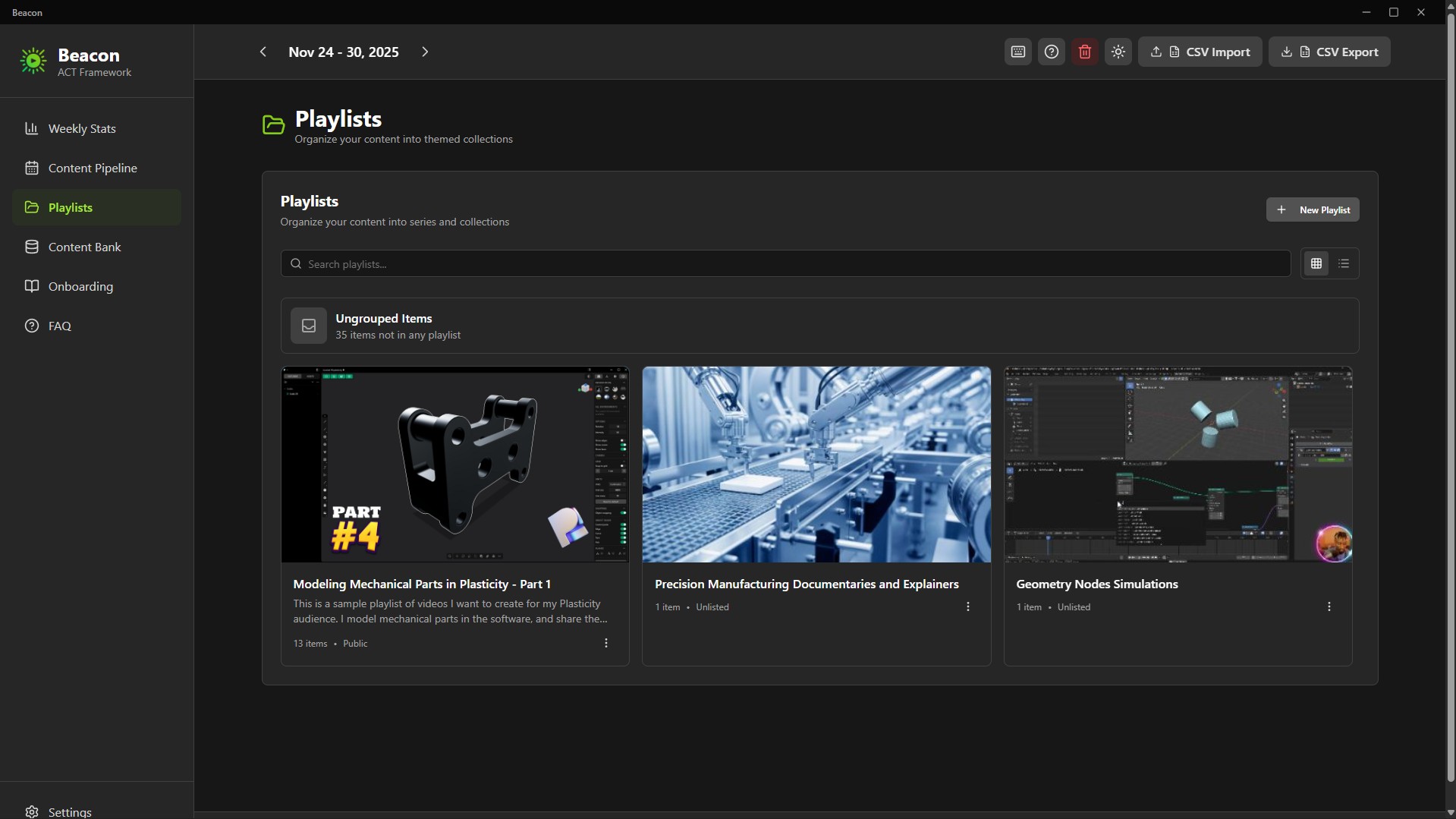
Beacon: Content Planner Software for Creators
1 month of Skillshare
Available with PurchaseFree
All memberships will be billed automatically on a recurring basis until canceled. If eligible for a free trial, cancel before the trial ends to avoid being charged. Offer only valid for new paid subscribers. See full terms of service here.
About this product

Ken Mbesa
Web Designer | 3D Artist
Transform Content Chaos into Consistent Creation
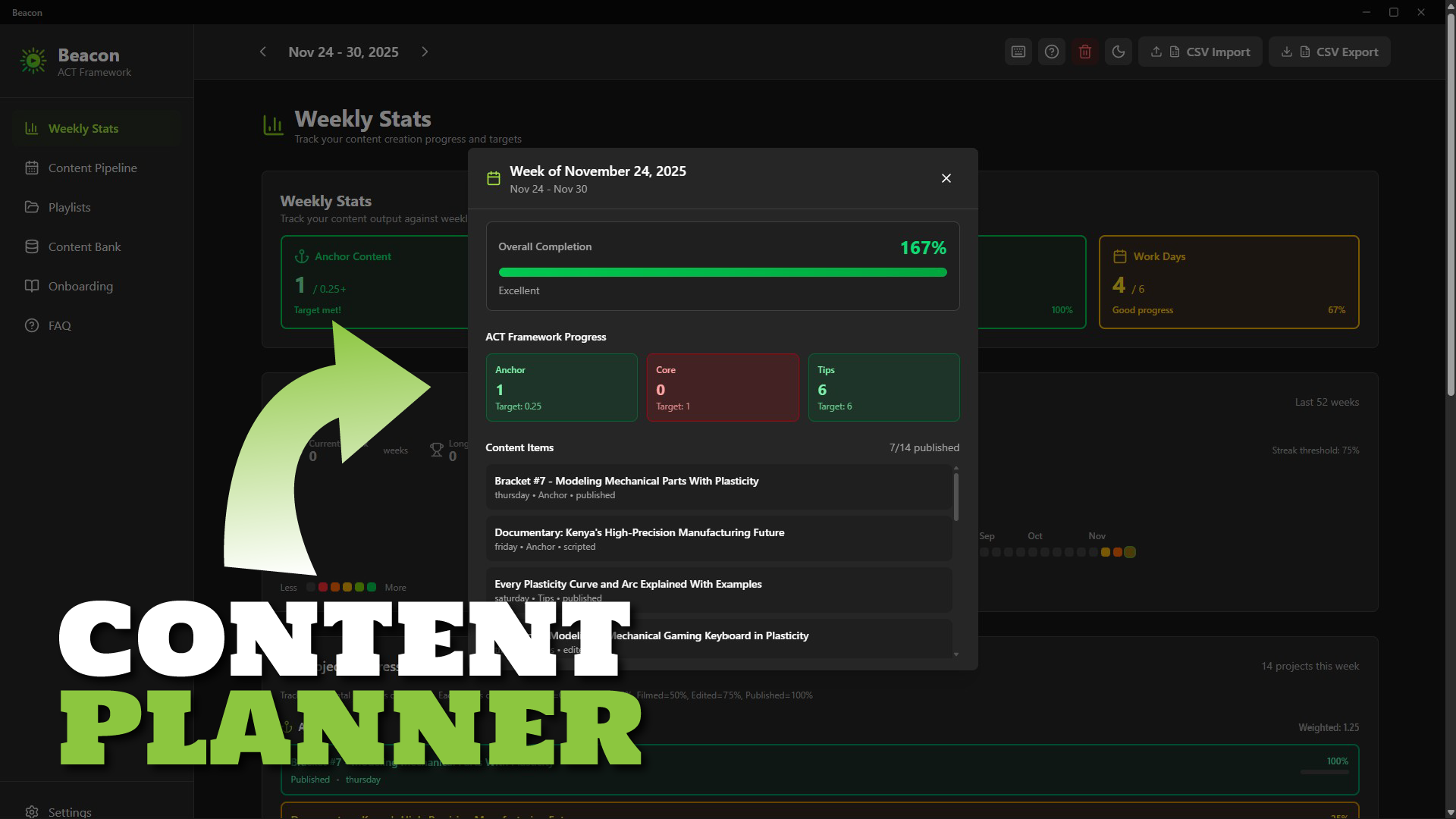
Beacon is a simple, fast desktop content planning app built specifically for YouTube creators, course creators, and content entrepreneurs who want to stay consistent without using complicated project managers.
If your ideas are scattered, your publishing rhythm is shaky, or planning feels overwhelming, Beacon gives you the structure and clarity to create consistently - without feeling overloaded.
Why Creators Struggle
You have great ideas… but they end up everywhere: Notion, notes, docs, your brain.
You know consistency drives growth, but traditional tools are either too complex or too generic.
- Spreadsheets? Too manual.
- Asana/Trello? Too heavy. Best for teams.
- Project managers? Too broad.
You don’t need enterprise software - you need a weekly workflow that fits how creators work.
The Beacon Solution
A beautifully simple desktop app that helps you:
- Capture ideas instantly
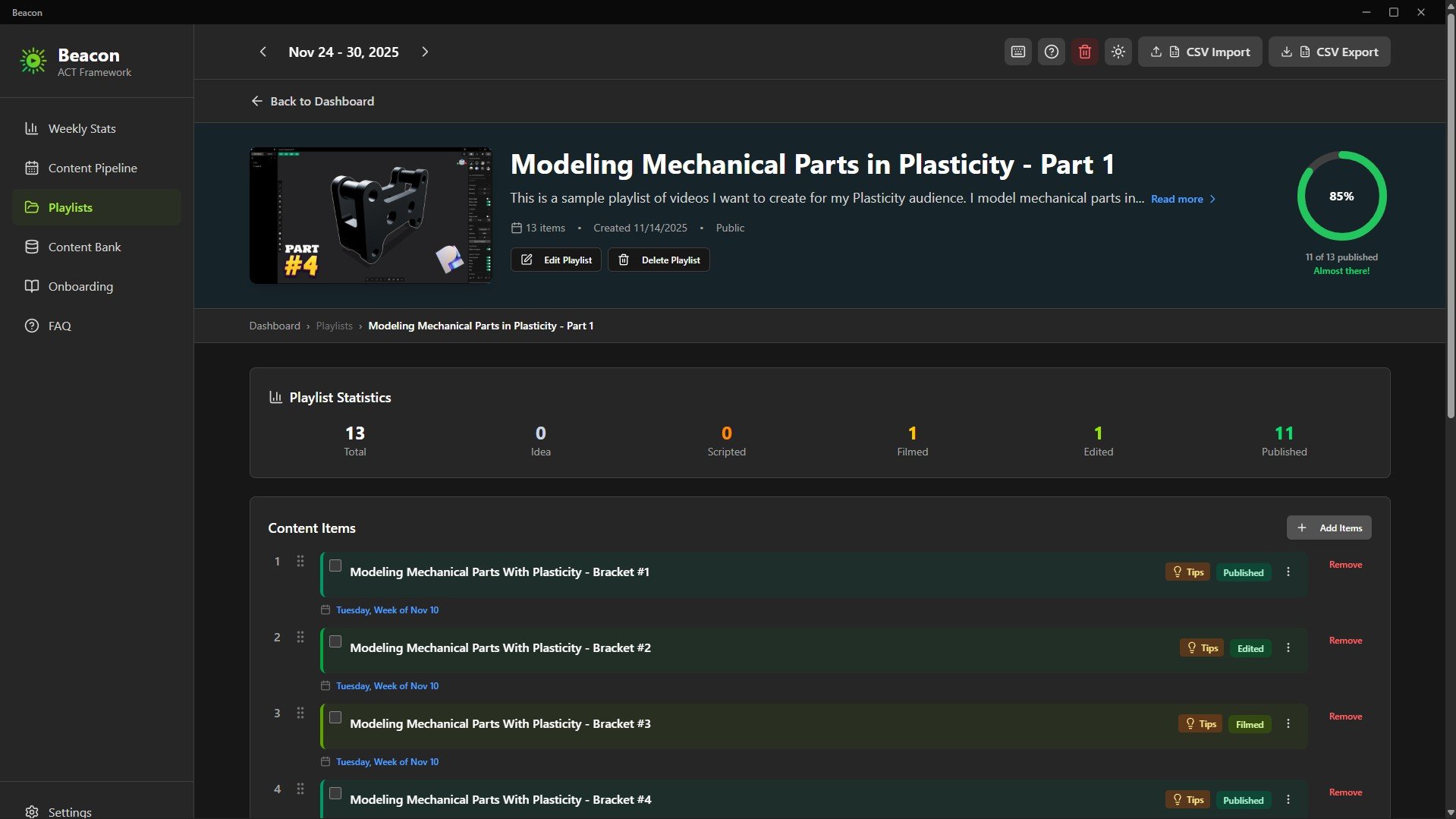
- Organize content into series/playlists
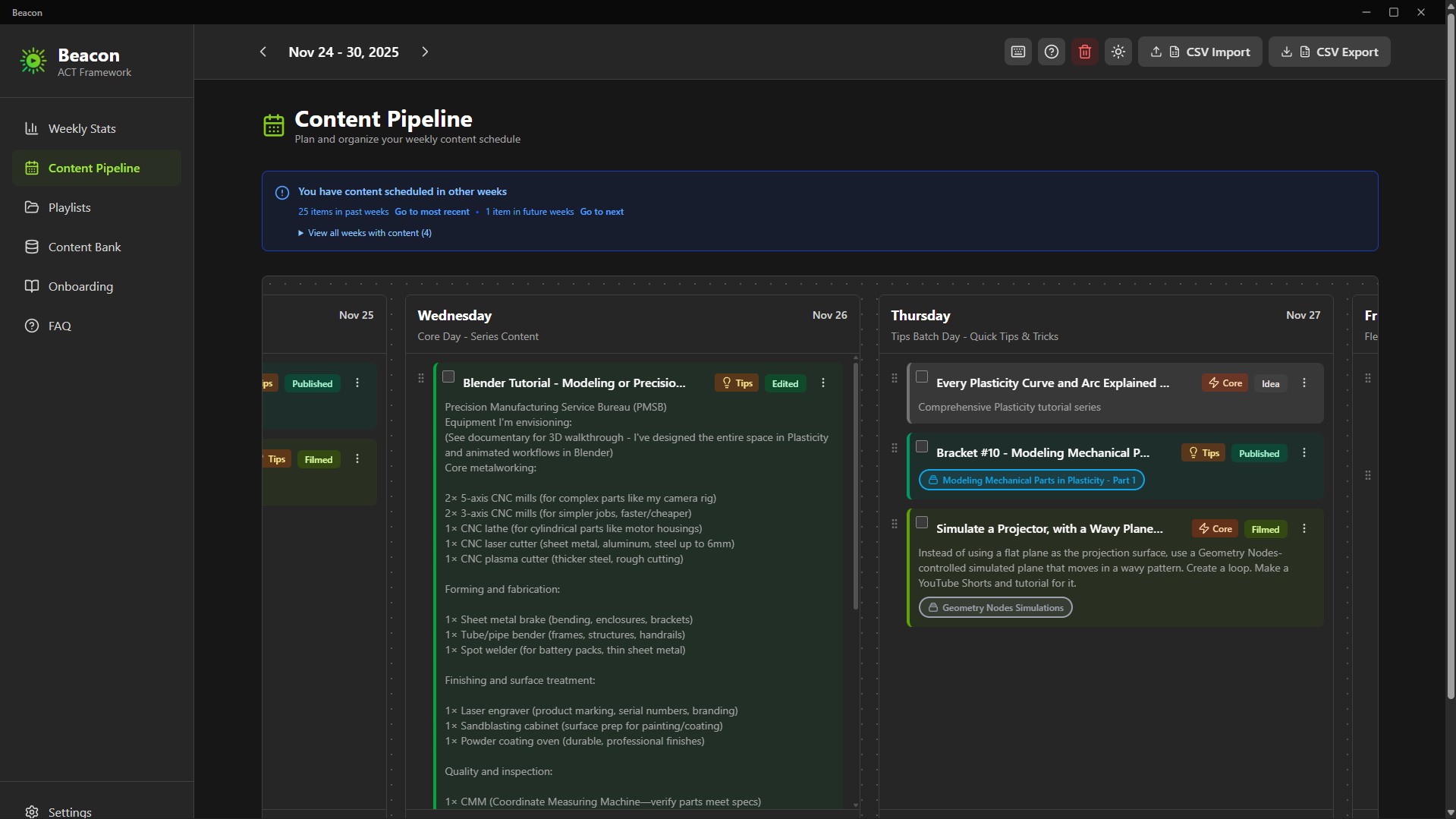
- Plan your entire week at a glance
- Track your progress (idea → published)
- Maintain consistency with zero overwhelm
Everything is stored locally on your computer - privately, securely, and forever under your control.
The ACT Framework (Built-In)
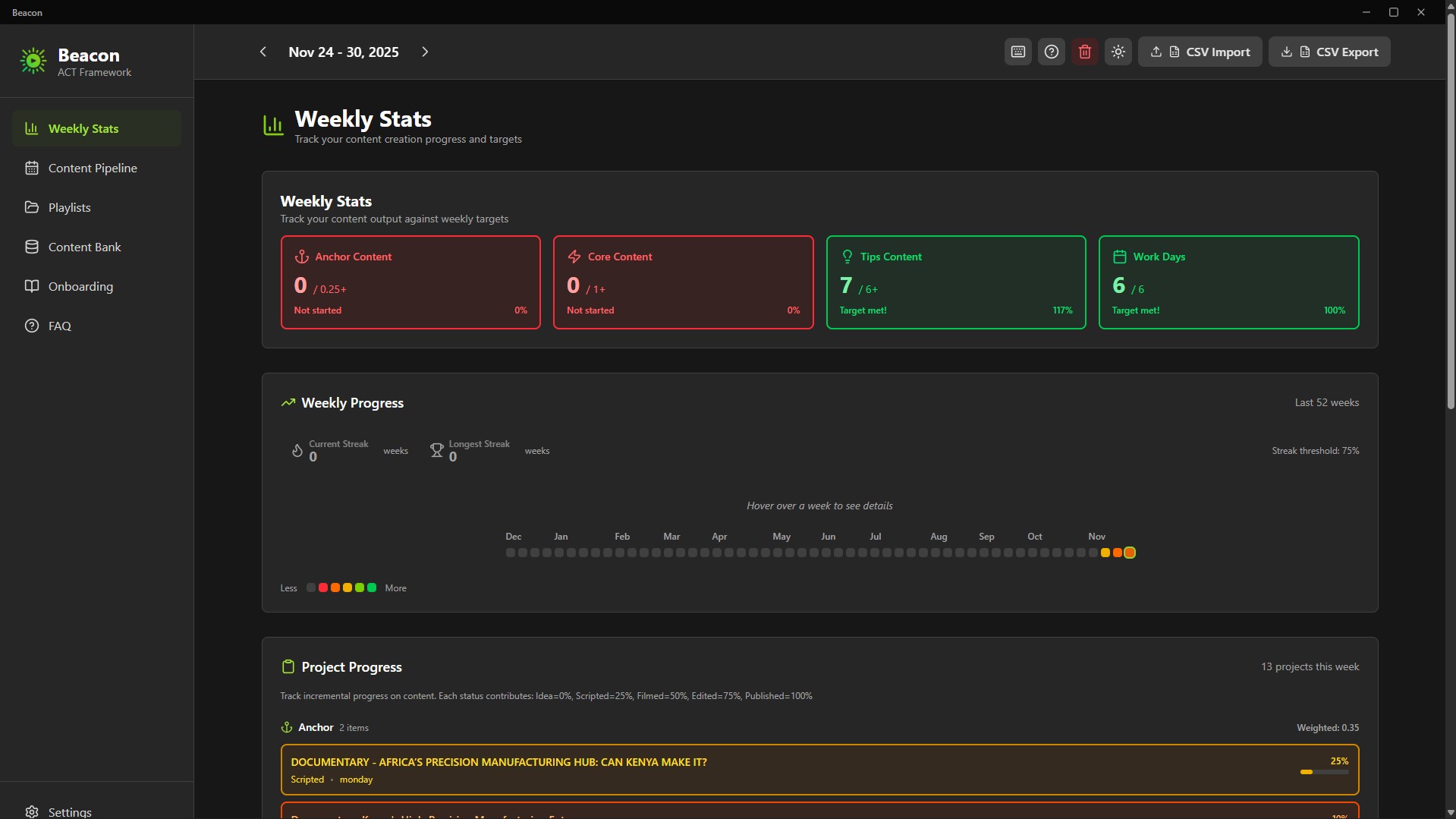
Beacon uses a strategic content rhythm called ACT:
- Anchor (At least 1/month): Big, authority-building pieces
- Core (At least 1/week): Series content your audience relies on
- Tips (At least 6/week): Fast, useful pieces to stay top-of-mind
This framework maintains visibility without burnout. Designed for creators who juggle multiple platforms and responsibilities.
Key Features
Content Bank - Your Idea Hub
Capture every idea and keep them organized until you’re ready to schedule.
Playlists for Series & Modules
Group related content into playlists: course modules, video series, themes, or multi-part lessons.
7-Day Weekly Pipeline
Drag-and-drop your week from Monday to Sunday. Know exactly what you’re publishing and when.
Progress Tracker
Track your progress through:
Idea → In Progress → Scripted → Filmed → Edited → Published
Color-coded states give you instant clarity.
52-Week Consistency Graph
A GitHub-style yearly tracker visualizes your consistency, streaks, and ACT completion. Your creative momentum becomes visible.
Unscheduling Flexibility
Changed your mind? One click unschedules content and returns it to the Content Bank - no clutter, no lost work or ideas.
Interactive Product Tour
A guided onboarding that teaches you the workflow in minutes. Replayable anytime.
Privacy & Ownership
100% Local, Zero Cloud
Your ideas stay on your machine.
Beacon is created for privacy-focused creators.
Pay once. Own it forever.
Native Desktop App
Fast, smooth performance.
What’s Included
- Beacon 2.0 Installer (.exe)
- Beacon 2.0 Portable Build (no installation required)
- Quick Start Guide
- ACT Framework Documentation
How to Plan Your Content with Beacon (Setup + Tutorial + Demo): https://youtu.be/2rkO6-mFXcE
Technical Details
- Platform: Windows 10/11
- Storage: Fully local
- Installer Size: ~94MB
- Installed Size: ~200MB
- Data Export: CSV + JSON (Supporter Tier)
- Installation: 1-minute setup
- No account required
Who should use Beacon?
- YouTube creators managing multiple series
- Online course instructors planning modules
- Content entrepreneurs publishing across platforms
- Coaches, consultants & educators building weekly content
- Anyone tired of spreadsheets or overbuilt project managers
The Philosophy Behind Beacon
Most productivity tools chase complexity.
Creators don’t need that.
Creators need clarity, rhythm, and momentum.
Beacon focuses on one essential weekly question:
“What am I creating, and when?”
Just a focused, creator-first tool that respects your time, workflow, and ownership.
You stay in control, forever.
If consistency is your challenge - Beacon is your tool.
FAQs
What are digital products?
Digital products at Skillshare are expertly crafted tools, resources, and templates developed by top creatives that are available to you for purchase. With a wide range of resources to suit every creative need, they are actionable, making your learning experience real and unforgettable.
How can I purchase a digital product?
Anyone can purchase a digital product on Skillshare — click Buy now to enter your payment information and complete your purchase. Once payment is complete, all files will be available for download instantly from this page. You'll also receive an email with a link to download your digital product after purchase.
Is there a limit to how many times I can download a digital product?
No, there is no limit to how many times you can download a digital product. Even if a product is removed by the creator, you can still access the download page in most cases by logging in to your Skillshare account.
Can I get a refund or cancel my digital product purchase?
Digital products are non-refundable and cannot be returned or canceled. To learn more, see our refund policy in the Skillshare Help Center.
Can I make and sell my own digital products?
Absolutely! Visit How can I sell a digital product on Skillshare? to learn how you can create, list and sell your own digital products on Skillshare.