The Income Stream Tracker
1 month of Skillshare
Available with PurchaseFree
All memberships will be billed automatically on a recurring basis until canceled. If eligible for a free trial, cancel before the trial ends to avoid being charged. Offer only valid for new paid subscribers. See full terms of service here.
About this product

Giulia Martinelli
Animation Director / Illustrator
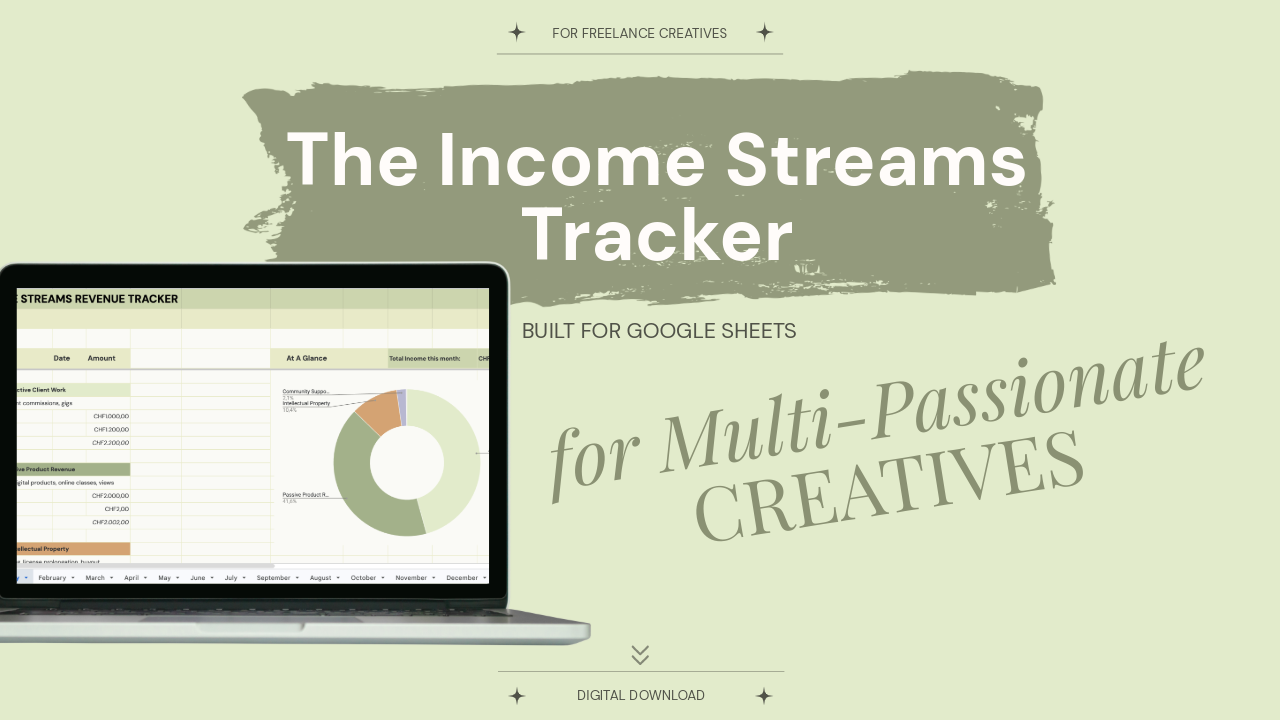
A calming, automated financial dashboard designed specifically for freelance artists, illustrators, and designers juggling multiple side incomes. Built in Google Sheets with a curated botanical palette.
The Full Story:
As creative freelancers, our income doesn't look like a standard corporate 9-to-5 spreadsheet. It’s a dynamic, layered ecosystem. One month, you are balancing client commissions and digital template sales; the next, you’re managing art grants, image licensing buyouts, and background affiliate links.
Standard budgeting tools feel sterile, confusing, and stressful.
The Income Streams Tracker was engineered to fix that. It turns your unpredictable side incomes into a calming, visually clear masterpiece of studio intelligence. Designed with a custom desaturated botanical palette, this tracker feels less like a clinical financial document and more like a beautifully curated digital notebook.
What’s Inside:
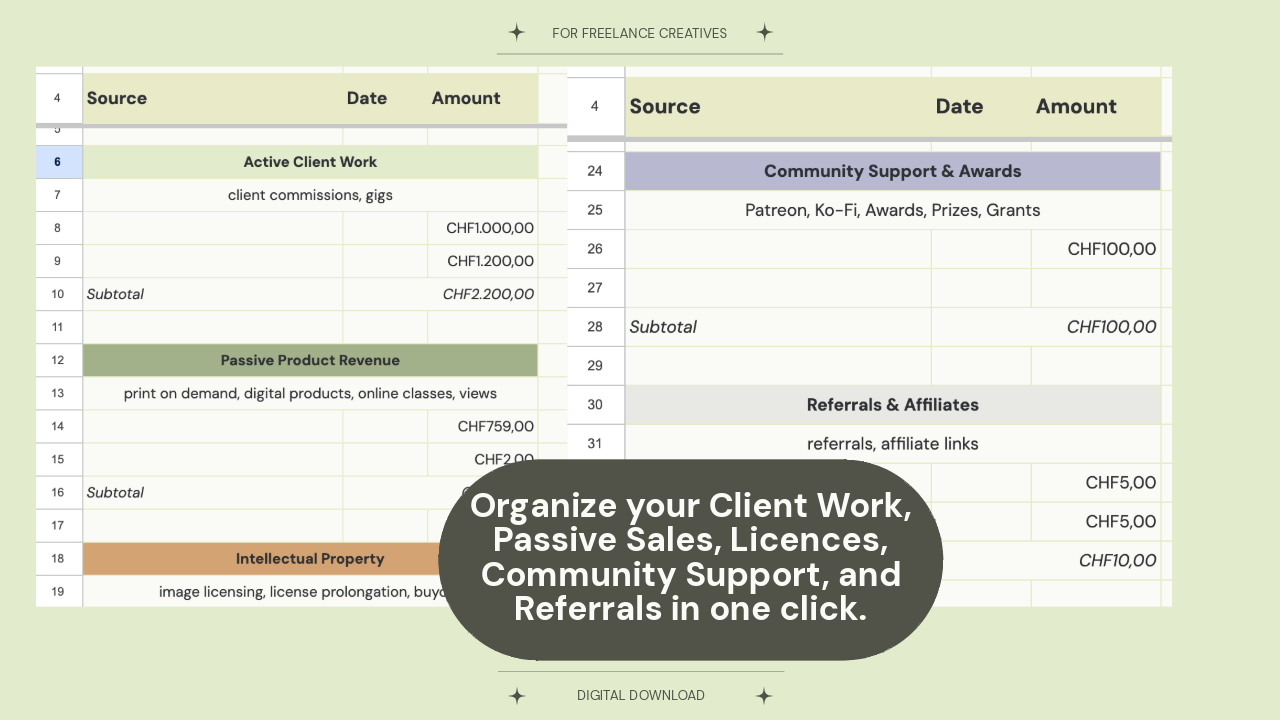
- 12 Automated Monthly Tabs: Clean vertical logging blocks on the left, with an elegant, real-time updating Doughnut Chart on the right. Watch your financial garden grow as you input data.
- The 5 Creative Pillars: Perfectly structured to track Active Client Work, Passive Product Revenue, Intellectual Property (Licensing), Community Support (Patreon/Ko-fi), and Referrals/Affiliates.
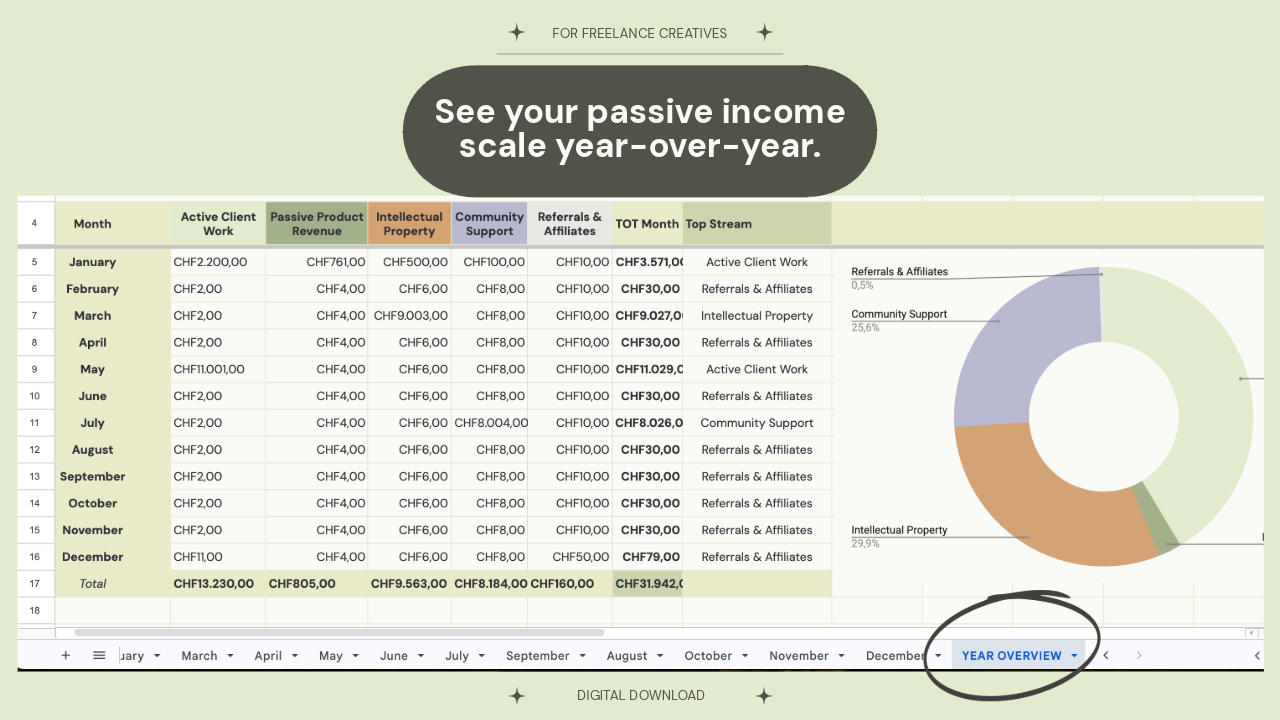
- The Annual Overview Dashboard: A grand-finale tab that pools your entire year's data instantly.
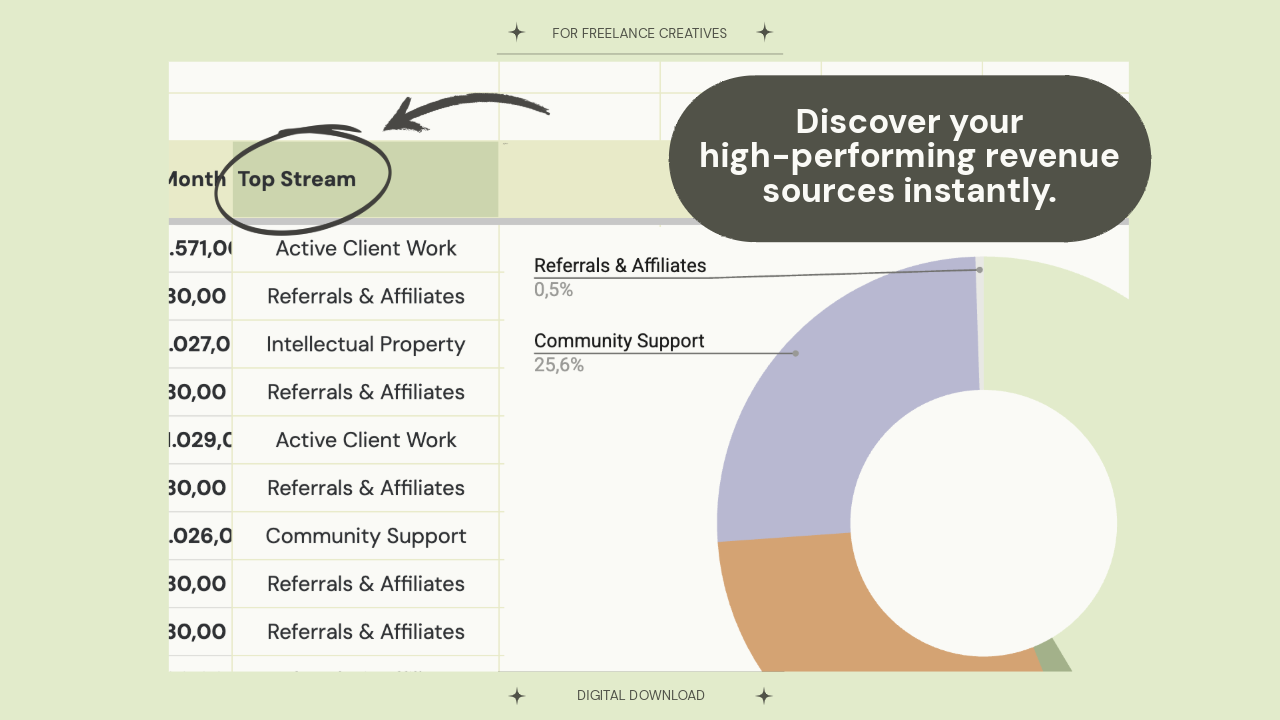
- The "Top Stream" Oracle: Built-in intelligent formulas that automatically identify and display your highest-performing revenue engine each month—no manual math required.
Why It’s Unique:
- From the desk of a full-time creative (me!), to yours!
- Low-Anxiety Design: Zero cluttered rows, zero loud colors, and zero complex spreadsheet jargon.
- Mobile & Desktop Friendly: Built on Google Sheets so you can log an affiliate payout or client invoice on the go.
- Completely Customizable: Want to change category names? Go for it. The system is resilient and grows with your business.
Stop guessing where your money is coming from. Start cultivating your studio's financial ecosystem today.
Includes a beautifully designed Editorial Welcome PDF Setup Guide.
FAQs
What are digital products?
Digital products at Skillshare are expertly crafted tools, resources, and templates developed by top creatives that are available to you for purchase. With a wide range of resources to suit every creative need, they are actionable, making your learning experience real and unforgettable.
How can I purchase a digital product?
Anyone can purchase a digital product on Skillshare — click Buy now to enter your payment information and complete your purchase. Once payment is complete, all files will be available for download instantly from this page. You'll also receive an email with a link to download your digital product after purchase.
Is there a limit to how many times I can download a digital product?
No, there is no limit to how many times you can download a digital product. Even if a product is removed by the creator, you can still access the download page in most cases by logging in to your Skillshare account.
Can I get a refund or cancel my digital product purchase?
Digital products are non-refundable and cannot be returned or canceled. To learn more, see our refund policy in the Skillshare Help Center.
Can I make and sell my own digital products?
Absolutely! Visit How can I sell a digital product on Skillshare? to learn how you can create, list and sell your own digital products on Skillshare.