.png)
The Content Planner
1 month of Skillshare
Available with PurchaseFree
All memberships will be billed automatically on a recurring basis until canceled. If eligible for a free trial, cancel before the trial ends to avoid being charged. Offer only valid for new paid subscribers. See full terms of service here.
About this product

Giulia Martinelli
Animation Director / Illustrator
You know that sudden wave of anxiety or pressure when you open your computer and think, “What on earth do I post today?” I completely solved that creative burnout using a system of calm planning and scheduling in advance, and today, I am sharing the exact personal spreadsheet I use to run my studio’s content engine.
A Minimalist Production & Editorial Planner for Creative Freelancers
After 10 years of navigating the creative industry as a solo, one-woman animation band, I learned that consistency isn't about hustle; it’s about having a clean visual infrastructure. If your planning system feels cluttered, your creative energy drains before you even hit record or draft your first line of copy.
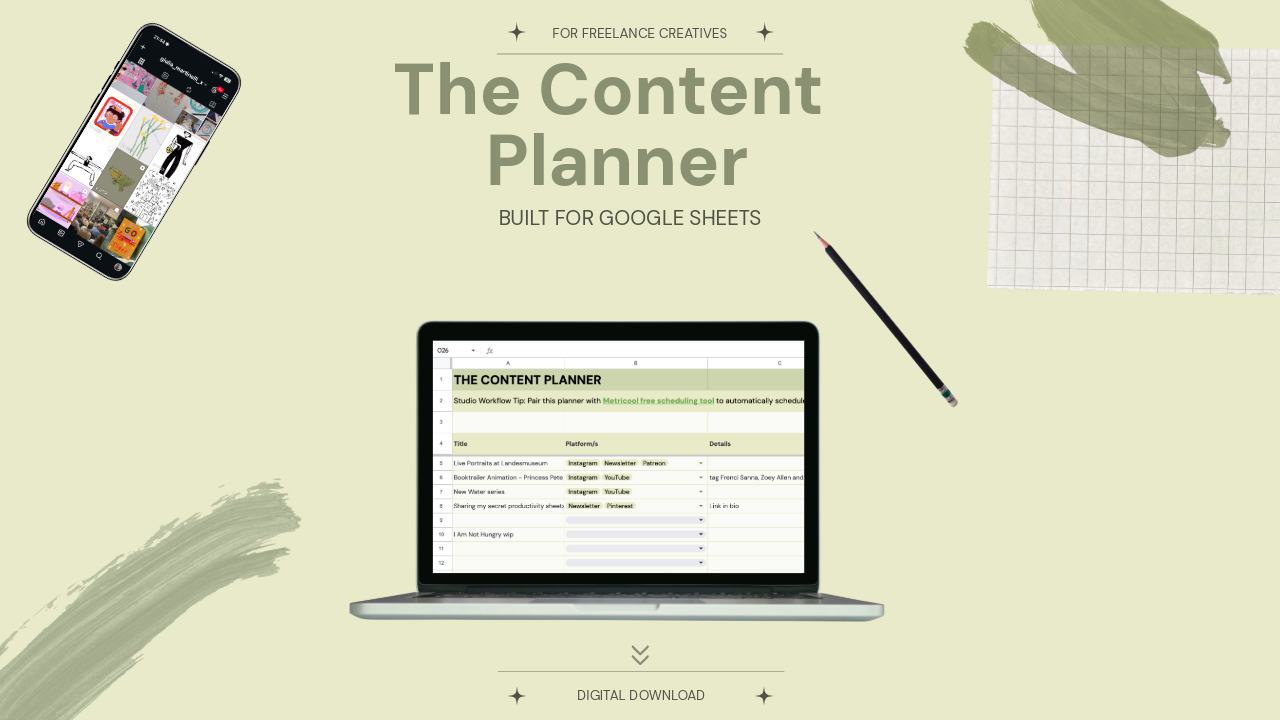
The Content Planner is a pristine, zero-anxiety spreadsheet workspace built specifically for visual artists, designers, animators, and filmmakers. It is designed to take your ideas from a vague spark to a published asset across YouTube, Instagram, LinkedIn, and Pinterest, without the posting anxiety.
What’s Inside:
Tab 1: The Master Pipeline | A bird’s-eye, single-screen overview of your entire content calendar. Sort your ideas by Platform, Format (Long-form, Reels, Carousels, Text), Production Status, and Target Dates with zero horizontal scrolling.
Tab 2: The Scripting & Asset Hub | Your dedicated deep-work sandbox. A structured space with text-wrapped text fields for your scripts and social copy, dedicated SEO/hashtag slots, and tracking cells to link your heavy Google Drive/Dropbox raw media files.
How it Works:
- Download this template
- Open the enclosed A4 Welcome PDF.
- Click the secure access link to clone the template directly into your private Google Drive.
- Turn off your corporate notifications, open the sheet, and start building.
Looking for the Complete Studio Infrastructure?
If you are looking to manage your actual business finances and client pipelines with this exact same aesthetic clarity, upgrade to the master Job & Client Tracker for Freelance Creatives. It acts as the quiet, low-anxiety backend infrastructure for your entire independent creative studio.
Technical Requirements:
Google Account Required: This template is optimized exclusively for Google Sheets (Desktop use highly recommended). Excel formatting will break the custom web typography and advanced visual styles. To securely duplicate this template into your private drive, you will need a standard, free Google account.
Keep your workspace clean. Keep your focus sharp. Created by Giulia Martinelli | Zürich, Switzerland
FAQs
What are digital products?
Digital products at Skillshare are expertly crafted tools, resources, and templates developed by top creatives that are available to you for purchase. With a wide range of resources to suit every creative need, they are actionable, making your learning experience real and unforgettable.
How can I purchase a digital product?
Anyone can purchase a digital product on Skillshare — click Buy now to enter your payment information and complete your purchase. Once payment is complete, all files will be available for download instantly from this page. You'll also receive an email with a link to download your digital product after purchase.
Is there a limit to how many times I can download a digital product?
No, there is no limit to how many times you can download a digital product. Even if a product is removed by the creator, you can still access the download page in most cases by logging in to your Skillshare account.
Can I get a refund or cancel my digital product purchase?
Digital products are non-refundable and cannot be returned or canceled. To learn more, see our refund policy in the Skillshare Help Center.
Can I make and sell my own digital products?
Absolutely! Visit How can I sell a digital product on Skillshare? to learn how you can create, list and sell your own digital products on Skillshare.