Window Glass Shader for Blender
1 month of Skillshare
Available with PurchaseFree
All memberships will be billed automatically on a recurring basis until canceled. If eligible for a free trial, cancel before the trial ends to avoid being charged. Offer only valid for new paid subscribers. See full terms of service here.
About this product

3D Tudor
Bestselling Blender Author & 3D Educator
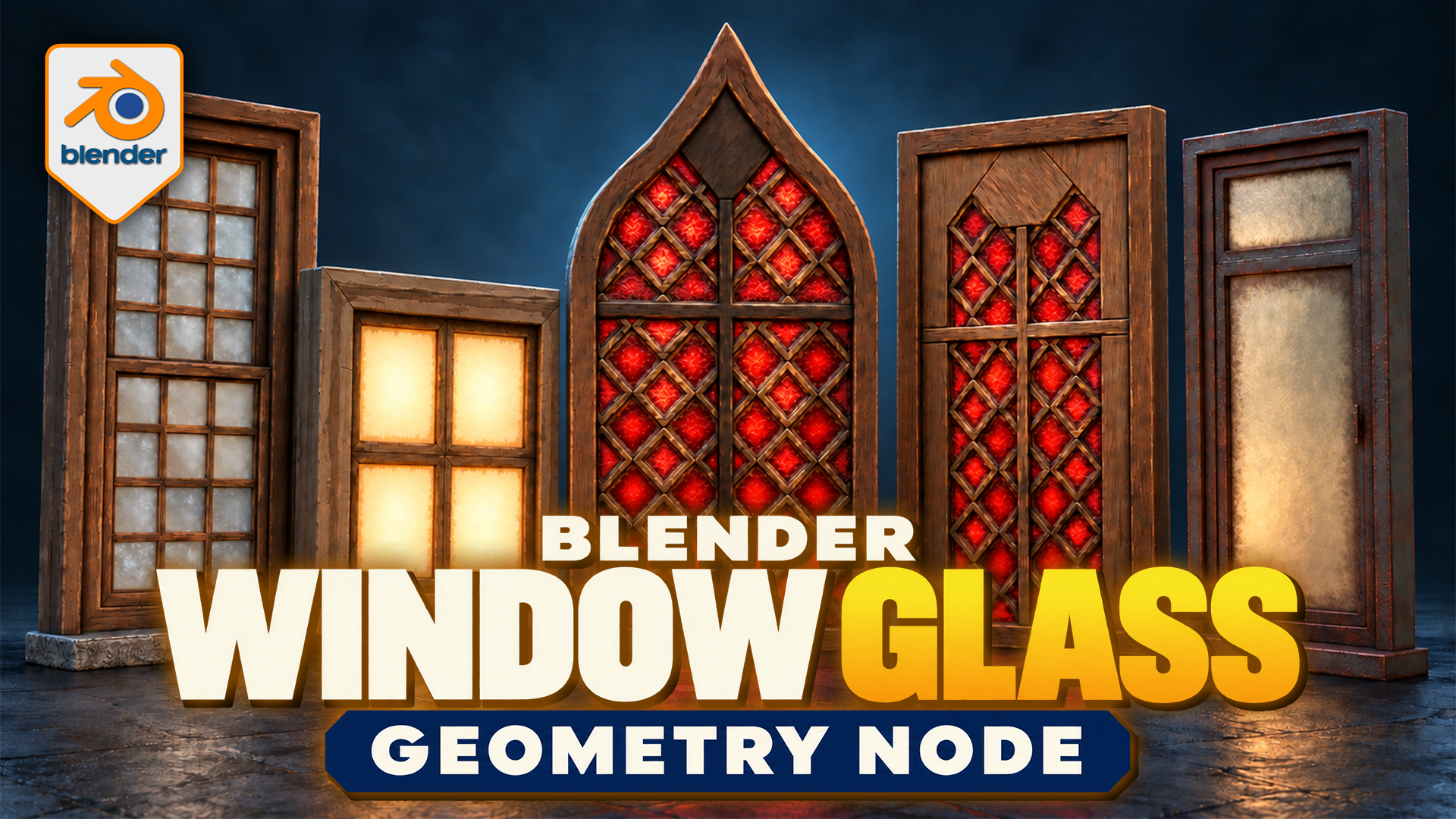
Give a window more than a flat colour. This 3D Tudor Window Glass Shader lets you adjust the clear area, dirty boundary and surface wear independently, then choose whether the pane reflects its surroundings or glows from within.
Start from an example
Explore five prepared window designs and one lantern in the native Blender file. The Automatic Panes Geometry Nodes modifier works on an open pane mesh, treating disconnected faces or islands as individual panes. Use the examples to compare settings before applying the setup to your own glass geometry.
Pale glass and darker pane edges complement weathered wooden and metal window frames.
Separate the glass from the dirt
Set glass colour, opacity and roughness, then shape a dirt overlay with its own colours and surface settings. Choose Basic, Rounded or Circular clear centres. Per-pane coverage and pattern variation create differences between neighbouring panes, with seeds to try another arrangement.
Red textured glass fills the diamond panes of an arched window and a rectangular window.
Add small surface differences
Combine cloudy glass, fine frost, ripples, scratches and speckles. Control glass colour-pattern scale separately from fine bump. Consistent World Scale keeps glass-detail size consistent between small and large panes; dirt keeps independent mapping. Optional centre and edge glow provide another direction for illuminated windows and lanterns.
Warm window panes and amber lantern glass demonstrate two different lighting appearances.
Your download
One reusable glass system with 59 exposed controls, five window examples, a lantern and packed textures in a native Blender file. Includes a written starting guide, a silent controls video of approximately 7 minutes 58 seconds and a 14-second preview. This is a paid digital product, not a Skillshare class.
Working with the file
Use Blender 5.2.2 LTS; the supplied scene is set up for Cycles, with one example checked in a Cycles test render. Earlier Blender versions and EEVEE have not been verified. Ripples and bump are shading effects rather than silhouette displacement. Higher Edge Mapping Quality adds geometry cost. Some Material Preview angles can show shimmer with scratches or speckles, so check the result in your scene lighting and render.
Is an add-on required?
No. The download uses native Blender nodes and materials. It treats glass panes rather than generating complete window frames.
FAQs
What are digital products?
Digital products at Skillshare are expertly crafted tools, resources, and templates developed by top creatives that are available to you for purchase. With a wide range of resources to suit every creative need, they are actionable, making your learning experience real and unforgettable.
How can I purchase a digital product?
Anyone can purchase a digital product on Skillshare — click Buy now to enter your payment information and complete your purchase. Once payment is complete, all files will be available for download instantly from this page. You'll also receive an email with a link to download your digital product after purchase.
Is there a limit to how many times I can download a digital product?
No, there is no limit to how many times you can download a digital product. Even if a product is removed by the creator, you can still access the download page in most cases by logging in to your Skillshare account.
Can I get a refund or cancel my digital product purchase?
Digital products are non-refundable and cannot be returned or canceled. To learn more, see our refund policy in the Skillshare Help Center.
Can I make and sell my own digital products?
Absolutely! Visit How can I sell a digital product on Skillshare? to learn how you can create, list and sell your own digital products on Skillshare.