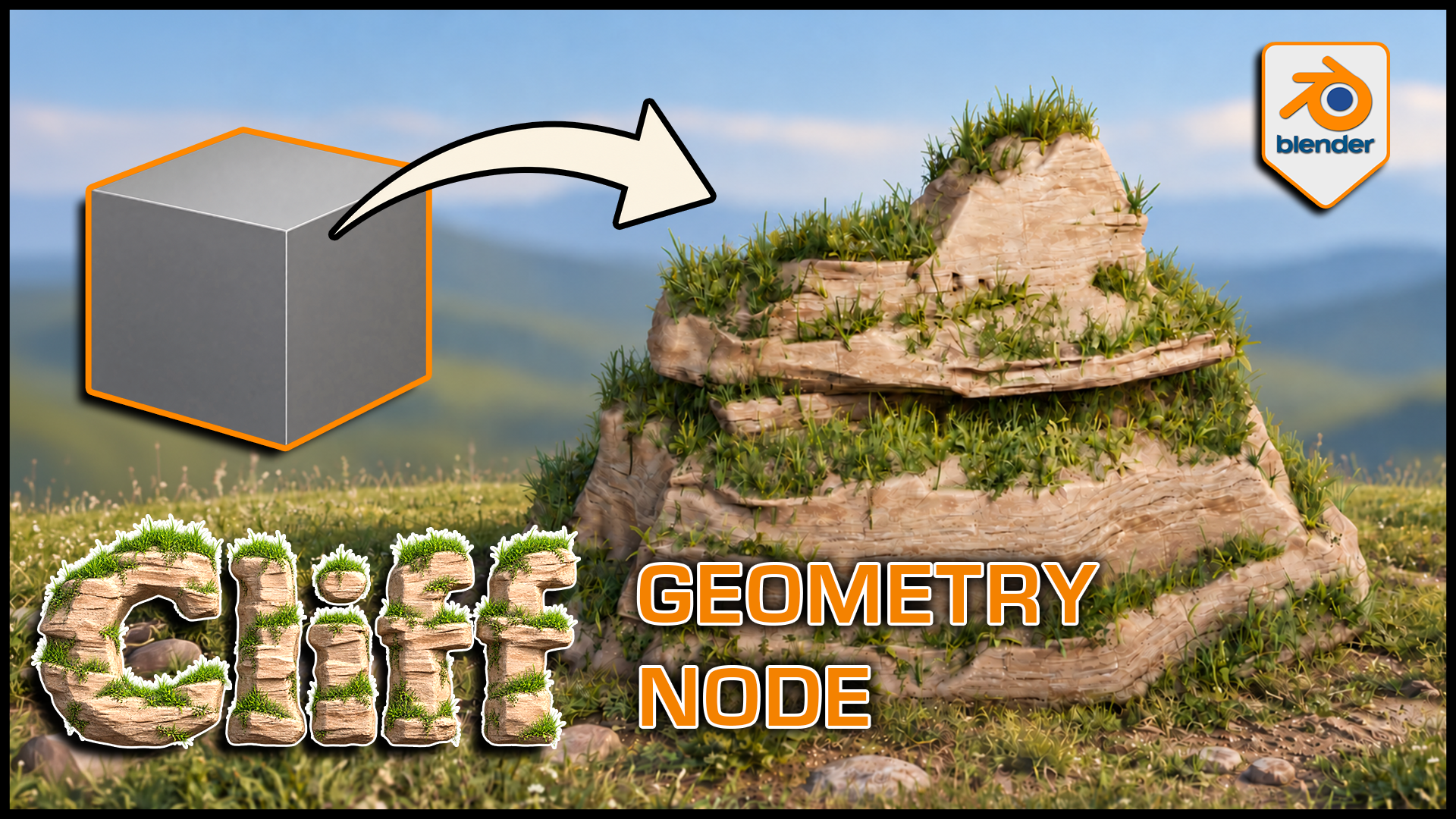
Stylized Cliff Generator for Blender
1 month of Skillshare
Available with PurchaseFree
All memberships will be billed automatically on a recurring basis until canceled. If eligible for a free trial, cancel before the trial ends to avoid being charged. Offer only valid for new paid subscribers. See full terms of service here.
About this product

3D Tudor
Bestselling Blender Author & 3D Educator
Watch the Stylized Cliff Generator in action: 3D Tudor’s Blender generator video overview on YouTube.
Build a cliff around the composition you have in mind. This 3D Tudor Blender Geometry Nodes product creates stylized rock formations with editable terraces, layered grass and soil surfaces, and separate three-dimensional meadow plants.
 Procedural cliff terraces give the grass distinct ledges to follow, while exposed rock keeps the stepped silhouette readable.
Work in three clear passes
Shape: adjust rock width, formation size, bulge, ledges, terraces and layering. Compare a broad shelf with a narrower column while keeping the main silhouette editable.
Surface: refine the supplied rock, grass and soil material with texture, shading, coverage, slope and mask controls.
Plants: enable meadow grass, then tune density, size, variation, angle and seed separately from the grass-coloured surface. Viewport and render density have their own controls.
 Blender cliff controls bring shape, rock shading and grass surface settings into one modifier panel in the 3D Tudor generator.
What you receive
- A Blender project with Custom Settings and Default Settings examples, each exposing 42 controls.
- Nine separate 2048 × 2048 PNG maps: Base Color, Normal and Roughness for cliff, grass and soil.
- Packed project images and the meadow vegetation dependencies.
- A getting-started guide in HTML and Markdown.
- Three silent control demonstrations covering shape, textures/grass and material swapping, plus a rendered turntable.
 Three-dimensional grass remains visible in solid shading, separating the plant geometry from the cliff material beneath it.
Getting started
Unzip the generator package and open the project in Blender 5.1.2. The source scene uses Cycles. Custom Settings is visible in the Example collection; enable the excluded Geometry Node collection in the Outliner to see Default Settings.
Follow the guide when appending the setup into another scene so its node groups, materials and meadow objects come with it. Download the separate demonstration ZIP for the complete local videos.
Useful to know
The grass surface and 3D plants are separate. Material replacement is supported through Cliff Material, but a replacement shader uses its own controls. Other materials shown in that demo illustrate the workflow.
This is a downloadable Blender tool, not a Skillshare class. Earlier Blender compatibility, game-engine integration, LODs and collision setups are not supplied or established.
Use it for stylized landscape studies, fantasy or adventure environments, and individual cliff landmarks.
Gallery videos are short previews of shape, grass and texture, and material controls. The separate demonstration ZIP contains the complete silent videos.
FAQs
What are digital products?
Digital products at Skillshare are expertly crafted tools, resources, and templates developed by top creatives that are available to you for purchase. With a wide range of resources to suit every creative need, they are actionable, making your learning experience real and unforgettable.
How can I purchase a digital product?
Anyone can purchase a digital product on Skillshare — click Buy now to enter your payment information and complete your purchase. Once payment is complete, all files will be available for download instantly from this page. You'll also receive an email with a link to download your digital product after purchase.
Is there a limit to how many times I can download a digital product?
No, there is no limit to how many times you can download a digital product. Even if a product is removed by the creator, you can still access the download page in most cases by logging in to your Skillshare account.
Can I get a refund or cancel my digital product purchase?
Digital products are non-refundable and cannot be returned or canceled. To learn more, see our refund policy in the Skillshare Help Center.
Can I make and sell my own digital products?
Absolutely! Visit How can I sell a digital product on Skillshare? to learn how you can create, list and sell your own digital products on Skillshare.