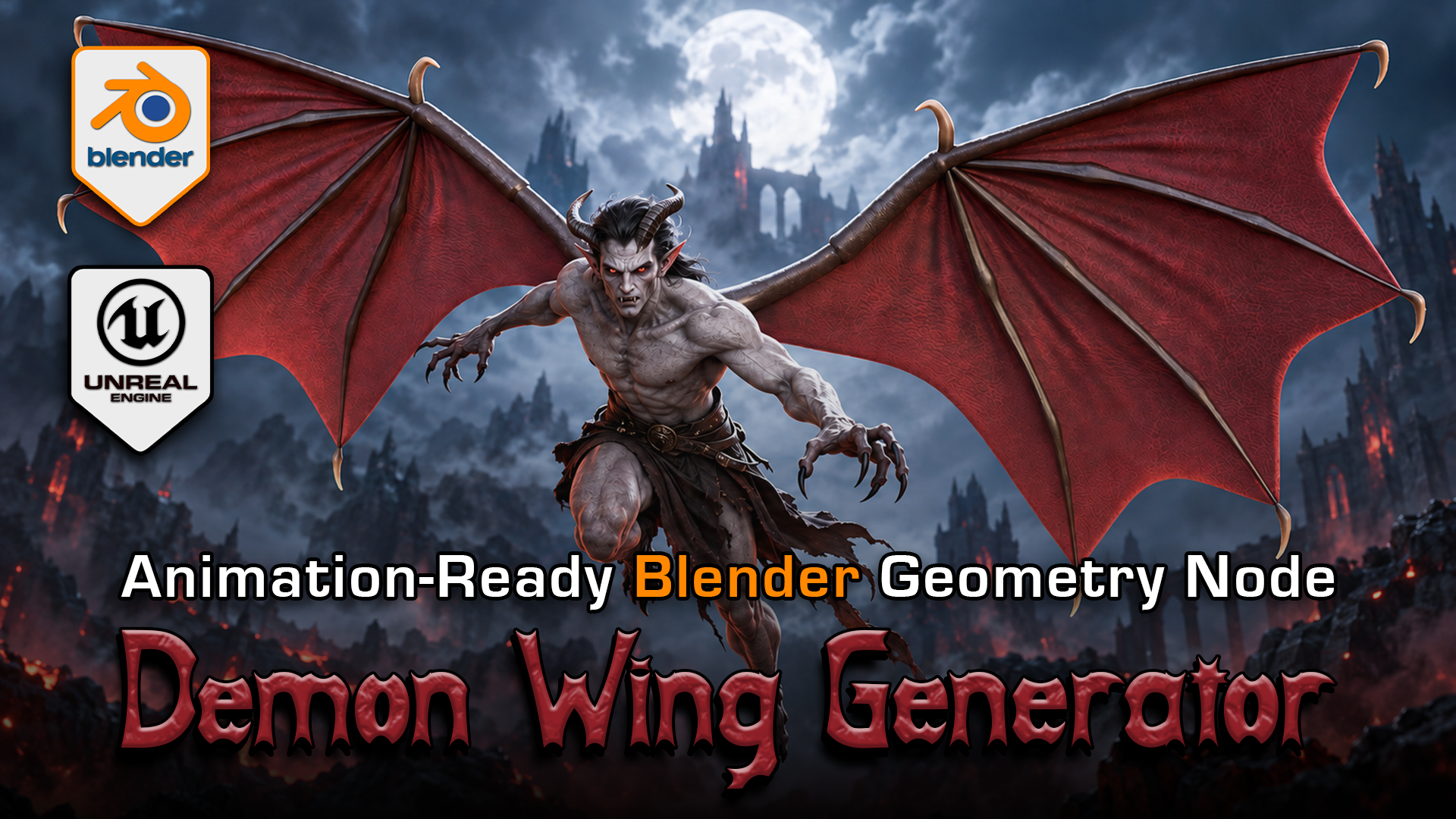
Demon Wing Generator for Blender
1 month of Skillshare
Available with PurchaseFree
All memberships will be billed automatically on a recurring basis until canceled. If eligible for a free trial, cancel before the trial ends to avoid being charged. Offer only valid for new paid subscribers. See full terms of service here.
About this product

3D Tudor
Bestselling Blender Author & 3D Educator
Give your creature a wing silhouette of its own. 3D Tudor Demon Wing Generator brings shape, posing, membrane detail and procedural movement into an editable Blender Geometry Nodes setup.
 Broad red wings frame the included static demon body in 3D Tudor’s Blender Demon Wing Generator.
Start with the outline
Choose Broad Six Panel, Compact, Swept Bone or Bronze Bat. Adjust span, height, finger proportions, spread and tip sweep around your character. Independent wing settings let you vary the two sides while the generator keeps the structure and membranes together.
 Compare compact scalloped wings with the broad design before refining your creature’s silhouette.
Refine the surface and movement
Develop membrane tension, wrinkles, scalloping and thickness, then work on bones, claws, colours and UV alignment. Pose the wings with raise, sweep, elbow, wrist, twist and fold controls. Procedural flap speed, strength, wave and timing controls help you explore motion.
The Blender generator exposes 164 controls. The main PBR texture sets are 2K, and the Blender project contains packed images. The preview demon body is static; the editable system and motion examples focus on the wings.
 Bronze Bat combines bat-like proportions with a bronze membrane finish; shape and materials remain editable in Blender.
Included downloads
Native Blender v08 package with prepared examples, packed textures and an optional export add-on.
Unreal Engine 5.8.3 project with four baked wing variants, morph-target movement examples and three LODs per wing.
Four FBX preview variants with companion textures and supporting files.
 Swept Bone exposes the wing supports, making their spacing and proportions easier to compare.
Choose your workflow
Use Blender 5.2.2 for the inspected procedural setup. Append the complete asset collection with its dependencies when moving it into another scene. The optional exporter is not required to use the generator.
The Unreal examples use a stationary root and 24 sampled morph targets per variant. These are movement samples, not 24 separate animation clips. The baked examples do not preserve Blender Geometry Nodes and are not a complete character flight controller or a retargetable anatomical rig.
Common questions
Can I create bat-like wings? Yes. The Bronze Bat design and exposed shape controls give you a starting point for bat-like membranes and proportions.
Is the demon character animated? The preview body is static. Wing geometry and movement are the focus of the package.
Do earlier Blender or Unreal versions work? Earlier versions, Unity compatibility and mobile performance have not been verified.
Watch the local demonstrations to see the controls in use, then compare two silhouettes from the same camera before choosing your character’s final wing shape.
FAQs
What are digital products?
Digital products at Skillshare are expertly crafted tools, resources, and templates developed by top creatives that are available to you for purchase. With a wide range of resources to suit every creative need, they are actionable, making your learning experience real and unforgettable.
How can I purchase a digital product?
Anyone can purchase a digital product on Skillshare — click Buy now to enter your payment information and complete your purchase. Once payment is complete, all files will be available for download instantly from this page. You'll also receive an email with a link to download your digital product after purchase.
Is there a limit to how many times I can download a digital product?
No, there is no limit to how many times you can download a digital product. Even if a product is removed by the creator, you can still access the download page in most cases by logging in to your Skillshare account.
Can I get a refund or cancel my digital product purchase?
Digital products are non-refundable and cannot be returned or canceled. To learn more, see our refund policy in the Skillshare Help Center.
Can I make and sell my own digital products?
Absolutely! Visit How can I sell a digital product on Skillshare? to learn how you can create, list and sell your own digital products on Skillshare.