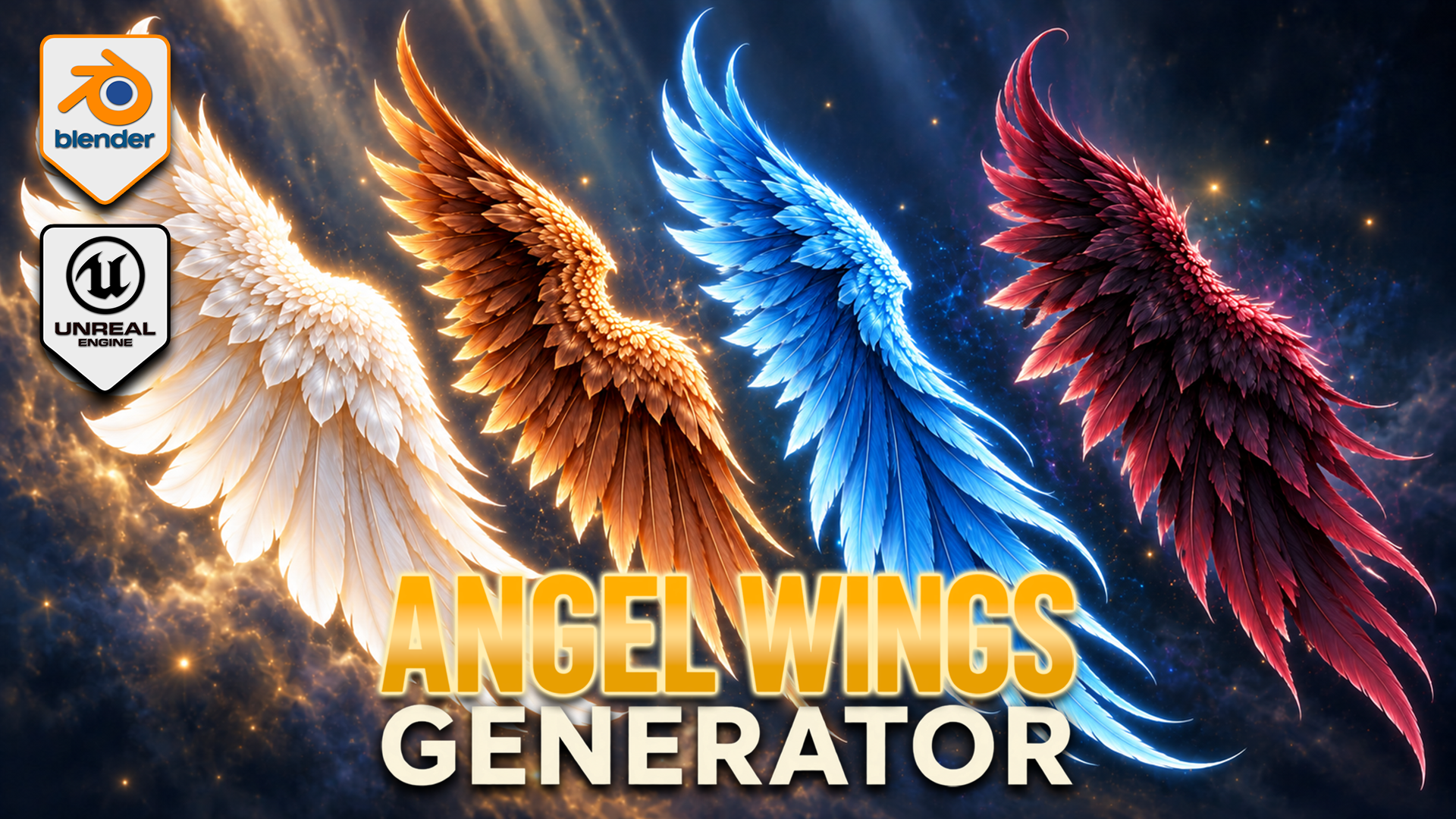
Angel Wings Generator for Blender
1 month of Skillshare
Available with PurchaseFree
All memberships will be billed automatically on a recurring basis until canceled. If eligible for a free trial, cancel before the trial ends to avoid being charged. Offer only valid for new paid subscribers. See full terms of service here.
About this product

3D Tudor
Bestselling Blender Author & 3D Educator
Build feathered wings around your fantasy character with an editable Blender Geometry Nodes generator. Shape the outline, develop the overlapping feather layers and pose each wing independently, then explore colour and procedural movement within the same setup.
SHAPE FIRST, DETAIL SECOND
Adjust span, height, depth, cupping and sweep to establish the silhouette. Shoulder shape and root placement help fit the wings around your reference. Independent left and right controls support asymmetric poses, with raise, elbow bend, wrist bend, twist and fold settings for the gesture.
DEVELOP THE FEATHER LAYERS
Flight, cover and upper feather layers have controls for length, width, density, fan and roll. Refine curl, camber, taper and tip twist, then use seeded variation to break up repetition. Attachment, fluff and top-wrap sections help develop the root and upper edge.
The twelve feather texture styles are starting forms inside the generator, not twelve fixed finished wing models. Combine the layers and shape controls to develop your own design. Feather colour, variation colour, root tint and vertical tint support pale, dark or vivid fantasy palettes.
POSE AND ANIMATE
Procedural flapping controls include speed and strength, independent timing, wave delay, elbow and wrist follow, recovery fold and feather follow-through. This is a creative wing-motion system, not flight physics or a complete character rig. Draft, Standard and Full settings let you choose the feather-card geometry level for your scene.
YOUR DOWNLOADS
• Blender archive: native wing-generator file, optional exporter v0.13.0 and installation notes.
• Texture archive: twelve feather textures, three scene textures and one environment image.
• Start Here text file: opening instructions.
The native Blender file contains five wing control objects and packed image resources. The main generator has 153 exposed inputs covering shape, pose, feathers, animation and shading. It was inspected in Blender 5.2.2 LTS.
GETTING STARTED
Read Start Here, extract the Blender archive and open the native project. Select a wing control object and establish the broad outline before refining the feather layers. Develop the pose, then colour and motion. Follow the separate installation notes if you want to use the optional exporter.
This is a downloadable tool package, not a Skillshare class. Presentation characters and atmospheric promotional backgrounds illustrate the theme; a separately licensed character asset and those background scenes are not included.
Happy modelling everyone!
Neil – 3D Tudor
FAQs
What are digital products?
Digital products at Skillshare are expertly crafted tools, resources, and templates developed by top creatives that are available to you for purchase. With a wide range of resources to suit every creative need, they are actionable, making your learning experience real and unforgettable.
How can I purchase a digital product?
Anyone can purchase a digital product on Skillshare — click Buy now to enter your payment information and complete your purchase. Once payment is complete, all files will be available for download instantly from this page. You'll also receive an email with a link to download your digital product after purchase.
Is there a limit to how many times I can download a digital product?
No, there is no limit to how many times you can download a digital product. Even if a product is removed by the creator, you can still access the download page in most cases by logging in to your Skillshare account.
Can I get a refund or cancel my digital product purchase?
Digital products are non-refundable and cannot be returned or canceled. To learn more, see our refund policy in the Skillshare Help Center.
Can I make and sell my own digital products?
Absolutely! Visit How can I sell a digital product on Skillshare? to learn how you can create, list and sell your own digital products on Skillshare.