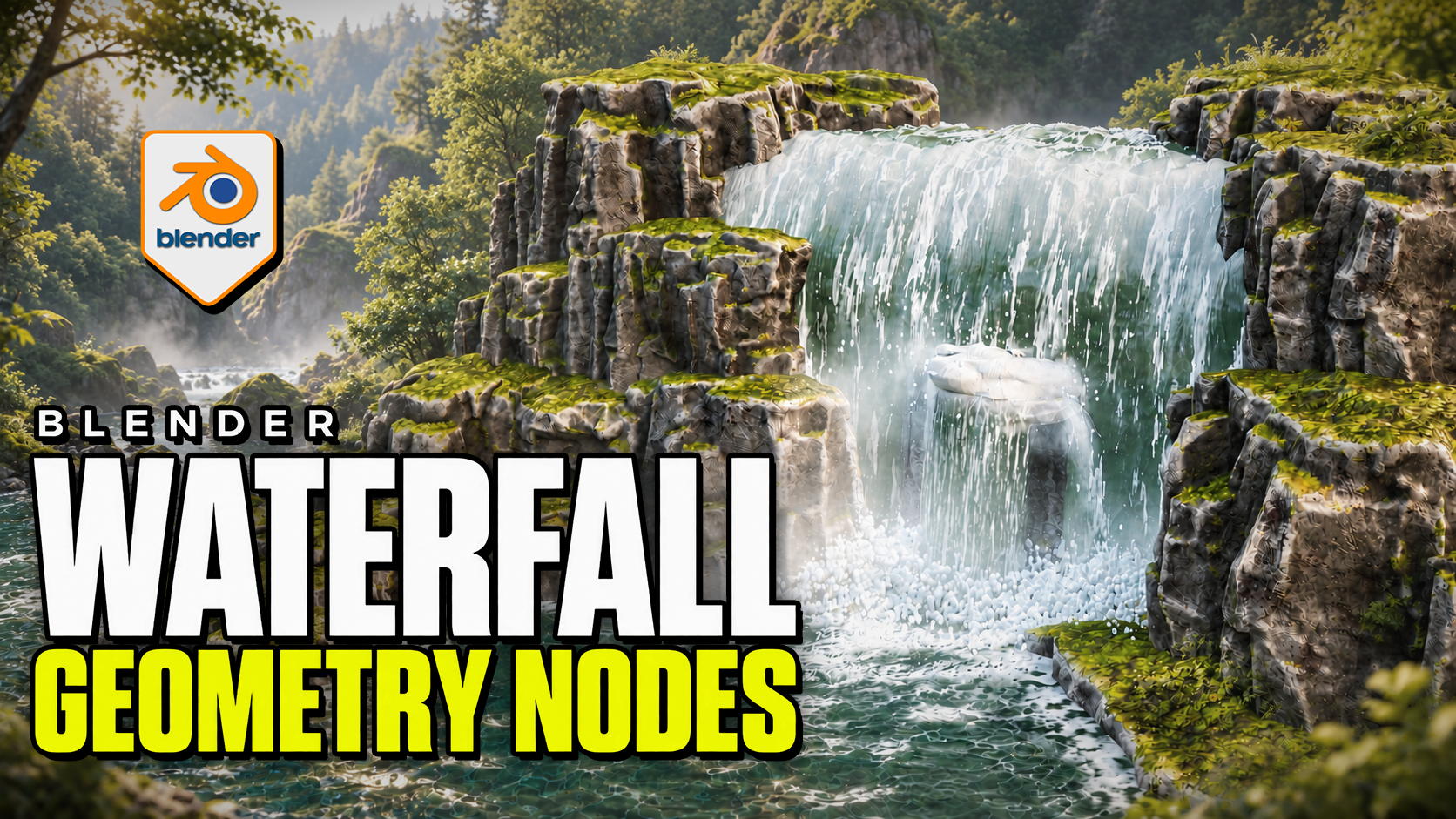
Advanced Waterfall Geometry Nodes for Blender
1 month of Skillshare
Available with PurchaseFree
All memberships will be billed automatically on a recurring basis until canceled. If eligible for a free trial, cancel before the trial ends to avoid being charged. Offer only valid for new paid subscribers. See full terms of service here.
About this product

3D Tudor
Bestselling Blender Author & 3D Educator
Make the waterfall, pool and impact effects work together. Advanced Waterfall by 3D Tudor is a Blender Geometry Nodes product for directing falling water along a curve, building the receiving surface and placing foam, splash rings and mist. Begin with the supplied scene, then adapt the standalone objects to your own environment.
 Water streaks, impact spray and low mist bring the falling water into contact with the pool in this 3D Tudor waterfall scene.
Shape the route and width
Edit the curve to establish the fall. Overall Width controls the broad shape, while curve-point radius allows local narrowing and widening. Refine the lip, direction, waviness, surface noise and edge fading. Interaction collections let selected objects influence surface-following, spills and cutouts.
 The wider composition connects the waterfall to a receiving pool, with surface patterns and foam around the rocks.
Connect the fall to the pool
The separate Water Surface system provides layered animated normal waves, shallow/deep colour and opacity controls, and contact or shoreline foam. Standalone Splash Rings and Splash and Fog objects let you place additional impact detail independently.
Mist uses flat cards with contact and waterline fading. The surface caustic patterns are artistic shading, not physically projected caustics.
 The closer viewport view makes the impact foam, mist and patterned pool surface easier to inspect.
Included files and demonstrations
- Native Blender project with the example scene, reusable standalone objects and packed image resources.
- Four main systems: Waterfall, Water Surface, Splash Rings, and Splash and Fog.
- Written getting-started guide.
- Four silent control demonstrations, approximately 21 minutes 46 seconds in total, plus two short animated previews.
Download Blender and Guide first. The long Waterfall controls recording is supplied in two consecutive parts to fit the download limit; the other controls and previews are in their own ZIP. Both parts retain the original video without re-encoding.
Start in your own Blender scene
Use Blender 5.2.2 LTS. Open the project and save a working copy. To import clean templates, make Standalone Waterfall Items available in the Outliner, then copy or append the object you need. No product addon installation is required.
Match Loop Frames where a shared animation cycle is needed. The documented default loop is 240 frames, while the example timeline ends at 120; set your intended output range and review the full sequence before rendering.
Is it right for your project?
Best for: environment artists shaping a waterfall composition, its receiving water and nearby impact effects in Blender.
Is it a fluid simulator? No. It uses procedural geometry and shaders. Physically simulated liquid needs a separate simulation workflow.
Can I export the whole effect to a game engine? Not as a complete working system. Static mesh formats do not preserve the Blender animation, shading and editable controls.
Is it a class? This is a downloadable digital product with silent demonstrations and a guide, not a narrated course. Earlier Blender versions have not been verified.
FAQs
What are digital products?
Digital products at Skillshare are expertly crafted tools, resources, and templates developed by top creatives that are available to you for purchase. With a wide range of resources to suit every creative need, they are actionable, making your learning experience real and unforgettable.
How can I purchase a digital product?
Anyone can purchase a digital product on Skillshare — click Buy now to enter your payment information and complete your purchase. Once payment is complete, all files will be available for download instantly from this page. You'll also receive an email with a link to download your digital product after purchase.
Is there a limit to how many times I can download a digital product?
No, there is no limit to how many times you can download a digital product. Even if a product is removed by the creator, you can still access the download page in most cases by logging in to your Skillshare account.
Can I get a refund or cancel my digital product purchase?
Digital products are non-refundable and cannot be returned or canceled. To learn more, see our refund policy in the Skillshare Help Center.
Can I make and sell my own digital products?
Absolutely! Visit How can I sell a digital product on Skillshare? to learn how you can create, list and sell your own digital products on Skillshare.