Smart Morph - Body and Face Shape Sliders
1 month of Skillshare
Available with PurchaseFree
All memberships will be billed automatically on a recurring basis until canceled. If eligible for a free trial, cancel before the trial ends to avoid being charged. Offer only valid for new paid subscribers. See full terms of service here.
About this product

Junaid Alam
3D Artist
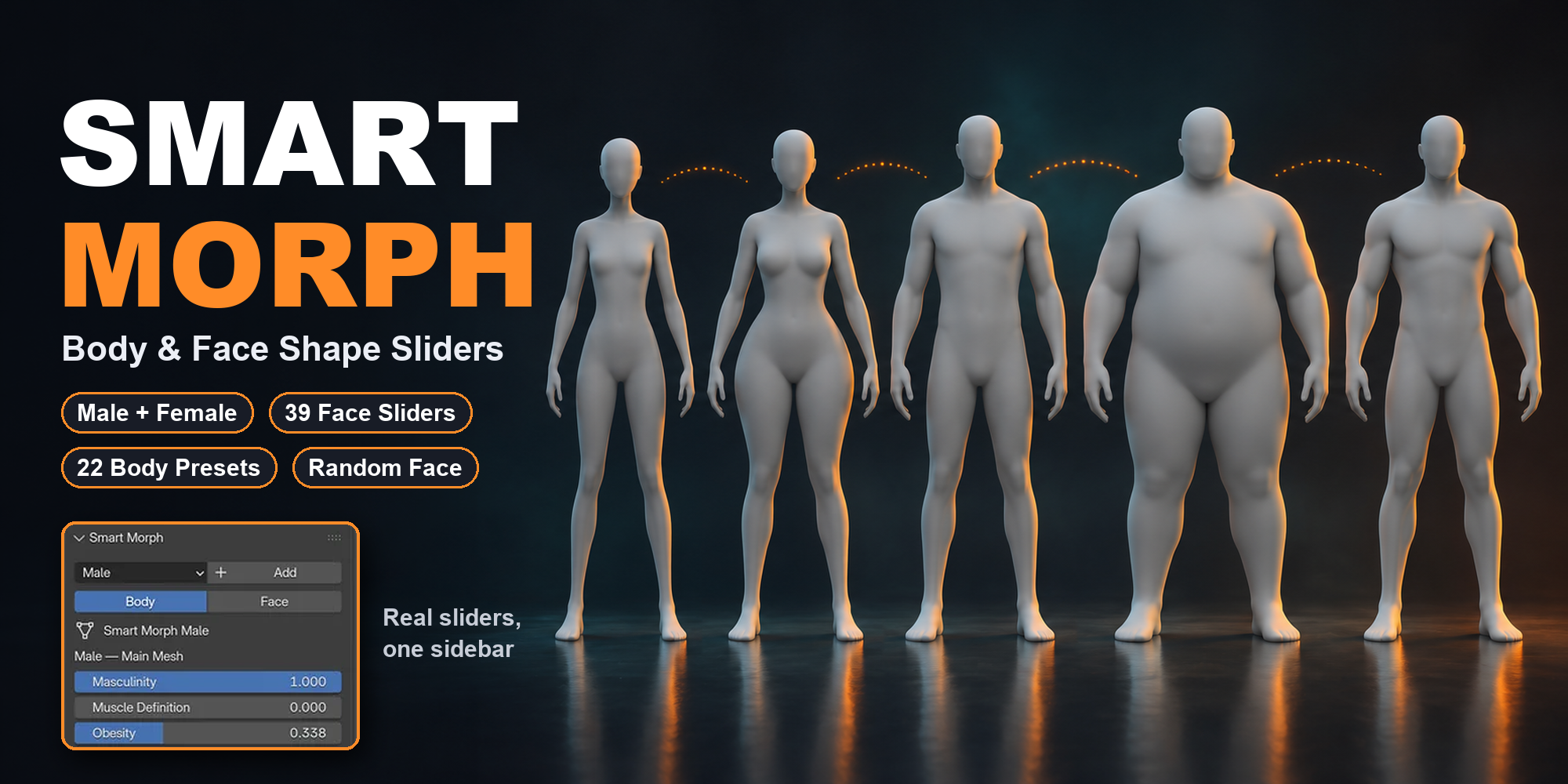
Shape male and female base meshes in Blender with sliders instead of sculpting. Body and face proportions, 22 body type presets, Random Face and saved custom presets.
The problem
Every new character needs a different body. In plain Blender that means sculpting, proportional editing or building shape keys one by one. It is slow and hard to repeat.
The solution
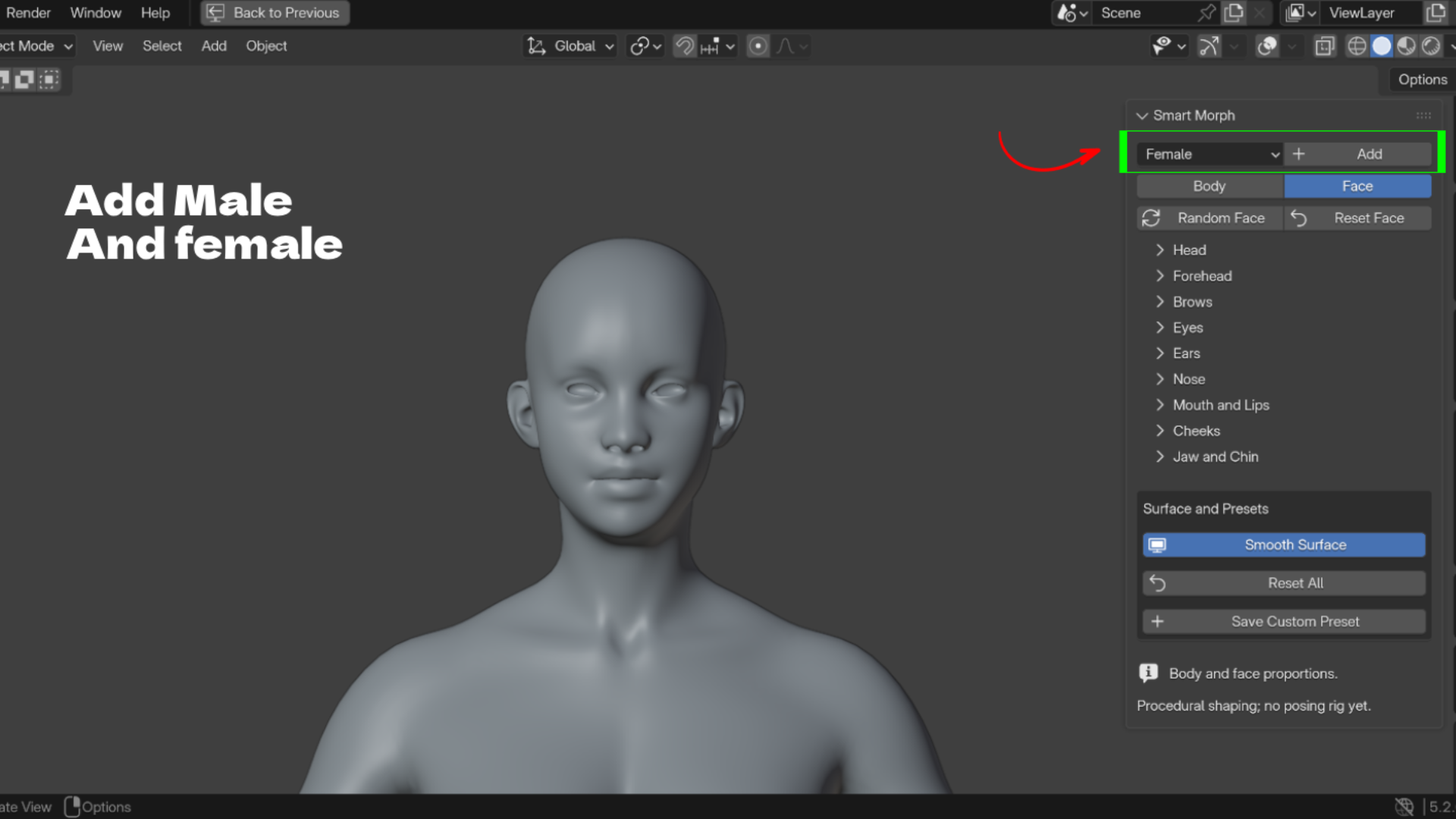
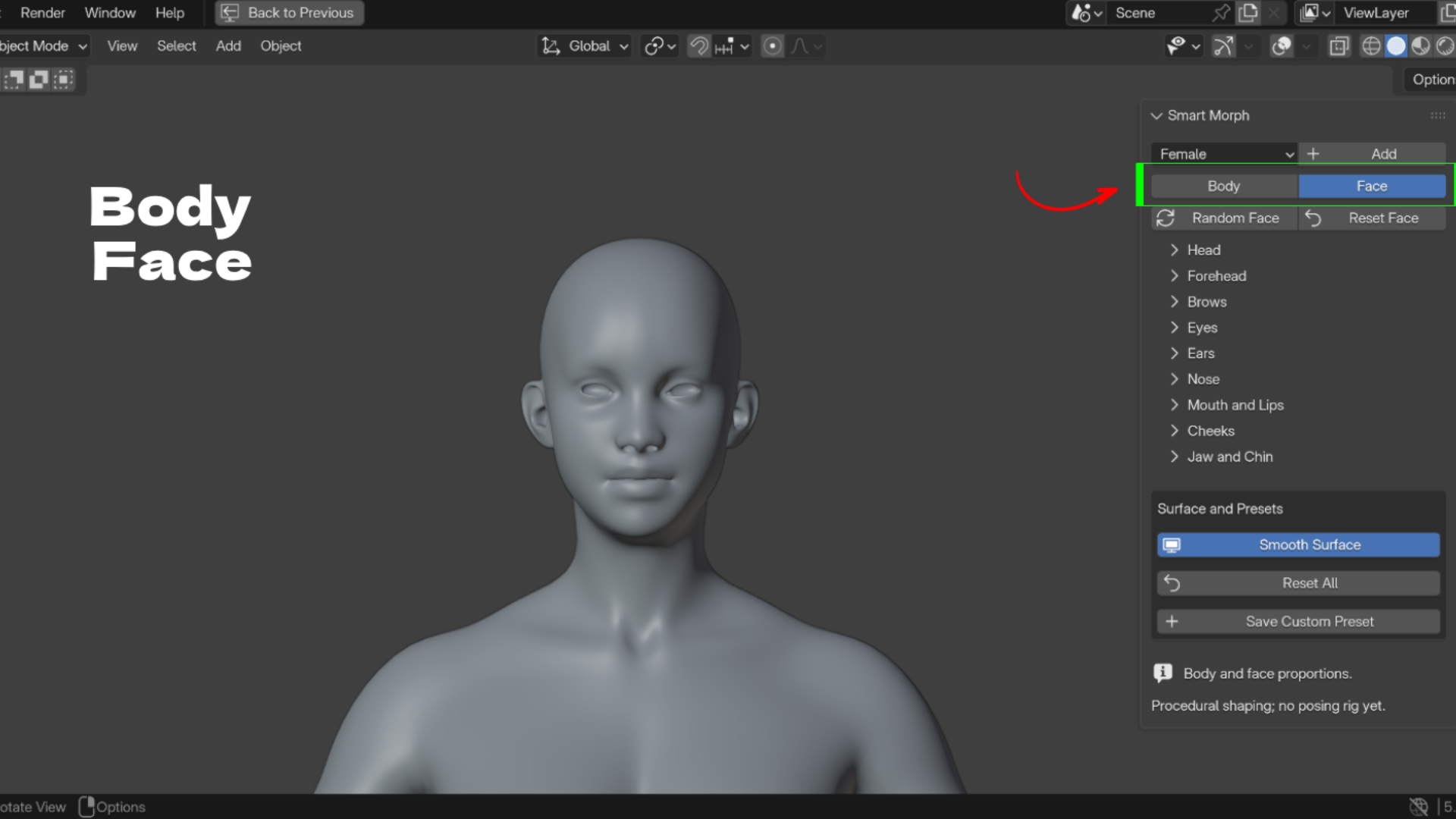
Smart Morph gives you a female and a male base mesh with proportion sliders already built in. Add a character, pick Body or Face, and drag sliders. Left and right sides stay linked.
Key Features
- Female and Male base meshes: add either one at the 3D cursor with one click.
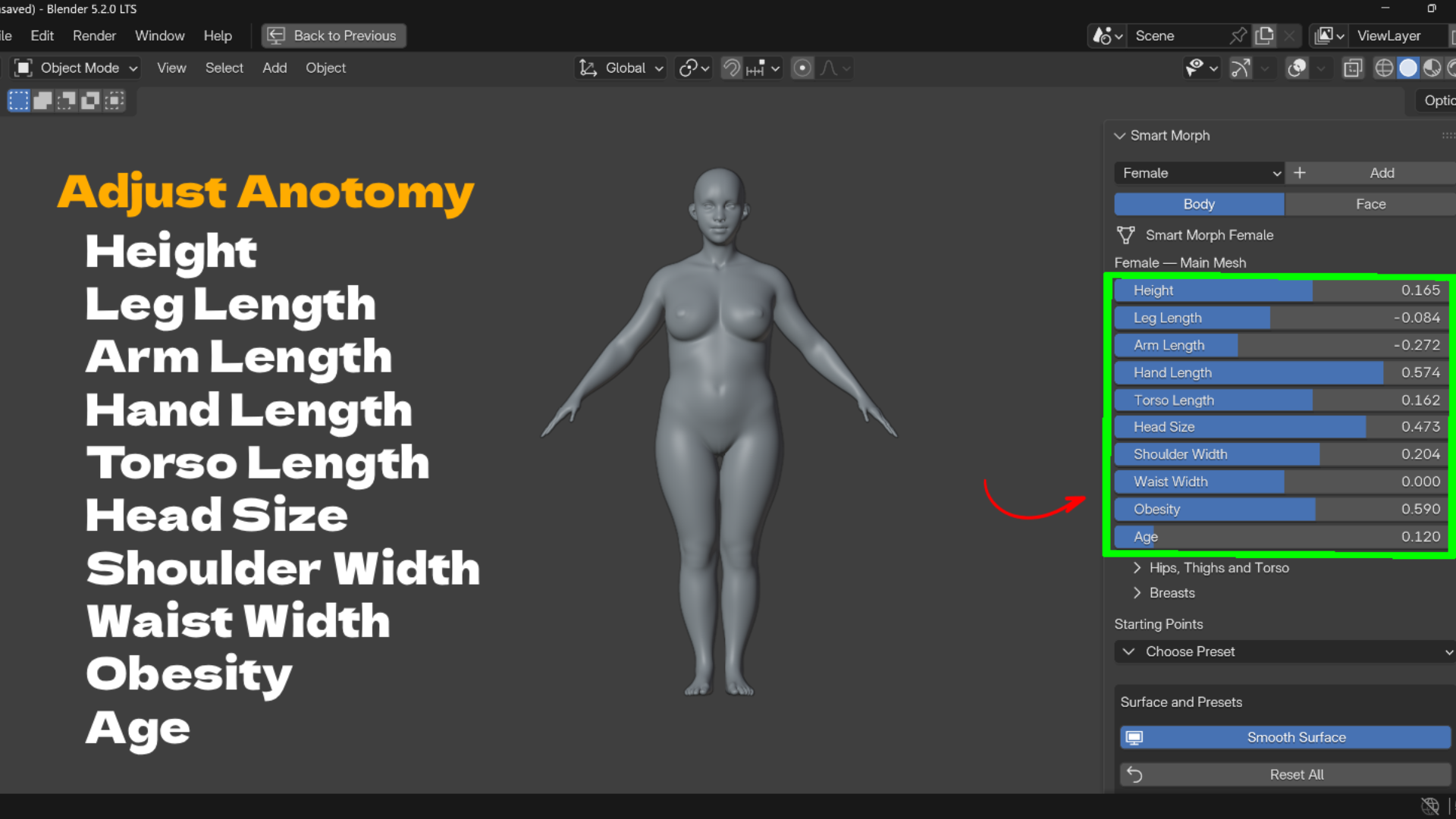
- Body proportion sliders: height, limb lengths, torso, head size, shoulders, waist, hips and more.
- Smart length controls: feet stay grounded, hands follow arm length, head and arms follow the torso.
- Body build controls: obesity, age, belly size and belly drop on both bodies; masculinity and muscle definition on the male.
- Female specific controls: breast volume, spacing, projection, upper and lower fullness, and hang.
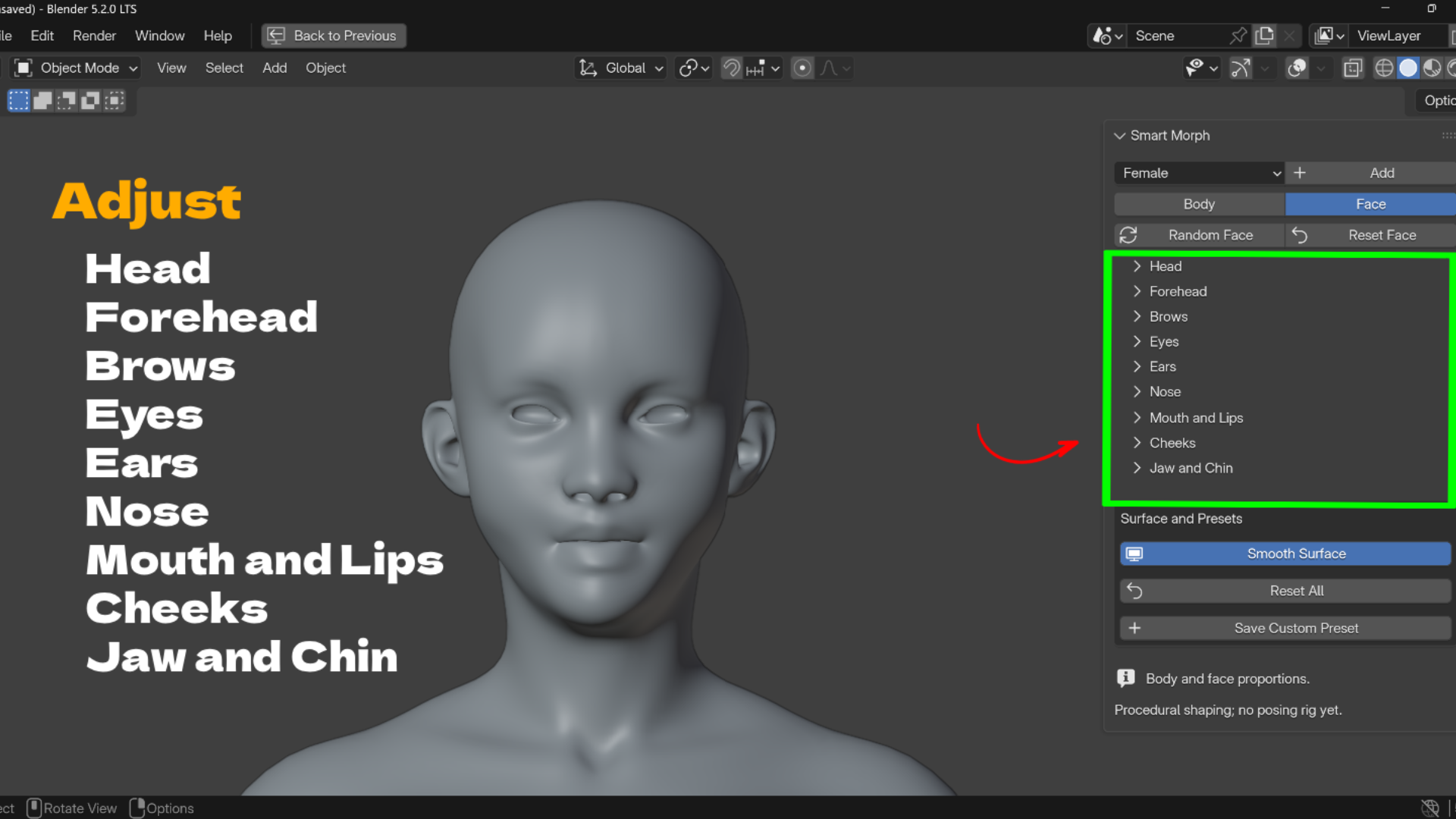
- 39 face shape sliders: head, forehead, brows, eyes, ears, nose, mouth and lips, cheeks, jaw and chin.
- Left and right offsets: for eyes, ears and cheeks.
- Random Face: creates a new face and leaves body proportions, transforms and presets alone.
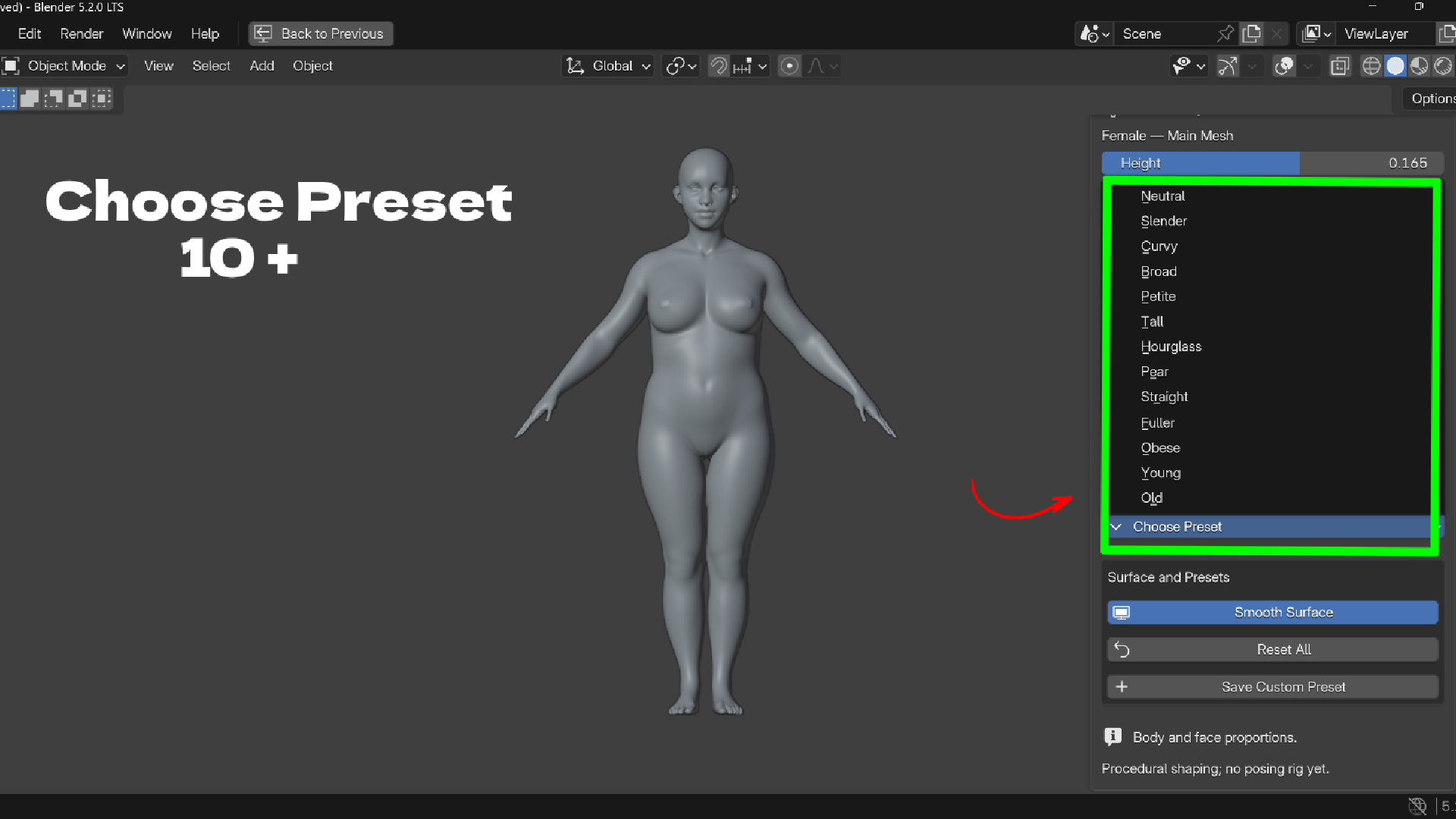
- 22 body type presets: 13 female and 9 male Starting Points.
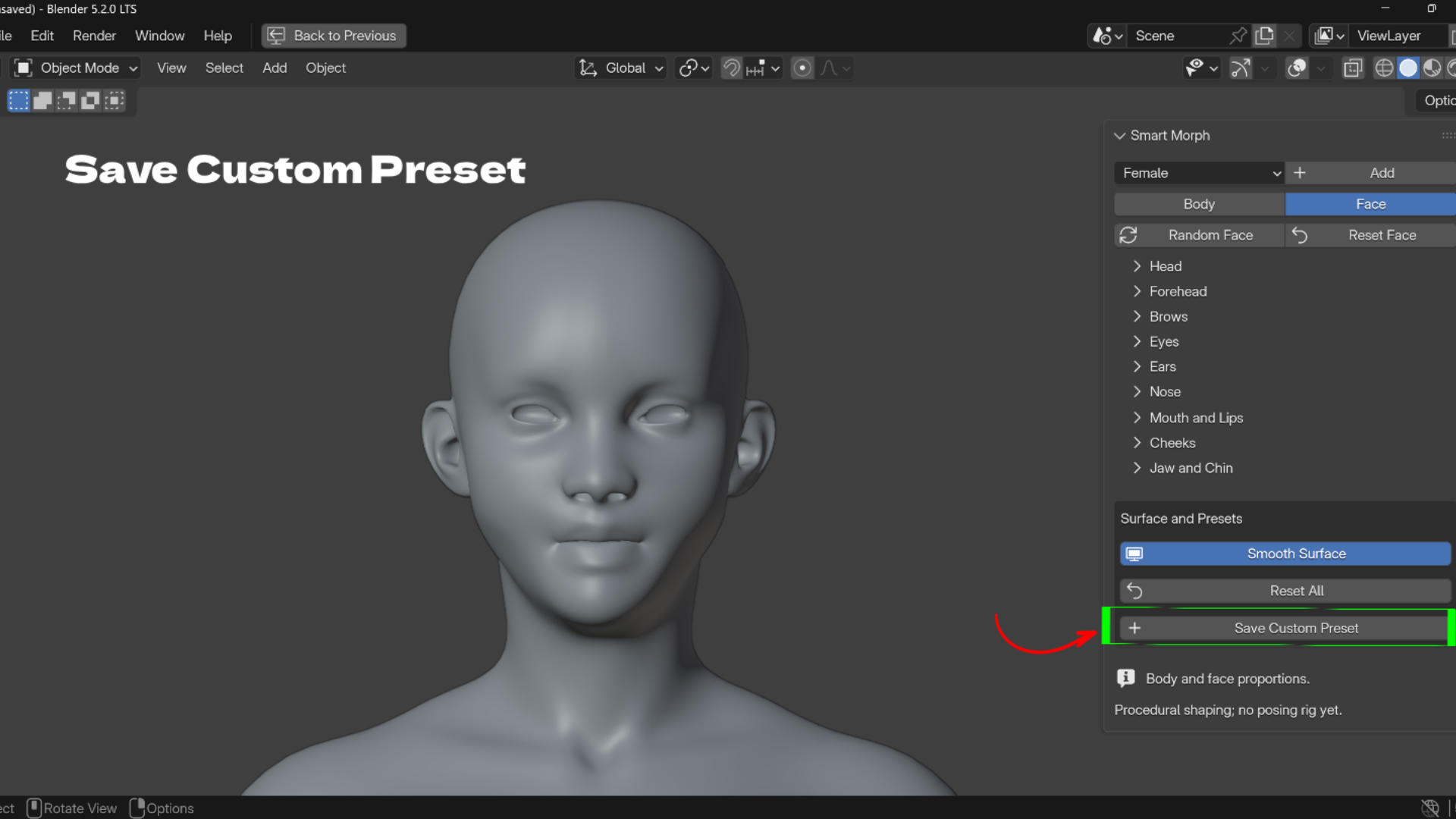
- Custom presets saved on the character: save body and face values by name, load them with one click, delete with X.
- Auto framing: clicking Body frames the full character from the front; clicking Face frames a close up.


Who It Is For
Character artists, game developers, illustrators, previs artists, clothing designers and students.
What's Included
- Smart Morph ZIP (version 1.1.0) with female, male and legacy base body assets
- User guide, README and support file
- GPL-3.0-or-later license for the code
- Blender 5.2 or newer (tested on 5.2.1 LTS, Windows)
Install
- Download Smart-Morph-1.1.0-BlenderUstad.zip. Do not extract it.
- In Blender open Edit > Preferences > Add-ons.
- Open the menu at the top right, choose Install from Disk, and select the ZIP.
- Enable Smart Morph, then press N in the 3D View and open the Smart Morph tab.
FAQ
How do I change body proportions in Blender without sculpting?
Add a Smart Morph character and drag the Body sliders. Height, limbs, torso, shoulders, waist, hips and more are already set up.
Does it include male and female base meshes?
Yes. Pick Female or Male and click Add. Each click creates a new independent character.
Can I make random faces?
Yes. Random Face creates a new face and keeps the body, transforms and presets as they are.
Is it destructive?
No. Every change is a slider value. Use Reset Face, Reset All or Blender Undo to go back.
Does it include a rig, UVs or textures?
No. Smart Morph is a proportion tool. It does not include a posing rig, facial animation, UVs, skin textures or separate eyeballs.
Demo video: https://youtu.be/u6IVoE3jygw
Support: admin@blenderustad.com
FAQs
What are digital products?
Digital products at Skillshare are expertly crafted tools, resources, and templates developed by top creatives that are available to you for purchase. With a wide range of resources to suit every creative need, they are actionable, making your learning experience real and unforgettable.
How can I purchase a digital product?
Anyone can purchase a digital product on Skillshare — click Buy now to enter your payment information and complete your purchase. Once payment is complete, all files will be available for download instantly from this page. You'll also receive an email with a link to download your digital product after purchase.
Is there a limit to how many times I can download a digital product?
No, there is no limit to how many times you can download a digital product. Even if a product is removed by the creator, you can still access the download page in most cases by logging in to your Skillshare account.
Can I get a refund or cancel my digital product purchase?
Digital products are non-refundable and cannot be returned or canceled. To learn more, see our refund policy in the Skillshare Help Center.
Can I make and sell my own digital products?
Absolutely! Visit How can I sell a digital product on Skillshare? to learn how you can create, list and sell your own digital products on Skillshare.