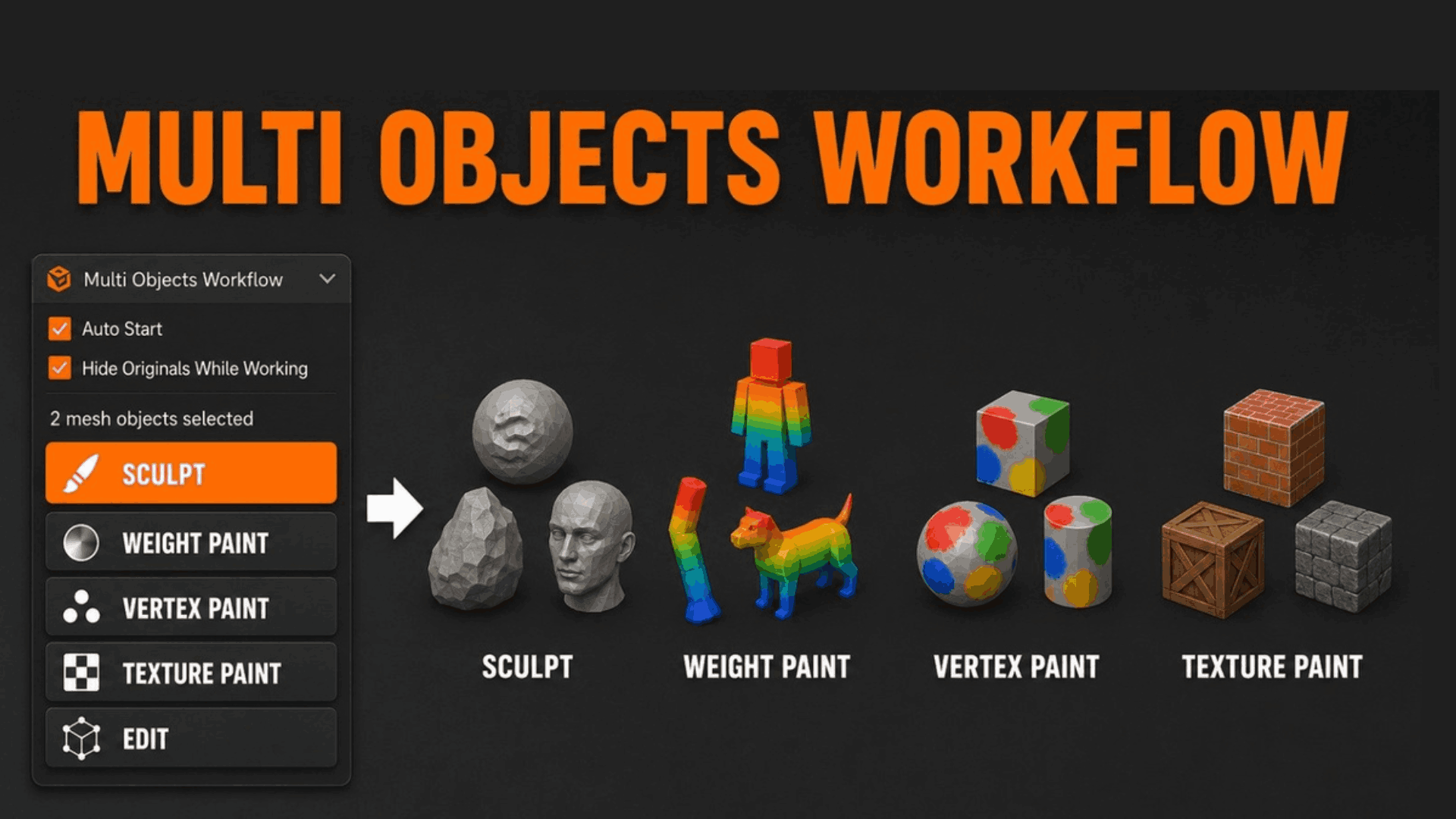
Multi Objects Workflow-Sculpt,Paint & Weight Paint
1 month of Skillshare
Available with PurchaseFree
All memberships will be billed automatically on a recurring basis until canceled. If eligible for a free trial, cancel before the trial ends to avoid being charged. Offer only valid for new paid subscribers. See full terms of service here.
About this product

Junaid Alam
3D Artist
Blender's sculpting, painting, and weight painting tools operate on a single active object. When your character is split into a body, clothing layers, and armor pieces as virtually every production-ready character is that constraint forces a choice: destructively join your objects, or give up working across mesh boundaries.
Multi Objects Workflow eliminates that choice.
Select any number of mesh objects, start a session, and the addon instantly builds a temporary combined mesh from all of them. Sculpt across seams, blend weight paint across clothing and body in a single stroke, texture paint without borders, or edit topology across multiple parts then return to Object Mode. Your edits transfer back to every original object automatically. The combined mesh is removed. Nothing was ever joined.
This is the workflow that Blender's native toolset doesn't give you built specifically for artists who work at a production level
Key Benefits
Work the way your assets are actually built. Production characters, modular environments, and prop kits are never single meshes. Multi Objects Workflow lets your tools match your asset structure, not the other way around.
Never destructively join again. Joining objects to work across them collapses modifiers, loses per-object UV islands, merges materials, and destroys vertex group organization. This addon preserves all of it on the original objects always.
Zero interruption to your rigging pipeline. Weight painting across body, clothing, hair, and armor objects simultaneously means your deformation pipeline stays clean. No manual weight copying, no proxy meshes, no workarounds.
Shape keys survive every session. Sculpt edits apply to the basis mesh, keeping all existing shape key offsets intact and relative. Your corrective shapes, facial blendshapes, and morph targets are untouched.
Auto-start means zero extra clicks. Enable Auto Start and the session begins the moment you switch mode with multiple objects selected identical to native Blender mode-switching, but across all selected objects at once.
Professional Use Cases
Character Art & Rigging Sculpt secondary forms across body parts without seam artifacts. Weight paint deformation influence across body, clothing, and hair layers in a single pass. Eliminate the need for proxy meshes or manual weight transfers between overlapping mesh objects.
Game Asset Production Paint vertex colors, bake-friendly normal details, and LOD-preparation edits across modular kit pieces simultaneously. Keep each piece as a separate exportable mesh while treating the set as a unified editing surface.
VFX & Feature Animation Work on cloth simulation meshes, body cage meshes, and skin meshes as a unified surface during look development without collapsing the simulation stack. Preserve modifier chains while sculpting final detail passes.
Architectural Visualization Sculpt material variation, weathering detail, or organic deformation across façade elements, terrain patches, and prop clusters without merging geometry that needs to remain separate for instancing, LOD, or material assignment.
Environment Art Detail sculpt across tiling terrain chunks, rock formations, or building modules. Apply vertex color passes across modular environment kits. Maintain each mesh as a discrete object for scene organization, export, or LOD streaming.
Product & Industrial Visualization Refine surface quality and continuity across multi-part assemblies mechanical components, consumer electronics, automotive panels without disrupting the part hierarchy needed for rendering and animation.


Workflow Advantages
Without this addon ------With Multi Objects Workflow
Join objects (destructive) → sculpt/paint → manually separate
Select objects → start session → work → return to Object Mode
Lose modifiers, UV maps, materials on join
All original data preserved on each object
Re-transfer weights manually after joining
Weight paint transfers back automatically to each object
Rebuild shape keys after destructive join
Shape keys preserved; basis updated non-destructively
No way to texture paint across multiple objects
Full multi-object texture paint session in one click
Time saved per character weight painting session: estimated 30–90 minutes no join, no transfer, no cleanup.
Auto Start further reduces friction to zero: with it enabled, switching to Sculpt or Paint mode with multiple objects selected launches the session automatically no sidebar visit required.
FAQs
What are digital products?
Digital products at Skillshare are expertly crafted tools, resources, and templates developed by top creatives that are available to you for purchase. With a wide range of resources to suit every creative need, they are actionable, making your learning experience real and unforgettable.
How can I purchase a digital product?
Anyone can purchase a digital product on Skillshare — click Buy now to enter your payment information and complete your purchase. Once payment is complete, all files will be available for download instantly from this page. You'll also receive an email with a link to download your digital product after purchase.
Is there a limit to how many times I can download a digital product?
No, there is no limit to how many times you can download a digital product. Even if a product is removed by the creator, you can still access the download page in most cases by logging in to your Skillshare account.
Can I get a refund or cancel my digital product purchase?
Digital products are non-refundable and cannot be returned or canceled. To learn more, see our refund policy in the Skillshare Help Center.
Can I make and sell my own digital products?
Absolutely! Visit How can I sell a digital product on Skillshare? to learn how you can create, list and sell your own digital products on Skillshare.