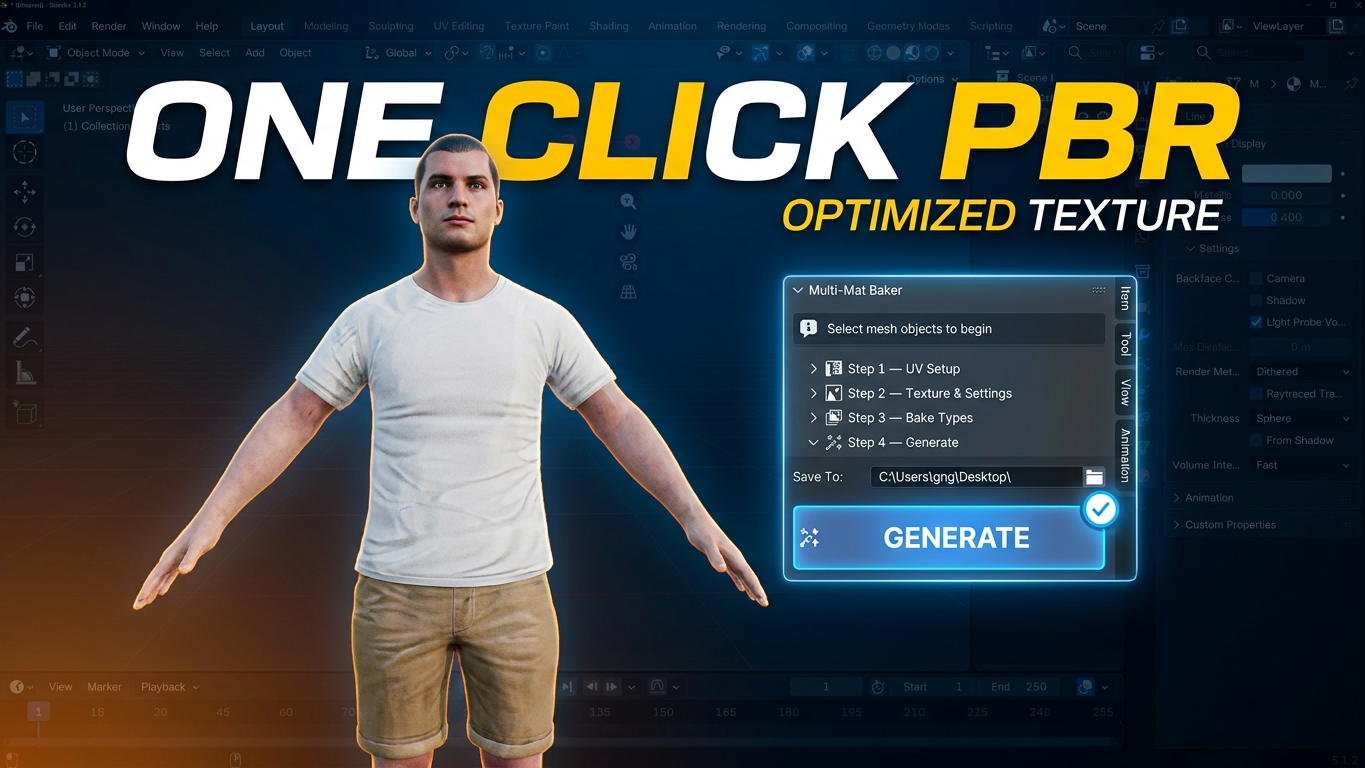
Multi-Mat Baker - Bake Multiple Materials into One
1 month of Skillshare
Available with PurchaseFree
All memberships will be billed automatically on a recurring basis until canceled. If eligible for a free trial, cancel before the trial ends to avoid being charged. Offer only valid for new paid subscribers. See full terms of service here.
About this product

Junaid Alam
3D Artist
Multi-Mat Baker — One Click. One Material. Game Ready.
Downloaded a character with 30 materials? Bought an asset pack where every piece has its own shader? Trying to export a complex prop to Unity or Unreal but your draw calls are out of control?
Multi-Mat Baker solves this in a single click.
Select your objects, press Generate, and the addon automatically handles every step of the pipeline — UV creation, island packing, PBR baking, and material consolidation — delivering a clean, single Principled BSDF material with a full baked texture set, ready to drop into any game engine.
⚡ What It Does
Multi-Mat Baker automates the entire multi-material → single texture workflow:
Fixes UV channel names across all selected objects for correct baking
Creates a dedicated BakeUV channel and packs all islands into one shared 0–1 UV space
Bakes all 6 PBR maps — Diffuse, Normal, Roughness, Metallic, Height, and AO
Builds the final material — one clean Principled BSDF with all textures wired correctly
Removes all old materials and assigns the new consolidated one


🗺️ Full PBR Texture Set — All 6 Maps
Map Output
Diffuse / Base Color Raw albedo, no lighting — correct for game engines
Normal Tangent-space, baked as 32-bit float — standard for Unity & Unreal
Roughness Native Cycles bake type
Metallic Emission trick — no native Blender type, handled automatically
Height / Displacement Emission trick — handled automatically
Ambient Occlusion Baked and available for manual blending
🎛️ Full Control When You Need It
The addon works in one click with smart defaults or gives you step-by-step control:
Resolution: 512 / 1024 / 2048 / 4096 / 8192px
Custom texture prefix — e.g. Hero → Hero_Diffuse_2048, Hero_Normal_2048
UV island margin control — prevent texture bleeding between islands
Bake pixel margin — set per-resolution (16 for 2K, 32 for 4K, 64 for 8K)
Cycles sample override — low samples for previews, high for finals
Auto-save to folder — all maps saved as PNG automatically
Missing map detection — smart dialog warns you before wasting bake time
📊 Real-Time Progress Tracking
Blender's bake is blocking — so Multi-Mat Baker shows live progress between every map:
Status bar at the bottom of the Blender window
Viewport header showing the current map and step count (e.g. MMB [3/6] — Baking Roughness…)
🎮 Built for Game Developers and Asset Creators
Perfect for:
Game developers bringing Blender models into Unity, Unreal Engine, or Godot
Asset store creators consolidating complex multi-material props
Archviz artists optimizing models for real-time engines
Anyone working with downloaded or purchased 3D assets with messy material setups
✅ Compatibility
Blender 3.0 → 4.x (including 4.2+ Extensions system via blender_manifest.toml)
Cycles render engine (auto-switches if needed — restores your settings after)
Principled BSDF based materials
What You Get
multi_mat_baker.zip — install directly via Blender Preferences
README with full documentation
Free updates for the current major version
FAQs
What are digital products?
Digital products at Skillshare are expertly crafted tools, resources, and templates developed by top creatives that are available to you for purchase. With a wide range of resources to suit every creative need, they are actionable, making your learning experience real and unforgettable.
How can I purchase a digital product?
Anyone can purchase a digital product on Skillshare — click Buy now to enter your payment information and complete your purchase. Once payment is complete, all files will be available for download instantly from this page. You'll also receive an email with a link to download your digital product after purchase.
Is there a limit to how many times I can download a digital product?
No, there is no limit to how many times you can download a digital product. Even if a product is removed by the creator, you can still access the download page in most cases by logging in to your Skillshare account.
Can I get a refund or cancel my digital product purchase?
Digital products are non-refundable and cannot be returned or canceled. To learn more, see our refund policy in the Skillshare Help Center.
Can I make and sell my own digital products?
Absolutely! Visit How can I sell a digital product on Skillshare? to learn how you can create, list and sell your own digital products on Skillshare.