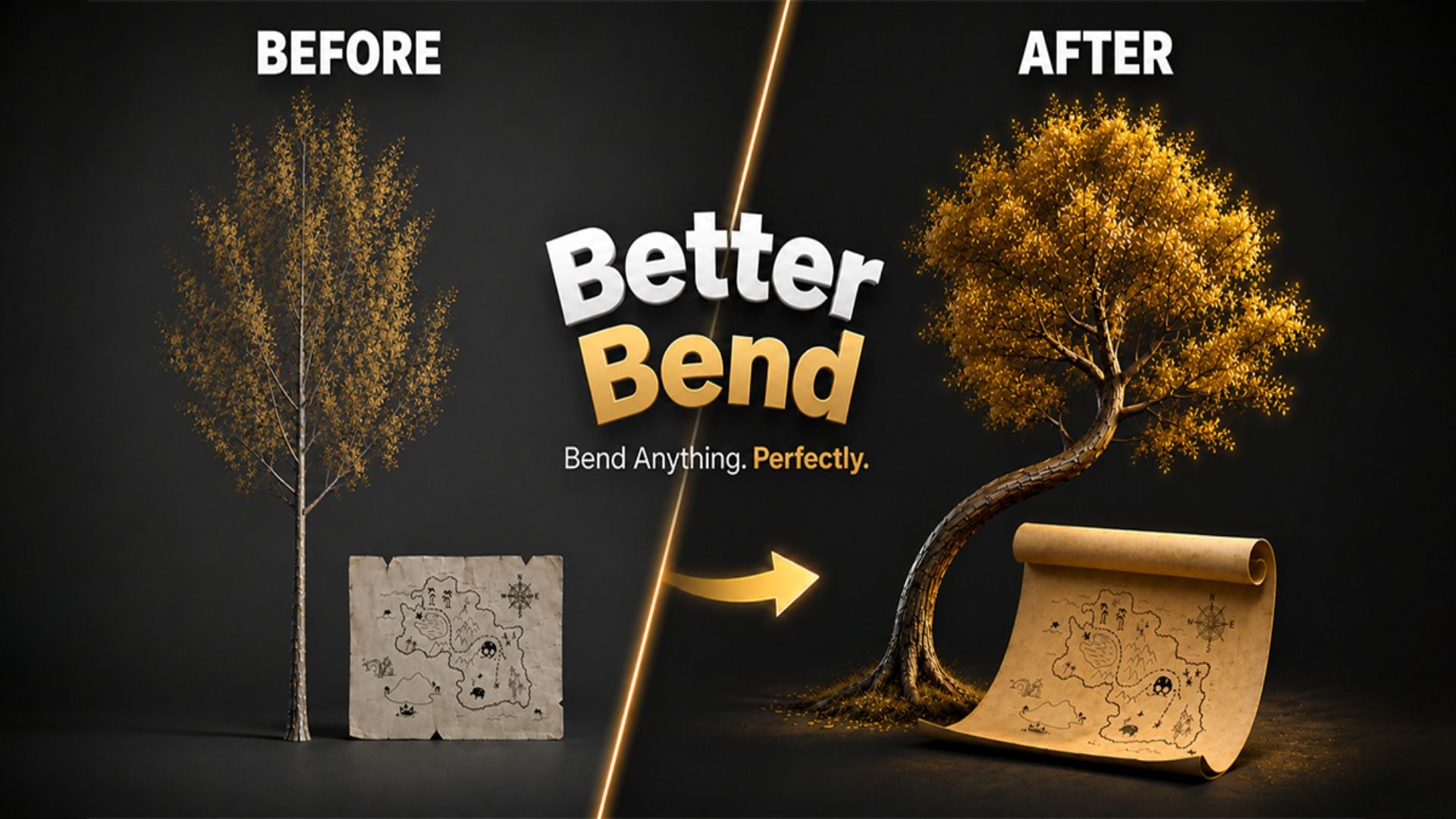
Better Bend - Geometry Nodes Bend Modifier
1 month of Skillshare
Available with PurchaseFree
All memberships will be billed automatically on a recurring basis until canceled. If eligible for a free trial, cancel before the trial ends to avoid being charged. Offer only valid for new paid subscribers. See full terms of service here.
About this product

Junaid Alam
3D Artist
Blender's Simple Deform modifier has a persistent problem. Its bend axis convention is counterintuitive, one-sided bending requires manual limit guesswork, and there is no clean way to offset the pivot without restructuring your scene. For a single exploratory bend it is tolerable. For production work including pipes, cables, architectural profiles, product renders, game props, or any geometry where controlled deformation is part of the workflow, it costs you time every single session.
Better Bend is a Geometry Nodes powered bend modifier built for Blender. It replaces the friction of Simple Deform's Bend mode with a direct, artist-facing interface that behaves exactly as expected. Pick the axis your geometry extends along, drag the bend amount, and it bends. One-side curl, real-unit limits, pivot offsets, and rotation framing are all first-class controls accessible from a clean N-panel with progressive disclosure that keeps common settings visible and advanced settings one click away.


What it does differently
You select the axis your geometry runs along and Better Bend maps that correctly to Blender's internal orientation automatically. That single change eliminates the entire setup ritual that Simple Deform demands: rotate the object, apply transforms, guess the axis, undo everything.
One-sided bending is exposed as a named Bend Style. Both Sides, Plus Side, or Minus Side. One click. The Start and End limits update automatically, or you override them manually with real Blender distance units.
The Pivot and Rotation sub-panel lets you move the bend center anywhere in object-local space without touching the object's origin. Your scene hierarchy stays intact through every revision.
For coils, springs, and helices, the Bend Amount slider accepts values beyond 360 degrees via direct input. For heavy meshes, a Live Update toggle switches from real-time feedback to a manual Update button for controlled iteration.
Apply Settings to Selected propagates your configuration to all selected objects simultaneously. One setup, many objects, immediate deployment across repeated assets.


The modifier lives in Blender's standard stack. Add Subdivision before it for denser geometry. Add Mirror after it for symmetric pieces. Wrap it in an Array for tiled curved segments. It stacks cleanly with every native Blender modifier and remains fully non-destructive until you deliberately apply it. UV coordinates are preserved through deformation.
Built with Geometry Nodes and fully transparent. Not a compiled black box. Open the node group, inspect the logic, and understand exactly what runs on your geometry. GPL-3.0 licensed for studio-safe adoption.
Ideal for hard surface modelers, product visualization artists, architectural visualization specialists, game asset creators, motion designers, environment artists, and any Blender professional who models with bent geometry and expects the tool to work without fighting it.
If you have ever spent more than a minute setting up a simple bend in Blender, you already know exactly what Better Bend is worth.
FAQs
What are digital products?
Digital products at Skillshare are expertly crafted tools, resources, and templates developed by top creatives that are available to you for purchase. With a wide range of resources to suit every creative need, they are actionable, making your learning experience real and unforgettable.
How can I purchase a digital product?
Anyone can purchase a digital product on Skillshare — click Buy now to enter your payment information and complete your purchase. Once payment is complete, all files will be available for download instantly from this page. You'll also receive an email with a link to download your digital product after purchase.
Is there a limit to how many times I can download a digital product?
No, there is no limit to how many times you can download a digital product. Even if a product is removed by the creator, you can still access the download page in most cases by logging in to your Skillshare account.
Can I get a refund or cancel my digital product purchase?
Digital products are non-refundable and cannot be returned or canceled. To learn more, see our refund policy in the Skillshare Help Center.
Can I make and sell my own digital products?
Absolutely! Visit How can I sell a digital product on Skillshare? to learn how you can create, list and sell your own digital products on Skillshare.